security
6 Topics
Microsoft Defender Locked by Unknown Admin Policies on My Personal PC
Hello, Microsoft Community! I'm experiencing a frustrating issue with my personal computer running Windows 10 Pro (22H2, build 19045). I am the owner of this computer and have local administrator privileges. However, several Microsoft Defender settings are locked, displaying messages such as: "This setting is managed by your administrator." "Exclusion modifications have been disabled by your administrator." "Your administrator has blocked this action." I first noticed the problem on October 30, 2026, when trying to launch Lunar Client (Minecraft), which had been working normally about a week earlier. Microsoft Defender suddenly started blocking the Java installation used by Lunar Client. 1. Microsoft Defender ASR blocking a legitimate application After investigating Windows Event Viewer, I found multiple security events with the following information: Event ID: 1121 — Microsoft Defender Exploit Guard ASR Rule ID: C0033C00-D16D-4114-A5A0-DC9B3A7D2CEB Rule: Block use of copied or impersonated system tools Blocked executable: klist.exe, located inside Lunar Client's Java installation Affected Java versions: Java 17 and Java 21 I also identified 17 Attack Surface Reduction (ASR) rules configured in block mode. 2. Unknown administrative security policies While investigating the Windows Registry, I found the following key: HKEY_LOCAL_MACHINE\SOFTWARE\Policies\Microsoft\Windows Defender\Policy Manager One of its values is: DisableLocalAdminMerge = 1 I also discovered a large number of Microsoft Defender exclusions associated with enterprise software, including: N-able Technologies BeAnywhere Support Express TOTVS / CorporeRM N-central Various other corporate applications and executables These exclusions are visible in Windows Security, but I cannot add or remove them because exclusion management is disabled by the administrator. I do not recognize these exclusions as necessary for my personal computer. 3. Troubleshooting already performed Work or school account enrollment A family member previously connected an educational institution account to this computer. That account has since been removed. Running dsregcmd /status returned: AzureAdJoined: NO DomainJoined: NO WorkplaceJoined: NO The Settings → Accounts → Access work or school page is also empty. Group Policy Running gpresult /scope computer /r showed: OS configuration: Standalone Workstation Domain type: Local Computer Applied Group Policy Objects: Local Group Policy only In gpedit.msc, I checked the following policies: Path Exclusions — Not Configured Process Exclusions — Not Configured Configure local administrator merge behavior for lists — Not Configured Other management checks edge://policy shows no configured Microsoft Edge policies. No services matching N-able, N-central, BeAnywhere, or SolarWinds were found. An enrollment registry query returned WMI_Bridge_SCCM_Server, with no management server address displayed. Attempted ASR exclusion I attempted to add an exclusion for Lunar Client's klist.exe using: Add-MpPreference -AttackSurfaceReductionOnlyExclusions The command produced no error, but the exclusion did not appear in the effective Defender preferences. 4. What I need help with My main concern is not just getting Lunar Client working again. I want to restore legitimate administrative control over the security settings on my personally owned computer, without disabling Microsoft Defender or weakening its protection. Specifically, I would appreciate guidance on the following questions: How can I identify the source of these administrative restrictions when my PC is no longer connected to a work or school organization? Could previous organizational enrollment have left persistent Microsoft Defender policies after the account was disconnected? What is the safest Microsoft-supported method for identifying and removing obsolete corporate exclusions and restrictions? Why is DisableLocalAdminMerge = 1 present in the Registry when the corresponding local Group Policy setting is "Not Configured"? Can these settings be restored to their normal locally administered state without reinstalling Windows? I have already contacted Microsoft Support, and the representative recommended posting this issue in the Microsoft Community for further technical assistance. I understand that Windows 10 has reached the end of regular support. However, I would still appreciate assistance in identifying the source of these restrictions and understanding the appropriate remediation procedure. I can provide screenshots of the Defender exclusions, Event Viewer logs, Registry values, and Group Policy results if needed. Thank you in advance for any assistance, especially from members experienced with Microsoft Defender, Attack Surface Reduction, MDM, Intune, or Windows security policy management.153Views0likes1CommentWhy am I Receiving Something is not quite right when adding a new clients?
When I actually contacted with QB online, I found out that a customer name could only contain letters and digits and could not contain a colon. That seemed to be a novel problem for me. All they say is, "Something's not quite right. Invalid name format". They didn't specify what was wrong, so I was stuck on the phone for a few hours as I tried to figure it out.1.4KViews0likes1Comment
How to Recover Deleted Word Document on Windows 10
I recently deleted a crucial Microsoft Word document by mistake on my Windows 10 PC and urgently need to recover it. After deleting, I emptied my Recycle Bin, realizing too late that the document was gone. I've attempted basic recovery steps like using the "Undo" feature without success and am wary of downloading recovery tools without recommendations. Could anyone suggest reliable data recovery software compatible with Windows 10, or if there's a built-in feature I might have missed that could help? The document was last located in my "Documents" folder and is a .docx file. I greatly appreciate any advice or tips you can share to help recover my document. Your expertise and suggestions will be invaluable to me during this stressful time. Thank you in advance for your help.116KViews0likes8CommentsHow to reset Windows 10 password when locked out?
Hey folks, hope everyone's doing well! I've got myself into a bit of a pickle and could really use your collective wisdom. I've been locked out of my Windows 10 computer (yeah, I know, should've written down the password) and I'm scratching my head on how to get back in. Has anyone here been through this and managed to reset their password without being able to log in? I've seen a few methods online involving bootable USB drives and using command prompts, but I'm not super tech-savvy and a bit hesitant to dive into something that seems so complex. I'm looking for a more straightforward, beginner-friendly way to reset my password and get back to my files. If you've got any ideas or step-by-step guides that could help out a fellow Windows user in distress, I'd be super grateful. Thanks [Edit] A few folks asked me if the problem was solved? Yes. The password was reset with the help of Passcue Windows Password Recovery software. Thanks Jack888 for the recommendation!778KViews0likes17CommentsRemove a device from Microsoft account
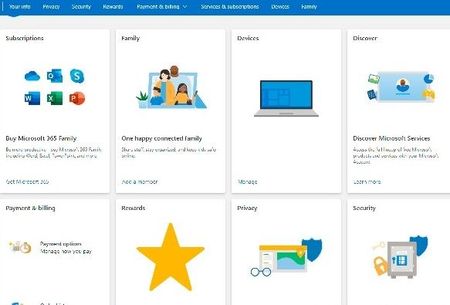
Hello, When I access to microsoft.com and clicking on my Microsoft account, the screen like the picture below is displayed. On Devices part, it showed my laptop info though I removed this device several times by this link https://support.microsoft.com/en-us/windows/remove-a-device-from-your-microsoft-account-dda2c664-9d57-e5db-acf0-67f14d5fdf3c. I hope this issue can be fixed. Thank you.2.7KViews1like2CommentsSecurity Advisory: Vulnerability in TPM could allow Security Feature Bypass
See details: https://portal.msrc.microsoft.com/en-us/security-guidance/advisory/ADV170012 https://www.infineon.com/cms/en/product/promopages/tpm-update/?redirId=59160 http://myitforum.com/myitforumwp/2017/10/11/zero-day-vulnerability-in-tpm-could-allow-security-feature-bypass/1.8KViews0likes0Comments