security
39 TopicsDon’t miss these key opportunities to strengthen your security practice
Security is the baseline expectation in migration and modernization—and the partners who lead in security can drive faster adoption, smoother deployments, and stronger customer outcomes from day one. Here’s how you can start today: Complete the Cloud Security Envisioning Workshop before June 30: Sharpen your security‑first approach and engage customers earlier in their cloud journey. After June 30, access requirements may change, so complete the workshop while current guidance is still in effect. Earn the Cloud Security specialization: Unlock continued workshop access and reinforce your role as a trusted partner for secure cloud transformations. Review the specialization requirements, check your status in Partner Center, and work with your Partner Development Manager or the Microsoft AI Cloud Partner Program Concierge to accelerate readiness. Strengthen your security framing today Want more guidance? Explore these additional resources: Partner Concierge Azure Migrate and Modernize Partner Forum288Views1like0Comments
Introducing Windows Ready Print and Modernized Driver Selection
Windows Ready Print: A clearer path to modern printing on Windows Printing on Windows is evolving. As printing environments modernize, customers and partners are asking for solutions that are reliable, secure, and easy to manage across today’s devices. To reflect this shift and make the value of our platform clearer, we are evolving the Modern Print Platform under a new name: Windows Ready Print. Windows Ready Print highlights what matters most: a streamlined, dependable printing experience built for modern Windows environments. It represents our commitment to simplifying printing, aligning modern standards, and delivering consistent, forward-looking experiences for users, IT admins, and partners. Driving the transition to Windows Ready Print with driver selection controls At the core of Windows Ready Print is a transition away from legacy, third party drive-based workflows toward modern, standards-based printing with IPP (Internet Printing Protocol) using the Windows inbox IPP printer driver. Starting in July 2026, new printer installations will default to Windows Ready Print where supported, enabling a simpler and more reliable setup experience. This change reduces the need for traditional driver management and lays the foundation for a more scalable and predictable print experience. However, we recognize that not all environments can move to Windows Ready Print immediately. To ensure a smooth and flexible transition, we are introducing the ability for users to configure Windows to install their printers using Windows Ready Print (if supported) or the OEM printer driver during installation. You can find this setting under Settings > Bluetooth & Devices > Printers & Scanners > Default install printer using Windows Ready Print. This feature enables users and IT admins to control how Windows selects drivers when installing printers: When “Default install printers using Windows Ready Print” is enabled, Windows Ready Print installation is preferred When “Default install printers using Windows Ready Print” is disabled, default driver selection is used The configuration applies to new printer installations only, without affecting existing devices. To enable/disable this feature via group policy, go to: Launch Group Policy Editor Navigate to Local Computer Policy -> Administrative Templates -> Printers Find and select 'Configure Windows Ready Print driver ranking' -> double click to open it Select 'Enabled' (if you wish to enable Windows Ready Print driver selection) or 'Disabled' (if you wish to explicitly disable Windows Ready Print driver selection). Select Apply Select OK How driver selection configuration works with Windows protected print mode When you enable "Default install printers using Windows Ready Print”, new printer installations will default to Windows inbox IPP printer driver when supported. When you enable Windows protected print mode, printers are exclusively installed with Windows Ready Print. Devices that do not support Windows Ready Print cannot be installed. Note: When you’ve enabled Windows protected print mode, you cannot disable "Default install printers using Windows Ready Print".11KViews1like3CommentsPartner Case Study | DEFEND
Modern cloud adoption can empower organizations to deliver services efficiently, safeguard sensitive information, and withstand an increasingly complex threat landscape. Yet for public‑sector agencies, where budgets are tightly controlled and compliance obligations are high, embracing the cloud can be challenging. Maintaining security, transparency, and cost efficiency is a delicate balance: the need to move forward with modernization while proving every investment is justified and resilient. DEFEND, a New Zealand–based cybersecurity services provider, has the experience and expertise to support organizations navigating this sort of complexity. The company’s philosophy centers on partnering with clients to maximize their security investments securely, effectively, and with measurable returns. A long‑time Microsoft partner and a 2025 Microsoft Security Partner of the Year, DEFEND has been a Solutions Partner for Security since the designation launched in the program, and they were the first organization globally to earn all four Security advanced specializations. In addition to differentiating DEFEND in the market, these distinctions reflect years of technical alignment, joint workshops, and close collaboration with Microsoft engineering and partner teams. That foundation positioned DEFEND to support New Zealand's Ministry for the Environment (MfE), a central government agency working across environmental policy, national programs, and collaboration with regional and indigenous partners. Trimming tech overgrowth to strengthen and streamline security MfE sought a secure and sustainable way to modernize their cloud environment to more efficiently manage high volumes of data and wide-ranging operations. The organization operates in a landscape where information integrity and public trust carry significant weight, making resilience, transparency, and control essential components of their modernization strategy. At the same time, MfE wanted to reduce their operational overhead. With every dollar spent being rigorously scrutinized, they needed a way to pursue improvements without increasing cost or complexity. Their existing technology stack included multiple security tools and vendors, which contributed to an unnecessary operational burden and was becoming financially unsustainable. Because MfE is one of DEFEND’s longest‑standing customers, the stage was already set for deep, meaningful collaboration. The teams made a strategic decision to consolidate MfE’s security posture using Microsoft as a single vendor. “Rather than having a little bit of Microsoft here and a little bit of another vendor over there, they wanted to consolidate and leverage the Microsoft stack,” said Jono Green, Lead Microsoft Strategist at DEFEND. “Because Microsoft’s adopted Zero Trust themselves, we recognized the Microsoft capabilities aligned really well with what they wanted to do.” MfE’s existing investments in Microsoft 365 provided a strong foundation to implement that Zero Trust security—a principle that safeguards data, apps, and employees by requiring verification for each access request. DEFEND worked with MfE to outline a path to streamline their ecosystem, eliminate fragmentation, and strengthen resilience—all while remaining within budgetary constraints. Continue reading here122Views0likes0CommentsAI Is the Headline — but Readiness Is the Real Story for MSPs
AI is everywhere right now. Customers are asking about Copilot. They’re curious about automation. They want faster, smarter ways to work. And on the surface, it all feels exciting—and urgent. But when you spend time with MSPs, a different story often emerges. Behind the AI curiosity are environments that aren’t quite ready. Devices are managed inconsistently. Identity hygiene varies by tenant. Security baselines drift over time. And for MSPs, holding all of this together manually—customer by customer—simply doesn’t scale. That gap between AI ambition and operational reality is becoming one of the most important conversations MSPs can have today. Why AI Success Still Comes Down to the Basics AI doesn’t fail because of a lack of innovation. It fails because the fundamentals aren’t in place. Without secure identities, compliant devices, and consistent policies, AI initiatives struggle to move beyond pilots—or worse, introduce new risk. That’s why so many Copilot conversations eventually circle back to the same question: Are we actually ready for this? This is where MSPs play a defining role. Not as AI hype merchants, but as partners who help customers build the foundation that makes AI practical, secure, and sustainable. At the center of that foundation sits Microsoft Intune. Microsoft Intune: Essential, but How Do You Scale? Microsoft Intune is already included in Microsoft 365 Business Premium. Many customers own it. Many MSPs support it. Yet adoption and consistency remain uneven. The challenge isn’t Intune itself—it’s the operational model. Managing Intune tenant by tenant, navigating multiple portals, and maintaining consistency across customers creates friction for MSPs. It’s time‑consuming, error‑prone, and difficult to turn into a repeatable service. And yet, Intune is critical. It’s the control plane for users, devices, access, and security—everything AI depends on to work safely at scale. Without Intune done right, AI readiness remains theoretical. Why the Partnership Matters: Microsoft Intune and AvePoint Elements This is why our partnership with Microsoft matters so much. Microsoft Intune provides the foundation. AvePoint Elements makes it scalable for MSPs. AvePoint Elements acts as the MSP operating layer on top of Intune—helping partners standardize, automate, and manage Intune across multiple customer tenants from a single platform. For MSPs, that translates into something very tangible: Less manual effort and portal hopping Consistent Intune baselines across customers Automated user and device lifecycle management Reduced drift, better efficiency, and healthier margins Instead of Intune being “work you absorb,” it becomes something you can package, repeat, and build a business around. From One‑Time Setup to Ongoing Value What we’re seeing with leading MSPs is a mindset shift. Intune is no longer treated as a one‑off deployment. It becomes a managed service—part of a broader story around security, governance, and AI readiness. That might mean standardized Intune onboarding, continuous device and identity hygiene, or positioning Copilot readiness as an ongoing engagement rather than a project. The outcome is powerful and familiar to MSPs who’ve made this transition before: Predictable recurring revenue Operational scale without linear headcount growth Stronger customer trust A clear path from security to AI enablement The Moment for MSPs Customers don’t just want access to AI. They want confidence that it’s being deployed responsibly. MSPs who can provide that confidence—by grounding AI adoption in strong Intune foundations—will stand out in the next phase of the market. That’s exactly what the partnership between Microsoft Intune and AvePoint Elements is designed to enable. A Note for MSP Partners If you’re an MSP thinking about how to: Scale Microsoft Intune delivery Reduce operational friction And turn AI readiness into a repeatable service This is a conversation worth leaning into now. Because in the age of AI, the partners who win won’t just deploy new tools—they’ll make them work in the real world. Join us for “From Copilot to Catalyst: How MSPs Turn AI Readiness Into Recurring Revenue” and explore how Microsoft Intune and AvePoint Elements work better together—helping you turn AI readiness into real, sustainable growth.301Views0likes0CommentsUpcoming IT Management and Security in the AI Era events on Tech community!
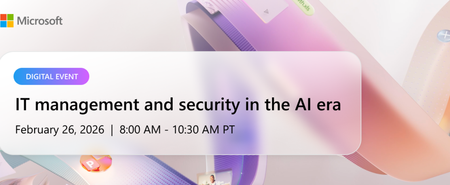
We’re excited to invite you to IT Management and Security in the AI Era, on Thursday, February 26th, from 8:00AM to 10:30 AM Pacific. This digital event is designed to help IT and security professionals answer questions with clarity and confidence, grounded in the latest Microsoft 365 Copilot capabilities and controls. What to expect IT Management and Security in the AI Era brings together insights, demos, and deep dives from Microsoft experts, giving you a practical understanding of how to prepare your environments for Copilot and agents while managing risks responsibly. Topics covered include: Built-in protections in the Copilot platform that help proactively safeguard your organization Practical ways to reduce exposure to common attack vectors in an increasingly AI-driven digital workplace Technical guidance for protecting sensitive data while maintaining productivity Best practices for managing AI agents and controlling costs Measurement, analytics, and usage insights to understand adoption and business impact Guidance on enabling users and assessing the value of Microsoft 365 Copilot and agents across your organization Continue reading and register here!186Views1like0CommentsPartner Blog | Expanded partner benefits are now available: What’s new in February 2026
Expanded partner benefits are now available across the Microsoft AI Cloud Partner Program. These updates reflect continued investment in the tools, resources, and support partners rely on to build, differentiate, and grow, and they incorporate feedback we hear consistently across the ecosystem. If you read our January post about planning ahead for the February refresh, this is the follow-up: the new benefits are now rolling out, and partners with eligible offers will find them in Partner Center as they become available. What’s new You’ll find a range of meaningful additions designed to empower you to move faster with AI, support security needs, and improve go-to-market execution. Highlights include: Copilot additions in select offers: The FY26 refresh introduces new Copilot-related benefits across parts of the program, including Microsoft 365 Copilot, Copilot Studio, and Microsoft Dragon Copilot (per user) in select partner offers where available. Security benefits expansion: Security-focused benefits have been broadened, including additions such as Microsoft Defender Suite, Microsoft Entra Suite, and Microsoft Intune Suite in select offerings. Azure credit updates: Azure benefits are being updated across multiple offers, including new additions and increases in value for certain cloud benefits. These credits are designed to support solution development, testing, and expansion of your practice. Go-to-market resources: As partners continue to access marketing benefits and resources through the program, Microsoft is simplifying discovery and execution—so you can bring campaigns to market with less friction. Continue reading here591Views2likes4CommentsDrive Microsoft 365 renewals and upgrades ahead of pricing and packaging updates
We recently announced that in 2026, we’re expanding the availability of security and management capabilities to the commercial Microsoft 365 suites. Along with these added features, there will also be a global price update to these suites across all purchasing channels effective July 1, 2026. As a Cloud Solution Provider (CSP) partner, this is a key moment for you to drive renewals and upgrades before July 1, 2026. Learn more about the pricing updates, as well as the promotions, offers, and go-to-market resources you can use to support your customer conversations. Learn more here Join the conversation by following the Cloud Solution Provider (CSP) partners discussion board where both direct bill and indirect resellers collaborate, troubleshoot, and stay informed on the latest developments in the CSP ecosystem.696Views1like0CommentsPartner Blog | Securing the future: How Microsoft partners are powering AI-ready organizations
The world of agentic AI is evolving quickly. According to the Microsoft 2025 Work Trend Index Annual Report, 82% of leaders say they’re confident they’ll use AI agents as digital team members to expand workforce capacity in the next 12 to 18 months. That pace of innovation introduces new challenges. As the AI landscape grows, so does the threat surface. This shift creates a critical opportunity for Microsoft partners: to lead with security as the foundation of every AI transformation. By doing so, you enable customers to innovate responsibly and position your organization at the center of lasting trust and growth. In recognition of Cybersecurity Awareness Month, this blog post explores how you can build a stronger security practice and empower your customers to innovate safely, backed by Microsoft partner resources, incentives, and solutions. Security is the foundation of innovation Innovation without strong security isn’t sustainable. The average cost of a data breach now exceeds $4.4 million globally, and beyond the financial cost, weak security erodes trust. As Amy Webb, CEO of Future Today Strategy Group, noted in this year’s Work Trend Index, “As multi-agent systems redefine the workplace, the challenge will be to integrate and manage them securely and effectively.” When partners lead with security, they unlock real business outcomes. Organizations using Microsoft Security Copilot are already seeing tangible results, including a 17% reduction17% reduction in breaches and up to 60% in cost savings. Our own Customer Zero journey at Microsoft reinforces that security and innovation go hand in hand. When security is embedded into every layer of AI transformation, it strengthens the relationship between IT and engineering. It enables teams to co-develop solutions and deliver innovation faster while reducing risk. As a Microsoft partner, you play an essential role in helping customers build secure foundations for AI transformation. We’re committed to supporting you with playbooks, tools, and incentives you need to turn security expertise into customer outcomes. Accelerate secure AI transformation at every stage Partners who lead with security become trusted guides for their customers. Through the Microsoft Security Customer Win Formula, you can access practical resources mapped to each stage of the customer journey—from early discovery to long-term management—and position yourself as a strategic resource your customers can turn to as their business needs and challenges evolve. 1. Build trust as Customer Zero Differentiate your practice by attaining a Solutions Partner designation for Security, and further validate your expertise through certifications and specializations. Plus, achieving an MXDR verification signals to customers that you have the skills to safeguard their AI and cloud environments. Continue expanding your capabilities through the Partner Skilling Hub, where you’ll find self-paced learning paths and instructor-led training to stay current in a constantly evolving threat landscape. 2. Develop an informed pipeline with customer insights Effective security transformation starts with listening. Leverage Microsoft intelligent propensity tools to identify customers ready for secure AI adoption: SPARK: Intelligent data models that predict customer propensity for Microsoft solutions CloudAscent: AI-powered targeting for small and medium-sized business (SMB) customers Microsoft 365 Lighthouse: ML-driven recommendations for customer acquisition, retention, and growth You can also accelerate demand generation with ready-to-launch, customizable campaigns in a box tailored for Security solution plays. Partners using these campaigns are already generating high-quality leads and engaging decision-makers faster. Explore the Partner Marketing Tool Guidance for more information. Continue reading here154Views1like0CommentsPartner Blog | Unifying the data platform for real-time insights
Every organization is looking for quicker insights, stronger security, and new ways to drive innovation with AI. The real challenge lies in connecting and preparing the data that makes those outcomes possible. Across industries, customers are realizing that data sprawl and disconnected systems limit what AI can do. To unlock the potential of their data and deliver real-time impact, they need a modern data foundation that’s integrated, governed, secure, and ready for AI. This post is part three of our Cloud and AI Platforms blog series, detailing how partners can accelerate customer transformation across the Microsoft Cloud. In part one, we looked at the market opportunity created by AI and cloud innovation. Part two focused on migration and modernization as the foundation for AI-powered growth. Now we turn to the next phase of that journey: building a unified data platform that connects every source, fuels intelligent applications, and drives measurable outcomes. Microsoft partners are at the center of this opportunity. By enabling customers to unify their data estate with solutions like Microsoft Fabric, Azure Databricks, and Microsoft Purview, partners are critical in helping organizations turn information into action and insight into innovation. Unify the data estate Bringing all data together across on-premises, cloud, and industry-specific sources is the first step toward intelligence at scale. With Microsoft Fabric and Azure Databricks, partners can create an open, lake-centric foundation that simplifies analytics and operational data for AI. Continue reading here107Views1like0Comments