security
178 Topics
Earn the Digital Sovereignty specialization and stand out in a growing market
Customers are raising digital sovereignty requirements earlier in the sales cycle as they navigate AI adoption, evolving regulations, cybersecurity risks, and operational resilience concerns. Microsoft partners who can confidently address these challenges can position themselves to serve as trusted advisors and capture emerging opportunities. The Digital Sovereignty specialization validates your capabilities delivering secure, compliant, and locally governed cloud solutions using Microsoft Sovereign Cloud. Demonstrate your expertise to customers seeking guidance on data control, governance, sovereign AI, cloud resilience, and regulatory requirements. As demand for sovereignty expertise grows across regulated and public sector industries, now is the time to differentiate your practice and showcase your proven capabilities. Learn how digital sovereignty is reshaping customer priorities in the blog and explore the requirements, benefits, and business opportunities associated with earning the Digital Sovereignty specialization.141Views2likes0Comments
Getting first customers after publishing what actually worked for you?
I published two transactable SaaS offers earlier this month (Microsoft 365 security and compliance assessment). The technical side went fine, with good support from the ISV team. Getting the offers in front of customers is where I'm stuck. So far I've reached Rewards Tier 3 and activated the listing optimisation benefit. I understand customer references are the gate to co-sell readiness, which feels like a chicken-and-egg problem when you have none yet. For publishers further along than me: what actually produced your first few customers? Was it private offers to targeted tenants, co-sell once you had references, the Marketplace Rewards activities, or something outside the marketplace entirely? I'd rather spend my limited time on what works than keep guessing.121Views1like0CommentsAccelerate connectors development using AI agent in Microsoft Sentinel
Today, we’re excited to announce the public preview of a Sentinel connector builder agent, via VS code extension, that helps developers build Microsoft Sentinel codeless connectors faster with low-code and AI-assisted prompts. This new capability brings guided workflows directly into the tooling developers already use, helping accelerate time to value as the Sentinel ecosystem continues to grow. Learn more at Create custom connectors using Sentinel connector AI agent Why this matters As the Microsoft Sentinel ecosystem continues to expand, developers are increasingly tasked with delivering high‑quality, production‑ready connectors at a faster pace, often while working across different cloud platforms and development environments. Building these integrations involves coordinating schemas, configuration artifacts, Azure deployment concepts, and validation steps that provide flexibility and control, but can span multiple tools and workflows. As connector development scales across more partners and scenarios, there is a clear opportunity to better integrate these capabilities into the developer environments teams already rely on. The new Sentinel connector builder agent, using GitHub Copilot in the Sentinel VS code extension, brings more of the connector development lifecycle -- authoring, validation, testing, and deployment into a single, cohesive workflow. By consolidating these common steps, it helps developers move more easily from design to validation and deployment without disrupting established processes. Read the full announcement here: Accelerate connectors development using AI agent in Microsoft Sentinel Original Publication: Microsoft Security Community Blog, March 30th, 2026284Views0likes0Comments
Building Microsoft Sentinel Connectors in Minutes with the Sentinel Connector Builder Agent
Overview We previously announced the public preview of the Microsoft Sentinel connector builder agent via VS code extension, that helps developers build Microsoft Sentinel codeless connectors faster with low-code and AI-assisted prompts. This post walks through a hands-on lab using a mock Network Log API to demonstrate how the Sentinel connector builder agent simplifies building Codeless Connector Framework (CCF) pull connectors. Instead of manually creating ingestion infrastructure and configuration files, you’ll use a guided, conversational workflow in VS Code to generate connector artifacts, test them against a live API, and deploy them into Microsoft Sentinel. The lab focuses on the end-to-end experience ranging from API setup to validated connector deployment so you can see how quickly a working integration can be produced. For additional guidance beyond this lab, refer to our MS Learn documentation. The Lab Environment This lab is built around a mock Network Log API hosted as an Azure Function App. The purpose of the lab environment is to give us a live API that we can use to build, validate, and test the Sentinel CCF connector builder agent against end to end. The API exposes 50 synthetic network activity records that look and behave like a real product data source, including web traffic, DNS requests, blocked remote access attempts, malware command-and-control blocks, VPN activity, and other common network events. That makes it a useful stand-in for the type of telemetry many teams want to onboard into Microsoft Sentinel. The API is intentionally shaped like the kind of source a customer might expose for telemetry retrieval. It uses API key authentication through the X-API-Key header, returns paginated results through a nextLink model, and provides a predictable response structure that the builder agent can map into a pull connector configuration. The repo contains everything needed for the walkthrough. There is an ARM template to deploy the Function App, reference documentation for the API, and a sample connector package showing the generated polling config, table schema, DCR, and connector definition. The end goal of the lab is straightforward: use the builder agent to generate a CCF pull connector that ingests this API into the custom NetworkLogAPIGetNetworkLogs_CL table in Sentinel. Follow the full walkthrough here: Building Microsoft Sentinel Connectors in Minutes with the Sentinel Connector Builder Agent Original Publication: Microsoft Sentinel Blog, August 11th, 2026280Views0likes0CommentsEmpower Real-Time Security with Microsoft Sentinel’s CCF Push Feature
In today’s rapidly evolving threat landscape, organizations need security solutions that deliver actionable insights in real time, not minutes or hours after the fact. Microsoft Sentinel continues to expand its capabilities, driven by a commitment to empower customers and partners with cutting-edge tools for proactive defense. Today, we are excited to announce the public preview of our latest innovation, the Sentinel Codeless Connector Framework (CCF) Push feature. CCF Push addresses a critical need: enabling seamless, automated, and immediate delivery of security data to Sentinel, so teams can respond to threats as they happen. What Is CCF Push and Why Does It Matter? Microsoft Sentinel connectors generally follow two patterns. In the polling pattern, partners and customers expose their web‑facing REST API endpoints and use our traditional CCF connectors to poll those endpoints at intervals to gather data for ingestion into Sentinel. In the push pattern, partners and customers send data directly to a Sentinel workspace. Our new CCF Push capability was built to streamline and accelerate time to adoption for this second pattern. Read the full announcement here: Empower Real-Time Security with Microsoft Sentinel’s CCF Push Feature Original Publication: Microsoft Sentinel Blog, February 12th, 2026247Views0likes0Comments
New audit requirement for Security specializations starts July 2026
Security specializations signal verified, high-caliber capability to customers and Microsoft field teams—and that signal holds up better when the bar is credible. To support that standard, starting July 2026, an independent audit will replace the Customer References requirement for four Security specializations: Cloud Security, Data Security, Identity & Access Management, and Threat Protection. Whether you’re enrolling for the first time or renewing, you’ll need to meet this audit requirement to earn or maintain your credential. Moving to an audit model for these specializations raises the bar, aligns Security with Azure specializations, and gives you a stronger, harder-to-copy advantage in competitive deals and co-sell conversations. When the change goes live, existing partners will be given a six-month extension to their anniversary date to allow time to prepare for the audit. What to do now Review the updated requirements so you know what the audit entails Check your specialization status and renewal date to understand when this applies Start preparing your documentation and evidence now—don’t wait for your renewal window Prepare early to stay in good standing, avoid disruption, and keep your business moving.367Views0likes0CommentsBehind the Build with Gigamon: Enriching Microsoft Sentinel with Network-Derived Telemetry
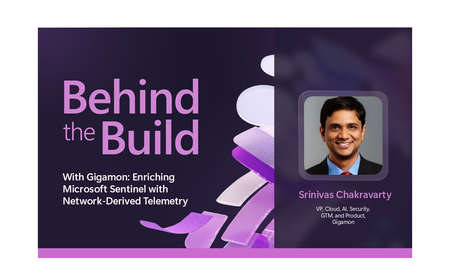
Behind the Build is an ongoing series spotlighting standout Microsoft partner collaborations. Each edition dives into the technical and strategic decisions that shape real-world integrations—highlighting engineering excellence, innovation, and the shared customer value created through partnership. Security teams today operate across an expanding set of signals, spanning identity, endpoint, cloud and application environments. Yet many organizations still lack sufficient visibility into how systems communicate across their infrastructure, creating gaps in detection, investigation, and response. In this edition of Behind the Build, I spoke with Srinivas Chakravarty, vice president, cloud ecosystems at Gigamon, about how Microsoft and Gigamon collaborated to bring network-derived telemetry into Microsoft Sentinel, helping customers enrich security investigations with deeper runtime context and AI-driven insights. The Evolution of Network Intelligence and Why It Matters For more than twenty years, Gigamon has helped organizations access and operationalize network traffic across complex environments. Today, the Gigamon Deep Observability Pipeline, helps enable organizations to extract actionable network-derived telemetry across hybrid infrastructure, encrypted traffic, containers, and modern application environments. That foundation makes the Gigamon Deep Observability Pipeline a strong complement to Microsoft Sentinel. Microsoft Sentinel brings together security telemetry from across the enterprise—including identity, endpoint, cloud, application, and network data sources—while Gigamon contributes enriched network-derived telemetry that provides additional runtime context into how systems, applications, and services communicate. Together, these signals can help organizations gain deeper insight for threat detection, investigation, and response. As Srinivas put it: “You have logs, you have metrics, you have traces, but network telemetry completes the picture.” Together, these data sources provide deeper context for threat detection, investigation, and AI-driven analysis. Read the full announcement here: Behind the Build with Gigamon: Enriching Microsoft Sentinel with Network-Derived Telemetry Original Publication: Microsoft Sentinel Blog, June 30th, 2026162Views0likes0Comments