security
79 Topics
Bug with Mac Remote Desktop 10.9.0, cannot remote in without manually logging in first
Now when I try to Remote Desktop into a vm that is on a domain, it will not let me connect because of a security error. This used to connect just fine. The only way to get around this is to manually log in. Once a user has logged into the computer, I can then remote into it like normal. Every time the vm is restarted though, I once again have to manually login to get remote access. The error I receive: We couldn't connect to the remote PC because of a security error. If this keeps happening, contact your network administrator for assistance. Error code: 0x18076.6KViews7likes14Comments
Azure Virtual Desktop for Guest User / B2b Identity
All of our external customers have their own AAD / Entra ID and wish to not manage multiple identities. As we present our applications via AVD, it requires them to have a separate identity in our tenant currently. AVD should support guest accounts from another tenant to be able to sign in. Currently, per the documentation and per the ticket I just worked with Microsoft support: Azure Virtual Desktop doesn't support external identities, including guest accounts or business-to-business (B2B) identities. Whether you're serving internal commercial purposes or external users with Azure Virtual Desktop, you'll need to create and manage identities for those users yourself. Please continue development to allow guest accounts that have been invited into a tenant to sign in to AVD machines. Thanks!2.9KViews31likes10CommentsEnable Screen Capture Protection via Host Pool settings
Dear product group, a feature that is key for security departments when using AVD / WVD is Screen Capture Protection. It would be super helpful to be able to enable / disabled the feature from within the Host Pool properties for the increased administrative experience. Thank you!1.8KViews18likes1Comment
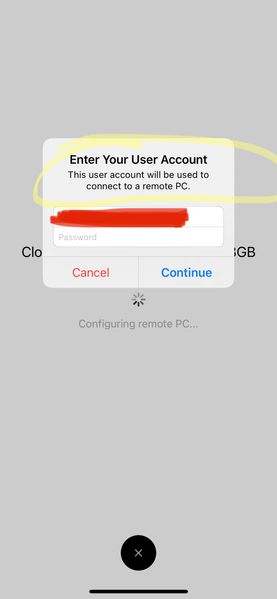
SSO for windows 365 Remote Desktop iOS app
Why? Why? Why? iOS Remote Desktop app will use mothers authentication to launch windows 365 cloud pc, but will not pass credentials to the machine? how can we go passwordless without this? Why is this not a priority? cloud PCs should be built with SSO and passwordless setup from the start. How can i push this to a sec op team when we’ve adopted a passwordless strategy??1.6KViews5likes3CommentsiOS RDClient aap shoulld not store password from login
I use the RD client for iOS to access some desktop PC’s. To access those I created a user account in the RD client, so I don't need to type in the long username, but explicitly don’t supply a password (I want to type it in every time I need to acccess a remote desktop). When I start a connection to a remote desktop the first time using the supplied account,I’m asked to enter the password. But the second time I don’t have to supply the password anymore, because it’s then stored with to user account (which I explicitly don’t want). Can this behavior be changed?1.6KViews0likes5Comments