sandbox
12 TopicsHow to configure Windows Sandbox
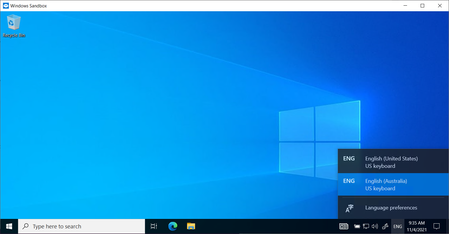
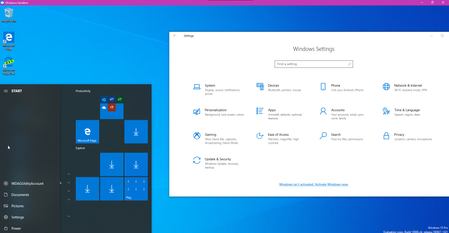
With the latest release of Windows 10 (1903), Microsoft introduced a new feature called Windows Sandbox. Windows Sandbox is based on Hyper-V technology and allows you to spin up an isolated, temporary, desktop environment where you can run untrusted software. In this blog post, I will show you how you can set up and configure Windows Sandbox in Windows 10. I will also cover who you can do an advanced configuration of your Windows Sandbox using Windows Sandbox config files. The sandbox is great for demos, troubleshooting or if you are dealing with malware. If you close the sandbox, all the software with all its files and state are permanently deleted. It is a Windows 10 virtual machines, with the advantage that it is built into Windows 10, so it leverages the existing OS, which gives you faster startup, less footprint, better efficiency, and easier handling, without losing security. Blog Link: https://www.thomasmaurer.ch/2019/05/how-to-configure-windows-sandbox/ 17KViews5likes0Comments
M365 Developer Instant Sandbox
Cut your configuration time from days to seconds. Be your own administrator and prototype apps and solutions on your fully pre-provisioned sandbox subscription. Includes 25 user licenses for development purposes Preconfigured for sideloading Teams apps Fully loaded sample data with 16 sample users, user data, and content to help you model your solutions. Easy access to pre-provisioned core Microsoft 365 workloads and capabilities (Windows not included), including: All Office 365 apps Everything you need for Power Platform development Office 365 Advanced Threat Protection Advanced analytics with Power BI Enterprise Mobility + Security (EMS) for compliance and information protection Azure Active Directory for building advanced identity and access management solutions26KViews2likes5Comments
Windows sandbox wrong language
Hi All, I opened windows sandbox for the first time in months, and noticed it had the "news and interests" widget. The only installed languages are English (same for the host PC), yet the news widget is in Chinese. Any ideas on how to fix the language, and (preferably) actually disable the widget? Cheers Rob16KViews2likes17CommentsWindows Sandbox has the old legacy Edge instead of new Edge browser, in Windows insider 20H2 Beta
This is the Windows 10 build that the new Edge officially replaces the legacy Edge by default, but in Windows Sandbox's image, the old Edge is still there, no sign of new Edge. OS Build: 19042.610 insider beta Feedback hub: https://aka.ms/AA9yilc3.3KViews2likes0Comments
Foundry Agent deployed to Copilot/Teams Can't Display Images Generated via Code Interpreter
Hello everyone, I’ve been developing an agent in the new Microsoft Foundry and enabled the Code Interpreter tool for it. In Agent Playground, I can successfully start a new chat and have the agent generate a chart/image using Code Interpreter. This works as expected in both the old and new Foundry experiences. However, after publishing the agent to Copilot/Teams for my organization, the same prompt that works in Agent Playground does not function properly. The agent appears to execute the code, but the image is not accessible in Teams. When reviewing the agent traces (via the Traces tab in Foundry), I can see that the agent generates a link to the image in the Code Interpreter sandbox environment, for example: `[Download the bar chart](sandbox:/mnt/data/bar_chart.png)` This works correctly within Foundry, but the sandbox path is not accessible from Teams, so the link fails there. Is there an officially supported way to surface Code Interpreter–generated files/images when the agent is deployed to Copilot/Teams, or is the recommended approach perhaps to implement a custom tool that uploads generated files to an external storage location (e.g., SharePoint, Blob Storage, or another file hosting service) and returns a publicly accessible link instead? I've been having trouble finding anything about this online. Any guidance would be greatly appreciated. Thank you!Some parts of the Privacy Sandbox land on Edge Canary
This flag edge://flags/#use-first-party-set which was added today to Edge Version 89.0.749.0 (Official build) canary (64-bit) it's one of many privacy-related features for Privacy Sandbox, the goal of which is to ultimately get rid of 3rd party cookies. Use First-Party Sets First-Party Sets are sets of registrable domains (or origins). The browser uses these sets to allow websites that have multiple domains to treat their related domains as if they were first-party domains. This enables less restricted cross-domain communication across all the domains in a First-Party Set. – Mac, Windows, Linux Enable domains to belong to the same first party Goal: Enable entities to declare that related domain names are owned by the same first party. Many organizations own sites across multiple domains. This can become a problem if restrictions are imposed on tracking user identity across sites that are seen as 'third-party' but actually belong to the same organization. First Party Sets aims to make the web's concept of first and third parties more closely aligned with the real world's by enabling multiple domains to declare themselves as belonging to the same first party. more info: Digging into the Privacy Sandbox (web.dev) privacycg/first-party-sets (github.com)3.9KViews1like1Comment