sales automation
15 Topics
Copilot for Sales not prompting to add opportunity from email in outlook
Hi, We have Microsoft Copilot for Sales connected to Salesforce CRM. When an email is received from a sender who does not exist in Salesforce, Copilot correctly prompts us to create a new contact. After the contact is created and associated with an account, I can manually create or edit opportunity records without issue. I have verified the Salesforce configuration, permissions, and access assigned to the CopilotForSalesIntegrationProfile used by the Sales Agent. I have also confirmed that all required opportunity fields are configured in the Copilot for Sales forms. The issue is that Copilot is not prompting users to create an opportunity based on incoming emails. My understanding is that Copilot for Sales should be able to identify opportunity-related intent in an email and prompt for opportunity creation, with relevant information from the email prepopulated into the opportunity record. Has anyone experienced this behavior and found a resolution? Any guidance or recommendations would be appreciated. Thank you.
Endless spinner in Copilot Sales Outlook App after login to Salesforce
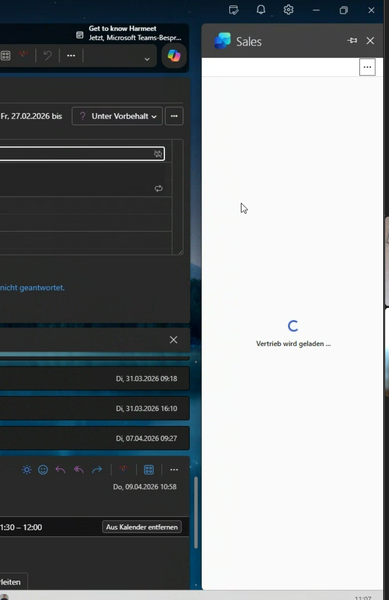
We are experiencing an issue with the Copilot Sales App in Outlook. Users are launching the app and authenticate to Salesforce successfully. Then, a message saying "Sales is loading..." is shown with a spinner and nothing happens, no matter how long you wait. This only happens to some users and not to all users. Sometimes it happens to users who were previously able to load the app fine.
Microsoft FastTrack Agent community
Hello BANNEDUSERNAME copilot for sales discussion group If you are an enterprise or majors customer using Copilot for Sales or Sales in M365 and would like to meet more like-minded customers as well as speak with FastTrack subject matter experts on a bi-monthly basis, get product roadmap updates and provide feedback to the product team, then please fill out the D365 Agent Deployment Program and Agent Community - Customer Registration – Fill out form or use the QR Code below to provide us with your permission to send you an invitation to the Microsoft Agent community. The AI Adoption team for pre-built agents for business applications would be thrilled to have you join us! The community also offers an online forum for discussions and Q&A. Thank you and we look forward to hearing from you! Microsoft, Dynamics 365 Agent Deployment team
Copilot for Sales required field error on custom object
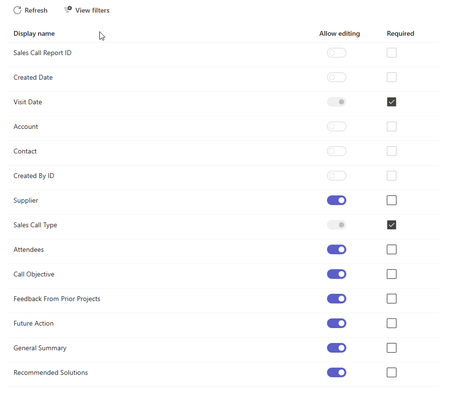
I am getting the following error when trying to create a custom object record in copilot for sales. There’s a new required field in this form, and your Copilot for Sales admin will have to update the settings to match before you can save this here. Send these error details to your admin, and ask them to match the required fields in Copilot for Sales to the ones in [Dynamics 365/Salesforce], then try again. The two required fields are already added. The only other field required is the contact field and that is greyed out in the teams settings. If is a rather siple object so not sure what is the problem.
To Surface the Custom Object Data From Salesforce In Copilot For Sales Side Panel
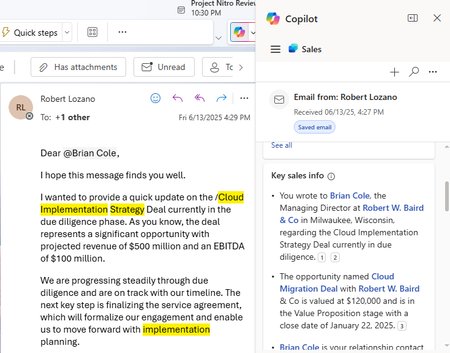
There is a Key Sales Info Card in Copilot For Sales on connecting to Salesforce CRM it fetches Opportunity, account and contact info in it . I need to display a custom object which is linked to contact and it's associated account in the key sales info . Is there any Process or do we have any workaround to build it in a separate card. Refere the image below
Microsoft Dynamics Prompts, ability to customize?
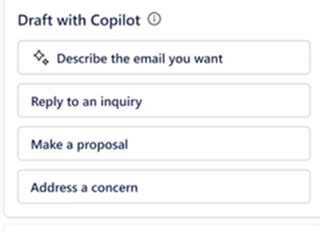
Exploring into the prompt options within Outlook and Dynamics CRM. The default options used to show in the Draft Email/Outlook area in the pic below. Now they do not show at all, is Microsoft working on this or is this a bug? Also, are you able to customize the text to change the wording better suited to the teams at a company? The CRM default options look like this: