reliability and resiliency in azure
9 Topics
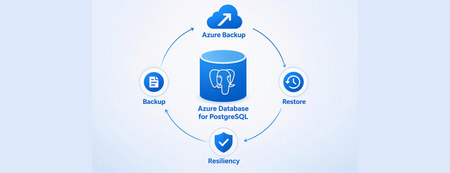
Azure Backup for PostgreSQL flexible server and elastic cluster (v2) is now in public preview
Azure Backup for PostgreSQL flexible servers and elastic clusters (v2) is now in public preview. Built on physical, snapshot-based backups, v2 brings scalable protection, flexible retention and streamlined recovery to PostgreSQL estates of all sizes. It helps customers improve data resiliency through vaulted backups and support compliance requirements with long-term retention of backups. Organizations can protect larger databases, back them up more frequently and restore them directly to a server when recovery is needed. What v2 can do V2 protects both Azure Database for PostgreSQL flexible servers and elastic clusters. It supports databases of up to 32 TB on Premium SSD v1 and up to 64 TB on Premium SSD v2, including production configurations with high availability, virtual network or private endpoint connectivity through Trusted Access, and Customer Managed Key encryption. You can schedule backups daily or weekly, with a recovery point objective goal of one day, and create on-demand backups whenever an additional recovery point is required. The first backup is full and subsequent backups are incremental, enabling a practical daily protection cadence even for multi-terabyte databases. Retention can range from 7 days to 10 years. Separate daily, weekly, monthly and yearly retention rules make it possible to align one policy with both operational recovery and long-term compliance requirements. Recovery points are stored in an Azure Backup vault and can use the platform protections organizations already rely on: Soft delete and WORM immutability to protect backups from premature deletion or alteration. Multi-user authorisation and MFA for sensitive operations. Customer Managed Key encryption and cross-subscription vaulting within the same tenant. Central monitoring and management through Backup center. Restore as Server Restore as Server turns a recovery point into a ready-to-use PostgreSQL environment by restoring it directly to a pre-created flexible server or elastic cluster. Unlike Restore as Files, which writes the backup to a storage container and requires a separate manual import into PostgreSQL, Restore as Server removes that intermediate phase. This reduces operational effort, shortens the path to application recovery and provides a more consistent restore experience at scale. How v2 improves on v1 V2 moves from logical exports to physical backups created from managed disk snapshots. This architectural change expands the service from the 1 TB limit in v1 to as much as 64 TB on supported storage, while incremental backups make daily schedules possible instead of limiting vaulted backups to a weekly full copy. The new solution also extends protection to elastic clusters and introduces direct restoration to a server. Together, these improvements provide broader workload coverage, more frequent recovery points and a simpler path from backup to a usable PostgreSQL environment. How to get started with v2 You can configure v2 in the Azure portal from a Backup vault, the Resiliency experience, or the LTR (Vaulted Backups) pane of the flexible server. Each entry point leads to the same policy and protection workflow. Before enabling protection, confirm that the server meets the preview requirements and check details on supported scenarios and limitations. Once eligibility is confirmed, create or select a Backup vault, define the schedule and retention rules that fit your recovery objectives, and enable protection for the server or elastic cluster. For PostgreSQL flexible server and elastic cluster vaulted backup v2 (preview), you incur charges from 15 October 2026. Refer to Azure Backup pricing page and pricing calculator for more details. How to migrate from v1 to v2 Existing protected items can be moved to v2 while retaining the same policy and Backup vault. The protected item and its existing recovery points are preserved, allowing organisations to adopt the new capabilities without losing backups already retained for operational or compliance needs. The migration is one way, so review readiness before starting. Servers running PostgreSQL 14 or earlier must first be upgraded to PostgreSQL 15 or later, and servers on the Burstable tier must be scaled to General Purpose or Memory Optimized. With those prerequisites complete, the move to v2 opens the way to larger-scale protection, daily incremental backups, elastic cluster coverage and direct server recovery—all while preserving the continuity of your existing backup estate.
Proactive Reliability Series — Article 2: Regional Distribution Patterns for Azure Workloads
Public cloud platforms — including Microsoft Azure — are built on three foundational principles that distinguish them from traditional on-premises infrastructure: Elasticity: The platform can automatically expand and contract resource capacity in response to demand. Capacity is not statically provisioned; it is drawn from a shared pool and released when no longer needed. Scaling: Workloads can scale horizontally (adding more instances) or vertically (increasing instance size) on demand, without pre-procurement of physical hardware. Consumption-based billing: Customers pay for what they use, when they use it. Cost is proportional to resource consumption, not to physical capacity reserved in advance. These principles are properties of the platform, not of any single location. Microsoft Azure Cloud is not a single region — it is a globally distributed platform comprising dozens of regions across every major geography, interconnected by a private backbone network. When an organisation deploys to Azure, it is deploying into this global system; the choice of which region or regions to use is based on an organizational strategy and architectural decision. Using a single Azure region is a valid choice in many scenarios, but it has to be a deliberate architecture decision, not an omission. Why Multi-Region? Microsoft Azure CTO Mark Russinovich summarises the case for multi-region in Achieve agility and scale in a dynamic cloud world: organisations that span multiple regions gain scalability and flexibility (choosing from the full Azure region portfolio, including differentiated pricing, AI capabilities, and deployment options), resilience and availability (reducing the impact of regional disruptions through multiple backup and recovery options), and performance and reduced latency (serving users from infrastructure that is geographically closer to them). The post's closing recommendation — "leverage Azure as a cloud platform, not a datacenter region" — makes explicit what the multi-region decision ultimately is: a choice to treat the platform's global footprint as an asset, not a constraint. Mark Russinovich — Achieve agility and scale in a dynamic cloud world (Microsoft Azure, September 2024) This article also does not argue whether to adopt a multi-region strategy — that is a business and risk decision. It describes what the options are: the available regional distribution patterns, the forces each resolves, and the trade-offs each accepts. Regional workload distribution is not simply an application-level decision — it is an organisational one. It shapes how a company scales its cloud presence, manages cost and operational complexity across a growing portfolio, meets data residency and regulatory obligations, and positions itself to respond to changing conditions. Multi-region is often a necessity, not a free choice: growth ambitions, compliance requirements, or risk obligations may demand it. But necessity does not determine form. These patterns define the decision space: whether operating across multiple regions is warranted at all, and if so, which structural arrangement fits the organisation's scale, objectives, and operational capability. Several patterns are adapted from Gregor Hohpe's multi-cloud strategy patterns, originally described in Multi Cloud Architecture: Decisions and Options and further elaborated in Multi-cloud: From Buzzword to Decision Model. Important This is an unofficial guide to regional distribution patterns for Azure workloads. It is not an official Microsoft publication and is not officially supported, endorsed, or maintained by Microsoft. All descriptions and recommendations are based on publicly available Azure documentation and general distributed systems principles. Always refer to official Azure documentation and the Azure Well-Architected Framework for authoritative guidance. The Risks and Opportunities Pattern selection is a direct response to specific risks or solution quality requirements. Before evaluating patterns (options), it is necessary to understand what risks are actually relevant — infrastructure faults, capacity constraints, service coverage gaps, and compliance or business obligations — and what their scope of impact is. Azure infrastructure is complex and distributed. While Microsoft invests heavily in reliability, faults can and do occur across a wide range of blast radii — from a single compute instance at the narrowest end, through Availability Zone and regional failures, to global service disruptions at the widest. The appropriate pattern is the one that reduces unacceptable risks to a tolerable level. The Azure Well-Architected Framework — Reliability pillar recommends Failure Mode Analysis (FMA) as the structured technique for enumerating failure modes, assessing their impact, and identifying mitigations before they are needed in production. The fault types below are the infrastructure-layer inputs to that analysis. For a detailed breakdown of each fault type — including likelihood analysis, real-world incident examples, and detection guidance — see Proactive Reliability Series — Article 1: Fault Types in Azure. Risk Catalog (Sample) The following is a representative sample of risks relevant to regional workload distribution decisions, not an exhaustive catalogue. Not all entries are infrastructure faults — some represent business and compliance obligations. The Category column identifies the type of each risk. Likelihood values are relative planning heuristics to help prioritise resilience investments — they are not statistical probabilities and do not represent Azure SLA commitments. Risk Category Blast Radius Likelihood Primary Mitigation Service Fault (Region) Infrastructure Fault Single service within a region Medium Region redundancy Region Fault Infrastructure Fault Regional degradation or full regional loss (partial-to-full region impact) Low Region redundancy; cross-region failover Network POP Location Fault Infrastructure Fault Network colocation site (affects connectivity, not compute) Low ExpressRoute Metro (dual peering locations); network path redundancy Service Fault (Global) Infrastructure Fault Worldwide or multiple regions simultaneously Very Low Accept risk; use alternative service if downtime is intolerable Regional Service Capacity Constraint Infrastructure Capacity Single region (required capacity unavailable — whole service or specific SKU — at failover time or sustained shortage) Low Region redundancy; Capacity Reservations; Hot Standby; alternative region Service Regional Unavailability Infrastructure Fault Single region (desired service not offered in that region) Low Deploy to a region where the service is available Geopolitical Risk Compliance One or more regions (regulatory or political mandate to relocate) Low Portable pattern; pre-validated alternative region Sustainability Constraint Compliance One or more regions (sustainability targets unachievable in current region) Low Portable pattern; relocate to region with required sustainability profile The Patterns While there could be many ways to distribute workloads across Azure regions, the following patterns represent the most common and widely applicable approaches. Each pattern is a structural topology that defines how workloads are deployed and how they respond to Risks and Quality Requirements. The patterns are not mutually exclusive — they can be combined or layered to meet specific requirements. The following patterns describe the principal ways workloads can be distributed across Azure regions. Patterns 1-3 are described and found very often, while patterns 4-5 are less common but still important to consider. The table below summarises the patterns, their intent, and the primary driver for their adoption. # Pattern Intent Primary Driver 1 Single All resources in one Azure region; AZ redundancy optional Simplicity; cost; data residency constraints 2 Failover Primary region serves traffic; secondary region is a cold or hot standby for DR Business continuity 3 Parallel Same workload deployed to multiple regions simultaneously; all active Continuous availability; zero-downtime failover 4 Segmented Services or service portfolio distributed across regions by BU, LOB, tenant, or data residency Isolation; sovereignty; independent release cadence 5 Portable Full portability; workloads can be relocated between regions without application changes Operational flexibility; on-demand relocation 1. Single Region Pattern Pattern Name: Single Region Workload Distribution Classification: Regional workload distribution Scope: Workload — applies to a single application or service deployment, Workload (Application) Portfolio Intent: Deploy all workload resources in one Azure region; Context: A workload is being deployed to Azure and must decide how many regions to use. The business impact of a regional outage has been assessed — either as tolerable within the workload’s criticality tier, or as not applicable because data sovereignty constraints prohibit cross-region replication. The team needs to treat Single Region as an explicitly chosen architecture, not an omission. Problem: Every additional Azure region adds infrastructure cost and workload integration complexity due to the introduced network latency. Not all workloads justify this overhead. The question is not “should I always use multiple regions?” but “when is a single region the correct and explicitly chosen answer, and when does adding a second region produce risk-reduction that justifies the cost?” Forces: The workload’s risk profile does not justify cross-region redundancy: the business impact of a regional outage is tolerable, data sovereignty rules prohibit cross-region replication, or reliability requirements are fully met within a single region with Availability Zone redundancy. The cost of multi-region infrastructure produces no corresponding risk-reduction return for this workload. Solution Place all compute, data, and networking resources in a single Azure region. Apply Availability Zone redundancy within that region for protection against datacenter-level failures. Formally accept region-level risk as within tolerance for this workload’s criticality tier — this is a deliberate architecture decision, not an omission. Implementation: Enable Availability Zones for all production resources where supported. Use Azure Infrastructure Resiliency Manager (AIRM) to validate zone-redundancy posture across the workload. Document the risk-acceptance decision explicitly at the application level. Consequences Benefits: Lowest cost and operational footprint of all patterns. No cross-region routing, replication lag, or failover coordination complexity. Simplest deployment pipeline, observability surface, and incident response. Liabilities: No mitigation for any region-level fault — full workload loss on regional failure. Data concentrated in one geography; no cross-region durability without explicit configuration. No pre-deployed capacity in an alternative region. Risk posture: Risk Assessment Region Fault ❌ Primary unaddressed risk — partial degradation or full regional failure has no cross-region recovery path; accept or upgrade pattern Service Fault (Region) ❌ Regional service failures have no cross-region alternative Regional Service Capacity Constraint ❌ No alternative region available; both on-demand failover provisioning and sustained SKU shortages have no mitigation path Network POP Location Fault ✅ Addressable within this pattern via ExpressRoute Metro (dual peering locations in the same metro); does not require a multi-region distribution change Known Uses Development and test environments; Bronze- or Non-Critical-tier workloads; workloads with strict data residency constraints that prohibit cross-region replication; proof-of-concept and time-limited deployments. See Azure Services - Sample Multi-Region Capabilities Pattern Mapping for how individual Azure services implement this pattern. 2. Failover Pattern (Primary + Standby Region) Pattern Name: Failover Workload Distribution Also Known As: Active-Passive, Disaster Recovery (DR), Business Continuity and Disaster Recovery (BCDR) Classification: Regional workload distribution, Application Design, Platform/Infrastructure Design, Disaster Recovery Scope: Workload — an application and infrastructure design pattern that requires both layers to work in tandem; Workload (Application) Portfolio Intent: Recover from a regional disaster or other longer duration region outage by designating a primary region to carry all production traffic and a standby region to absorb that traffic upon primary region failure. The typical quality attribute metrics that govern its design are RTO (Recovery Time Objective — maximum tolerable downtime), RPO (Recovery Point Objective — maximum tolerable data loss), and MTTR (Mean Time To Recovery — the observed average recovery time, measured through drills and real incidents, that validates whether the RTO target is achievable in practice). Context: A workload must survive region-level failures, but the architectural complexity of running two fully active deployments simultaneously — with multi-region write-conflict resolution — is not justified. The business can tolerate a bounded recovery time and, depending on the sub-variant chosen, a bounded data loss window. Problem: A fully active multi-region deployment (Parallel pattern) introduces multi-region write-conflict complexity that the application cannot or need not absorb. The Failover pattern trades continuous availability for single-writer simplicity: one region is active, one is standby, and recovery is bounded by RTO/RPO targets. The sub-variant choice (Cold / Warm / Hot) then determines how much cost is invested in standby readiness — from minimal (~1.1×) to near-full duplication (~2×) — based on how fast recovery must be. Forces: A single active write region is required — multi-region write-conflict resolution adds unacceptable consistency risk or development complexity. RTO and RPO targets must be met, but budget constrains how pre-warmed the standby region can be, driving the Cold / Warm / Hot sub-variant selection. Regional Service Capacity Constraint in the standby region is a residual risk for Cold and Warm sub-variants — the standby may fail to scale at failover time unless capacity is pre-reserved. Solution Designate one region as primary (all production traffic under normal conditions) and a second as standby (no production traffic until failover). The standby’s readiness level — the sub-variant choice — is determined by the RTO/RPO requirements and cost envelope. Replication from primary to standby is continuous; failover is triggered manually or automatically when the primary becomes unavailable. Note on "Active-Passive": This pattern is often called Active-Passive in Microsoft documentation. That framing is accurate at the traffic level (one region active, one passive), but it can obscure the architectural intent. The Failover label here emphasises the capability being purchased: the ability to redirect the entire workload to a pre-designated region when the primary is unavailable. Implementation: The key design decision is how ready the standby is at the moment it is needed. Three sub-variants define this readiness spectrum: Sub-variant Secondary state Cost multiplier Cold Standby No running compute; data either in scheduled backups or continuously replicated ~1.1–1.5× Warm Standby Reduced-scale compute running; data continuously replicated ~1.5–1.8× Hot Standby Full-scale compute running; data continuously replicated ~2× Cold Standby — No compute is running in the standby region under normal conditions. Cold Standby covers two positions within this state, differing in how the data layer is protected: Backup/Restore: Data is backed up or geo-replicated on a scheduled basis. On failover, infrastructure must be deployed from scratch and data restored before traffic can be redirected. RTO is measured in hours; RPO equals the interval between the last backup cycle and the failure event. Data-layer live, compute stopped: Core infrastructure (networking, identity, data tier) is kept running with continuous replication to the standby region; compute is stopped or scaled to zero. On failover, compute is started and scaled up to meet full load. RTO is typically 15–60 minutes; RPO is bounded by async replication lag rather than backup interval. Both positions share the defining characteristic of Cold Standby: no production-equivalent compute running in the secondary region under normal conditions. The difference is the investment in keeping the data layer live, which reduces both RTO and the data loss window at a modestly higher steady-state cost. Warm Standby — The standby region runs a scaled-down but functionally complete version of the workload. Traffic is not routed there under normal conditions. On failover, the secondary scales up and traffic is redirected. A brief scale-out lag occurs before the secondary absorbs full traffic; the running environment eliminates cold-start delay. Hot Standby — The standby region runs a full, production-equivalent deployment — same compute capacity, same configuration — but receives no traffic under normal conditions. Data is continuously and near-synchronously replicated. Failover is fast and often automated because no scale-up is required. Consequences Benefits: Enables recovery from region-level faults at a fraction of Parallel pattern cost. Flexible cost-vs-RTO trade-off across Cold / Warm / Hot sub-variants. No multi-region write-conflict complexity; single active write region throughout normal and recovery operation. Liabilities: Cold and Warm standby introduce meaningful RTO (minutes to hours). Replication lag creates a data loss window (RPO > 0) at the moment of failover. The failover path is the least-exercised code path — untested recovery inflates actual RTO. Failover is often neglected and not properly and regularly tested - this leads toward a fear to execute failover when needed (and it is not only full region disaster). Risk posture: Risk Assessment Region Fault ⚠️ Primary driver; standby region absorbs traffic on full regional loss, but partial regional degradation may not trigger automated failover. RTO depends on sub-variant Regional Service Capacity Constraint ⚠️ Cold/Warm Standby are exposed to both on-demand provisioning failure and sustained SKU shortages — mitigated by Capacity Reservations or Hot Standby Service Fault (Region) ✅ Standby region provides an alternative deployment for regional service failures Service Regional Unavailability ⚠️ Secondary region must be verified for full service parity at design time — absent services block failover regardless of compute readiness Known Uses Business-critical workloads with defined RTO/RPO targets that cannot accept region-level risk but do not require continuous multi-region availability; workloads with single-writer data models where multi-region write-conflict resolution is unacceptable; regulatory environments where a designated recovery region must be pre-approved. See Azure Services - Sample Multi-Region Capabilities Pattern Mapping. 3. Parallel Workload Distribution (Simultaneous Active Deployment) Pattern Name: Parallel Workload Distribution (Simultaneous Active Deployment) Also Known As: Active-Active Classification: Regional workload distribution, Application Design Scope: Workload — an application-level design pattern; requires the application and its data layer to be explicitly designed for concurrent multi-region operation, Workload (Application) Portfolio Intent: Deploy the same workload simultaneously to two or more Azure regions, all serving production traffic. Context: Two independent drivers lead to this pattern, often simultaneously: the workload serves geographically distributed users who require regional proximity to meet latency targets, and the availability tier demands zero-downtime through region-level failures. A single deployment point cannot satisfy both. Manual failover timelines, standby region promotion, and RPO windows are incompatible with the required availability tier. This pattern is the mandated baseline for Mission-Critical workloads in the Azure Well-Architected Framework. Problem: Passive standby and failover mechanisms introduce recovery time and data loss windows that are incompatible with high-availability targets (e.g. 99.99%+). Meeting both demands requires all regions to be equal active participants — not a primary and a standby. But this demands that the data layer either supports concurrent writes across regions, relies on continuous cross-region replication with a defined consistency model, or is predominantly read-heavy — and that pre-provisioned capacity is maintained in every active region at all times. Forces: Regional failure must produce zero downtime — manual failover timelines cannot satisfy the availability target. Traffic originates from geographically distributed users who require regional proximity to meet latency SLAs. Availability targets (e.g. 99.99%+) eliminate passive standby as a viable option. The application can tolerate eventual consistency or is read-heavy enough that multi-region write complexity is manageable. Once multi-region data access is solved, every region's compute actively serves production traffic — the capacity that Failover Hot Standby holds idle is fully utilised; the cost multiplier buys active production capacity, not idle insurance. Solution Deploy the workload identically to two or more Azure regions. Route production traffic to all active deployments simultaneously via a global load balancer — under normal conditions, each user is directed to the nearest active region, minimising latency. On regional failure, the load balancer automatically rebalances traffic to the remaining healthy regions — no manual promotion, no scale-up delay. All regions are equal peers; there is no concept of primary and secondary. Implementation: Deployment Stamps are commonly used to implement Parallel at scale — multiple active regional instances behind global routing. See Deployment Stamps pattern — Azure Architecture Center. Stamps are not exclusive to Parallel: the same approach can also support Segmented and, in some designs, Failover. Regions active: 2+ (all serving production traffic simultaneously). Typical cost multiplier: ~2–3×. Microsoft guidance — Mission-Critical workloads: The Azure Well-Architected Framework’s Mission-Critical design methodology explicitly advises active-active multi-region deployment as the baseline for workloads targeting 99.99% availability or higher. The application design guidance states: “The application must be able to withstand regional and zone failures. It must be deployed in an active/active model so that the load is distributed among all regions.” The regions and availability zones guide reinforces this: “Mission-critical workloads should use both multiple availability zones and multiple regions.” The WAF Reliability pillar describes active-active as the mechanism to achieve zero downtime, noting it is “ideal for mission-critical workloads that require uninterrupted availability.” Consequences Benefits: Regional failure triggers automatic traffic rebalancing — no manual failover, no service interruption. Lowest RTO of all patterns; zero-downtime regional failure recovery. On regional failure, remaining regions absorb redirected traffic immediately — if at capacity, the workload degrades under load rather than failing completely; degraded performance is a fundamentally better failure mode than an unavailability window. Serves geographically distributed users within latency bounds simultaneously from the nearest active region. Compute deployed per region actively generates production value under normal conditions — the nominal cost multiplier buys utilised capacity, not idle standby insurance. Liabilities: Highest nominal cost (~2–3×) — though compared to Failover Hot Standby (~2×), the effective cost of resiliency is lower: every unit of deployed capacity actively serves production traffic rather than sitting idle as insurance. Requires the application to support multi-region writes or be predominantly read-heavy; write-conflict resolution is an application responsibility. Multi-region CI/CD, distributed observability, and write-conflict handling add steady-state operational overhead — but eliminate the failure-event burden: no failover procedure, no drill schedule, no risk of untested recovery paths inflating actual RTO. Risk posture: Risk Assessment Region Fault ✅ Primary driver; automatic traffic rebalancing handles both partial regional degradation and full regional loss — no promotion or manual steps required Service Fault (Global) ⚠️ No regional workload distribution pattern mitigates a truly global service disruption — but the impact is often partial: only specific SKUs, tiers, or versions of a service may be affected, leaving workloads on unaffected variants operational. Where the risk is intolerable, the mitigation is service substitution: switching to an alternative Azure service with equivalent functionality, or a third-party / self-hosted equivalent Service Fault (Region) ✅ Automatic rebalancing redirects traffic away from the affected region without manual failover Regional Service Capacity Constraint ✅ All regions are pre-deployed and running; no on-demand capacity provisioning required at failover time — if a region fails and remaining regions reach capacity limits, the result is degraded performance under load, not complete unavailability Known Uses Mission-Critical workloads targeting 99.99%+ availability per WAF guidance; globally distributed consumer applications where regional proximity is a primary SLA requirement; financial trading and payment platforms where any recovery window is commercially unacceptable; real-time communication and streaming services where failover lag degrades the user experience. See Azure Services - Sample Multi-Region Capabilities Pattern Mapping. 4. Segmented Workload Distribution (Regional Distribution by Boundary) Pattern Name: Segmented Workload Distribution Also Known As: Deployment Boundaries, Regional Portfolio Allocation Classification: Regional workload distribution (portfolio scope) Scope: Portfolio / Organisation — a structural pattern for distributing a portfolio of workloads, tenants, or business units across regions; individual workloads within a segment may independently apply any other pattern Intent: Assign each Azure region a distinct, non-overlapping responsibility boundary so that regions are differentiated by ownership and isolation rather than by redundancy. Context: A portfolio of workloads, a multi-tenant application, or a multi-LOB organisation must distribute services or data across regions. The drivers include regulatory boundaries, tenant isolation, blast-radius containment, or operational independence — not simply increasing redundancy. Individual boundaries within the portfolio have materially different criticality tiers, release cadences, and recovery requirements. Problem: Running a second Azure region purely as a Failover standby generates ongoing cost without delivering business value under normal conditions. How can an organisation operate multiple regions so that every region carries real production workload, the cost is justified by utilisation rather than insurance alone, and each region's scope is independent enough that faults and changes in one area do not propagate to others? Forces: Regulatory, sovereignty, or compliance obligations drive geographic boundary placement — but strict data residency that prohibits cross-boundary replication also prevents the cross-region recovery that makes Segmented cost-efficient; a boundary whose data cannot leave its region can only recover within that region (Single Region posture), regardless of what neighbouring segments deploy. Independent release cadences, lifecycle autonomy, and scaling requirements across services, tenants, or business units conflict with coupled shared-infrastructure deployments. Blast-radius containment requirements prevent a single fault or bad deployment from affecting the entire portfolio. This pattern does not answer how each boundary recovers; that choice is made independently per boundary using Single, Failover, or Parallel. Solution Define non-overlapping responsibility boundaries and assign each boundary to a region. Each region owns its boundary exclusively — no region is a replica of another. Each boundary independently selects its own recovery posture (Single, Failover, or Parallel) based on its own criticality and requirements. The key structural advantage is region reuse: because multiple regions are already deployed and carrying real production load, each region can simultaneously serve as the Failover standby or Parallel peer for a neighbouring boundary — the same infrastructure investment delivers both production utilisation and recovery capability. This dual-purpose reuse is only available where cross-boundary data replication is permitted; where strict data residency prohibits it, each boundary must treat itself as isolated and plan recovery within its own region. Implementation: The boundary can be defined at different scopes: Within one application: tenants, markets, release rings, or data partitions assigned to different regions. Across a service portfolio: different applications, domains, or business capabilities intentionally placed in different regions. Segmentation axis Example Geography / data residency EU services and data in West Europe, US services and data in East US Business unit / LOB Finance portfolio in Region A, HR portfolio in Region B Customer tier Premium customer workloads in dedicated region(s), standard in shared region(s) Release ring Ring 0 workloads in Region A, Ring 1 workloads in Region B Scale tier High-volume service groups in larger regions, low-volume groups in smaller regions Consequences Benefits: A fault in one boundary is contained to that region and does not propagate to adjacent boundaries. Each boundary independently selects its own recovery posture, cost level, and compliance configuration. Supports independent release cadences, scaling policies, and lifecycle management per boundary. Region reuse: already-deployed regions carrying production load can simultaneously serve as Failover standby or Parallel peer for neighbouring boundaries — the infrastructure investment delivers both production utilisation and recovery capability without paying for idle standby capacity. Liabilities: Cross-boundary dependencies — shared identity, shared data stores — undermine isolation guarantees and must be minimised by design. Governance overhead scales with the number of active boundaries; requires a formal boundary ownership model to remain manageable. Risk posture: Risk Assessment Service Fault (Region) ⚠️ Fault is contained to the affected boundary; adjacent boundaries continue operating — within-boundary recovery depends on that boundary’s posture Region Fault ⚠️ Only the boundary hosted in the affected region is impacted — RTO/RPO is determined by that boundary's individual recovery posture Regional Service Capacity Constraint ⚠️ Only the boundary in the capacity-constrained region is affected; other boundaries continue operating — mitigation depends on the boundary's own topology (Failover or Parallel provides alternatives; Single does not) Geopolitical Risk ✅ Boundaries can be relocated independently; the rest of the estate continues operating while the affected boundary is relocated Service Regional Unavailability ✅ Each boundary can be independently placed in a region where all required services are available Known Uses Geo-distributed enterprise application portfolios; organisations with a federated business model where autonomous business units operate independently with their own release cadence, cost accountability, and compliance obligations; SaaS platforms with tenant-per-region isolation; regulated financial and healthcare services with strict data residency by jurisdiction. See Azure Services - Sample Multi-Region Capabilities Pattern Mapping. 5. Portable Workload Distribution (Full Abstraction) Name: Portable Workload Distribution (Full Abstraction) Also Known As: Region-Agnostic Deployment, Cloud-Neutral Deployment Classification: Operational property (applicable to any structural pattern) Scope: Workload — a design property of an individual workload; composable with any structural pattern at either workload or portfolio scope Intent: Fully abstract the workload from the underlying Azure environment so it can be relocated to any Azure region at any time without modifying application code or configuration. Context: A workload is subject to compliance obligations — regulatory, geopolitical, or sustainability — that may require region relocation on short notice. Or the workload's operational requirements include the ability to optimise cost, respond to capacity constraints, or avoid service unavailability across regions. Portability is not the default outcome — it requires an explicit design decision and sustained engineering investment. Without that intent, the default is a workload that is structurally bound to its current region. Problem: Without a portability investment at design time, a relocation trigger forces significant rearchitecting under pressure rather than as a controlled migration. Forces: Compliance obligations — regulatory, geopolitical, or sustainability — may require relocation on short notice; deferring the portability decision converts a design choice into a forced rearchitecting event at the worst possible time. Data portability is the hardest dimension: scheduled backup/restore, continuous replication, and live migration each introduce cost, complexity, and consistency trade-offs that must be accepted at design time. Relocation may be temporary or permanent; the architecture must support both without distinguishing between them at deploy time. A port may be partial (subset of workloads) or full (entire estate); partial porting creates transient cross-region dependencies that must be explicitly designed for and eliminated as the migration progresses. Solution Select and implement a data portability mechanism — continuous replication, backup/restore, or live migration — whose cost, RPO, and operational model are explicitly accepted at design time. The target region is not fixed at design time — it is chosen when a trigger event occurs, and can be any eligible region. The workload stays in its current region under normal conditions and relocates only when a trigger event warrants it. Implementation: Portable is a layered property, not a separate structural topology. The underlying structural topology (Single, Failover, Parallel, or Segmented) determines traffic routing and redundancy; Portable governs whether that topology can be instantiated in a different region without application changes. The cost multiplier adds toolchain and abstraction overhead on top of the chosen structural topology. Data portability — the critical path: Compute portability is straightforward — container images and environment-agnostic configuration are standard practice. Data portability is the harder problem. Two mechanisms make it achievable: Continuous replication: The data layer replicates to the target region at all times, so the data is already present when a relocation is triggered. Azure Cosmos DB with multi-region writes, Azure SQL Database geo-replication, and Azure Storage geo-redundancy (RA-GRS/RA-GZRS) are common implementations. Continuous replication minimises RPO but adds steady-state cost. Automated data migration: A codified and continuously tested migration pipeline moves data to the target region at relocation time. Appropriate when continuous replication cost is not justified, or when the data tier does not support native geo-replication. The migration must be automatable, testable in isolation, and fast enough to satisfy the workload’s RTO for the trigger event. Port modes: Partial vs. Full A port — the act of relocating a workload using the Portable pattern — can be scoped in two ways: Partial port: A subset of workloads is relocated to the target region while others remain in the source region. This creates transient cross-region dependencies — service calls, data access, shared identity — between moved and not-yet-moved workloads. These dependencies must be explicitly designed for, monitored for latency and failure, and eliminated progressively as the migration advances. Partial porting is the natural execution mode for large estates where simultaneous full relocation is operationally infeasible. Full port: All workloads are relocated to the target region, either simultaneously or in a planned sequence that keeps cross-region dependencies only for the duration of each step. A full port is a long-term, intentional change of primary region. It is fundamentally different from a Failover event: Dimension Failover Full Port (Portable) Intent Quick recovery and return to primary region when resolved Permanent change of the region Duration Temporary — primary is restored after the event Long-term or permanent — target becomes the new primary Return Expected — traffic and workloads revert to original region Not expected — no return is planned Driver Region fault, outage, or transient unavailability Compliance, cost, sustainability, or strategic decision Transition Time Aiming RTO Transition can take weeks or months (but it can be designed to serve the Failover purpose and meet RTO and RPO requirements) Transition disruption Minimal — automated or semi-automated failover Managed — gradual migration with a cross-region dependency period The Portable pattern must support both modes and both scopes. A workload that can only be relocated as an atomic all-or-nothing operation has limited practical utility; a workload designed for incremental partial porting is far more executable at scale. Consequences Benefits: Workload can relocate to any Azure region without application changes — eliminates region lock-in. Target region is determined at the time of the trigger, not at design time — unlike Failover's fixed designated standby, the destination can be any eligible region and can change between port events as requirements evolve. Primary architectural mitigation for compliance-driven relocation risks (Geopolitical Risk, Sustainability Constraint). Relocation can be temporary (workload returns after trigger resolves) or permanent — the architecture supports both without distinguishing between them. Liabilities: Portability is costly to establish and maintain; data portability and the abstraction layer add ongoing engineering and toolchain overhead. Data portability is the hardest and most underestimated engineering challenge — relocating compute is straightforward; relocating live data at acceptable cost, latency, and consistency is not. Introduces dependency on the abstraction toolchain — portability conventions must be actively enforced as engineering standards; without governance, individual implementation decisions erode them over time. Risk posture: Risk Assessment Geopolitical Risk ✅ Primary driver — region-agnostic workload relocates to a compliant region; unportable workloads face forced migration under time pressure Sustainability Constraint ✅ Workload moves to a region with the required sustainability profile without application-level changes Regional Service Capacity Constraint ✅ Workload can be relocated to an alternative region with available capacity — addresses both on-demand provisioning failure and sustained shortages Region Fault ✅ Workload can be relocated to an alternative region; recovery speed depends on data portability readiness Service Regional Unavailability ✅ Workload can be redirected to any region where required services are available — portability removes the fixed-region constraint Known Uses Workloads subject to data sovereignty or geopolitical obligations that may require region relocation on regulatory notice; sustainability-committed workloads that may need to move to regions with a lower carbon intensity; workloads in rapidly expanding organisations that need to follow business growth into new geographies without rearchitecting. Several patterns are adapted from Gregor Hohpe's cloud strategy patterns: Multi Cloud Architecture: Decisions and Options — Architect Elevator. See Azure Services - Sample Multi-Region Capabilities Pattern Mapping. Related Patterns Portable vs. Failover — Both result in a workload running in a different region, and a full port and a Hot Standby activation look nearly identical at execution time. The distinctions are fundamental: Failover is a topology (one region is permanently designated as standby); Portable is a property that can be layered on top of any topology. Failover requires a fixed secondary region to be designated at design time — the target is known, pre-provisioned, and not interchangeable. Portable has no fixed target: the destination region is chosen at the time of the trigger, can be any eligible region, and can differ between port events as compliance, cost, or operational requirements change. Failover is triggered by an unplanned disruption and is temporary — the expectation is to return to the original primary when the event resolves. A Portable port is triggered by a deliberate decision and is permanent — the destination becomes the new primary with no planned return. A Failover workload can also be Portable, applying both patterns simultaneously: Failover handles unplanned disruptions; Portable handles deliberate relocation decisions. They are orthogonal — not alternatives. From Patterns to a Cloud Growth Strategy The patterns in this article show that regional distribution is not a single decision — it is a spectrum of options, each with a different cost, complexity, and risk mitigation profile. The patterns are not mutually exclusive: a portfolio — or even a single workload — may combine multiple patterns to achieve its reliability, compliance, and operational goals. Having the full range of patterns available does not answer the harder question: which patterns are right for your organisation, which applications need them, and what will it take to get there? That is a strategy question — and it requires a deliberate answer. Most organisations today operate their workloads in the Single Region or Failover pattern. Transitioning from that baseline to Parallel, Segmented, or Portable distribution is not an infrastructure change — it is a programme of work that requires investment justification, architectural readiness, and a governed execution plan. A Cloud Growth Strategy based on regional workload distribution starts by defining the organisation's objectives: what reliability targets must be met, which compliance or sovereignty constraints apply, what operational scale is planned, and where the current estate falls short. From those objectives it derives what the regional footprint should look like for this organisation — not as a generic best practice, but as a concrete commitment about which patterns apply to which parts of the portfolio, at what pace, and at what cost. Conclusion Azure's global footprint makes regional workload distribution a choice for every workload — but not a requirement for all of them. The decision starts with risk: the Risk Catalog identifies which fault types and capacity or compliance constraints are actually relevant to the workload, and what blast radius each carries. From that foundation, five patterns emerge — Single Region, Failover, Parallel, Segmented, and Portable — each resolving a distinct set of forces at a different cost and complexity point. Real Azure services rarely fit one pattern cleanly; the service examples in this article illustrate how capability gaps, consistency models, and replication architectures constrain which patterns are structurally achievable. Translating this into organisational practice requires a deliberate Cloud Growth Strategy: classify applications by criticality, assess their suitability for each pattern against their current state, and produce a governed distribution map that is maintained as the portfolio and platform evolve.Choosing two-zone and three-zone patterns for zone-resilient Azure workloads
This article complements our Advancing Reliability series post, Two zones or three? A design framework for zone-resilient Azure workloads. Together, they provide guidance on both the considerations and deployment patterns for zone-resilient Azure workloads. Purpose This article helps customers evaluate Azure workload components and choose zone-resilient patterns that meet their requirements during a single-zone failure. The goal is to identify where two zones can meet workload requirements, where three zones are required, and where service-managed zone redundancy is the right approach. Important: This guidance is a decision framework, not a service support matrix. Availability zone behavior varies by Azure service, SKU, tier, region, and configuration. Always validate the selected design against the relevant Azure reliability guidance and test the workload's actual failure behavior before finalizing the architecture. Zone resiliency helps protect against the loss of a single availability zone. It does not protect against a full-region outage. For mission-critical workloads or workloads with strict disaster recovery requirements, evaluate whether the workload also requires a multi-region design. Availability zones are separate groups of datacenters within an Azure region. Each availability zone has independent power, cooling, and networking infrastructure. Azure services that support availability zones generally expose support through zone-redundant or zonal deployment models. Key takeaways Evaluate zone patterns at the workload component level, not only at the whole-workload level. Many workloads can meet single-zone failure objectives by using two zones for some components and three zones only where component requirements demand them. For the single-zone failure mode, two-zone and three-zone patterns can both meet resource availability objectives when remaining capacity and failover behavior are validated. Use service-managed zone redundancy when it meets workload requirements. Use two zones when the component can meet its availability, durability, capacity, performance, and operational requirements across two zones. Use three zones when a component requires the additional zone for post-failure capacity, data durability, replication topology, quorum, leader election, or operational margin. Balance cost and operational complexity after defining the workload's resiliency objective. Do not assume that two zones are always cheaper or that three zones are always required. Zone-redundant and zonal deployment models Zone-resilient designs depend on the deployment model used by each Azure service. Zone-redundant resources are distributed or replicated across multiple availability zones. Azure manages replication, request distribution, and failover behavior for the service. Where available and aligned to workload requirements, zone-redundant resources should be preferred, especially for production deployments. Zonal resources are pinned to a specific availability zone. A zonal resource is isolated from failures in other zones, but it is not automatically resilient to a failure in its own zone. To make a zonal service resilient, customers need to deploy separate instances across multiple zones and design the workload to route traffic, replicate data, detect failures, and recover. Some Azure services offer both zonal and zone-redundant deployment options, while others may be zone-resilient by default. In some cases, availability zone support requires additional configuration, service modification, or redeployment. Support can also vary by region, SKU, tier, or service configuration. Before choosing a deployment model, review the service-specific reliability guidance and availability zone support matrix to understand the options and requirements for your scenario. Primary decision dimensions Current Azure Well-Architected guidance emphasizes deploying production workloads across two or more failure domains to improve resiliency to failures within a single failure domain. In Azure regions that support availability zones, those failure domains are exposed as availability zone boundaries. When deciding whether a component should use two zones, three zones, or service-managed zone redundancy, evaluate three dimensions: Resource availability: For the single-zone failure mode, two-zone and three-zone patterns can both meet resource availability objectives when the remaining zone or zones can support the required operating state and failover behavior. The additional zone in a three-zone design does not by itself make the component resilient to more than one zone failure within the same region. Data consistency and durability: Stateful components might require three zones when data durability, replication topology, quorum, consensus, leader election, or split-brain prevention depends on a third failure domain or third replica placement. Cost and capacity: For the same post-failure performance target, a two-zone design can require more recovery capacity than a three-zone design. Cost optimization should be evaluated after the resiliency objective is defined. If more than one availability zone is unavailable in the same region, the concern can become regional rather than only workload-specific because foundational regional services require at least two surviving availability zones for continued regional availability. Workloads with requirements beyond a single-zone failure should evaluate disaster recovery or multi-region design separately. Common workload components can be grouped as follows: Component category Typical zone decision Stateless resources that support networking or application code and do not store persistent data Two-zone or three-zone flexibility, based on remaining capacity, routing, latency, and operational requirements. Stateful resources that use node-based quorum, consensus, or leader election Three zones, a third failure domain, or a product-specific witness pattern is commonly required to avoid split-brain or quorum-loss scenarios. Critical data stores that require three replicas for the highest durability targets Three-zone replication might be required to support the intended durability level, such as eleven-nines-style durability targets. Validate service-specific claims. Other stateful resources Two-zone, three-zone, or service-managed patterns can be valid depending on service behavior, recovery time objective (RTO), recovery point objective (RPO), durability, failover, and recovery requirements. Component-level decision framework Walk through the workload by critical flow and component. For each component, determine whether service-managed zone redundancy applies, whether a two-zone pattern can meet the component's single-zone failure objective, or whether three zones are required. Component question What to evaluate Decision guidance Is zone resiliency managed by the Azure service? Confirm whether the service provides zone-redundant or zone-resilient behavior through a supported configuration, SKU, tier, or replication mode. Use service-managed zone redundancy when it meets workload requirements. Do not force a two-zone or three-zone customer-managed design onto services where Azure manages placement and failover internally. Is the component stateless or easily replaceable? Evaluate routing, health probes, scale-out behavior, post-failure capacity, deployment automation, monitoring, and recovery steps. Two zones can often meet requirements for stateless or easily replaceable components when the remaining zone can support the required degraded or full operating state. Use three zones when capacity distribution or operational requirements justify the added design and testing scope. Does the component store durable state? Evaluate replication mode, data durability, consistency, RTO, RPO, failover behavior, recovery behavior, and service-specific support. Use the pattern that satisfies the data protection and recovery requirements. Three zones might be required when the storage or data service requires an additional zone for durability, triple-replica placement, replication topology, or recovery behavior. Does the component use quorum, consensus, or leader election? Validate replica placement, majority behavior, witness or tie-breaker design, leader election, split-brain prevention, recovery, and failback. Do not assume that three replicas across two zones are sufficient. Three zones, a third failure domain, or a product-specific witness pattern might be required to tolerate a zone loss safely. Is the component latency-sensitive? Define latency and throughput thresholds, test candidate zone pairs with realistic protocols and configuration, and identify which paths are actually latency-sensitive. Two zones can be appropriate for latency-sensitive synchronous paths that use tested placement. Logical zone numbers can map to different physical zones across subscriptions, so validate zone mapping when selected zone pairs matter. What capacity must remain after one zone fails? Define the required post-failure operating state for the component: degraded but acceptable, full baseline, or standby recovery. Choose the zone pattern that can satisfy the required post-failure operating state. Two zones can meet requirements when each remaining zone has enough capacity for the target state. Three zones can reduce the capacity each zone must carry for the same post-failure target. How will the design be operated and reviewed? Assign owners for monitoring, testing, incident response, failover, failback, and periodic reassessment. Confirm that identity, network security, encryption, secrets management, policy, monitoring, and data protection requirements are preserved. Document why each component uses service-managed zone redundancy, two zones, or three zones. If three zones are required for a component, state the requirement that drives that decision. Where two zones can meet requirements A two-zone pattern can be a practical way to meet single-zone failure objectives when the component's requirements are satisfied across two zones. Common examples include: Stateless compute, application, or network components where traffic can be routed to the remaining zone. Pairwise active-passive or active-active designs that are simpler to deploy, test, and operate across two zones. Latency-sensitive synchronous paths where a tested zone pair meets performance requirements. Customer-managed zonal resources where the remaining capacity, failover process, monitoring, recovery, and failback behavior are validated. Components whose acceptable degraded operating state can be supported after one zone is unavailable. The design should define what happens after one zone is unavailable, including remaining capacity, acceptable degradation, data consistency, failover behavior, recovery steps, observability, and operational ownership. Where three zones are required Three zones are required when two zones cannot meet the component's requirements during or after a single-zone failure. Examples include: A required post-failure operating state that cannot be supported by the remaining zone in a two-zone design. Data durability or replication requirements that depend on placement across three zones, such as triple-replica placement for the highest durability targets. Quorum, consensus, or leader-election designs that require a third failure domain or witness placement to avoid losing quorum or creating split-brain risk. Three zones still primarily help a workload tolerate a single availability-zone failure within a region. When this guidance refers to an additional failure domain, it means an additional Azure availability-zone placement option or an application-level failure domain needed by a specific component design, such as quorum, witness, or leader-election behavior. Where three zones may add value Some components do not strictly require three zones but can benefit from the additional placement option. In these cases, the value is usually related to capacity distribution, maintenance flexibility, or operational margin, not a different single-zone availability failure mode. Use three zones when the additional zone helps the component meet the required post-failure operating state, reduces how much capacity each zone must carry, or improves the ability to maintain and recover the component without violating workload requirements. Data consistency and durability considerations Stateful components should be evaluated based on consistency, replication, quorum, durability, RTO, and RPO requirements. Some distributed systems use quorum, leader election, or consensus-based coordination to maintain consistent state. Three zones are not universally required for every quorum-based architecture, but quorum-based systems require careful validation. Replica count alone is not enough. Replica placement, majority behavior, witness or tie-breaker placement, leader election, write consistency, split-brain prevention, recovery behavior, and failure-domain assumptions all affect whether a two-zone or three-zone deployment is appropriate. Some systems can place three or more replicas across two zones, and some managed services provide zone-resilient behavior without exposing direct customer control over zone placement. These patterns should not be generalized. In customer-managed majority-quorum systems, placing replicas across only two failure domains can still lose quorum if the majority-holding zone is unavailable. A third failure domain, witness, or tie-breaker might be required to tolerate a zone loss safely, depending on the product architecture. For customer-managed stateful systems, validate replica count and placement, quorum behavior, leader election behavior, synchronous and asynchronous replication, split-brain prevention, failure recovery behavior, data durability requirements, and RTO and RPO objectives. For managed data services, understand how the service implements zone resiliency, which configuration choices are available, and how the service behaves during zone-down scenarios. Capacity planning for a single-zone failure Capacity planning should start with the component's required operating state after the loss of one availability zone. Determine the capacity required to support the component in an approved degraded resiliency state, then use that post-failure target to compare zone patterns. For active-active deployments, use: Total Capacity = Target Remaining Capacity x Z / (Z - 1) In this formula: Target Remaining Capacity is the capacity the component must have after one zone is unavailable. Z is the number of zones used by the component. For example, if a component requires 100 units of baseline capacity and can operate at an approved degraded level of at least 80 units after losing one zone, the model estimates: Deployment model Formula Total provisioned capacity Capacity per zone Remaining after one zone loss Two availability zones 80 x 2 / (2 - 1) 160 units 80 units 80 units Three availability zones 80 x 3 / (3 - 1) 120 units 40 units 80 units This example compares designs against the same post-failure operating objective. The acceptable degraded state should be explicitly defined, tested, and approved. It should include the minimum remaining capacity, expected throttling or prioritization behavior, scale-out assumptions, and how long the component can remain in the degraded state. If the component must maintain full baseline capacity after one zone is unavailable, use the full baseline capacity as the target remaining capacity. Capacity requirements depend on workload architecture, scaling behavior, service limits, failover behavior, and acceptable degradation. Cost and operational considerations Cost and operational complexity should be evaluated after the resiliency objective is defined. They should not be used to dismiss two-zone designs that can meet component requirements, and they should not be used to justify two-zone designs that do not meet requirements. For the same post-failure capacity target, a three-zone design can require less total provisioned capacity than a two-zone design because the recovery capacity is distributed across more zones. Use the capacity model to understand that tradeoff before optimizing costs. For workloads with predictable usage, evaluate commitment-based discounts such as Azure savings plans or Azure reservations where they apply to the selected services. Operationally, consider whether the selected pattern can be deployed, monitored, tested, failed over, recovered, and reviewed consistently. A two-zone pattern can be simpler for pairwise designs. A three-zone pattern can provide more operational margin for components that benefit from additional placement options. Component classification workflow Before finalizing the zone pattern, confirm that: Each critical flow is decomposed into the components that support it. Each component is evaluated across resource availability, data consistency and durability, and cost or capacity impact. Each component is classified as service-managed zone-redundant, two-zone customer-managed, or three-zone required. The reason for requiring three zones is documented when two zones do not meet the component objective. Each Azure service's zone support, SKU, tier, region, and configuration requirements are validated. Customer-managed zonal resources have validated routing, load balancing, replication, failover, monitoring, recovery, and failback. Remaining capacity and acceptable degradation after one zone loss are documented. Stateful or quorum-based components have validated replica placement, witness or tie-breaker behavior, leader election, and split-brain prevention. Latency-sensitive paths have been tested across the selected zone placement. Security, identity, monitoring, and data protection requirements are preserved. Ownership for testing, incident response, failover, failback, and periodic reassessment is assigned. Related public guidance Azure services that support availability zones Enable zone resiliency for Azure workloads Zonal resources and zone resiliency What are Azure availability zones Architecture strategies for availability zones and regionsAnnouncing the resiliency agent in Azure Copilot, now in public preview
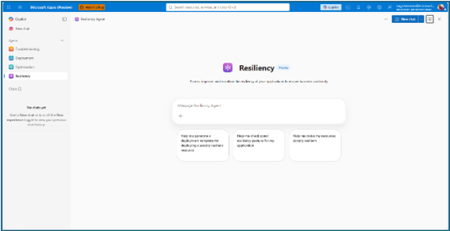
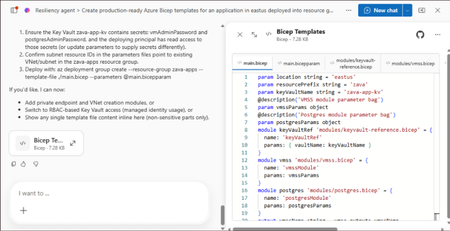
The distance between knowing and doing Most teams already know that zonal resiliency matters. What slows them down is everything in between: assessing posture across subscriptions and regions, deciding which gaps should be prioritized, writing the templates, and confirming the change actually rolled out. That is four separate workstreams, in four separate places, usually picked up long after the application is shipped. The resiliency agent closes that distance. We’re excited to announce that it is now available in public preview as part of the agents in Azure Copilot. The agent brings resiliency assessment, prioritized recommendations, and deployment-ready code into a single conversation, so resiliency becomes something your team does continuously rather than something you audit once a year. Learn more about Azure Copilot agents here. What the resiliency agent does The Resiliency agent is the conversational, action-oriented layer of Azure Infrastructure Resiliency Manager. The platform gives you a goal-driven view of your resiliency posture, and the agent lets you act on that posture in plain language. It brings together the signals you would otherwise chase manually across availability zones, Azure Backup, Azure Site Recovery, service level indicators, and Azure health models, then turns them into workload-aware guidance you can execute. Starting with zonal resiliency, it is designed to complement the resiliency capabilities you already rely on rather than replace them. The agent is built on the same foundational belief as Azure Infrastructure Resiliency Manager: application resiliency is a continuous journey, not a one-time task. That journey runs in three phases: Start Resilient Get Resilient Stay Resilient. This public preview addresses the activities associated with first two phases, frontloading the capabilities customers asked for most: direct remediation, Infrastructure as Code integration, and cost visibility. Stay Resilient comes next. What you can do in public preview Generate deployment-ready Bicep and Terraform with zone-redundant settings already enabled, before your first deployment Find the service groups and resources that are not zone resilient across your subscriptions and regions Prioritize remediation with cost-aware indicators that flag whether a fix needs extra spend, downtime, or redeployment Generate ready-to-deploy scripts to configure zone resiliency for supported resource types Create and update service groups so your applications are modeled correctly from the start Start resilient: build it in from the first line of code The most durable resiliency is the kind you never have to retrofit. Starting resilient means treating zone resiliency as an architectural requirement on day one, and the Resiliency Agent makes that the path of least resistance. Describe the application you are building, and the agent helps you generate deployment-ready Infrastructure as Code with the recommended resiliency configurations already enabled at creation time. Ask for a Bicep or Terraform template for a new workload and the agent returns one with zone-redundant settings pre-built for your databases, VMs, and load balancers, aligned to the goals you set. For example, try prompts like: “Generate a Bicep template for a zonally resilient VM setup.” “Create Terraform templates for a resilient architecture with VMs, AKS, and Storage.” The payoff: new services reach production already meeting your high availability standards, and the expensive redesign never has to happen. Get resilient: close the gaps in what you already run Applications change. The configuration that was right at first deployment is often not the one a business-critical workload needs two years later. This is where the resiliency agent turns posture insight into prioritized, executable action. Ask the agent to assess your environment, and it surfaces the resources and service groups that are not zone resilient, that are exposed to a datacenter outage, or that have key alerts waiting on attention. Every recommendation carries cost-aware decision support, qualitative indicators that flag whether a fix requires additional spend, downtime, or redeployment, so your team can sequence remediation against business value instead of guesswork. When you are ready to act, the agent generates ready-to-deploy scripts to configure zone resiliency for supported resource types, or targeted IaC snippets to close one specific gap. Try prompts like: “Assign resiliency goals for my application.” “Give me the posture of my service group: Contoso Payments.” “Enable zonal resiliency for my PostgreSQL server.” “Generate scripts to create a zonally resilient storage account.” This is a human-in-the-loop model by design. The agent brings the analysis, the recommendations, and the code. You keep full control over execution. Remediation gets faster without giving up governance. Stay resilient: what comes next Resiliency is not only about withstanding a zone outage. It is about protecting your data and knowing you can recover when something does go wrong. Recovery orchestration plans and zone drills are available today in Azure Infrastructure Resiliency Manager, and we are bringing both into the agent experience next. That closes the loop: assess, remediate, and validate recovery readiness in the same conversation. Get started with the public preview Open Azure Copilot and select the Resiliency Agent from the dropdown or the side panel. Three actions will get you value in the first session. Model your application. The agent works from your application, not a flat list of resources, so make sure it is represented as a service group that reflects your latest resource discovery. You can create service groups natively through the agent. Try: “Create a service group for my application.” Find your gaps. Ask which of your service groups and resources are not zone resilient. Most teams uncover exposure that was previously invisible. See Set resiliency goals and track compliance. Design it in. Ask for a Bicep template with zone-redundant defaults for a workload you plan to deploy and see how much retrofit effort disappears. See Generate resilient Bicep templates. What to expect in the preview Ready-to-deploy zone resiliency scripts are supported for Azure services that have zonal resiliency support in Infrastructure Resiliency Manager. See the support matrix for current coverage. Some advanced configurations, including multi-user authorization and Azure Site Recovery, may require manual steps, and the agent provides guidance to help you complete them. Where we are going This public preview is a starting line, not a finish. We are building toward end-to-end, agent-led journeys across Start, Get, and Stay Resilient, with cross-agent orchestration that reaches into migration, deployment, and observability, and multi-surface delivery so resiliency validation shows up in your IDEs, APIs, and CI/CD pipelines, not only in Azure Copilot. Service coverage will keep expanding, and the guidance will keep getting richer. The goal is simple and ambitious: make resilient-by-design the path of least resistance for every application on Azure. Preview is where that gets shaped, so tell us what is working and what you need next at azureresiliency@microsoft.com. Start here: open Azure Copilot, select the resiliency agent, and ask which of your applications are not zone resilient yet. Resources Announcing Azure Infrastructure Resiliency Manager public preview Agents in Azure Copilot public preview Resiliency capabilities in Agents (preview) in Azure Copilot, Azure Infrastructure Resiliency Manager overview Get started with service groups Microsoft Learn Questions or feedback: azureresiliency@microsoft.comIntroducing Layered Ingress Sharding: Achieving Single-Tenant Isolation in Multi-Tenant Services
Abhishek Tiwari, Vice President of Engineering, Azure Networking Amit Srivastava, Partner Director of PM, Azure Networking Varun Chawla, Partner Director of Engineering, Azure Networking Links to the three-part AFD blog series: Part 1 Part 2 Part 3 Why Multi‑Tenant Isolation Is Still Hard at Hyperscale Modern cloud platforms thrive on multitenancy. By sharing infrastructure across tenants, services like Azure Front Door (AFD) can deliver massive scale, global reach, and cost efficiency. At hyperscale, however, this efficiency comes with a hard truth: rare failures are inevitable, and their blast radius matters more than their frequency. When hundreds of thousands of tenants share a global data plane, a single misbehaving tenant, configuration regression, or zero-day exploit can turn a low probability event into a high impact outage. Over the years, the industry has developed many protections — rate limiting, circuit breakers, fair share scheduling, crash protection, and various sharding strategies. These techniques dramatically reduce average case risk, but they still struggle to bound worst case impact. In particular, they fall short of delivering what customers intuitively expect: single tenant isolation semantics (the guarantee that one tenant’s failure does not affect another) without requiring dedicated per-tenant infrastructure. At Azure Front Door, we’ve been working on a new architectural approach that directly targets worst case blast radius. Today, I’m excited to introduce Layered Ingress Sharding, a sharding strategy designed to enable single tenant fault isolation for largescale multitenant services. From Traditional Sharding to Ingress Sharding Traditional partitioning assigns each tenant to a fixed shard. This limits blast radius, but tenants in the same shard can still experience complete outages when that shard fails. Shuffle sharding improves on this by assigning each tenant to a subset of instances, where subsets partially overlap, dramatically reducing the probability of widespread impact. However, shuffle sharding still allows 100% availability loss for tenants in the affected shard, relies heavily on client retries, and introduces nontrivial capacity loss in overlapping shards. To address these limitations, we introduced Ingress Sharding. With ingress sharding, an ingress controller, which we call IRIS (Intelligent Routing with Ingress Sharding), sits directly on the data path. Ingress sharding uses shuffle sharding to construct shards from service instances; IRIS operates on top of these shards to perform tenant-aware, capacity-aware routing rather than introducing a new shard construction algorithm. IRIS identifies the tenant for each incoming connection and deterministically maps that tenant to a shard. Instead of relying on clients to retry when a shard is unhealthy, IRIS actively: Monitors the health of service instances Tracks available capacity in real time Retries and reroutes traffic internally Steers traffic away from unhealthy or overloaded instances Dynamically expands the set of service instances used for oversized tenants when sustained load exceeds a single shard’s capacity In effect, IRIS turns shard selection into a real-time, capacity-aware decision that is reevaluated for every new connection. This moves fault resilience and load balancing inside the platform, rather than pushing that burden onto clients. Ingress sharding significantly improves isolation and resilience, but on its own, a tenant can still experience a complete loss of availability if all instances in its shard are affected. Introducing Layers: Isolation Through Independence Layered Sharding adds a new dimension to multitenant isolation. In Layered Sharding, the service is divided into multiple independent layers. A layer represents an independent serving dimension of the system capable of handling tenant traffic independently. This technique was developed to reduce blast radius by changing how tenants are assigned across shards, rather than changing the underlying shard construction within a single layer. A key design goal is that layered sharding is orthogonal to the underlying sharding strategy. It works with existing approaches, whether that is standard partitioning-based sharding, shuffle sharding, or other shard assignment schemes used within a layer. Within each layer: Service instances are grouped into shards using an existing sharding technique (for example, traditional partitioning or shuffle sharding) Each tenant is assigned to a shard independently in that layer Crucially, tenant-to-shard assignments are randomized and independent across layers. This independence is what gives layered sharding its isolation properties, regardless of the specific sharding algorithm used within a single layer. The definition of a layer itself is intentionally flexible and service dependent. In Azure Front Door, each server naturally acts as one layer. In other services, a layer might correspond to a cluster, a scale unit, a fault domain, or even a regional partition — any unit capable of serving tenant traffic independently while preserving uniform load distribution. The result is powerful: even if a tenant’s traffic causes failures in one shard in one layer, it is statistically unlikely that the same tenant will collide with the same peers across many layers. Instead of experiencing a full outage, other tenants see at most a small, transient reduction in capacity, often invisible with standard retry behavior. Layered sharding alone already reduces availability impact across tenants. But when combined with ingress sharding, it enables something fundamentally stronger. Layered Ingress Sharding Layered Ingress Sharding integrates two complementary ideas: Layered Sharding spreads tenants across many independent layers with randomized shard assignments. Ingress Sharding dynamically routes traffic to healthy service instances across layers using real‑time health and capacity signals. The key blast radius reduction that enables single tenant isolation comes from the combination of independent shard randomization across layers with active, intelligent traffic steering. When a tenant misbehaves due to harmful traffic, a bad configuration, or an unknown vulnerability, IRIS detects unhealthy service instances and automatically routes traffic to healthy shards in other layers. Because shard assignments are independent, IRIS can always find unaffected capacity for well-behaved tenants. The resulting behavior is a fundamental shift in multitenant failure dynamics: Outages remain localized to the misbehaving tenant Healthy tenants continue to serve traffic Blast radius shrinks from fleetwide to tenant-local In effect, a shared multi‑tenant system begins to behave like it has single tenant‑ isolation semantics, without abandoning multitenancy. Why the Math Works The guarantees behind layered ingress sharding are not heuristic, they’re statistical. Because tenant-to-shard assignments are randomized independently across layers, the probability that two tenants repeatedly collide in the same shard follows a binomial distribution. With production representative configurations, tens of layers and shuffle-sharded service instances, the probability that an arbitrary tenant experiences a user-visible failure due to another tenant drops below what standard client retries already mask. Instead of asking “Can a noisy neighbor impact me?”, the system answers “What is the probability that a single connection attempt is unlucky across all layers?” and that probability decreases exponentially as the number of layers increases. This allows us to trade catastrophic outages for rare, isolated, and standard retry-mitigated events. A Hidden Benefit: Identifying Bad Tenants Layered ingress sharding provides an additional, powerful side benefit: automated identification of misbehaving tenants. Because shard assignments are computed independently across layers, a tenant that is consistently responsible for failures appears as a common factor across impacted shards and service instances. By correlating signals across layers, the platform can accurately identify the offending tenant and apply targeted mitigations such as isolation, throttling, or traffic steering without relying on coarse-grained circuit breakers that penalize everyone. This dramatically improves response time under high load or adversarial conditions while preserving availability for unaffected tenants. Beyond Azure Front Door While Layered Ingress Sharding was developed in the context of Azure Front Door, the underlying principle is broadly applicable. Any large‑scale multi‑tenant system that: Serves many tenants from shared infrastructure Can distribute traffic uniformly across independent layers Can enforce shard-level isolation within each layer can benefit from this approach. Layers don’t have to be servers they could be clusters, scale units, or regional partitions. The key is independent assignment across layers combined with intelligent ingress routing. We believe this pattern represents a reusable architectural strategy for building resilient, hyperscale, multi‑tenant services. Closing Thoughts Multi‑tenancy doesn’t have to mean shared fate. Layered Ingress Sharding shows that by combining probabilistic isolation with intelligent ingress routing, we can build systems where failures are expected, bounded, and automatically contained, even at hyperscale. Rather than eliminating failure, this approach mathematically constrains its impact. And in large‑scale multi‑tenant platforms, that distinction makes all the difference.Protect Azure Cosmos DB with vaulted backups using Azure Backup (public preview)
As organizations increasingly rely on Azure Cosmos DB to power mission‑critical, globally distributed applications, protecting this data from accidental deletion, malicious activity, and ransomware has become more important than ever. At MS Build 2026, we’re excited to announce the preview of Azure Backup for Cosmos DB, which introduces vaulted backups—a secure, isolated, and fully managed backup solution designed to strengthen cyber‑resilience and support compliance requirements. Why vaulted backups for Azure Cosmos DB? Azure Cosmos DB already provides built‑in data protection capabilities such as replication and availability features to help ensure application uptime. However, these capabilities alone may not be sufficient to protect against scenarios such as: Accidental or malicious deletion of data or accounts Compromised credentials or insider threats Ransomware attacks targeting production environments Compliance requirements that mandate off‑site, immutable backups Vaulted backups add an independent protection layer by storing backup copies in an Azure Backup vault, isolated from the source Cosmos DB account and managed through Azure Backup. How vaulted backups protect your Cosmos DB data With this preview, Azure Backup enables you to protect Azure Cosmos DB using a policy‑driven, automated backup experience. Once configured, Azure Backup manages backup scheduling, retention, and lifecycle without manual intervention. Key protection capabilities include: Isolation from production data: Vaulted backups are stored in a separate, Microsoft‑managed backup vault, ensuring that backup data remains protected even if the source Cosmos DB account is deleted or compromised. Resilience against ransomware and malicious attacks: Because backups are isolated and protected by Azure Backup security controls, attackers cannot directly access or tamper with recovery points, helping ensure reliable recovery when it matters most. Policy‑based backups with long‑term retention: Define backup schedules and retention periods using Azure Backup policies to support long‑term compliance and audit requirements. Security‑first design: Azure Backup safeguards vaulted backups using encryption, soft delete, immutability, and role‑based access control, helping protect backup data against unauthorized deletion or modification. Designed for compliance and enterprise resilience Vaulted backups for Azure Cosmos DB help organizations align with industry and regulatory expectations that require: Off‑site and isolated backup copies Strong access controls and separation of duties Protection against premature deletion Long‑term retention of critical data By integrating Cosmos DB protection into Azure Backup, customers can manage backups centrally alongside other Azure workloads using a consistent governance and monitoring experience. Getting started with the preview Please refer to the product documentation for details on supported scenarios, limitations, and onboarding steps. For Cosmos DB vaulted backup (preview), you incur charges from, 1 July 2026. Refer to Azure Backup pricing page and pricing calculator for more details.
Announcing Azure Infrastructure Resiliency Manager Public Preview
At Microsoft Build 2026, we are thrilled to announce that Azure Infrastructure Resiliency Manager is now available in public preview, open to all Azure customers. Azure Infrastructure Resiliency Manager is not a replacement for individual Azure resiliency features; it is the unifying layer that connects them into a coherent, goal-driven workflow. It leverages and complements Availability Zones, Azure Advisor, Azure Chaos Studio, Azure Monitor, and Azure Copilot, adding purposeful orchestration that turns isolated capabilities into a complete resiliency strategy. The preview already covers a broad range of Azure resource types and zone-redundant configurations, from virtual machines and databases to AKS clusters and networking with continued expansion planned. The new platform is built on a foundational belief: achieving application resilience is a continuous journey, not a one-time configuration task. That journey is organized into three actionable phases: Start Resilient, Get Resilient, and Stay Resilient. Each phase delivers measurable customer value such as reduced downtime risk, faster recovery, and greater operational confidence. Start resilient: Embedding resiliency from day one Starting resilient means treating resiliency as a fundamental architectural requirement, not an afterthought. Azure Infrastructure Resiliency Manager makes it straightforward to design zone-resilient applications from the outset, eliminating costly retrofits and reducing risk before your first deployment. Resiliency Agent: Your AI-powered architecture advisor The standout capability in this preview is the Resiliency Agent, a conversational, AI-powered assistant embedded directly in the Azure Portal. Designed for architects and developers, the Resiliency Agent allows teams to validate and refine resiliency strategies using plain language. For example, you might enter a prompt such as "I'm designing a three-tier web app with VMs, a Flexible PostgreSQL database, and a Standard Load Balancer" and ask the agent what zone-resiliency requirements apply. The Resiliency Agent analyzes your plan, identifies single points of failure, and recommends specific changes: enabling zone redundancy for the database, deploying VMs across zones, or upgrading to zone-redundant load balancers. It delivers a structured, per-resource summary that makes the path to resiliency explicit and actionable. Infrastructure-as-Code generation and validation Beyond design guidance, Infrastructure Resiliency Manager accelerates implementation. You can ask the Resiliency Agent to generate Infrastructure-as-Code (IaC) templates (ARM, Bicep, or Terraform) with all resiliency configurations pre-built and ready to deploy. A generated Bicep template, for example, automatically includes zone-redundant settings for databases, VMs, and load balancers aligned to your stated goals. The agent also validates existing IaC templates: upload a template and receive a natural language assessment of resiliency gaps, complete with targeted suggestions and code snippets to close them. This eliminates manual review overhead and ensures every new deployment starts with a resilient foundation by embedding resiliency into the design and deployment lifecycle from day one, organizations avoid expensive redesigns, accelerate time-to-market, and bring new services to production already meeting high-availability standards. Get resilient: Closing gaps in existing applications Most Azure customers have workloads built over months or years that may not fully meet today's resiliency requirements. Infrastructure Resiliency Manager delivers a centralized, goal-driven view of your current environment's resilience posture, along with prioritized, actionable recommendations to close every gap. Goal-driven resiliency posture Define what constitutes your application by grouping resources across regions, subscriptions, or resource groups, including tag-based grouping, using Service Groups. Once your application boundary is established, assign a resiliency goal: for example, zone-failure tolerance for all components, or specific data replication requirements for critical services. The platform assesses every resource against that goal and presents a clear, single-pane-of-glass resiliency posture showing which resources meet the goal, which are non-resilient, and which remain unevaluated. This goal-driven model ensures that all subsequent guidance is precisely calibrated to your target state, not generic best practices. Actionable, prioritized recommendations For every resource that falls short of the defined goal, Infrastructure Resiliency Manager generates targeted remediation recommendations powered by Azure Advisor. If a virtual machine lacks zone redundancy, the platform recommends converting it to an availability zone deployment. If a database is not zone-redundant, the recommendation specifies exactly how to enable it. Critically, every recommendation includes contextual decision-making information: impacted resources, implementation steps, and qualitative cost indicators (High, Medium, Low) that flag whether a fix requires additional service spend, downtime, or redeployment. This allows engineering teams to plan remediation in a business-informed, prioritized manner. Looking ahead, the platform will also integrate application health with infrastructure health, correlating Azure Monitor SLIs and Azure Health Model insights to surface resiliency gaps with even greater precision. Guided remediation with the resiliency agent Azure Advisor identifies resiliency gaps and surfaces prioritized recommendations. Infrastructure Resiliency Manager builds on this by making those recommendations actionable. Instead of stopping at insights, the platform provides guided execution. Each recommendation includes step-by-step portal flows, dependencies, and readiness checks required for remediation. The Resiliency Agent acts as the interactive layer on top, helping you interpret and act on these recommendations in context. For example, you can ask whether an App Service can be moved to zone-redundant storage, what downtime to expect, or what prerequisites are required and receive clear, workload-aware answers tailored to their environment. On request, the agent can generate remediation scripts or IaC snippets to implement specific changes, such as validating an existing Terraform template against Azure resiliency best practices. Importantly, the agent never makes changes autonomously: it provides information and code, while you retain full control over execution. This human-in-the-loop model accelerates remediation without sacrificing governance. The result: a curated, goal-oriented to-do list that replaces generic advice with targeted action, weighted by cost and feasibility - giving engineering leaders clear visibility into which investments will yield the greatest resilience gains. Stay resilient: Continuous validation and recovery Readiness Resilience is not just a configuration milestone; it is an ongoing operational discipline. The "Stay Resilient" phase ensures the resilience you've built performs under pressure and that your teams are prepared to respond when real incidents occur. Azure Infrastructure Resiliency Manager delivers resiliency drills and recovery orchestration to support continuous readiness. Resiliency drills enabled by Azure Chaos Studio A highlight of this public preview is the introduction of availability zone failure drills, enabled by Azure Chaos Studio. These drills simulate zone outages for your application in a controlled, safe environment: shutting down VMs in a target availability zone, forcing failover for zone-redundant databases, or stopping AKS node pools. Every fault action is based on Azure-recommended patterns for each supported resource type, providing a realistic approximation of an actual zone failure. Because Infrastructure Resiliency Manager understands which resources are intended to be zone-resilient, it automatically determines which fault actions to apply, eliminating manual configuration. For scenarios not covered out of the box, custom fault logic via Azure Automation runbooks is supported, providing the flexibility required for complex environments. Recovery orchestration Resiliency drills in the platform go beyond fault injection. It integrates with recovery plan to orchestrate the complete recovery sequence automatically after injecting faults: fault injection → failover → reprotection → failback. This full-cycle simulation measures the maximum potential downtime your application could experience during a zone outage and surfaces any recovery steps that did not execute as expected. Real-time health monitoring and drill insights Throughout each drill, the Infrastructure Resiliency Manager provides live health monitoring powered by Azure Monitor. A built-in metrics dashboard tracks each resource's health in real time revealing whether your application remains available and how performance holds under simulated stress. This immediate feedback surfaces resilience gaps that may not have been visible through static analysis. After each drill, the platform logs the results along with team notes and attestations, building a historical record of all resilience tests. Over time, this record demonstrates measurable improvement and supports compliance with organizational and regulatory resiliency requirements. "Stay Resilient" converts assumptions into evidence. When an actual zone outage occurs, your teams will not be executing a failover for the first time; they would have rehearsed it. The result is a culture of proactive resilience, and the organizational confidence that your systems will deliver on their availability commitments. Get started with the public preview Starting today, the public preview of Azure Infrastructure Resiliency Manager is open to all Azure customers. Access the new platform through the Azure Portal by searching for "Resiliency". We encourage you to evaluate it against a test application or a production workload to gain immediate visibility into your current resiliency posture. To get the most from Infrastructure Resiliency Manager, we recommend these three starting actions: Define a resiliency goal for a critical application and review the posture insights the platform surfaces; you may uncover gaps that were previously invisible. Engage the Resiliency Agent to tackle a few recommendations and experience firsthand how AI-guided remediation accelerates your team's workflow. Run a zone-down drill in a non-production environment to validate your failover and recovery processes under realistic conditions. We believe this holistic approach will help organizations achieve a new level of operational excellence, making resiliency actionable, measurable, and deeply embedded in cloud practices. As Infrastructure Resiliency Manager moves toward general availability, we will continue incorporating your feedback and expanding capabilities to meet the demands of real-world cloud architectures. Azure Infrastructure Resiliency Manager gives you the tools to reduce downtime risk, gain clarity over your resiliency posture, and build genuine readiness for the unexpected. Join the public preview today and take the next step toward applications that don't just survive disruptions; they thrive through them. Resources Azure Infrastructure Resiliency Manager — Overview Get Started with Service Groups — Microsoft Learn Introduction to Azure Advisor — Microsoft Learn What is Azure Chaos Studio? — Microsoft Learn What's New in Azure Monitor — Microsoft Learn Modern Azure Resilience with Mark Russinovich — Tech Community3.6KViews8likes0CommentsProactive Reliability Series — Article 1: Fault Types in Azure
Welcome to the Proactive Reliability Series — a collection of articles dedicated to raising awareness about the importance of designing, implementing, and operating reliable solutions in Azure. Each article will focus on a specific area of reliability engineering: from identifying critical flows and setting reliability targets, to designing for redundancy, testing strategies, and disaster recovery. This series draws its foundation from the Reliability pillar of the Azure Well-Architected Framework, Microsoft's authoritative guidance for building workloads that are resilient to malfunction and capable of returning to a fully functioning state after a failure occurs. In the cloud, failures are not a matter of if but when. Whether it is a regional outage, an availability zone going dark, a misconfigured resource, or a downstream service experiencing degradation — your workload will eventually face adverse conditions. The difference between a minor blip and a major incident often comes down to how deliberately you have planned for failure. In this first article, we start with one of the most foundational practices: Fault Mode Analysis (FMA) — and the question that underpins it: what kinds of faults can actually happen in Azure? Disclaimer: The views expressed in this article are my own and do not represent the views or positions of Microsoft. This article is written in a personal capacity and has not been reviewed, endorsed, or approved by Microsoft. Why Fault Mode Analysis Matters Fault Mode Analysis is the practice of systematically identifying potential points of failure within your workload and its associated flows, and then planning mitigation actions accordingly. A key tenet of FMA is that in any distributed system, failures can occur regardless of how many layers of resiliency are applied. More complex environments are simply exposed to more types of failures. Given this reality, FMA allows you to design your workload to withstand most types of failures and recover gracefully within defined recovery objectives. If you skip FMA altogether, or perform an incomplete analysis, your workload is at risk of unpredicted behavior and potential outages caused by suboptimal design. But to perform FMA effectively, you first need to understand what kinds of faults can actually occur in Azure infrastructure — and that is where most teams hit a gap. Sample "Azure Fault Type" Taxonomy Azure infrastructure is complex and distributed, and while Microsoft invests heavily in reliability, faults can and do occur. These faults can range from large-scale global service outages to localized issues affecting a single VM. The following is a sample taxonomy of common Azure infrastructure fault types, categorized by their characteristics, likelihood, and mitigation strategies. The taxonomy is organized from a customer impact perspective — focusing on how fault types affect customer workloads and what mitigation options are available — rather than from an internal Azure engineering perspective. Some of these "faults" may not even be caused by an actual failure in Azure infrastructure. They can be caused by a lack of understanding of Azure service designed behaviors (e.g., underestimating the impact of Azure planned maintenance) or by Azure platform design decisions (e.g., capacity constraints). However, from a customer perspective, they all represent potential failure modes that need to be considered and mitigated when designing for reliability. The following table presents infrastructure fault types from a customer impact perspective: Disclaimer: This is an unofficial taxonomy sample of Azure infrastructure fault types. It is not an official Microsoft publication and is not officially supported, endorsed, or maintained by Microsoft. The fault type definitions, likelihood assessments, and mitigation recommendations are based on publicly available Azure documentation and general cloud architecture best practices, but may not reflect the most current Azure platform behavior. Always refer to official Azure documentation and Azure Service Health for authoritative guidance. The "Likelihood" values below are relative planning heuristics intended to help prioritize resilience investments. They are not statistical probabilities, do not represent Azure SLA commitments, and are not derived from official Azure reliability data. Fault Type Blast Radius Likelihood Mitigation Redundancy Level Requirements Service Fault (Global) Worldwide or Multiple Regions Very Low High Service Fault (Region) Single service in region Medium Region Redundancy Region Fault Single region Very Low Region Redundancy Partial Region Fault Multiple services in a single Region Low Region Redundancy Availability Zone Fault Single AZ within region Low Availability Zone Redundancy Single Resource Fault Single VM/instance High Resource Redundancy Platform Maintenance Fault Variable (resource to region) High Resource Redundancy, Maintenance Schedules Region Capacity Constraint Fault Single region Low Region Redundancy, Capacity Reservations Network POP Location Fault Network hardware Colocation site Low Site Redundancy In future articles we will examine each of these fault types in detail. For this first article, let's take a closer look at one that is often underestimated: the Partial Region Fault. Deep Dive: "Partial Region Fault" A Partial Region Fault is a fault affecting multiple Azure services within a single region simultaneously, typically due to shared regional infrastructure dependencies, regional network issues, or regional platform incidents. Sometimes, the number of affected services may be significant enough to resemble a full region outage — but the key distinction is that it is not a complete loss of the region. Some services may continue to operate normally, while others experience degradation or unavailability. Unlike Natural Disaster caused Region outage, in the documented cases referenced later in this article, such "Partial Region Faults" have historically been resolved within hours. Attribute Description Blast Radius Multiple services within a single region Likelihood Low Typical Duration Minutes to hours Fault Tolerance Options Multi-region architecture; cross-region failover Fault Tolerance Cost High Impact Severe Typical Cause Regional networking infrastructure failure affecting multiple services, regional storage subsystem degradation impacting dependent services, regional control plane issues affecting service management These faults are rare, but they can happen — and when they do, they can have a severe impact on customer solutions that are not architected for multi-region resilience. What makes Partial Region Faults particularly dangerous is that they fall into a blind spot in most teams' resilience planning. When organizations think about regional failures, they tend to think in binary terms: either a region is up or it is down. Disaster recovery runbooks are written around the idea of a full region outage — triggered by a natural disaster or a catastrophic infrastructure event — where the response is to fail over everything to a secondary region. But a Partial Region Fault is not a full region outage. It is something more insidious. A subset of services in the region degrades or becomes unavailable while others continue to function normally. Your VMs might still be running, but the networking layer that connects them is broken. Your compute is fine, but Azure Resource Manager — the control plane through which you manage everything — is unreachable. This partial nature creates several problems that teams rarely plan for: Failover logic may not trigger. Most automated failover mechanisms are designed to detect a complete loss of connectivity to a region. When only some services are affected, health probes may still pass, traffic managers may still route requests to the degraded region, and your failover automation may sit idle — while your users are already experiencing errors. Recovery is more complex. With a full region outage, the playbook is straightforward: fail over to the secondary region. With a partial fault, you may need to selectively fail over some services while others remain in the primary region — a scenario that few teams have tested and most architectures do not support gracefully. The real-world examples below illustrate this clearly. In each case, a shared infrastructure dependency — regional networking, Managed Identities, or Azure Resource Manager — experienced an issue that cascaded into a multi-service fault lasting hours. None of these were full region outages, yet the scope and duration of affected services was significant in each case: Switzerland North — Network Connectivity Impact (BT6W-FX0) A platform issue resulted in an impact to customers in Switzerland North who may have experienced service availability issues for resources hosted in the region. Attribute Value Date September 26–27, 2025 Region Switzerland North Time Window 23:54 UTC on 26 Sep – 21:59 UTC on 27 Sep 2025 Total Duration ~22 hours Services Impacted Multiple (network-dependent services in the region) According to the official Post Incident Review (PIR) published by Microsoft on Azure Status History, a platform issue caused network connectivity degradation affecting multiple network-dependent services across the Switzerland North region, with impact lasting approximately 22 hours. The full root cause analysis, timeline, and remediation steps are documented in the linked PIR below. 🔗 View PIR on Azure Status History East US and West US — Managed Identities and Dependent Services (_M5B-9RZ) A platform issue with the Managed Identities for Azure resources service impacted customers trying to create, update, or delete Azure resources, or acquire Managed Identity tokens in East US and West US regions. Attribute Value Date February 3, 2026 Regions East US, West US Time Window 00:10 UTC – 06:05 UTC on 03 February 2026 Total Duration ~6 hours Services Impacted Managed Identities + dependent services (resource create/update/delete, token acquisition) 🔗 View PIR on Azure Status History Azure Government — Azure Resource Manager Failures (ML7_-DWG) Customers using any Azure Government region experienced failures when attempting to perform service management operations through Azure Resource Manager (ARM). This included operations through the Azure Portal, Azure REST APIs, Azure PowerShell, and Azure CLI. Attribute Value Date December 8, 2025 Regions Azure Government (all regions) Time Window 11:04 EST (16:04 UTC) – 14:13 EST (19:13 UTC) Total Duration ~3 hours Services Impacted 20+ services (ARM and all ARM-dependent services) 🔗 View PIR on Azure Status History Wrapping Up Designing resilient Azure solutions requires understanding the full spectrum of potential infrastructure faults. The Partial Region Fault is just one of many fault types you should account for during your Failure Mode Analysis — but it is a powerful reminder that even within a single region, shared infrastructure dependencies can amplify a single failure into a multi-service outage. Use this taxonomy as a starting point for FMA when designing your Azure architecture. The area is continuously evolving as the Azure platform and industry evolve — watch the space and revisit your fault type analysis periodically. In the next article, we will continue exploring additional fault types from the taxonomy. Stay tuned. Authors & Reviewers Authored by Zoran Jovanovic, Cloud Solutions Architect at Microsoft. Peer Review by Catalina Alupoaie, Cloud Solutions Architect at Microsoft. Peer Review by Stefan Johner, Cloud Solutions Architect at Microsoft. References Azure Well-Architected Framework — Reliability Pillar Failure Mode Analysis Shared Responsibility for Reliability Azure Availability Zones Business Continuity and Disaster Recovery Transient Fault Handling Azure Service Level Agreements Azure Reliability Guidance by Service Azure Status HistoryModern Azure Resilience with Mark Russinovich
Resiliency in the cloud reflects different priorities from consistent performance, to withstanding failures, to predictable recovery. These map to reliability, resiliency, and recoverability, which together guide how workloads should be designed on Azure. This post extends foundational guidance with practical multi‑region design decisions, including when to use availability zones, paired regions, and non‑paired regions to meet business continuity goals. Reliability in Azure isn’t defined by a single recommendation, but by a set of architectural patterns designed to balance cost, complexity, recovery speed, and operational effort—because no single approach fits every workload. While disaster recovery is a common driver for multi‑region designs, long‑term scale planning also matters. Azure regions operate within defined physical and latency boundaries, and large-scale workloads may eventually approach the practical capacity limits of a single region. This post introduces four resilience patterns, outlining when and why to use each so you can assess options based on your non‑functional requirements. It also explains how availability zone–based designs can often provide an alternative to paired regions as a default choice. Here are a few common reliability and availability architecture patterns: In-region High Availability (HA) with Availability Zones (AZ): Maximize availability within a single Azure region by deploying across multiple availability zones. Regional Business Continuity and Disaster Recovery (BCDR): A primary/secondary region strategy implemented across separate Azure regions, selected based on geographic risk boundaries, regulatory requirements, and service availability. Recovery sequencing and failover behaviors are defined by workload dependencies and organizational requirements. Non-paired region BCDR: A primary/secondary region strategy where the secondary region is chosen based on requirements such as capacity, service availability, data residency, and network latency. This approach also supports long‑term scale planning, since Azure regions operate within physical datacenter footprints and latency boundaries and can reach practical capacity limits as workloads grow. See multi‑region solutions in non‑paired regions. Multi-region active/active: Deploy workloads across multiple regions simultaneously so that each region can serve production traffic. This approach can provide both high availability and disaster resilience while improving global performance, but it introduces additional architectural complexity and operational overhead. The rest of this post helps you understand the tradeoffs across these patterns, enabling you to select the right approach per workload while avoiding unnecessary cost and operational complexity. First post in this series: Achieve agility and scale in a dynamic cloud world Why did Azure launch with paired regions? Launched in 2010, but rebranded to Microsoft Azure in 2014, the regions were introduced in pairs (West US & East US, West Europe & North Europe, Southeast Asia & East Asia) to align with common enterprise business continuity practices at the time. Many organizations operated multiple datacenters within the same geographic boundary, separated by sufficient distance to reduce shared risk while maintaining regulatory and operational alignment. This design mirrored familiar enterprise BCDR practices at the time and offered: A familiar primary/secondary failover pattern consistent with enterprise BCDR strategies Support for regulatory or data residency requirements that required disaster recovery within a defined geographic boundary Turnkey replication capabilities for services such as Geo-Redundant Storage (GRS) Platform-level sequencing of updates to reduce the likelihood of simultaneous regional impact A defined regional recovery prioritization model for rare geography-wide incidents This model provided assurance that Azure could meet or exceed the resilience of legacy enterprise environments while simplifying early cloud adoption through predefined recovery patterns. However, Azure’s engineering strategy has evolved. Many services now support replication to a region of choice rather than being limited to predefined pairs. This provides architects with greater flexibility to select regions based on workload requirements, risk boundaries, compliance constraints, capacity considerations, and cost models. It’s important to recognize that regional parity is never guaranteed even between paired regions. Differences in service availability, supported SKUs, scale limits, capacity, cost and operational maturity must be explicitly accounted for in the workload design. How has cloud resilience evolved since launch? The introduction of Availability Zones in 2018 provides a significant advancement in Azure resilience. Availability Zones are physically isolated groups of data centers within a region; each zone has independent power, cooling and networking. Many Azure services (App Service, Storage, Azure SQL etc.) use zones to provide platform-managed resilience. In addition, customers can deploy zonal resources, such as virtual machines, into specific zones or distribute them across zones to design for higher availability. Where previously Azure regions were launched in pairs, since 2020, regions have been typically designed with multiple availability zones, without a paired region. This design enables: High availability within a single region Platform-managed resilience for most failure scenarios Reduced need for multi-region deployments for standard high-availability requirements How should customers design for resilience when using both paired and non-paired regions? To decide which resiliency model makes sense, customers should start by defining clear expectations including uptime targets, recovery time objectives (RTO), recovery point objectives (RPO), latency tolerance, and data residency. These non-functional requirements should directly influence architectural decisions. In practice, High Availability (HA) and Disaster Recovery (DR) are differentiated by recovery objectives rather than geography. HA architectures target near-zero downtime and minimal data loss, while DR solutions allow for defined recovery time and acceptable data loss. While HA is commonly established within a region using availability zones, it can also be achieved across regions through active-active designs. Similarly, DR is typically implemented across regions using replication and failover strategies. HA: Availability Zones When designing high availability within a region, Azure builds on AZs with 2 models: Zone-redundant resources are replicated across multiple availability zones to ensure data remains accessible even if one zone fails. Some services provide built-in zone redundancy, while others require manual configuration. Typically, Microsoft chooses the zones used for your resources, though some services allow you to select them. Zonal resources are deployed in a single availability zone and do not provide automatic resiliency against zone outages. While faults in other zones do not affect them, ensuring resiliency requires deploying separate resources across multiple zones. Microsoft does not handle this process; you are responsible for managing failover if an outage occurs. The decision to design a zone-resilient architecture is critical for balancing availability requirements with cost and regional capacity constraints. Designing workloads to be resilient across availability zones is generally the preferred approach for improving availability and protecting against zone-level failures. Deploying workloads across availability zones can enhance fault tolerance and reduce downtime when supported by the Azure service being used. However, architects should still consider workload characteristics, cost implications, and potential latency impacts, which may vary depending on the services and architecture patterns involved. Ultimately, zone resiliency is an architectural decision that should be strategically aligned with business priorities and risk tolerance, not simply treated as a checkbox to be ticked during deployment. DR: Paired and Non-Paired Regions Region pairs should be viewed as an architectural choice rather than a rule. Historically, paired regions played a key role in minimizing correlated failures and streamlining platform updates and recovery processes. However, as the Azure Safe Deployment Practices (SDP) have matured, the advantages of region pairs have become more nuanced. Over time, SDP has evolved to support safer and more flexible change management through longer and more adaptable bake times, richer operational signal integration, and an expanded understanding of regional deployment boundaries. These improvements enable Azure to release changes more safely across a growing and increasingly diverse regional footprint, while still balancing reliability with time‑to‑market. As a result, regional pairs are no longer the sole mechanism for managing correlated change risk, but one of several architectural tools customers can apply based on their resiliency and compliance needs. Using non-paired regions or a mix of paired and non-paired regions allows customers to design high availability and disaster recovery architectures that are driven by business, compliance, and application requirements rather than fixed regional relationships. This enables customers to optimize data residency, regulatory boundaries, latency to specific user populations, and provide differentiated recovery objectives across their workloads. This approach can also reduce exposure to rare but high-impact platform-level events by avoiding tightly coupled regional behaviors. While some Azure services natively simplify replication and recovery within paired regions, and others support replication across arbitrary regions (such as Azure SQL, Cosmos DB, and Azure Blob Storage with object replication), non-paired designs encourage explicit, workload-aware resiliency strategies such as application-level replication, asynchronous data sync, and failover orchestration. Although this introduces more architectural responsibility and may require compensating for paired region features, it delivers greater transparency, predictable recovery behavior, and alignment with business-driven RTO/RPO requirements rather than platform defaults. Regional failover is a customer‑orchestrated decision; customers should design, test, and operate their own failover and failback processes rather than assuming platform‑initiated regional failover. Designing for regional resilience requires distinguishing between workload mobility and data protection. Azure provides two complementary capabilities that address these needs differently: Azure Site Recovery (ASR) and Azure Backup. Azure Site Recovery (ASR) enables near‑continuous replication and orchestrated failover of virtual machine–based workloads to a region of choice, not limited to paired regions. ASR is the primary mechanism for customers who need low RPO, controlled failover, and workload restart in a secondary region. This is especially relevant for regions without a paired region or where the paired region does not meet capacity, service availability, or compliance needs. Azure Backup provides durable, policy‑based data protection, independent of compute availability. While Azure Backup is not a high‑availability or infrastructure failover solution, it plays a critical role when services do not support region‑of‑choice replication natively. In these scenarios, backup and restore become the recovery mechanism. These two services are often used together: ASR for VM‑level workload continuity, and Azure Backup for protecting and restoring data across regions, including to non‑paired regions. I am using paired regions today – does this mean I need to change my architecture? If your current architecture is built around paired regions for compliance, data residency, or strict disaster recovery objectives, that model stays valid and supported. Azure continues to support paired regions providing prioritized recovery sequencing, staggered platform updates, and geo-aligned data residency, all backed by Microsoft’s global infrastructure strategy. What has changed is that paired regions are no longer the only way to achieve enterprise-grade resilience. For many workloads that adopted a paired region (1+1) model primarily to protect against local datacenter failure, Availability Zones combined with geo-redundant services now provide equivalent or better protection with far less architectural complexity and cost. The shift to nonpaired regions is therefore not a forced migration, but an opportunity to simplify. Customers can continue using paired regions where business requirements demand it, while selectively modernizing other workloads to take advantage of platform-managed zone resilience. What’s coming up next for resilience in Azure? Resilience is evolving from static guidance to continuous, workload-aware execution. A multi-region strategy isn’t only about recovery; it’s also a practical hedge against regional capacity constraints (regions have physical limits within a latency boundary, so growth can eventually hit caps). Resiliency agent in Azure Copilot (preview) helps you spot missing resiliency coverage—such as zone alignment gaps or missing backup/DR—and provides automated guidance (including scripts) to remediate issues, configure Azure Backup and Azure Site Recovery, and define recovery drills. Resiliency in Azure brings zone resiliency, high availability, backup, DR, and ransomware protection together into a unified experience within Azure Copilot, enabling teams to set resiliency goals, receive proactive recommendations, and view service‑group insights via Azure portal. If you’re looking for service-specific BCDR and replication guidance, use these authoritative starting points: Cloud Adoption Framework (CAF) – Landing zone design area (BCDR): guidance to define platform DR requirements (RTO/RPO), data residency considerations, and operational readiness as part of landing zone design. Azure Well-Architected Framework (WAF) – Disaster recovery strategies: guidance for structuring, testing, and operating DR plans aligned to recovery targets, with links to companion DR planning resources. WAF design guide – Regions & Availability Zones: how to choose between zone- vs region-based approaches and understand reliability/cost/performance tradeoffs. Azure service reliability guides: service-by-service reliability/replication behavior and customer responsibilities. Non‑paired multi‑region configurations: examples of supported multi-region approaches when regions aren’t paired. Validate feasibility before you design: confirm service/SKU/zone availability in both regions. Next step: Explore Azure Essentials for guidance and tools to build secure, resilient, cost-efficient Azure projects. To see how shared responsibility and Azure Essentials come together in practice, read Resiliency in the cloud—empowered by shared responsibility and Azure Essentials and How to design reliable, resilient, and recoverable workloads on Azure on the Microsoft Azure Blog. For expert-led, outcome-based engagements to strengthen resiliency and operational readiness, Microsoft Unified provides end-to-end support across the Microsoft cloud. To move from guidance to execution, start your project with experts and investments through Azure Accelerate. Related Resources Architecture strategies for using Availability Zones and Region High Availability Architecture strategies for highly available multi-region design Disaster Recovery Architecture strategies for designing a Disaster Recovery strategy Multi-Region solutions in nonpaired Regions Develop a disaster recovery plan for multi-region deployments Azure Regions and Services Azure region pairs and nonpaired regions Reliability guides for Azure services