recovery
7 Topics
Proposal: Dedicated Windows “Repair Companion” Device for Automatic Deep System Recovery
I’d like to propose a new hardware‑assisted recovery solution for Windows that would dramatically improve system reliability and reduce catastrophic failures caused by deep OS corruption. Today, Windows can repair many issues on its own, but certain types of corruption — such as servicing stack failures, broken WinSxS manifests, failed migrations, or damaged bootloaders — require offline repair or manual intervention. These situations often force users into time‑consuming troubleshooting or full reinstallations. My proposal is a dedicated, consumer‑friendly “Windows Repair Companion” device that connects to a home network and provides a trusted, isolated environment for deep system repair. This would be similar in concept to enterprise out‑of‑band management, but simplified and designed for everyday users. Key Features: • A small hardware device (similar in size to a Surface Dock or streaming box) that plugs into a router or PC. • Contains a hardened, read‑only repair OS and clean Windows recovery images. • Supports automatic network boot (PXE/UEFI) when a PC detects severe corruption or cannot boot normally. • Performs offline repairs: DISM, SFC, CHKDSK, servicing stack rebuilds, WinSxS restoration, bootloader repair, and update rollback. • Provides a true “push‑button restore” experience without requiring user technical knowledge. • Could leverage existing Surface recovery technology, secure boot chains, and cloud restore infrastructure. • Offers a new potential revenue stream for Microsoft while significantly improving Windows reliability. Benefits: • Makes Windows effectively unbrickable for most users. • Eliminates many catastrophic update failures and servicing issues. • Reduces support costs and frustration for consumers and small businesses. • Provides a clean, consistent recovery path across all OEM hardware. • Bridges the gap between consumer Windows and enterprise‑grade resilience. This device would give users peace of mind and provide Microsoft with a modern, hardware‑assisted recovery model that aligns with the direction of Surface and Windows Core OS technologies. Thank you for considering this idea — I believe it could meaningfully improve the Windows experience for millions of users.165Views0likes0Comments
Password reset and recovery fail
Hi there, good morning. First i appreciate any ones assistance here, its been a little frustrating. My regular windows account, for purchases, family content etc is "email address removed for privacy reasons". I cant sign in to that one any more. it is under 2fa with a code generator (I have that and the code is fine etc), it has a phone number (i have that!), and email account of course. I tried to enter the password to login to microsoft account - account.microsoft.com - and it gives the error "there have been too many failed login attempts". So i go through the password reset and works fine and i have a new password. I try again straight away and it fails with the same error. I try again for password reset... see above.. So i try for account recovery and go through the form - but i get an email saying because i have 2fa this is ignored and done automatically. However the automatic process does not seem to work - as indicated above. I tried to find a microsoft chat to have a live session, but it says i need to login... so i have logged in with a secondary account. I cant find the live chat sessions though. So i am posting here for any help - if i have the wrong forum i apologize - it was confusing to me about where i should actually make a post... this is making me feel old...lol... thanks Dan182Views0likes0Comments
Recovering windows 10 password
While attempting to remove antivirus that slow downs my windows., it prompted to restart. It took long to restart but the processing sign was working.. after a while when it restarted windows it was stuck on boot screen for a while and I had to force shutdown. I tried couple of times but same result. Windows recovery was activated and it showed options to recover and it prompted for the password that I had long forgotten as I used to sign-in through pin. And the password was local not associated with Microsoft account. So I'm locked out and I can't loose the data.. please can anyone any genius help me !!!444Views0likes1Comment
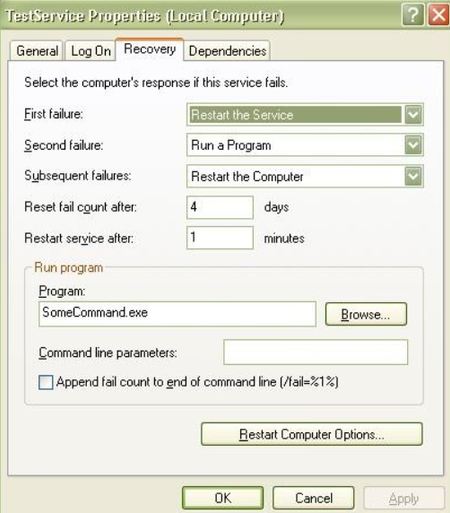
Recovery option in Windows Service - MSIX
How can I set the recovery option for a service in MSIX? I tried adding capabilities (Local System Services and Packaged Services) and using the sc failure command through PSF; however, it didn't work. Does MSIX support the service recovery option?2.2KViews0likes3Comments
[urgent] Recover entire system from Windows.old
The original issue came about when I plugged in a hard-drive formatted for a NAS bay as my second PC hard-drive. Suddenly, my computer insisted that Windows 10 was corrupted, even after removing the drive from the system. I spent a long time trying to recover it with a USB bootable media, but Windows said it could not do anything to fix the system and needed to do a clean install. I now have Windows.old, which to my knowledge is completely uncorrupted and just needs a nudge in the right direction, and it is staring me in the face as this ticking timebomb that I need to figure out before it gets automatically deleted. I don't have any specific files I need to recover, I just don't have the time to reinstall all of the programs and all of the user data and custom stuff I've built up. I've searched everywhere but can't find an answer, so I would be so, so, so, so appreciative of any help. Is there any way that I can just completely recover the entire system from the windows.old folder in a situation like this? I am happy to pay up to $100 in licenses for stuff, I just want to get back to running my online business knowing that it's all set up and secure as I had it.4.3KViews1like6CommentsDiagnostics and recovery toolkit
I want to create an iso for use when the admin password is lost on a non domain server. Is this product still supported for Windows Server 2016/ 2019? We are software assurance customers but I dont see how to download it. is there newer way of doing password recovery? Thanks1.8KViews0likes1CommentBackup Windows 10 to Microsoft Azure Backup
Azure Backup for your Windows 10 PC allows you to backup Files and Folders and store and backup them to the cloud. You can use this for small environments, VIP machines or for remote workers which are always on the road. Data is encrypted on the on-premises client machine using AES256 and the data is sent over a secure HTTPS link. Backups are stored encrypted in Azure with the customers own key. https://www.thomasmaurer.ch/2018/10/backup-windows-10-microsoft-azure-backup/1.5KViews0likes1Comment