power automate
84 Topics
Power Automate email notification
Hello, I have an automated email when certain fields meet "Completed" I also have a flow that updates the a date field at midnight to ensure the calculated fields I have are updated, however when this flow runs it also sends out the emails for the completed flow. Can I stop this from happening?
Check on double entries in Sharepoint list
Hello I'm looking for a way to prevent double entries in a Sharepoint list. I have 3 lists: One list with names and addresses of Students. (called students), one with names of courses they can subscribe for (called courses) and another called subscriptions, used when a student subscribes for a course. A student can subscribe for multiple courses. I want to prevent that when subscribing a student for a course, the student allready has a subscription for this course. Sometimes it happens that a student does a subscription and has to wait for the course to start (sometimes more than one year). In that case they sometimes come back a few months after the first subscription and want to subscribe again for the same course. To prevent double entries, I want sharepoint to do a checkup before subscribing the same student for the same course again. If the check is positive, I want the user to be prompted that the student allready has a subscription for this course. When the check is negative, I want the data entered in the subscription form to be saved in the sharepoint list. Because the subscription list uses lookup fields from both the courses and students list, sharepoint doesn't let me combine values from those fields in a calculated column to make sure these values are unique entries. I read that to solve this problem, I need to use Power automate to do the check-up. Is that correct, and is it the simplest solution? How do I get started? Thanks!
If column value of one item in list 1 match column value of items in list 2, send email (how to?)
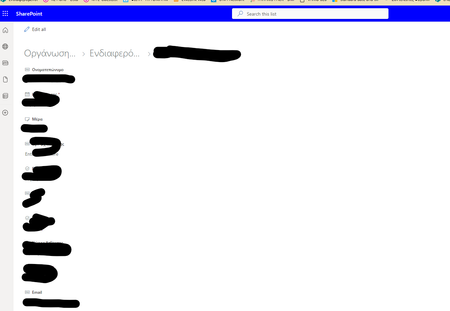
Hi all! I have two sharepoint list: List 1 is "Market Intelligence Library" and List 2 is "MI Interest" (see example screenshot attached). List 1 acts as a library to house news articles that are tagged by "Category", "#hashtag", and "Geography" related to the article. List 2 acts as an email distribution list and individual notification preference for articles that contain certain "Category", "#hashtag", and "Geography" tags. Is there a way to send an email via power automate to those in List 2 only if the value in their "Category", "#hashtag", and/or "Geography" matches an item (news article) tags in list 1? Only one column of the three need to match to be notified (contain matching values in either "category", "#hashtag", or "geography"). My trigger right now is "when an item or file is modified" from List 1. Specifically, when an item in list 1 status is moved to "released", then those in list 2 should be emailed if the value in one of the three columns match.
Microsoft 365 & Power Platform Conference
365 EduCon Chicago, a Microsoft 365 & Power Platform Conference will have workshops and sessions focused on Power Platform, Power Automate, Power Apps and more, taught by the Top Experts! October 30 - Nov 3, 2023. McCormick Place South. https://365educon.com/ChicagoForm that submits a sharepoint list and email with link to a secondary form to update the list item.
I have a form that a user can use to request information or support. The information supplied by the submission is sent to a SharePoint list for record keeping and an email is sent with useful information from the form. Their is a link to the full submission if the reviewer wishes to take a look. Based on the form choices, the email is sent to the necessary contacts to resolve the request. Their is usually a little back and forth and a resolution to the request. It works very well. I would like to record the resolution and other bits of information in that same list item without requiring that someone be giving privileges and having them go into the SharePoint list to find the request and manually use the SharePoint list interface to update it. My thought is a link in the original email to a secondary form to allow someone to input the resolution of the request. It would be one or more choice options and a text box. The form submission would then updates the existing SharePoint list item with the captured information. I am at a loss on how to have a link to this form populate in the original email with information that links it to the list item that is generated in the same power automate. The SharePoint List generation does happen first in the automation process. Then creating a form that can, with the original list id, update an existing SharePoint list.Solved
Run a MANUAL Automation from within a list item
Many times I search for an item in a list and when I am inside the item no menus appear at the top of the screen. How can I run a manual automation for the specific item I'm currently viewing? It would be very handy if the below menu appeared inside the list item. Not only at the default view
Sending individual emails based on a multiple selection person/group column
Hi, I'm trying to isolate the individual email addresses based on a multiple selection person/group column and then send the individual an email rather than all email addresses in the column. Is there a solution for this through Power Automate?
Extract .png from person/group column
Any help would be extremely helpful, I am unable to create a solution to this issue. I am looking to create a flyer generator. Users will be using their photo associated with my SharePoint employee list, but this is my issue: When I pull the dynamic action of a picture from a group/person column it displays a link: https://lnfcompanies.sharepoint.com/sites/PropertyServices/%5C%5C%5C%5C%5C%5C%5C%5C%5C%5C_layouts/15/UserPhoto.aspx?Size=L&AccountName=email address removed for privacy reasons, and once I go to this link it displays a new link: https://lnfcompanies.sharepoint.com/_vti_bin/afdcache.ashx/_userprofile/userphoto.jpg?_oat_=1694724778_b1f6f762a9b3e08a18b0e6972cb0631a3badaed82ab7210fae40e4f56cf71c1c&P1=1694707665&P2=-1205102505&P3=1&P4=pn%2bVpCQ6BCG1Wk9dlEGXck3%2bFhetPXcuGoPPchUnf79TdkZlEcxc8zKbKzg9Z9294lpey7DAWzuVwyCTfa0Ix364sqtgPyW5xdMP%2fA%2bPHFhIOPqELeYzb3MVcWaG26BZJqaTIi1JV%2bDaQKVkWe6jjQ%2bGieQ2R2RmWwlcLiuGcIfqLgL2HKdeHTqmcju5hjIMy5y4WG6BhaWK6ChF%2bmsmCqgMks%2fF2DpBbmf921oWEeypP9ujHY6cYQ%2bwOUZfH%2fMk29Z2dHV4lGxL%2bd5vaDHNjSQwlShFogedXk7G4JD%2bXVEd5WNh%2bDmfGBYmuMVeM%2fzokjoyEOt7Z5PkZ0QEP1RJXA%3d%3d&size=L&accountName=email address removed for privacy reasons&default=true The issue I am having is that I need to display an image in my "Populate a word template" action, but I need to add file contents of a JPG or PNG image as the value. The value should look like this: { "$content-type": "image/png", "$content": "iVBORw0KG...i/DhQmCC" } where the content is the base64 encoded image. How can I extract the image file from the redirected link, because the "Populate a word template" action requires a file and not a link. Thank you so much.Solvedhttps://collabtools.sharepoint.com/:u:/r/sites/ITSS-SharePointWorkshop/SitePages/Home.aspx?csf=1&web
The action for Microsoft Forms is limited to the Q and A results. It needs to mimic and include the data columns created when "Export to Excel" link is used in the survey or quiz. Especially in the quiz, the additional fields pertaining to submitter info and Total Points is a must. I am completely crippled by the action only containing the test question data elements. Does anyone else agree?
Webhook dynamic content turns to null
I have created a flow in power automate that triggers when data is recieved via a http request (webhook). When I recieve a request the data looks very good, but when I try to use the data it turns this data into null. Example: Json schema input: { "schema": { "type": "object", "properties": { "headers": { "type": "object", "properties": { **header properties** }, "body": { "type": "object", "properties": { "id": { "type": "integer" }, **Rest of the body** This is how the data is received, as a nice dataset: { "headers": { not relevant }, "body": { "id": 5704, etc. When using this id from the body to search for example in an excel sheet. It does this: { "host": { "connectionReferenceName": "shared_excelonlinebusiness", "operationId": "GetItem" }, "parameters": { "source": "not relevant", "drive": "not relevant", "file": "not relevant", "table": "not relevant", "idColumn": "ID", "id": null } } Can someone please help me with this problem, I have tried a lot of things, but can't get it to work. Thanks in advance