owner
2 TopicsShared Lists within ToDo - change owner
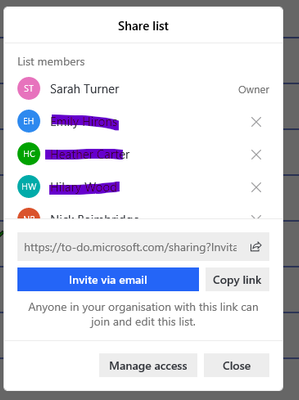
I setup some shared lists for the organisation during various Covid lockdowns and they are working really well however I am still the owner of them and I want to leave the lists to the people who are actually doing the work. How can I change the owner of a shared list please? In this case it's because I am not responsible for any of the work but could just as easily be because I was leaving the organisation so we need a way of moving a list to someone else?22KViews3likes7Comments
Identifying groups that a user owns
Hi, We startet using Office 365 groups and I find it a bit confusing that a user can be either member, owner or both of a group in Office 365, while being owner basically seems to include the member status. We recently had users removed from groups through the Office 365 admin center only to find out that they were still part of some groups because they were one of the owners. Or we didn't event see they were part of a group because they were only set as owner but not as member. How are we supposed to identify groups that a users owns and therefore is also a member of? I was expecting to see a combined view in the user settings in the Admin center but this does not show groups where a user is "just" an owner. There is probably a PowerShell way but that isn't a convenient way to use for everyone so I am specifically looking for a way through the web management portal. Did we miss something here? Best regards, BjörnSolved19KViews0likes3Comments