outlook customer manager
69 Topics
my account has been hacked and the hacker activated 2FA so I can't reset my password
as said in the title. I downloaded a malicious file that took over my discord and outlook account linked to it. I tried to reset the password but the hacker both changed the account linked to it in case I needed to change the password and activated 2FA so even when I try to reset the password from my main account it says it was ignored. I want to either find a way to recover my stolen account or delete it so the hacker wont have access to my personal information96Views0likes2Comments
Microsoft Authenticator - after toggling Screen Lock on Phone
Hello all, I am going crazy over this and really need help urgently. I made my account 'passwordless' and depended on 'MS Authenticator App' to login. I was trying to take back up of my phone and thus turned off screen lock temporarily. When I turned it On again, MS Auth app won't let me sign-in. So, I tried to use the copilot and it asked me to use my 'account recovery code'... which I did and then this is the message I get: ---------------------------------------------------- Because you turned on two-step verification, you need up-to-date security info to sign in to your account. During the waiting period you will not be able to sign in to sites or services with your Microsoft account, but will be able to sign in to devices or use your existing app passwords. You can avoid the wait by: Using a trusted device. If you have a device that doesn't require codes, use it now and update your security info. Finding your security info. Any chance it isn't entirely lost? [I just need to reattach/re-enable phone auth/my account using a QR scan] ------------------------------------------------------- Copilot also asked me to remove the hotmail account from my auth-app, restart the phone and try to access the security page to scan the QR code and re-enable the auth through phone. Now here's the thing. Although I am in my email account [it was already open in my browser - and it did not log-off automatically] I am unable to access the security page on my microsoft account unless I approve it via my Auth App. And my Auth App doesn't have the Hotmail account, because Copilot asked me to remove it and re-attach it. I'm stuck in a loop. Text Messages are limited to few attempts, so no luck there either.447Views0likes2Comments
Locked out of Device. In need of assistance.
TLDR: Am being force to verify account that is on my laptop, to log in my laptop. What to do. Context I recently got a laptop, and it required a mircosoft account/email, I didnt know how it worked and made a account called mailto:email address removed for privacy reasons thinking I was making a account. It just let me do that and ask me to verify later. Once I was in my new laptop I started using and then realized I needed a actual account so I made mailto:email address removed for privacy reasons which was my new real account. However recently (i think i remeber it needing to verify after 7 days) the pin is no longer avaible and to make the pin work again, I needed to was to sign in to my mailto:email address removed for privacy reasons which was fine I had my password however it says susipous acitivty requires email verficition to my original fake mailto:email address removed for privacy reasons I try fixing it and which on aka.ms/pwr and account.live.com/proofs/marklost and it only lets me reset my password and attach a passkey which I did but when I try to log into the outlook account and get the password and passkey right it STILL REQUIRED ME TO VERIFY with my fake mailto:email address removed for privacy reasons account. Am I screwed, do I need to get a fresh boot of windows and wipe my storage or smt or is there a representive that can remove the fake email. Any help is appreciated please and thank youSolved472Views0likes2Comments
Outlook Signature Images Missing / Not Displaying Correctly
multiple users started to reporting the outlook signature logos/images are not displaying correctly in outlook calssic version ( 2021-2019), the probelm apears hae started on or after may 18 , could any one advice ?1.2KViews0likes3Comments
Personal Microsoft account security code
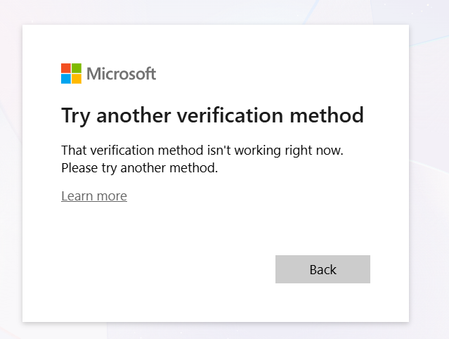
Dear Microsoft Outlook Support Team, I am currently facing an issue while trying to reset my Outlook account password. I have forgotten my password and attempted to reset it, but I am encountering problems during the verification process. The system is asking for mobile verification codes multiple times, and I am receiving an error message stating that the service is not available. Because of this, I am unable to complete the password reset process. I kindly request you to assist me in resolving this issue and help me regain access to my account as soon as possible. Thank you for your time and support.196Views0likes0Comments
Lost access to old Microsoft hotmail after alias change
Hello, I had an old Microsoft email address (hotmail) that I used to register my Microsoft account here. I have just logged in here using the new alias email address. So, I added a new alias email address and made it primary. After that, I somehow removed or lost access to my old email address. Cant see it or make it primary. Microsoft Authenticator on my phone still shows my old email on top but works for this new e-mail address. However, external websites (for example Booking.com) probably still send login verification codes to my old email address, which I no longer have access to. I need assistence with restoring access to my old Microsoft email address, or re-activating it as an alias, or getting official confirmation that the old address is permanently deleted. Please advise on what can be done. Thank you.536Views0likes2Comments
Login not possible
Since the beginning of the year, I have had the problem that I cannot log into my email account via Outlook. I have contacted Microsoft support several times, and they have repeatedly told me to contact Outlook support directly, but I am unable to do so. I have already cleared my cache several times and tried using other browsers. I have also tried incognito modes, as well as using my cell phone. Whenever I try to log in, I get the following error message: That's why I hope that someone here can help me somehow. UTC Date: 2026-02-22T02:15:19.184Z Client Id: 7A828C91B2DA4E399FF041930501246B Session Id: 4ec12d8b-3707-444b-9f57-50efe72ef5cf Client Version: 20260213001.06 BootResult: fail Back Filled Errors: None err: System.Runtime.Serialization.SerializationException esrc: StartupData et: ServerError estack: Newtonsoft.Json.JsonSerializationException st: 500 ehk: X-OWA-Error efe: AS4P190CA0013 ewsver: 15.20.9632.15 emsg: ErrorUnexpectedFailure304Views0likes1CommentHotmail/Outlook Password Reset – SMS verification code not delivered (consumer account)
Hello moderators and Outlook support leads, I have forgotten my account password. Account recovery email is obsolete and unreachable. SMS password-reset does not deliver the code to my phone number. If you can re-trigger SMS reset to my registered number, that is sufficient for me to change the password. Can my existing recovery attempt be escalated for a human identity review? I can prove ownership with inbox subjects and contacts if needed. Kind regards, T Jansen474Views1like2Comments