onboarding
103 Topics
Power BI, PL-300
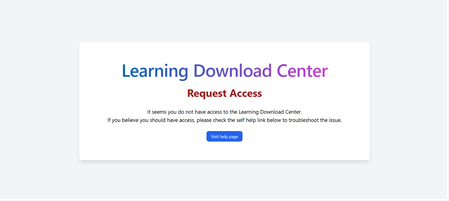
I am new to this program, creating a community college level course on Power BI. I have accessed the downloads; however, I do not see the actual content anywhere. I even found best practices for 12 modules, but I can't find the modules/course materials for students anywhere. Can you please provide a link or instructions on where to go. Thank you!21Views0likes0Comments
MSLE Onboarding Session — English
✨ Ready to take your teaching to the next level? Join Carlos, our MSLE Community Manager (English), for an exclusive induction session on the MSLE Program for Educators! ✅ Discover the benefits and scope of the program ✅ Explore the two main portals you’ll have access to ✅ Get your questions answered in a collaborative environment This is your first step toward an enriching experience where knowledge, innovation, and community come together to empower you. 📅 Don’t miss it—your journey starts here! MSLE Onboarding Session — English | Meeting-Join | Microsoft Teams
Institution verification blocked by AVE, and support case form is failing
Hello, I am unable to complete institution verification for Microsoft Learn for Educators, and both documented support channels are currently failing for me. What is happening: 1. My institution verification was rejected with a "Blocked" response from AVE. 2. The in-portal Create a Case form returns "An error has occurred while processing your request. Please try again later" every time I submit, so I cannot raise a ticket through the documented route. I understand at least one other educator has reported this same combination recently, so I am writing directly in the hope this can be routed manually. I believe the AVE block is because our institutional domain is pathfinderfoundation.co.in rather than a .edu or .ac.in domain. In India, a large proportion of accredited private higher education institutions operate on .co.in and .org domains, so the suffix is not an indicator of accreditation status here. AICTE records are the authoritative source. Institution details: Name: Pathfinder Research and Training Foundation (PRTF) Website: https://pathfinderfoundation.co.in/ Accreditation: Approved by the All India Council for Technical Education (AICTE), the statutory national regulator for technical and management education in India, under the Ministry of Education, Government of India. AICTE Permanent Institution ID: 1-43701706366 AISHE Code: C-72792 Programmes offered: 1. Post Graduate Diploma in Management (PGDM), AICTE approved, two-year full-time, 120 students per batch. The programme is AI-centric by design, with Year 2 specialisation tracks in AI and Data Sciences, and Marketing and Finance. 2. Professional certification programmes in cloud and AI, delivered on campus as continuing education alongside the PGDM. Both fall within the Educational Institution Option scope, which covers accredited degree, diploma, certificate, and continuing or further education programmes. Faculty verification: I am Associate Professor in the AI and Data Science department. My profile, showing my institutional email address, is published at https://pathfinderfoundation.co.in/mentor-and-guest-faculty/ Domain ownership: pathfinderfoundation.co.in is owned and operated by the institution.. Intended use: Microsoft Official Curriculum maps onto our existing teaching plan. AI-900 and AI-102 into the AI and Data Sciences track, PL-300 and MB-220 into Marketing and Finance, AZ-900 and DP-900 as core digital foundations. Could someone please complete verification manually, or advise on an alternative route while the case form is unavailable? I am happy to provide any further documentation. Thank you, Aayan Kumar Associate Professor, AI and Data Science Department Pathfinder Research and Training Foundation (PRTF) email address removed for privacy reasonsSolved343Views1like2Comments📣 MSLE Onboarding Session — Português
Olá, 👋 Espero que estejam bem! ✨Participe da sessão de introdução ao programa MSLE para Educadores! Nesta sessão: ✅ Vamos explorar os benefícios e o alcance do programa ✅ Conhecer em detalhe os dois portais principais aos quais você terá acesso ✅ Esclarecer todas as suas dúvidas em um ambiente colaborativo Este é o seu primeiro passo rumo a uma experiência enriquecedora, onde conhecimento, inovação e comunidade se unem para impulsionar você ao próximo nível. No horário indicado, favor realizar acesso ao link.MSLE: verification link expired, institution address validation also fails (UNYT)
I am registering as an Individual Educator in Microsoft Learn for Educators (MSLE) for University of New York Tirana, Albania. Timeline: Completed initial profile with institution email ******@unyt.edu.al Institution address field consistently rejected with this exact error: "Please enter proper address as the Address is incorrect or the Address was not able to be sent through the validation process." I tried multiple verified address formats for the institution, including: "Ish-shkolla e mesme elektrike, Rruga e Kavajës, pranë 21 Dhjetorit (Sheshi Ataturk), Tiranë" (official registered address) "Rruga e Kavajës, Tiranë 1000" "21 Dhjetori, Tirana" "Rruga Kavajes" (without Albanian diacritics, in case of character encoding issues) All combinations were tried with City: Tirana, Country: Albania, Zip code: both 1000 and 1001 - all rejected with the same error. Received "Action needed: Verify your email account" email from Microsoft Vetting Services (email address removed for privacy reasons) on 24 July 2026 Clicking the verification link now redirects back to the profile creation page instead of confirming status - link appears expired (5-day window stated in the email had passed) The in-portal "Create a Case" support form returns "An error has occurred while processing your request" The msacademicverify.com/Contact page (linked from the verification email for further questions) does not load at all Could someone from the Microsoft Learn for Educators team help me complete verification manually, or resend a working link, and clarify what address format is expected for Albania?Solved471Views0likes8CommentsMSLE Onboarding Session — English
✨ Ready to take your teaching to the next level? Join Carlos, our MSLE Community Manager (English), for an exclusive induction session on the MSLE Program for Educators! ✅ Discover the benefits and scope of the program ✅ Explore the two main portals you’ll have access to ✅ Get your questions answered in a collaborative environment This is your first step toward an enriching experience where knowledge, innovation, and community come together to empower you. 📅 Don’t miss it—your journey starts here! MSLE Onboarding Session — English | Meeting-Join | Microsoft TeamsMSLE Onboarding Session — English
✨ Ready to take your teaching to the next level? Join Carlos, our MSLE Community Manager (English), for an exclusive induction session on the MSLE Program for Educators! ✅ Discover the benefits and scope of the program ✅ Explore the two main portals you’ll have access to ✅ Get your questions answered in a collaborative environment This is your first step toward an enriching experience where knowledge, innovation, and community come together to empower you. 📅 Don’t miss it—your journey starts here! MSLE Onboarding Session — English | Meeting-Join | Microsoft Teams
Institution verification form will not allow me to add Address
I work for an academy trust and have tried using my Trust address and one of the schools I'm based at address. Trying to get this set up so I can show my team these courses and allow them to access the learning as well, but I don't want it to be this difficult. I contacted support and they directed me here after no progress. Literally no matter what I try the form does not work.Solved267Views0likes3Comments