onboarding
3 Topics
Easy Auth Configuration for Logic App Standard through CI/CD
Problem Statement When Easy Auth (Azure App Service’s built-in authentication and authorization) is enabled on a Logic App Standard, users frequently report that they cannot open the run history. Specifically, the inputs and outputs of the trigger and actions fail to load on the run details page, even though the workflow itself runs and the user has access to the resource. Background — How Easy Auth Interacts with Logic Apps Easy Auth is a feature of Azure App Service. Every request that reaches a Logic App Standard is first routed through the App Service layer, and only then handed off to the Logic App runtime for further processing. When Easy Auth is enabled, App Service authenticates each incoming request and decides whether it should be allowed or blocked — before the Logic App runtime ever sees it. This dual-layer model is what causes the run-history symptom: The Logic App runtime authenticates run-history requests using a SAS token specific to that run, generated from the Logic App access keys. The portal calls that load the inputs and outputs of historical runs do not carry a bearer token — they carry the SAS. Because App Service only knows how to validate Easy Auth tokens (not SAS), it blocks these requests whenever unauthenticatedClientAction is set to disallow unauthenticated traffic. The request never reaches the runtime, so the runtime cannot apply its SAS validation, and the inputs/outputs panel stays empty. Solution There are two ways to fix this, depending on what your security policy allows. Option 1 — Allow unauthenticated requests The simplest fix is to configure Easy Auth to allow unauthenticated requests. This does not mean anyone can invoke the workflow. Instead, all calls (failed and successful) are routed through to the Logic App runtime, and the runtime decides how to handle them: A workflow trigger call with no token → the runtime applies its own auth (SAS, AAD, etc.) and rejects unauthorized invocations. A run-history call carrying a valid SAS → App Service marks it as “failed Easy Auth” but still forwards it; the runtime sees the valid SAS and returns the data. The underlying App Service platform has no knowledge of SAS or any other Logic-App-specific auth scheme, so letting the runtime arbitrate is what makes the run-history experience work. Option 2 — Keep Easy Auth strict, but exclude the runtime paths In many enterprises the security team will not permit “Allow unauthenticated requests.” For those cases, you can leave authentication required but add the runtime endpoints to the excludedPaths list, so App Service skips Easy Auth specifically for those calls. The Logic App runtime continues to authenticate them via SAS. Important: The Azure portal lets you toggle Easy Auth, but it does not expose the excludedPaths setting. You must configure it through ARM, Bicep, the REST API, or CLI — which is exactly why this needs to live in your CI/CD pipeline. There are two ways to apply this through CI/CD. Approach 1 — ARM Template ( Microsoft.Web/sites/config ) Add a Microsoft.Web/sites/config resource of type authsettingsV2 to the same ARM template that deploys the Logic App. Below is the sample template: { "$schema": "https://schema.management.azure.com/schemas/2019-04-01/deploymentTemplate.json#", "contentVersion": "1.0.0.0", "parameters": { "logicAppName": { "type": "string" }, "location": { "type": "string", "defaultValue": "[resourceGroup().location]" }, "tenantID": { "type": "string" }, "ClientID": { "type": "string" } }, "variables": {}, "resources": [ { "type": "Microsoft.Web/sites", "apiVersion": "2022-03-01", "name": "[parameters('logicAppName')]", "location": "[parameters('location')]", "kind": "functionapp,workflowapp", "identity": { "type": "SystemAssigned" }, "properties": { "serverFarmId": "<App Service Plan ID>", "siteConfig": { "appSettings": [ { "name": "FUNCTIONS_EXTENSION_VERSION", "value": "~4" }, { "name": "FUNCTIONS_WORKER_RUNTIME", "value": "dotnet" }, { "name": "AzureWebJobsStorage", "value": "<Storage Account Connection String>" }, { "name": "APP_KIND", "value": "workflowApp" } ] }, "httpsOnly": true } }, { "type": "Microsoft.Web/sites/config", "apiVersion": "2021-02-01", "name": "[concat(parameters('logicAppName'), '/authsettingsV2')]", "location": "[parameters('location')]", "properties": { "platform": { "enabled": true, "runtimeVersion": "~1" }, "globalValidation": { "requireAuthentication": true, "unauthenticatedClientAction": "Return401", "excludedPaths": ["/runtime/*"] }, "identityProviders": { "azureActiveDirectory": { "enabled": true, "registration": { "openIdIssuer": "[concat('https://sts.windows.net/', parameters('tenantID'), '/v2.0')]", "clientId": "parameters('ClientID')", "clientSecretSettingName": "OVERRIDE_USE_MI_FIC_ASSERTION_CLIENTID" }, "login": { "disableWWWAuthenticate": false }, "validation": { "jwtClaimChecks": {}, "allowedAudiences": [], "defaultAuthorizationPolicy": { "allowedPrincipals": {}, "allowedApplications": ["<LIST OF ALLOWED APPLICATIONS ID>"] } } } } }, "dependsOn": [ "[resourceId('Microsoft.Web/sites', parameters('logicAppName'))]" ] } ], "outputs": {} } Key things to notice in the template: requireAuthentication: true and unauthenticatedClientAction: Return401 keep Easy Auth strict for the public surface. excludedPaths: ["/runtime/*"] carves out the runtime endpoints so the SAS-authenticated run-history calls aren’t blocked. allowedApplications lets you whitelist specific AAD app IDs that are allowed to call the workflow. Reference: Microsoft.Web/sites/config — authsettingsV2 (ARM template) · Bicep variant This is the easiest way to add or update Easy Auth on a new or existing Logic App. Approach 2 — REST API call as a post-deployment pipeline step If you’d rather keep your infra template lean (or you’re updating Easy Auth on a Logic App that already exists), add a step to your CI/CD pipeline that calls the App Service authsettingsV2 REST API after the Logic App infra deployment completes. The payload mirrors the properties block from the ARM example above — including excludedPaths: ["/runtime/*"] . This approach is useful when: The Logic App is provisioned by a different pipeline or team than the one owning auth configuration. You need to update Easy Auth settings without redeploying the site. You want to apply environment-specific values (tenant ID, client ID, allowed application list) at release time rather than template-compile time. Reference: Web Apps - Update Auth Settings V2 - REST API (Azure App Service) | Microsoft Learn · GlobalValidation Summary The “inputs/outputs don’t load on run history” symptom after enabling Easy Auth is caused by App Service blocking SAS-authenticated runtime calls before the Logic App runtime can see them. Either allow unauthenticated requests (and let the runtime do all the auth), or keep Easy Auth strict and exclude /runtime/* . Because the portal doesn’t expose excludedPaths , the production-grade fix is to deploy it through CI/CD — either by adding an authsettingsV2 config resource to your ARM template or by calling the App Service auth REST API as a pipeline step after deployment.Templates for Azure Logic Apps Standard: Seeking Your Feedback on UI Wireframes
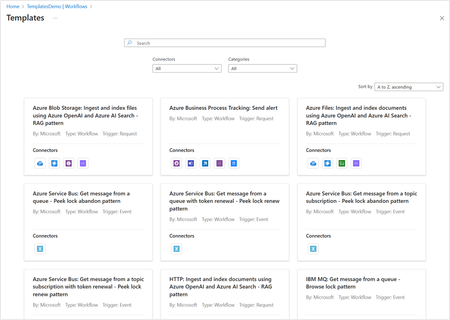
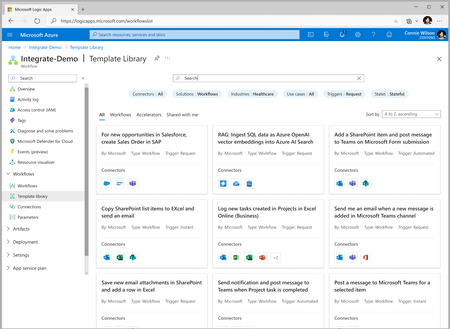
Templates are a great way to accelerate developer productivity and onboard new workloads quickly thereby reducing time to market. As we bring Templates to Logic Apps Standard, we seek your early feedback...2.7KViews0likes0Comments