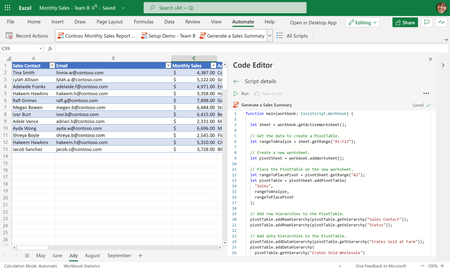
office scripts
502 Topics
Office Excel Scripts needs interactive debugging capabilities
Office Excel Scripts needs interactive debugging capabilities, including breakpoints, watch variables, step-through execution, and inspection of worksheet state. These features would significantly improve development productivity and eliminate the need for workarounds such as temporary Return statements, logging to cells, or artificial delays. Debugging complex scripts involving row insertions, looping logic, and worksheet modifications is unnecessarily difficult without modern debugging tools. I love Scripts, but it needs to be debugged. We have debugging capabilities in VBA, but NOT Office Scripts. Please Help.244Views1like3Comments
Office Scripts - Working With Multiple Worksheets
I'm trying to write a script which writes data, via Power Automate, to multiple worksheets inside one workbook. I'm new to office scripts, so I'm not sure if I can do this in one script or if I have to do a separate script for each worksheet. Here is an example of the code: function main(workbook: ExcelScript.Workbook, Title: string, Type: string, Problem: string, Part: string, Date: string, Frequency: string, IDNumber: string, Comments: string, Originator: string) { let selectedSheet = workbook.getWorksheet("Issues"); //Populate All The Data selectedSheet.getRange("B6") .setValue(Title); selectedSheet.getRange("D6") .setValue(Type); selectedSheet.getRange("F6") .setValue(Problem); selectedSheet.getRange("B8") .setValue(Part); selectedSheet.getRange("D8") .setValue(Date); selectedSheet.getRange("H8") .setValue(Frequency); selectedSheet.getRange("K8") .setValue(IDNumber); selectedSheet.getRange("B9") .setValue(Comments); selectedSheet.getRange("F8") .setValue(Originator); } So that is the end of what I'm doing on the first worksheet, and it works perfectly, and now I want to do a similar thing on three more worksheets, in the same work book. Is there a way for me to add something to the code to start the process on the next worksheet? It won't let me use the "let" statement again to change the worksheet, which I thought might be how it worked, so I'm at a standstill now. Thank youSolved5.2KViews0likes6Comments
GLSU Excel add-in fails to load after Office update from Version 2607 to 2608
Our Excel add-in, Process Runner GLSU , fails to load after Microsoft Office updates from Version 2607 to Version 2608. This started August 17, 2026 and is actively growing in scope. Error messages: Excel: Cannot run the macro 'onLoad' VBA: System Error &H80004005 (-2147467259). Unspecified error VBA: Compile error in hidden module: ThisWorkbook Has anyone encountered similar issue with their own custom add-on. If yes, any pointers to fix it. We are seeking help on priority. Thanks, Vrushali Pawale, Sr. Manager, Insightsoftware.1.1KViews0likes1Comment
Office Scripts does not refresh Power BI Query live connections in Excel Online
Hello everyone, I've got the following problem and am nearly going insane because it's causing so much problems 🥲 Summary The Office Scripts method workbook.refreshAllDataConnections() no longer refreshes a live connection to a Power BI Semantic Model in Excel Online. Environment Excel Online Office Scripts Power Automate ("Recurrence" + "Run Office Script") Live connection to a Power BI Semantic Model (Analyze in Excel) Expected behavior Calling workbook.refreshAllDataConnections(); should trigger the same refresh as manually selecting Data → Refresh All in Excel Online. Actual behavior The script completes successfully without any error, but the workbook does not requery the Power BI Semantic Model. Additional observations The same workbook worked correctly for approximately two years. The issue started around mid-July 2026. Manual Data → Refresh All in Excel Online refreshes successfully. Refreshing in Excel Desktop also works correctly. The problem occurs both: when running the Office Script manually from the Automate tab in Excel Online when running the same Office Script from Power Automate ("Run Office Script") This suggests the issue is specific to the Office Scripts implementation of refreshAllDataConnections() rather than the workbook, authentication, or the Power BI connection itself. Steps to reproduce Create an Excel workbook with a live connection to a Power BI Semantic Model. Confirm that manual Data → Refresh All refreshes the data successfully. Create an Office Script containing only: function main(workbook: ExcelScript.Workbook) { // Refresh all data connections workbook.refreshAllDataConnections(); } Run the script. Result The script finishes successfully but no refresh is performed. Expected result The workbook should requery the Power BI Semantic Model exactly as when using the manual Refresh All button in Excel Online.541Views2likes2Comments
Getting data from Snowflake to Excel
Hello I have multiple no technical users and am trying to find a way to setup a snowflake query for them and then let them refresh it whenever they want or on a schedule, but I couldn't find a good solution this what i found so far: ODBC (Not great for non technical users needs setup on each user desktop) Power Automate (Needs Power Automate Premium which we don't have) Third Party tools (Expensive pricing models) Through Power BI (We want to separate this process from power bi) Any suggested solution please!Solved818Views0likes3CommentsSeries fill a formula down a column automatically skipping a set number of rows
I am trying to fill a formula down a column every 6th row but incrementing the variable in the formula ($A2) for each entry. The formula uses the Take command and inputs 5 rows of data, so to keep it from "spilling" I need the formula to increment every 6 rows, having one blank row between each section. I have been able to accomplish "copying" it each 6th row with VBA #1 and filling the series with VBA #2 but can't figure out how to combine the two. Any help would be appreciated. VBA #1: Sub FillEvery6thCell() Dim ws As Worksheet Dim startRow As Long, lastRow As Long, col As String Dim formulaText As String Dim r As Long ' Set your sheet and parameters Set ws = ThisWorkbook.Sheets("Top 5 Employees") col = "A" ' Column to fill startRow = 10 ' First row to start filling lastRow = 60000 ' Last row to fill ' Get the formula from the starting cell formulaText = ws.Range(col & startRow).Formula ' Fill every 6th cell For r = startRow + 6 To lastRow Step 6 ws.Range(col & r).Formula = formulaText Next r Range("A2:A60000" & iRow).Replace What:="@", Replacement:="", LookAt:=xlPart, _ SearchOrder:=xlByRows, MatchCase:=False, SearchFormat:=False, _ ReplaceFormat:=False, FormulaVersion:=xlReplaceFormula2 MsgBox "Formula copied to every 6th cell in column " & col End Sub VBA #2 Sub FillFormulasDown() Dim sourceCell As Range Dim fillRange As Range ' Define the cell containing the formula Set sourceCell = Range("A2") ' Define the target range Set fillRange = Range("A2:A5000") ' Fill formulas down sourceCell.AutoFill Destination:=fillRange, Type:=xlFillSeries End Sub369Views0likes6Comments
Office Script - Bug in .map()?
Hi, I'm pretty sure this is a bug, but maybe I'm doing something silly when constructing the formula? I'm trying to set formulas down a column in a table, from an array called test1. The test1 array is created using .map() from an original array (file_names) that uses .getTexts from another column in the same table. The dimensions of target_range (another column in the same table) match those of test1 array. The test1 array is appropriately 2D (i.e. [[formula1],[formula2]...[formulaN]]. The test1 array is correct when inspected in console.log() (in all cases, including when an equals sign is used.....explained more below). The problem is that trying to use .setFormulas, is only using the first value from test1 for every cell in target_range, not each respective element from test1. After a massively frustrating amount of time, I've traced the problem solely to this (as far as I can tell): The presence of an equals sign in the .map() when using string interpolation to create the formula. This code correctly writes the text of the formula into each cell of target_range, using each respective value from write_array with appropriate interpolation: let file_names: string[][] = rng_file_names.getTexts(); let test1: string[][] = file_names.map( row => [`\"${row}\"&\"TestString\"`] ); target_range.setFormulas(test1); If you try to do exactly the same, but try turning it into a formula by including the equals sign at the start of the interpolated string inside the array returned by the .map(), it will only write the first value of test1 into all cells of target_range: let file_names: string[][] = rng_file_names.getTexts(); let test1: string[][] = file_names.map( row => [`=\"${row}\"&\"TestString\"`] ); target_range.setFormulas(test1); I'm pretty sure this is a bug, but if someone can point if I'm doing something stupid, it would be appreciated!170Views0likes1Comment