notifications
60 TopicsWhat is the best Dell laptop for digital marketing and video editing?
Hi everyone, I'm looking for recommendations for a Dell laptop that can handle both digital marketing work and video editing. My main requirements are: - Smooth performance with multiple browser tabs and marketing tools - Good CPU and enough RAM for multitasking - Dedicated graphics for video editing - Good display and color accuracy - Fast SSD storage - Good cooling and battery life - Reliable performance for long working sessions I'm considering different Dell models but would appreciate recommendations from people who have actually used them for similar workloads. Which Dell laptop would you recommend, and what model/specifications have worked well for you? thanks in advance!134Views0likes1CommentAzure
Hi Microsoft Tech Community, I have an idea around bringing Azure cloud operations into Microsoft Teams through a conversational assistant. The concept is to provide a single Teams interface for Azure Monitor alerts, Log Analytics, Application Insights, Azure Cost Management, Microsoft Defender for Cloud, Resource Graph and Service Health. The idea goes beyond sending Azure alerts to Teams. For example, after receiving an alert, an engineer could ask questions such as “Why did this happen?”, “Show related errors”, “Are any production resources unhealthy?” or “What caused the cost increase?”, and the assistant could retrieve the relevant Azure telemetry and provide a summarized response. I would like to share the complete architecture and technical approach with the Microsoft community. Could you please advise which Microsoft Tech Community, discussion space, or feedback/ideas portal would be the most appropriate place to publish this? Thank you.118Views1like2Comments
Unable to follow the Viva Glint Blog
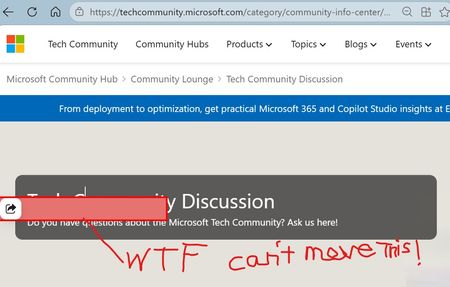
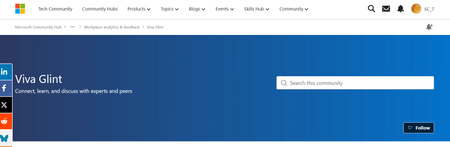
This post was originally submitted as a question in MS Learn on July 2 and I was advised to move it to the tech community. Hi MS team, I continue to click "Follow" on the Viva Glint blog to ensure I receive release updates but then get automatically set to not follow. https://techcommunity.microsoft.com/category/Viva-Glint For the second time, I am being automatically set to not follow. I checked with my admin team (there are 4 of us) and this is not an individual/isolated incident. They are also being automatically set to unfollow the Viva Glint blog. Please see screenshots attached from myself and my manager. We should be seeing the button as "Unfollow" indicating that we are following, instead it is showing "Follow" indicating that we are not following. I have opened an MS ticket about this already and was directed to contact the Microsoft Tech Community platform team. I followed the Glint blog back on 4/9/2026 and then was set to unfollow. I followed again at the beginning of June (maybe on 6/4/2026) and I was set to unfollow again. I did receive one "Microsoft Community Hub Weekly Digest" email on 6/7/2026 so I must have still been following then but I have not received any communications before or after. Can you please provide an explanation and a solution? We need to receive email notifications about updates and releases. Following the blog should be a reliable process. As of today, 7/28/2026, I am still following the Glint blog which is great but how do I know I won't be automatically set to "unfollow" a third time?228Views0likes2Comments
One Drive Personal Vault Lock Notification
Hi, How do you turn on the Windows 11 - One Drive - Personal Vault - "Keep Personal Vault open" notification? May not have worded it exactly right but that is the essence of the question. Am on Windows 11 (personal), open One Drive, click on Personal Vault, unlock Personal Vault, Personal Vault file explorer page opens. So far no problems - works as expected. Setting for Personal Vault is to keep open for 1 hour. At the end of the hour, I used to get a notification asking if I still wanted to keep the vault open. Now - no notification and vault locks. How do I get this notification back? As said on Windows 11 with April update - have not done May yet. One of the most aggravating things about Windows and updates - is that some settings - not know to you or identified - are changed. And now you encounter different or unknown behavior. Incredibly frustrating when you just want your PC to work like you are used to. Any ideas or help would be greatly appreciated. Thank you!Solved348Views2likes3Comments
How to prevent SharePoint “Members” from approving documents?
Hi everyone, I’m facing an issue with the Content Approvals Teams feature in a SharePoint document library. I noticed that a user who is only a Member of the SharePoint site was able to approve a document, even though they should not have permissions to do so. The approval went through successfully, which is not the expected behavior. I would like to block site Members from approving documents and ensure that only a designated approver (or a specific approvers group) can approve items. I have already checked the Content Approval settings and Versioning Settings, but I’m not sure what I’m missing in the permissions configuration. My question: What is the correct way to configure the library or site permissions so that Members cannot approve documents? Any guidance would be greatly appreciated. Thanks!180Views0likes1CommentQuestion About Events, Azure, Copilot and Microsoft widgets
Hello! I am overly enthusiastic to learn more about this company, and I saw three events I'd like to attend in person as I cannot do anything online, I apologize. Does anyone know if there really is this Microsoft event on March 6th in Redmond? If not where is it as It is not coming up on the list or I cannot find it. I searched for azure events and about three came up, but after I scroll and the mouse timer comes up, nothing appears, is anyone interested in describing more about azure technology to me and how it works? I'll never tell! My last question is there is an event bsides seattle, I'm so confused is it at a hotel and how do you register because it's not listed on this platform. I wish I could do the online events like this was training, but it's better to do things in person always because it's more authentic. I tagged this as avatar, if you do not know anything about me just my love of tech what would my avatar be?229Views0likes1CommentCan we get more guidance and feedback on the moderation being done on the messages
I have been an active poster on the Excel forum but every so often my posts will just disappear. Sometimes our message will be there but an attachment will be missing. Sometimes messages disappear but then show up hours or days later. Can someone PLEASE give us some insight into what is happening. Is this an auto-moderator or actual person? Either way can we please get a message informing us that our message is being held or rejected and why. How are we supposed to learn if we get no feedback. I don't appreciate spending time re-creating a worksheet (because these new posters aren't even allowed to attach their excel file for us to see) and then create a formula solution, write up how it works and then just have it all disappear. Makes me think Microsoft doesn't really care for me to help. And BTW, can you please revisit the reasoning behind not letting new accounts attach files. Is it a space/size issue? or is it a security issue? if the concern is space/size then make a limit on the file size. Security issue, make a limit on file types. All this tends to do is force members to ask the user to post the file using a file share service like onedrive, but if they use another service it can be a much larger security risk.359Views3likes8Comments