notification
21 Topics
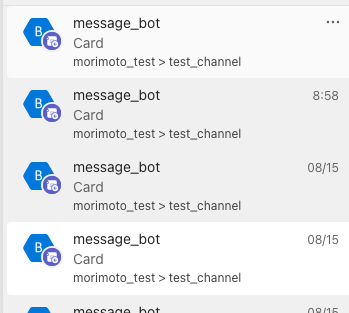
MS Teams adaptive card notification issue on IOS
I have been working on MS Teams bot and when i try to send one of the cards it is showing "Card-access it on https://go.skype.com/cards.unsupported" can anyone help me getting out of this issue. Notification error is only on IOS but when i open app on that device adaptive card is shown without any issue.5.5KViews0likes1Comment
Teams Group and Email
Hello, I have created a Teams Group with enabled emails. This email is used as a Support Email for an Application. I have activated the fact that when an email arrives to the Group, all members receive the email in their mailbox. I would like however that each time an email is received, a Team Channel gets a notification. I'm able to do this using flow when using shared mailbox, but since Teams emails are created as Groups I cannot seem to find a way to do this. Any suggestions? Thanks a lot. Best Regards, Thomas.2.8KViews0likes1Comment
Chat notification on mobile app not going away
I hope this has not been posted already, couldn't find a post relating to mobile apps. I have an unread chat notification on my Teams Mobile app which I am unable to get away after trying all the suggested solutions, uninstalling the app, switching off all notifications, clicking on all chats, but I have not been successful. The mobile app also doesn't have an unread filtering option. I don't have unread notifications on the desktop app. Please help!2.8KViews0likes1Comment
Issue with Teams Mobile Notification
Anyone else facing this issue with Microsoft Teams notification. I'm getting the notification banner on my notification panel.But there's no sound. All the notification options are turned on for both teams and phone settings.Phone is not on silent mode. Tried clearing cache, restarting, uninstalling and reinstalling. I saw on other forums that many others are also facing the issue, but couldn't find any solution. I'm facing the issue on my work profile. I tried contacting the work tech support, they said its an issue with the app. Call notification is working fine, issue is for chat and activities. Any help regarding this would be so helpful. Thanks in advance1.4KViews2likes1CommentNew Teams feature notification inconsistently appears for users (e.g. profile menu update)
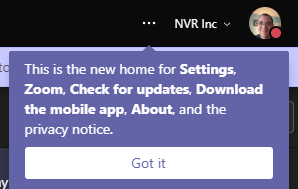
This week our tenant received the profile menu update described in MC228368. On one of my machines, I ended up seeing the following notification telling me more about this change: I asked a few coworkers if they had observed this notification and they said no. However, they do see the profile change. Are there any settings within Teams or Windows 10 that may interfere with notifications such as this? I'd love to see any relevant documentation on this as well since I wasn't able to locate anything in the MS Docs.Solved1.3KViews0likes2CommentsMicrosoft Teams - Teams pop-up
Dear support Is there a possibility to get a pop-up everytime my colleagues or i post or reply to something within a team (figure 1) in Microsoft teams? There is just a small indicator next to "activity" bell (figure 2), but its easy to miss an important thread when no notification will pop-up. I can turn up and down (or mute) these notifications in Chat which is very convenient, but i haven´t figure it out for team groups. Thanks in advance fig.1 fig.2Solved9KViews2likes6CommentsCall notifications
Since my company and my customer both have Teams, I use a setup, where one account is used in the natively installed app and the other is used within a browser. I have this same situation on our Windows 10 laptop (with Edge) and vice versa on the customer CentOS 7 Linux laptop (with Chrome). Now, the problem is, if a call comes in on the browser, I don't hear anything (since it only rings in the headset) and I don't get any desktop notifications about it, so I constantly miss calls. Additionally, since I have both laptops on a KVM switch, I do need visual and audible notifications. The notifications for the natively installed versions are fine, there something pops up when a call comes in, but also no ringing. What do I have to do to receive visual (e.g. popup) and audible (e.g. ringing through speaker) notifications of incoming calls for all cases?5.8KViews0likes6CommentsWebhooks + Teams + Notifications
Hi there, hoping you can help me with this: I have a Webhook from Zendesk ticketing system to alert to a Teams channel when a high severity ticket is raised. It works perfectly. Problem is, the channel in question is a 'high traffic' one, where most users have notifications turned off. How can I make it such that posts from the Webhook (only) trigger push notifications and don't get buried in the shuffle? Thanks! See sample screenshot.4.4KViews0likes3Comments