msle community call
18 Topics
AZ-500 Online MSL Learn Modules
Hello Folks, I'm using AZ-500 as part of a course I deliver this fall one last time. I'm curious if there is a link to the MSL training modules that I can share with students. I've done some looking, but it appears to have been taken offline. Any help would be appreciated....21Views0likes0Comments
Institution verification blocked by AVE, and support case form is failing
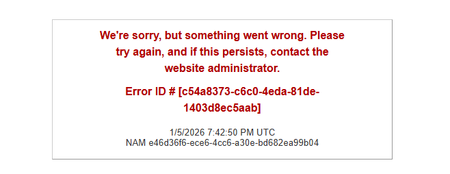
Hello, I am unable to complete institution verification for Microsoft Learn for Educators, and both documented support channels are currently failing for me. What is happening: 1. My institution verification was rejected with a "Blocked" response from AVE. 2. The in-portal Create a Case form returns "An error has occurred while processing your request. Please try again later" every time I submit, so I cannot raise a ticket through the documented route. I understand at least one other educator has reported this same combination recently, so I am writing directly in the hope this can be routed manually. I believe the AVE block is because our institutional domain is pathfinderfoundation.co.in rather than a .edu or .ac.in domain. In India, a large proportion of accredited private higher education institutions operate on .co.in and .org domains, so the suffix is not an indicator of accreditation status here. AICTE records are the authoritative source. Institution details: Name: Pathfinder Research and Training Foundation (PRTF) Website: https://pathfinderfoundation.co.in/ Accreditation: Approved by the All India Council for Technical Education (AICTE), the statutory national regulator for technical and management education in India, under the Ministry of Education, Government of India. AICTE Permanent Institution ID: 1-43701706366 AISHE Code: C-72792 Programmes offered: 1. Post Graduate Diploma in Management (PGDM), AICTE approved, two-year full-time, 120 students per batch. The programme is AI-centric by design, with Year 2 specialisation tracks in AI and Data Sciences, and Marketing and Finance. 2. Professional certification programmes in cloud and AI, delivered on campus as continuing education alongside the PGDM. Both fall within the Educational Institution Option scope, which covers accredited degree, diploma, certificate, and continuing or further education programmes. Faculty verification: I am Associate Professor in the AI and Data Science department. My profile, showing my institutional email address, is published at https://pathfinderfoundation.co.in/mentor-and-guest-faculty/ Domain ownership: pathfinderfoundation.co.in is owned and operated by the institution.. Intended use: Microsoft Official Curriculum maps onto our existing teaching plan. AI-900 and AI-102 into the AI and Data Sciences track, PL-300 and MB-220 into Marketing and Finance, AZ-900 and DP-900 as core digital foundations. Could someone please complete verification manually, or advise on an alternative route while the case form is unavailable? I am happy to provide any further documentation. Thank you, Aayan Kumar Associate Professor, AI and Data Science Department Pathfinder Research and Training Foundation (PRTF) email address removed for privacy reasonsSolved284Views1like2Comments
GMSA Password length
Hi All, Hope you are doing well! Do we have any official document from Microsoft that tells how many characters would be used for a GMSA account password? I understand that 240-byte, randomly generated passwords will be used; however, I would like to understand how many characters would be used in 240 bytes. Thank you in advance! Regards, Sajin P S94Views0likes0Comments
Institution Verification was rejected because of "Blocked" response from AVE
I applied with my personal email for the MS Learn for Educators program. I am a professor at Bridgewater College in Virginia. I gave my school email (.edu), and received the message "Unable to open a case to address error: Institution Verification was rejected because of "Blocked" response from AVE". I tried to open a case to report the issue and received the message: "An error has occurred while processing your request. Please try again later" This has been happening for several days. I would like to be able to teach my student the AZ-500 curriculum. Please help, thank youSolved319Views0likes3Comments
Missed today's community call? Access the recording here!
If you were not able to attend today's MSLE Community Call, you can access the recording here: https://techcommunity.microsoft.com/t5/s/gxcuf89792/attachments/gxcuf89792/microsoft-learn-for-educators-events/217/1/Microsoft%20Learn%20for%20Educators%20January%20Community%20Call-20260129_100145-Meeting%20Recording.mp4 Keep an eye on our events page for the date of our next call. We hope to see you there!104Views1like0CommentsJoin us for the MSLE Community Call TODAY!
Don't miss today's community call! Date: Thursday, January 29, 2026 Time: 10:00 - 11:00 AM PDT (Pacific Daylight Time) Agenda: 2025 MSLE recap MSLE Faculty Spotlight What's coming Q&A with Community Managers You can access the call details using this link: January MSLE Community Call OR From the MSLE Community overview page select "Events" and then select "Microsoft Learn for Educator Events". Select "January MSLE Community Call" and from there you will find the Microsoft Teams link for today's call. What are MSLE Community Calls? Each MSLE Community Call provides a unique experience to learn about topics that impact you or your students and highlights the amazing work of the MSLE Community. You'll hear from rotating presenters including members of the MSLE Program Team, other groups at Microsoft, and fellow MSLE educators. All Community Calls are delivered in English with live captions available. All sessions are recorded.97Views1like0CommentsJoin us for the MSLE Community Call TODAY!
Don't miss today's community call! Date: Thursday, December 11, 2025 Time: 10:00 - 11:00 AM PDT (Pacific Daylight Time) Agenda: Post Ignite recap Azure for Startups Faculty Spotlight MSLE AI Bootcamps Academic Research webinar series You can access the call details using this link: December MSLE Community Call OR From the MSLE Community overview page select "Events" and then select "Microsoft Learn for Educator Events". Select "December MSLE Community Call" and from there you can add the event to your calendar. Select "Attending" or "Interested" to receive notifications and updates regarding the event. What are MSLE Community Calls? Each MSLE Community Call provides a unique experience to learn about topics that impact you or your students and highlights the amazing work of the MSLE Community. You'll hear from rotating presenters including members of the MSLE Program Team, other groups at Microsoft, and fellow MSLE educators. All Community Calls are delivered in English with live captions available. All sessions are recorded.199Views1like1CommentUpcoming MSLE Community Call December 11!
Don't miss our December MSLE community call! Be sure to add it to your calendar using the steps below! Date: Thursday, December 11, 2025 Time: 10:00 - 11:00 AM PDT (Pacific Daylight Time) Agenda: Post Ignite recap Azure for Startups Faculty Spotlight MSLE AI Bootcamps Academic Research webinar series You can access the call using this link: December MSLE Community Call OR From the MSLE Community overview page select "Events" and then select "Microsoft Learn for Educator Events". Select "December MSLE Community Call" and from there you can add the event to your calendar. Select "Attending" or "Interested" to receive notifications and updates regarding the event. What are MSLE Community Calls? Each MSLE Community Call provides a unique experience to learn about topics that impact you or your students and highlights the amazing work of the MSLE Community. You'll hear from rotating presenters including members of the MSLE Program Team, other groups at Microsoft, and fellow MSLE educators. All Community Calls are delivered in English with live captions available. All sessions are recorded.139Views1like0Comments