mobile
8 Topics
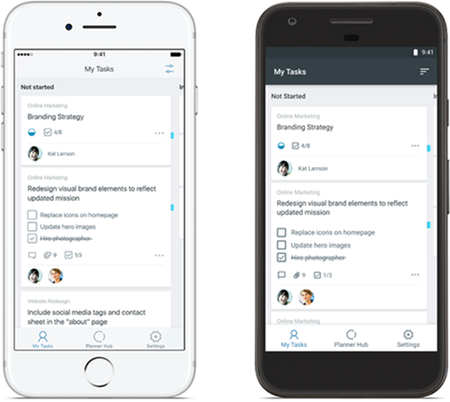
Get the Planner mobile app on iPhone, iPad, and Android!
Capture tasks, update progress, continue conversations and more with the Planner mobile app on iPhone, iPad, and Android. Download the app now: Planner for iOS Planner for Android Frequently asked questions What is Planner? Planner provides a simple, visual way to organize teamwork. The Planner mobile app for iOS and Android enables your team to organize and assign tasks, share files, chat about what you’re working on and get updates on progress. How can I access Planner? If you’re new to Planner, you can install the Planner mobile apps to start creating and building your plans. If you don’t have an eligible license of Office 365, please visit our product page to learn more about which subscriptions include Planner. If you have an eligible license and would like to learn more about Planner, please visit our support page. Which features are coming next? We continually update our apps and plan to add more types of push notifications soon. We look forward to hearing your feedback about how we can improve the Microsoft Planner mobile experience. Where can I learn more about the functionality of the Planner mobile app? Please visit iOS supportand Android support to learn more about features and functionality of the mobile app.7.2KViews2likes2Comments
Another opportunity to talk to Planner Engineers!
Do you feel delighted when a task is complete? What else are you looking for to feel more delighted while using Planner. Tell us about your experience, what you would like to see changed or improved and answer few research questions around delighters in Planner. Join us on Sept 1st from 10:00 AM to 11:30 AM PST to talk to engineers from Planner mobile app team, Planner service and Web app team. Learn more and join the conversation: https://ux.microsoft.com/Talk/Planner733Views1like0Comments