mobile device management (mdm)
26 TopicsFrom GPO to Microsoft Intune: A practical guide to cloud-first policy management
By: Per Larsen - Senior Product Manager | Microsoft Intune For many organizations, Group Policy Objects (GPOs) remain an important part of Windows configuration. As device strategies expand to include cloud-native management, Microsoft Intune provides the policy platform for devices that are Microsoft Entra joined and managed from the cloud. The goal isn’t to force every organization through the same migration, it’s to choose the right management path for each device population and each setting. This guide explains three common paths: starting fresh for new cloud-native devices, selectively transitioning required settings to Intune, and coordinating GPO with Intune for hybrid Microsoft Entra joined or co-managed devices. Across all three paths, the recommended principle is the same: assess and rationalize existing policy before deciding what to retain, re-create, redesign, or retire. 1. Choose the right path for each device population GPO was designed primarily for domain-joined, on-premises devices. Intune, in contrast, is designed for cloud-based management of devices whether they are on or off prem. The right path will depend on the scenario in which the devices are joined and managed. Scenario 1: Start fresh for new cloud-native devices This is the recommended approach for new Microsoft Entra joined devices. Invest in the cloud-first configuration you need today rather than reproducing every historical GPO. Begin with mandatory security requirements, Microsoft-recommended security baselines, and essential settings for services such as OneDrive and Microsoft Edge. Add other settings only when there’s business, security, or operational requirement. Scenario 2: Selectively transition required settings Organizations that need to preserve specific behavior can assess and rationalize existing GPOs, then re-create only the settings that are supported and necessary in Intune. Treat this as a deliberate replatforming effort, not a one-to-one copy. Test each new profile with a pilot group before broad deployment. Scenario 3: Coordinate GPO and Intune for hybrid devices Hybrid Microsoft Entra joined devices may receive settings from both GPO and Intune, including common scenarios where Intune-managed workloads or Windows Autopatch are used for existing hybrid domain-joined devices. Use of both group policy and Intune policy enforcement can continue for an extended period, but you should plan carefully to avoid conflicting settings. Organizations can either leave existing GPOs in place until devices are rebuilt as cloud-native, or actively shift selected policy areas to Intune while the devices remain hybrid joined. Figure 1. A cloud-first policy workflow begins with assessment and rationalization, then applies the appropriate path for each device population. 2. Assess and rationalize before you transition Before changing policy source, understand what’s actually in use. Many environments contain GPOs that are old, undocumented, duplicated, or applied more broadly than intended. A direct lift-and-shift carries that technical debt into Intune. Key assessment actions Export all GPOs from Group Policy Management Console (GPMC). Use Gpresult and operational knowledge to identify which GPOs are still applied and functional. Remove or archive unused, legacy, or duplicated policies instead of transitioning them. Categorize required settings by security, update management, device restrictions, application control, and legacy or unsupported scenarios. Record the device populations and business requirements associated with each policy. 3. Use Group Policy Analytics as an assessment input Microsoft Intune includes Group Policy Analytics, a built-in tool that imports on-premises GPOs and reports their mapped support in mobile device management. It can help identify settings with Intune equivalents, deprecated settings, and configurations that may require another implementation approach. Use the report as one source of evidence rather than as a complete transition engine. Its mappings may not reflect every setting currently available in the Settings Catalog, especially settings added after the analytics mapping was last updated. Validate important settings directly in Intune and against current Microsoft documentation. Useful outcomes Highlights settings with documented Intune mappings. Surfaces GPO settings that no longer make sense for cloud-native devices. Helps identify GPOs that should be retired rather than re-created. Supports, but does not replace, business validation and pilot testing. 4. Don't lift and shift: Re-design for cloud-first management A direct copy of GPOs into Intune can reproduce policy sprawl and create new conflicts. Instead, use the assessment to determine the intended outcome of each setting. Some settings will be unnecessary, some will have a direct Intune settings catalog equivalent, and others will need a cloud-appropriate redesign. Retire settings that are no longer required. Re-create settings that are supported and necessary. Rethink and redesign legacy dependencies such as drive mappings, printers, or vendor-specific prioritizing or considering cloud-first solutions and configurations. Document the owner, target population, and validation method for each resulting Intune profile. Figure 2. Decide whether to retain, re-create, redesign, or retire each GPO based on device type and current business need. 5. Start with security baselines Security baselines in Intune are curated collections of Microsoft-recommended settings for Windows, Microsoft Edge, and Microsoft Defender. They provide a controlled foundation that can reduce policy sprawl and align devices with current security guidance. Review baseline settings with security stakeholders rather than applying them without evaluation. Identify overlaps with existing policies before deployment. Pilot the baseline with representative devices and users. Layer additional configuration policies only for documented requirements. 6. Create equivalent Intune configuration profiles where needed After assessment and baseline planning: Configure supported and necessary settings in the settings catalog. Use Administrative Templates or imported ADMX policies for applicable settings. Use custom configuration, scripts, or remediations only when a built-in option doesn’t meet the requirement. Use standard or organizational safe rollout practices to assign policies before broad rollout, and monitor deployment and conflict reports. 7. Coordinate GPO and Intune during a hybrid period Customers often expect GPOWinsOverMDM to act as a universal precedence switch: whenever Group Policy and Intune configure the same setting, GPO should win. In reality, conflict control applies only to the subset of settings exposed through the Windows Policy CSP with corresponding Group Policy mappings. Additionally, it doesn’t govern settings delivered through other CSPs, such as Defender or Windows Update. Those policy areas can have different precedence, merging, or conflict behavior. Consequently, using GPOWinsOverMDM as a coexistence strategy can produce inconsistent and difficult-to-predict results. The safer approach is to avoid configuring the same setting through both management planes. Use targeted groups, assignment filters, GPO security filtering, and Organizational Units (OU) scoping to establish one authoritative source for each setting and device population. Use selective targeting to move policy areas in controlled stages: In Group Policy, use appropriate OU link placement, security group filtering, and carefully validated Windows Management Instrumentation (WMI) filters to stop selected GPOs from applying to devices that will receive the Intune equivalent. In Intune, use Microsoft Entra groups, dynamic membership rules, assignment filters, and exclusions to target the intended device population. For each policy area, document the authoritative management plane and the date or condition for changing ownership. Validate effective configuration with Gpresult, Intune reports, Event Viewer, and representative pilot devices. For example, an organization might leave most existing GPOs in place for hybrid joined devices while excluding a pilot group from the Windows Update GPO. The same group can then receive the corresponding Intune update policy. After validation, you can expand the targeting changes in stages in alignment with your organizational safe-rollout standards. 8. Common Pitfalls Enforcing GPO and Intune side by side without coordinated targeting Uncoordinated configuration can create conflicts, inconsistent results, and difficult troubleshooting. Define an authoritative management plane for each setting and device population. Transitioning everything as is You should rationalize old, unused, or duplicated settings rather than reproducing or recreating them in Intune. Supporting legacy or non-cloud-first settings. Some requirements don’t have a direct built-in Intune equivalent. Evaluate whether the requirement is still necessary, then use a supported alternative, redesign the process, or retain the setting in GPO for the applicable hybrid devices. Skipping the pilot phase Pilot groups reveal assignment, compatibility, and user-impact issues before a broad deployment. 10. Retire old GPOs gradually Retire a GPO only after its replacement or removal has been validated for the affected device population. Exclude a pilot population from the original GPO and assign the intended Intune configuration. Validate effective settings, Intune deployment status, device events, and user impact. Expand the targeting change in controlled stages. Disable and archive the GPO after dependencies are removed and rollback is no longer required. Keep GPOs that remain necessary for hybrid joined devices, with clear ownership and targeting. Conclusion Moving to Intune policy management isn’t a one-size-fits-all migration or a copy-and-paste exercise. For new cloud-native devices, start with a clean, cloud-first configuration. When existing behavior must be preserved, assess and rationalize the requirement before re-creating it in Intune. During a period of parallel Group Policy and Intune management, coordinate targeting so GPO and Intune do not compete for the same settings. The key principles are: Choose the management path by device population. Assess and rationalize before making changes. Start with security requirements and validated baselines. Use Group Policy Analytics as an input, not as the sole source of truth. Transition only supported and necessary settings. Coordinate GPO and Intune targeting throughout any transition period.6.1KViews2likes2CommentsSpeed where it matters: How Microsoft Intune helps IT prioritize time-sensitive actions
By: Albert Cabello Serrano | Principal Product Manager - Microsoft Intune A closer look at how Intune delivers updates to devices and the investments we’re making to help important changes move faster and more predictably. A common concern we hear from IT admins is, “How quickly will this change actually reach my device?” In many cases, the answer is much faster than expected. Today, 90% of policy updates, app deployments, and device actions in Intune are completed in under an hour. So where does the idea of “8-hour latency” come from? That number reflects a routine maintenance check-in used when devices are idle - not how Intune processes meaningful changes. Intune uses notification-based, priority-driven processing so that high-impact actions, like security policy changes or remediation steps, are handled promptly and reliably as possible. In this context, latency isn’t about making every action instant - it’s about providing predictable, prioritized delivery at global scale. The sections below break down how Intune prioritizes different types of updates and recent investments that are helping time-sensitive changes complete more consistently. How Intune delivers changes to devices Cloud-based device management is designed for real-world conditions; devices are not always online, fully charged, or on stable networks. Intune uses an eventual consistency model so devices can continue to be productive while converging to the desired state over time, without management actions unnecessarily disrupting users or workflows. Because devices operate in different conditions, not all device activity is handled the same way. To manage change reliably at scale, Intune uses different types of device check-ins depending on what needs to happen. Types of device check-ins in Intune Device check-ins generally fall into several categories, each triggered by a different type of action: Single‑device check‑ins: Occurs when an admin or user initiates an action on a specific device, such as starting a device action or installing an app from the Intune Company Portal. Change‑based check‑ins: Push‑triggered check‑ins used to deliver meaningful changes to devices as soon as possible. Client‑initiated check‑ins: Background activity that helps keep devices healthy, such as when a user signs in to a device or when malware status changes. Maintenance check-ins: Scheduled syncs that occur at predetermined intervals and can be client or service-initiated, depending on the platform. These typically occur approximately every 8 hours. Regardless of what triggers a check-in, any pending changes will be applied to the device when it occurs. What happens when an admin makes a change When an admin makes a change in Intune, such as updating a device compliance policy, deploying an app, or setting a configuration, Intune identifies the devices impacted by that change and initiates a change‑based check‑in for affected devices. For online devices, Intune sends a push notification prompting the device to establish a management session with the service, apply the change, and report enforcement status back to Intune. If a device is offline or unreachable, the change is applied when the device next checks in through available mechanisms. Four investments that help critical updates move forward faster The following product changes focus on reducing device‑change latency by shortening the time between an admin action in Intune and enforcement on the device, especially during peak or constrained conditions. 1. Check-in prioritization focused on what matters most Not all device activity carries the same urgency. Routine background check-ins can compete for service resources with devices that have important pending changes, such as compliance updates, remediation actions, or administrator-initiated configuration changes. Intune evaluates the potential impact of delaying a device check-in on security posture, compliance state or user productivity, and dynamically prioritizes processing accordingly. This real-time prioritization model ensures that high-impact actions move forward without being delayed by lower‑impact background activity. Prioritization adapts as conditions change, helping important updates reach devices more quickly and predictably without being delayed by lower-impact background activity. 2. Built-in resilience when multiple changes occur in quick succession Change activity often happens in bursts, with several related updates occurring in rapid succession. These periods of activity may be driven by operational needs or background processes, and can involve adjusting assignments, updating multiple policies, or rolling out configuration changes across the same set of devices. Intune dynamically coordinates notifications, so that each change requiring action triggers a corresponding device notification, even during high-activity periods. This helps improve consistency when applying multiple updates and reduces delays across consecutive changes on devices. Over the next several months, these improvements will extend to additional payloads delivered through the Intune Management Extension (IME), including scripts, Win32 apps, and custom compliance across both Windows and macOS platforms. 3. More timely notifications on Windows Intune notifies devices to check-in when changes require action. If the device is offline, on an unstable network, or low on battery, notifications may be delayed. This can cause missed check-ins or delayed actions. When notification services are delayed, blocked, or unavailable, devices may fall back to scheduled maintenance check‑ins to apply changes. For timely delivery, required notification service endpoints need to remain accessible so devices can receive management signals when updates occur. On Windows devices, Intune complements the Windows Notification Service (WNS) with the same notification protocol that powers Microsoft Teams via the Intune Management Extension. This helps increase the likelihood that devices receive management notifications when they’re online and reachable, improving visibility into whether policy updates or device actions have reached their destination. For more information, see the network endpoints for Intune documentation. 4. Optimized maintenance check-ins for iOS devices Background check-ins are still important to keep devices healthy when nothing else is going on. Unlike Windows devices, iOS devices don’t have client scheduled check‑ins and depend on service‑initiated maintenance check‑ins to ensure device health and compliance. During peak usage periods, these maintenance check‑ins can account for a significant portion of overall traffic, which can compete with devices that require immediate updates. Intune considers device activity in the scheduling of maintenance check‑ins during peak activity, making room for higher‑impact updates, while continuing to ensure devices check in regularly. This helps manage traffic and improves responsiveness when applying policies or remediation actions. What this means for you For IT admins: No additional configuration or workflow changes are required to benefit from Intune’s built-in notification system. When bidirectional communication with notification service endpoints is open, devices can receive and act on updates as they become available. For security teams: Faster delivery of device changes helps shorten the time between a policy update, a tightened Conditional Access rule, an updated compliance baseline, and a remediation action. For Zero Trust frameworks, where posture signals drive access decisions, this helps narrow the window during which a device could be out of compliance or vulnerable. Together, these improvements reflect how Intune is evolving into a more intelligent, priority-aware system. Rather than making every action instant, the focus is on prioritizing high-impact updates so they are delivered without unnecessary delays. This approach is expanding across a number of scenarios to provide a more consistent and predictable experience, helping reduce delays for key updates. Resources to learn more For another perspective on this topic, read an MVP’s take on demystifying the “8-hour” timing myth in this LinkedIn post. You can also watch the recent Tech Takeoff about this same topic to learn more about these improvements. Also, in the April edition of the What's New in Intune blog, we introduced a new segment called Myth vs. Reality. This post is part of that series. To stay current on new capabilities and updates as they ship, follow the What's New in Microsoft Intune blog. What myth should we debunk next? Leave a comment below or reach out to us on X @IntuneSuppTeam or @MSIntune.15KViews3likes7CommentsMicrosoft Intune and Apple platform updates: What to expect after WWDC 2026
By Benjamin Flamm | Product Manager, Iris Yuning Ye | Product Manager - Microsoft Intune Apple’s Worldwide Developers Conference (WWDC) is the annual starting point for the next wave of Apple platform changes. For Microsoft Intune customers, WWDC is also the moment when IT teams begin planning how new operating system capabilities will affect Apple device management, security, app deployment, and user readiness ahead of the fall OS releases. We’ve spent time watching and re-watching the sessions, sifting through new documentation with a magnifying glass, and philosophizing over the impact of what’s new this year. Just like every year, we’ll still have our day zero blog officially announcing what Intune supports for the new OS versions; however, this year we’ve heard your feedback that you’d like to know where Intune is prioritizing investments ahead of time so that you can prepare with confidence. What’s new in managing Apple devices Our team is absolutely thrilled by the latest WWDC announcements and what they mean for organizations using Intune to manage Apple devices at scale. Apple is executing their promise of a declarative future, and we’re excited to enable our customers to leverage the benefits of declarative device management (DDM) like efficient configurations and real time status reporting. Most importantly, Apple continues to provide new customer-delighting functionality that previously didn’t exist in the legacy protocol. Data-driven settings The Intune settings catalog is our data-driven experience that automatically generates UI based on a schema. Basically, Intune adds new settings very quickly. Our goal is to always provide new settings like restrictions and intelligence controls as fast as possible, but in a way that’s enterprise ready. Having to manually create policies in third party tools just to upload them into the Intune admin center is a thing of the past. That said, these are the configurations and settings announced at WWDC 2026 that will be available very soon in the settings catalog for testing on the OS 27 betas. Allow and deny binaries on macOS One of the biggest announcements for device management this year is the new App settings configuration which includes declarative binary management for Mac. Until now, admins have relied on third party tooling and scripting for controlling unwanted apps on macOS, which is a clunky and time-consuming process. This new configuration also brings privacy permission management to DDM, reducing the number of prompts that users see while ensuring that apps have the permissions they need. Content caching Content caching has been supported in mobile device management (MDM) and our settings catalog for years, but it’s becoming much more powerful as it moves to DDM in macOS 27. New status items provide richer information about the health, disk space, and usage of content cache services without requiring a separate monitoring agent. This will be especially useful for everyone who wants to significantly reduce network traffic due to large deployments such as multi-gigabyte app installations and OS updates. Platform Single Sign-on Platform Single Sign-on (Platform SSO) picked up a major set of upgrades this year as part of its transition to DDM: the option to require Touch ID as a built-in second factor for logging in and unlocking FileVault. Additionally, new web-based authentication that opens the door to customizable push notifications, one-time codes, and QR-code sign-in for shared-device environments. New skip keys for Automated Device Enrollment Our settings story wouldn’t be complete without mentioning skip keys, and we have so much to mention this year! You may have seen the news that we recently updated our Apple enrollment policies, but what you may have missed is that these use the same infrastructure as our settings catalog. Starting this year, you should now expect to see skip keys release as fast as the Apple settings catalog. Settings, settings, and more settings Everything we’ve talked about so far is only the tip of the iceberg for settings and what’s coming, so here’s the complete list of what you should expect to see in Intune this summer: App Settings Allow/deny macOS binaries App privacy Content caching DNS Settings DNS Proxy Extensible SSO Safari privacy Web Content Filter Apple Intelligence (Calendar) Device restrictions Skip keys Network configurations are now in DDM This is the announcement that we’ve been waiting for ever since Apple first showed us the power of DDM! While there isn’t Wi-Fi support yet, we’re thrilled to see this first step into DDM-based network configurations. The on-device user experience and admin configuration experience will see significant improvements in comparison to today’s profile model, especially when managing policies that depend on certificates for authentication. Our team is evaluating the new network configurations for our roadmap as we build support for these critical workloads in a declarative world. Fleet monitoring and MDM status The more device information that Apple moves to DDM, the faster Intune will become. The 15-minute check-in will soon be obsolete as MDM can solely rely on the device to detect drift or issues. This year, Apple has continued to add more device information to the DDM status channel, allowing admins to get a richer picture of the health of their device fleet. Device health reports that highlight whether a specific hardware component is operating normally, or experiencing an issue, will provide useful insights to organizations when planning their next device refresh cycle or monitoring for device issues before they affect productivity. Apple also added new status reports that show MDM-specific information for devices, such as if they’re enabled for return to service or shared iPad, and APNS-related information for MDMs to better stay in sync with devices. macOS package uninstall and the Managed App framework Over the past few years, Apple has been adding new features that are shifting traditional agent-based management to the DDM stack. The declarative package (.pkg) configuration introduced last year lets MDM send complex macOS packages and configurations without the constraints of the legacy install command. This year, they rounded out the story by adding package uninstall to remove data and files that were installed by a declarative package configuration as well as extending the Managed App framework to macOS. Just like with the new network configurations, our team is investigating what this means for Intune Mac management and re-evaluating our macOS roadmap. Streamlined log collection with AppleCare Apple introduced a new command to remotely trigger enhanced log collection which seems simple, but it has a lot packed into it. The old way involved lots of downloading and waiting and uploading and more waiting. With this latest announcement, Apple has streamlined this whole process by allowing MDMs to send a command to enable the device for logging with the correct logging state configured. The cherry on top is this new process will tell the device to directly upload its sysdiagnose to AppleCare without requiring physical access to the device or manual interaction from the device owner. It also wouldn’t be a new feature without DDM status, and devices will report their enhanced logging status every step of the way. This will reduce a lot of the friction, idle time, and “what’s actually happening?” that’s associated with getting a sysdiagnose file needed for engineering investigations. This new feature benefits IT teams, AppleCare, MDMs, and everyone in between, and our team is prioritizing this new workflow for the fall. Return to service (RTS) gets better and better Apple has continued to iterate on the return to service workflow since its introduction in 2023. Its first iterations showed how RTS can be useful for troubleshooting, quickly returning devices back to a fresh service state while also preserving apps across resets. This year, Apple announced 2 major improvements: the ability to trigger RTS directly from the device and the ability to configure an inactivity timeout. This makes RTS a must-have for shared device scenarios where you need to securely and quickly minimize downtime between user sessions. MDM software updates are no more DDM is now the only way to manage software updates, with the legacy MDM workload being fully removed from support in OS 27. We will be removing the legacy software update policies and settings from our UI in the coming months. Intune has supported DDM updates since they were first released in 2023, and we also have gold standard software update reports where you can see rich and fast OS update status every step of the way. More information is available on our Tech Community blog. How IT teams can prepare now Identify the Apple device populations that are most business-critical, including supervised iOS and iPadOS devices, shared devices, and managed Macs. Review enrollment, compliance, app deployment, and software update workflows that may be affected by major OS upgrades. Plan a beta validation ring with representative users, devices, apps, and different network conditions. Document known business-critical apps and confirm vendor readiness timelines for the fall OS releases. Test the available beta settings in the settings catalog and share your feedback with our team and Apple via Feedback Assistant. Watch for Intune documentation, Message center posts, and release notes as support details become available. Looking ahead Apple’s fall OS releases are an important planning milestone for every organization managing Apple devices, and Intune’s priority is to help our customers confidently adopt new capabilities securely and at scale. Keep an eye out for our yearly day zero blog to learn more about Intune updates and new feature support as we get closer to the OS 27 release this fall – happy beta testing! If you have any questions, leave a comment below or reach out to us on X @IntuneSuppTeam. Join our community! Discuss real-world scenarios, get expert guidance, connect with peers, and influence the future of Microsoft Security products. Learn more at aka.ms/JoinIntuneCommunity.6.1KViews1like1CommentMicrosoft Security Copilot in Intune deep dive – Part 1: Features available in public preview
By: Zineb Takafi - Product Manager & Lavanya Lakshman - Principal Product Manager | Microsoft Intune Microsoft Intune is a widely used cloud-based endpoint management solution that simplifies the management and security of devices, apps, and data across your organization. Intune is poised to set a new standard for IT productivity and protection with generative AI capabilities powered by Microsoft Security Copilot, an AI-driven security solution designed to empower security and IT professionals. Copilot integrates seamlessly into Intune, transforming critical workflows around policy management, troubleshooting, and security threat resolution. With key integrations in Intune Suite for Endpoint Privilege Management and Device Query, Copilot enhances endpoint security by offering AI-driven insights and potential app elevation risk. These capabilities are designed to reduce manual intervention and accelerate response times. In this blog, we’ll dive into our current capabilities in preview. This is the first blog of our new monthly Copilot in Intune blog series. Each post will spotlight different Copilot capabilities within Intune through demos, practical tips, and real-world scenarios. By following along, you’ll discover our latest innovations with AI in Intune and how to harness the power of Copilot to stay ahead of emerging threats and streamline your management processes. Let’s get started on this journey together and unlock the full potential of Security Copilot in Intune today! Simplify device policy management Security Copilot in Intune helps IT admins quickly review and manage device policies. By selecting the "Summarize with Copilot" button, admins get a clear summary of policies and settings. Copilot’s "Describe the impact" feature helps understand how policies affect users and security. Admins can also investigate specific settings, check for conflicts across policies, and ensure everything aligns with organizational needs—all without manual research. Copilot streamlines policy management, saving time and enhancing security. Effortlessly troubleshoot device issues Copilot in Intune helps IT admins quickly troubleshoot device issues. By navigating to Devices and selecting the faulty device, admins can select “Explore with Copilot” and use the “Summarize this device” prompt to view key details like hardware info, group memberships, compliance state, and reasons for non-compliance. Admins can then compare the faulty device with a healthy one by having Copilot highlight differences in configuration profiles, compliance policies, app configuration policies, discovered apps, managed apps, and hardware. This powerful integration streamlines issue identification, making troubleshooting faster and more efficient. AI-powered Copilot integrations with Intune Suite With Advanced analytics and Endpoint Privilege Management, part of the Intune Suite available as an add-on, customers can take advantage of Copilot integrations to further streamline endpoint management. These AI-powered integrations streamline app elevation requests and complex KQL query creation in device query to get insights on your devices. Identify app risks before approving app privileges Security Copilot in Intune enhances Endpoint Privilege Management by helping IT admins assess the risk of app elevation requests. When users request to elevate unfamiliar apps, admins typically have to research the app’s reputation and potential risks manually. Copilot simplifies this by automatically analyzing the app’s security status. When a user requests elevation for an app, admins can select “Analyze with Copilot” in the Intune admin center. Copilot sends the app’s hash to Microsoft Defender Threat Intelligence, providing critical insights. Copilot flags the app for suspicious indicators tied to a known malware campaign. Use natural language to get real-time device data The integration of Security Copilot with single device query in Intune offers IT admins an easier, more efficient way to monitor and manage devices. With this capability, admins can quickly translate natural language requests into Kusto Query Language (KQL) queries and get real time device data, eliminating the need for in-depth KQL knowledge. For instance, if an admin wants to identify the top 10 processes consuming the most memory on a device, Copilot can automatically convert this request into a precise KQL query. This integration streamlines the process of gathering real-time insights, enabling admins to troubleshoot, optimize, and secure devices more effectively and with greater ease. Use natural language to analyze and query multiple devices With Security Copilot in Intune, IT admins can easily create Kusto Query Language (KQL) queries for multi-device queries, gaining comprehensive insights into their entire device fleet. By navigating to Devices and selecting “Device query” in the Intune admin center, admins can quickly filter devices based on specific criteria. For example, an admin could request a list of devices with at least 8 GB of memory, over 50 GB of storage, and one encrypted volume. Security Copilot translates this natural language request into an accurate KQL query, eliminating the need for advanced KQL knowledge and streamlining the process of managing and securing devices across the organization. What’s next Our AI journey has only just begun, and with each step, we learn and evolve, driven by our commitment to simplifying IT workflows and reducing complexity for customers. We invite you to explore the robust integrations available within Intune where AI assistance transforms everyday tasks like policy management, troubleshooting, device queries, and elevation request evaluation into a more efficient, streamlined process with Copilot. Take advantage of these features today to optimize your security posture and stay ahead of emerging challenges. To get started or learn more about our enhancements visit Copilot in Intune. We look forward to providing further updates in the Copilot in Intune blog series. If you have any questions or want to share how you’re using Copilot in Intune, leave a comment below or reach out to us on X @IntuneSuppTeam or @MSIntune. You can also connect with us on LinkedIn.6.5KViews0likes3CommentsIntune Customer Success: Managing Android devices where Google Mobile Services are not available
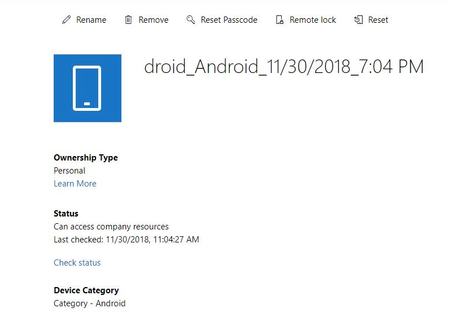
In this post, we will walk you through solutions for managing Android devices with Microsoft Endpoint Manager - Intune - in locations or scenarios where Google Mobile Services are unavailable.45KViews4likes5Comments