microsoft
224 TopicsMicrosoft Foundry Guardrails Getting in Your Way? Here’s How to Dial Them Down
How This All Started So here’s the story. I just got back from a trip and had a pile of footage sitting on my laptop. Being the lazy (sorry, efficient) person I am, I fired up OpenCode and asked GPT-6 Astra, running on Microsoft Foundry, to cut me a travelogue. Nothing fancy: under two minutes, nice lighting, clean transitions, no cringy effects, a quick QA before showing me, and the output in its own folder. Easy, right? Nope. This is what I got instead: “Image processing blocked due to content policy violation.” Seriously? It’s holiday footage! Nothing even remotely dodgy in there. This is a classic false positive from the default guardrails, and the good news is it’s totally fixable. Let me show you how. My Setup Quick context before we dive in: I’ve got two models deployed on Microsoft Foundry, gpt-6-astra and gpt-6-sol. Both were running on Microsoft’s out-of-the-box guardrail. Step 1: Find the Guardrails Page Head over to the Microsoft Foundry portal, click Build, then hit Guardrails in the left menu. You’ll see three guardrails that Microsoft gives you by default: Microsoft.Default, Microsoft.DefaultV2 and Microsoft.MAIDefault. Microsoft.DefaultV2 is the one every new deployment gets, which is why it’s sitting on both of my models. Here’s the catch: you can’t edit or delete these Microsoft-managed defaults. So instead of tweaking them, we’re going to build our own guardrail and swap it in. Step 2: Create Your Own Guardrail Smash that "Create" button and you’ll land on the Create guardrail page. This is where all the knobs and switches live: Every control has three bits: the risk type, the intervention point (does it check what you send in, what the model spits out, or both?) and the action. The magic trick for loosening things up is flipping the action from Block to Annotate. With Annotate, Foundry still scans the content and tags it in the API response, but it stops slamming the door on your request. So What Does Each Setting Actually Do? Before you go on a switching-off spree, it’s worth knowing what each of these does and what you’re giving up when you loosen it. Here’s the quick tour: Jailbreak: This one catches prompts trying to trick the model into ignoring its rules. On Block, those prompts get rejected outright. On Annotate, they go through with a flag. Turn it off completely and you’re trusting the model’s own training to keep it in line. Network (egress rules): Controls which outbound calls a hosted agent is allowed to make. As the portal points out, it only applies to hosted agents, so for plain model deployments like mine it doesn’t change a thing. Indirect prompt injections: Watches user input and tool responses (files, docs, web pages the model reads) for sneaky instructions someone has planted. Leave it on and your agents are protected when they read outside content; switch it off and a dodgy file could quietly hijack your model. For an agentic tool like OpenCode, which reads files and runs shell commands, I’d honestly keep this one on, even if it’s just on Annotate. Spotlighting (Preview): Tags external content inside the prompt so the model can tell your real instructions apart from random untrusted data. Think of it as an extra seatbelt against indirect attacks. Content harms (Hate, Sexual, Self-harm, Violence): Each of these has a severity slider that starts at Medium blocking, meaning anything rated medium or higher gets blocked. Slide it down to Lowest blocking and only the really nasty stuff gets stopped, which kills off most false positives like mine. The asterisk means these four are mandatory: you can turn the dial down, but you can’t switch them off. Blocklists: Want to ban specific words or phrases, like profanity or your competitor’s name? This is where you do it. It’s off by default. Protected material for code and text: Checks whether the model is about to spit out known copyrighted text (song lyrics, articles and so on) or code lifted from public repos. Block stops it; Annotate lets it through with a flag. Switch it off and you’re rolling the dice on your app reproducing someone else’s copyrighted work. Step 3: Pick Your Models Hit Next and Foundry asks which agents and models you want this guardrail on. Any model you’ve already deployed in your project shows up here. For me that’s gpt-6-astra and gpt-6-sol, so I ticked both. Step 4: Name It and Pick a Streaming Mode One more Next and you’re on the Review page. Give your guardrail a name (I went with NoGuardrails, because subtlety isn’t my thing) and pick a streaming mode. You’ve got two choices: Default: Foundry buffers the response and runs it through the guardrail before each chunk goes out. Nothing reaches the user until it’s been checked. Safest option, but you’ll feel a bit of lag when streaming. Asynchronous: Content streams back the moment it’s generated, with the filters running in the background. Much snappier, but flagged content might flash up briefly before the filter catches it, so your app has to clean up after the fact. Microsoft pitches this for low-latency stuff like internal dev tools, which is exactly my use case. Give the summary a quick once-over, then click Create. Done! Did It Work? Yep! With my shiny new guardrail in place, I fired off the exact same request, this time to GPT-6 Sol. And boom: no more content policy error. The model went straight to work scanning my footage and putting the video together. Wrapping Up Look, Microsoft’s default guardrails are a solid starting point, but they can be a bit trigger-happy when you’re doing perfectly legit stuff like video editing, creative work or internal tooling. Since you can’t touch the defaults, the trick is to roll your own: flip Block to Annotate where it makes sense, drag those content harm sliders down, pick the streaming mode that fits your app, and assign it to your deployments. That’s it! One friendly word of warning though: with great power comes great responsibility. Only loosen what you actually need, keep things like indirect prompt injection detection switched on for any agent that reads files or browses the web, and think twice before doing this on anything customer-facing. And if you want to go further than the portal lets you, like switching content filters off completely, you’ll need to apply to Microsoft for approval first. Happy building!92Views0likes0Comments
Agentic Mentor: A Specification-Driven, Multi-Agent Learning Tool
Project Overview Rather than relying on the model to know when the student understands, we built a pipeline where progress itself is gated: a student cannot move forward until they can demonstrate they understood what was just built. And rather than depending on commercial, token-billed APIs to make this teaching possible, the system is designed to run on locally hosted or free-tier models, keeping it accessible to students and institutions alike. As our contribution to Microsoft, we've handed over the full public repository behind Agentic Mentor. Given how central token-based services have become to software development, we see real potential for this approach in initiatives like GitHub Education, where affordable, agentic tools for students matter. In this post, we'll walk through what motivated the project, how Agentic Mentor works under the hood, and what we learned putting it to the test on a real piece of university coursework. The Project Journey This project was completed over three months. The first few weeks were spent on background research and requirements elicitation. We reviewed the literature on AI-assisted learning, specification-driven development and prompt ambiguity, elicited functional and non-functional requirements from our client supervisor at Microsoft, Lee Stott, and our academic supervisors, and broke the work into components we could build and test independently. This told us what was realistically achievable in the time we had, and which features were core to the tool rather than desirable extras. Implementation was coordinated through GitHub, with the team meeting daily to keep parallel work in sync and weekly meetings with both our supervisors and our client to report progress and check we were still building the right thing. We worked this way because the shape of the tool was still settling once implementation began, and that frequency of contact meant a wrong assumption surfaced in days rather than weeks. The most consequential decision of the project came out of those conversations. Agentic Mentor had been proposed as an assessment tool, but the AI does not write the assessment brief, so it cannot be relied on to read it as the academic intended, and grading on top of that reading would carry the model's misunderstanding into a student's mark. We pivoted to a learning tool, and the design of the pipeline followed from there. The final month went on completing both interfaces and evaluating the system, first against SpecBench as a correctness check, then against a real master's-level coursework. Two problems surfaced. Our GPU infrastructure went offline, so we moved to free-tier cloud models and scheduled runs around quota resets. And one of the questions the system generated turned out to be subtly wrong, and we had read it and accepted it without question, which is the automation bias we had spent the project writing about. Technical Details Agentic Mentor is built as a multi-agent, specification-driven pipeline. It has four agents; Research, Ingestion, Mentoring, and Viva. Each agent was implemented using the Microsoft Agent Framework. We chose to give each phase its own dedicated agent so that every stage could be equipped with the specific tools its task required, rather than relying on one general-purpose agent to handle the whole assignment. The agents run linearly, with each one writing its output to disk and the orchestrator passing the resulting file paths to the next stage. This design lets a session pause and resume. An overview of Agentic Mentor's architecture is seen in the figure below. Research Agent. This stage grounds the pipeline in external context. It uses GitHub and arXiv MCP servers to gather relevant literature and existing implementations. MCP gave the agent a uniform interface to both sources, meaning further ones could be added later simply by connecting another server, without reworking the agent itself. Ingestion Agent. Built around GitHub SpecKit, an open-source toolkit for spec-driven development, this agent converts the assignment brief and research context into structured specification files. Rather than letting the model resolve ambiguities in the brief on its own, SpecKit's clarification step surfaces unclear points directly to the student, who must answer before the pipeline continues. This choice keeps the student engaged in design decisions rather than letting the model make them silently. Mentoring Agent. This is where the student and the model actually build the project together, phase by phase, with the agent writing code and explaining its reasoning as it goes. Progress is gated: the student cannot move to the next phase until every task is complete, and a short multiple-choice checkpoint has been passed. The checkpoint tests understanding of what was just built rather than simply advancing on request. Viva Agent. Once implementation is complete, this agent interviews the student. Answers are checked against key points prepared in advance, with feedback given after each response and a full transcript saved for later review. How Microsoft's tools shaped the project. The Microsoft Agent Framework was the backbone that made the multi-agent design practical: it let us build four functionally distinct agents that could each carry their own tools and responsibilities while still communicating cleanly through a shared orchestration layer. Together with GitHub SpecKit's structured approach to specification-driven development, these tools gave Agentic Mentor a technical foundation that would have been considerably harder to assemble from scratch, and were central to making the pipeline's phase-gated, specification-first design actually work in practice rather than remaining a concept on paper. Demo This demo video shows an end-to-end demonstration of the VS Code extension of Agentic Mentor. Results and outcomes We evaluated Agentic Mentor in two phases: a benchmark check for basic correctness, followed by a real master's-level coursework that better matched the system's intended use. Phase 1: Code Correctness We used SpecBench to evaluate Agentic Mentor’s code correctness. SpecBench is a benchmark of 30 systems-level programming tasks with pre-existing test suites. We ran six of them using a locally served Qwen3.6-27B model. Our results show that tasks with common structural logic scored well, such as json_parser achieving a 97.7% pass rate. However, more complex tasks performed worse. On crypto_primitives, hallucinations prevented a testable solution being produced at all. This result reflects the limits of a small local model such as Qwen3.6-27B. However, the success of some tasks show that smaller local models have promise. Phase 2: Student Understanding The second phase evaluated the system against a real academic assignment on Test-Driven Development, which the team had previously completed without Agentic Mentor. Claude Sonnet 5 was used to reduce hallucinations and improve reasoning. We combined our own assessment as students with an interview with Jens Krinke, the module leader who set and assessed the coursework. From our perspective, we found that Agentic Mentor made a large, loosely specified project easier to approach, and the questions at each stage required active recall which helped us understand the assignment better. It improved on our original attempt by constructing a synthetic repository with known test–production pairs as concrete acceptance criteria, linking test and production files by co-occurrence in commit history rather than naming conventions, and producing unit test coverage within a properly separated project structure. The assessment of its understanding was less favourable. Jens rated its comprehension as comparable to a typical student's, but no better: it treated commit history as capable of confirming the presence of TDD, when it can only reveal the degree of its absence, and it missed an implicit hint regarding commit size. Lessons Learned Building Agentic Mentor taught our team a great deal about coding agents, local models, and the practical challenges of applying AI in education. These lessons shaped both the tool itself and how we think about deploying AI in learning contexts. Knowing where the tool fits. One of our clearest takeaways was that Agentic Mentor works best on well-specified, undergraduate-level assignments rather than open-ended, research-style coursework. Our evaluation on SpecBench's json_parser task, where the tool achieved a 97.7% pass rate, showed just how effective it can be on concrete, well-bounded problems. Our Test-Driven Development case study showed the same tool struggling once the task demanded interpreting ambiguous or partially hidden objectives. Even so, our own experience using the tool showed genuine improvements in our learning outcomes and even surfaced implementation ideas we hadn't considered ourselves, which reinforced our belief in the promise of agentic learning tools when applied to the right kind of problem. Navigating the local model trade-off. Our extensive experimentation with locally hosted models taught us that there is a trade-off between accessibility and quality. Local models performed well on smaller, simpler tasks, but as task complexity grew, code correctness declined and hallucinations became more frequent. This was a valuable lesson in engineering trade-offs: a fully local, cost-free deployment is achievable in principle, but a genuinely effective one currently depends on access to larger, cloud-hosted models. Rethinking what the tool should be for. Perhaps our biggest shift in thinking came from an idea we abandoned. We originally envisioned Agentic Mentor as an assessment tool, capable of evaluating a student's understanding for official grading. Working through the implementation made clear why that vision doesn't hold up: an AI system that didn't generate the assessment brief itself cannot be guaranteed to interpret an educator's intent correctly. This is a limitation of natural language interpretation that is well documented in the literature we reviewed. Recognizing this early enough to change course was itself a valuable exercise in engineering judgment, and it led us to reposition Agentic Mentor as a learning tool focused on helping students engage with agentic AI, rather than an assessment tool that asks AI to make judgments it isn't equipped to make reliably. Implications for Educators Our experience building and evaluating Agentic Mentor highlighted three critical takeaways for educators looking to integrate AI into their classrooms. Watch out for automation bias. Our academic evaluation revealed that the AI agents occasionally held technical misconceptions, which raised up the risk of automation bias; one of the biggest risks in AI-assisted education. When an AI speaks with absolute confidence, it’s incredibly easy to believe it. If students trust the model's outputs without sufficient questioning, they bypass the critical thinking the coursework was meant to provoke. Educational AI needs built-in friction to force the AI to highlight its own uncertainties and encourage students to question the output. Be careful using AI as an Assessment tool. The discovery of the AI’s technical misconceptions also suggests caution using AI for grading or formal assessment. Because the model can misunderstand core concepts the exact same way a student might, it cannot reliably evaluate student comprehension. This also led us to pivot Agentic Mentor strictly to a learning tool. AI is an excellent tool for supporting student learning through phased tasks, but it is not currently reliable enough to act as an autonomous judge of a student's underlying understanding. Agentic Development is reshaping software engineering. As agentic development reshapes software engineering, educators must shift their focus from teaching students how to write code manually, to teaching them how to prompt coding agents. This includes using practices such as specification-driven development, which reduces AI errors in code by preventing ambiguities in natural language prompts. Future Development The limitations we encountered while building Agentic Mentor point to two clear directions for further development. Both would make the system a more reliable learning tool for students. Validation agent Agentic Mentor currently interprets a project with the same gaps and misconceptions a typical student might bring to it. Because the system presents its output with confidence, those gaps can be passed on unchallenged. We propose extending the pipeline with a validation agent. This component would be dedicated to interrogating the questions and conclusions the system produces. Its purpose would be to introduce a deliberate layer of hesitation, surfacing assumptions explicitly rather than allowing them to reach the student as established fact. The intended outcome is a reduction in automation bias, encouraging students to engage critically with the system's output rather than accepting it uncritically. Integration with academic platforms As long as the system's understanding of an assignment is constrained in the same ways a student's is, it cannot be relied upon to identify a task's critical elements. A future version could accept explicit input from educators, specifying those critical elements in advance along with guidance on how students should be directed through them. This would require Agentic Mentor to move beyond a standalone local tool and integrate with the institution's existing education platform. Such integration would give educators direct control over the system's behaviour, making it both more trustworthy and more productive as a learning aid. Conclusion Agentic Mentor was built to help students learn from their coding coursework rather than simply complete it, embedding the learning process into the structure of the system instead of relying on vibe coding. We found that a model cannot be trusted to be consistently correct. Running on smaller local models trades capability for accessibility. And measuring student understanding is difficult without a large user study. Agentic Mentor nonetheless represents a step towards integrating AI-assisted development into education while preserving student understanding. With adequate guardrails against automation bias, it can serve as an accessible tool that adapts the learning process to the changes AI has brought to software development. Call to Action The challenge of "one-click" AI code generation in education is here to stay, but with Agentic Mentor, we aim to keep students actively engaged in problem-solving rather than bypassing it. We invite you to explore our work and help us build the future of AI in education. Explore the Code: Visit the Agentic Mentor GitHub Repository Run It Your Way: Execute the orchestrator via the CLI (see the main README), or use our custom GUI by running the VS Code Extension (located in the agentic-mentor-extension folder). Tools: Our pipeline is built on the Microsoft Agent Framework for multi-agent routing and GitHub SpecKit to enforce strict Specification-Driven Development. Team Our team involved in developing this project included 6 members. All of us are Masters students at UCL, studying either Software Systems Engineering or Artificial Intelligence and Data Engineering. Mark Connor – Team Leader – Software Engineer GitHub URL: https://github.com/markjconnor LinkedIn URL: http://www.linkedin.com/in/mark-connor2003 Alexander Filippov – Software Engineer GitHub URL: https://github.com/ucabavf LinkedIn URL: https://www.linkedin.com/in/alexander-f-003a5721b Weeraya Hew – Software Engineer GitHub URL: https://github.com/tingwry LinkedIn URL: https://www.linkedin.com/in/weeraya-hew-924a19261 Tanishka Jaikrishnia – Software Engineer GitHub URL: https://github.com/tanishkajaikrishnia LinkedIn URL: https://www.linkedin.com/in/tanishka-jaikrishnia-96b652274/ Pranav Kannan – Software Engineer GitHub URL: https://github.com/pranavk295 LinkedIn URL: https://www.linkedin.com/in/pranav-kannan-0b2a11221 Gabriel Mardakhaev – Software Engineer GitHub URL: https://github.com/gabmardakhaev LinkedIn URL: https://www.linkedin.com/in/gabriel-mardakhaev Special Thanks to Contributors We want to express our deepest gratitude to the following contributors, whose ongoing support and dedication led to the success of this project. Lee Stott, Principal Cloud Advocate Microsoft He Ye, Academic Supervisor, UCL Jens Krinke, Senior Lecturer and Academic Supervisor, UCL 2KViews1like1Comment
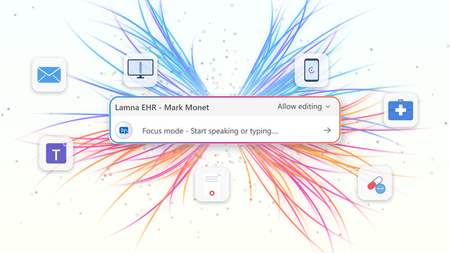
AI where and when you need it with Dragon Copilot's ability to focus
At HIMSS 2026, we showed that the most useful place to apply clinical intelligence is often not in a separate app or side window, but at the cursor, in the field where the clinician is already working. Our last post on this topic described the problem Dragon Copilot's focus capability is designed to solve: clinicians becoming data couriers, moving between windows, copying information from one system into another, and stitching together a day's work across multiple applications. That post looked ahead to what was coming. Now, it's here. What Dragon Copilot's focus capability does Dragon Copilot's focus capability brings AI directly into the text field where clinicians work, whether that's an EHR, a browser, Microsoft Word, SharePoint, or another desktop application. There is no separate application to launch and no workflow to rebuild. Simply place your cursor where you're working, select content if needed, and ask for help using natural language by voice or text. The focus capability works directly within the application you're already using, helping you stay in the flow of work. With focus, Dragon Copilot can: Read content from applications such as an EHR, browser, Microsoft Word, SharePoint, and other desktop applications. Answer questions about selected content and provide responses in context, using information from trusted sources and resources approved by the organization. Surface relevant information and insights without requiring manual searches, copying, or pasting. Generate, edit, and refine text directly where you're working. The experience is conversational and voice-first. Because the focus capability operates directly at the cursor, clinicians can take action without switching applications or rebuilding context. Questions are answered in context using information from the EHR and trusted sources, including resources approved by the organization. Focus in action The following examples illustrate how Dragon Copilot's focus capability helps clinicians read, answer, write, edit and surface information directly within their workflow. Journal and guideline Q&A Highlight a passage from a clinical guideline or journal article and ask: "Summarize the three key takeaways in patient-friendly language for the after-visit summary." The focus capability analyzes the selected content and generates a draft directly where you're working. Answer questions in context Clinicians often have the information they need in front of them but spend valuable time locating or interpreting it. Highlight relevant content and ask: "What does this recommendation mean for a patient with diabetes?" The focus capability reviews the selected information and delivers an answer within the workflow, without requiring clinicians to leave the application. The information is sourced from the EHR, a credible source such as MSD Manual, DailyMed, Medline Plus or from an organization’s internal source. Edit in place Select existing text and ask: "Convert this into a bulleted list." or "Summarize this HPI in two sentences." The focus capability reshapes the content directly where it already exists, helping clinicians refine documentation without disrupting their workflow. Surface relevant information Place your cursor inside a note and ask: "What's the patient's BMI?" The focus capability can retrieve relevant information available in context and return the answer inline, eliminating the need to navigate between screens, search for values, or perform calculations manually. Generate new content Need a referral letter, patient instruction, or summary? Simply ask. The focus capability can generate content directly within the destination field, helping clinicians create documentation where it belongs without copying and pasting between applications. Why this capability matters Bringing AI directly to the cursor is more than a convenience. It's what makes AI practical, visible, and actionable within everyday clinical workflows. Dragon Copilot's focus capability sits in a useful middle ground between ambient AI, which operates largely in the background, and traditional dictation, which requires clinicians to explicitly construct documentation themselves. Outputs are reviewable and editable before being finalized. Actions remain visible within the workflow, providing transparency and control. Clinicians can work without repeatedly navigating between applications or rebuilding context. Because the focus capability operates directly at the cursor, it creates an extensible foundation for future Dragon Copilot experiences and integrations from Microsoft and partners. When Dragon Copilot's focus capability brings AI directly to where clinicians are already working, copying, pasting, and window-switching fall away. Clinicians can access information, generate content, and take action without leaving their workflow, helping them spend less time managing technology and more time focused on patient care. Learn more about Dragon Copilot.Extend clinical workflows with Dragon Copilot AI Apps and Agents in Microsoft Marketplace
GA ANNOUNCEMENT Today, we're excited to announce the General Availability (GA) of Dragon Copilot AI Apps and Agents for physician workflows, a major milestone in building an open and trusted healthcare AI ecosystem. Healthcare organizations can now discover, build, deploy, and manage trusted AI-powered applications and agents that support specialized clinical and operational capabilities through Dragon Copilot. At the same time, partners can use self-service experiences to build, validate, certify, publish, and manage solutions that integrate directly into clinician workflows. Together, these capabilities bring healthcare organizations, clinicians, and partners onto a common platform designed to accelerate innovation while maintaining the trust, transparency, and governance required in healthcare. Why it matters to clinicians Clinicians need relevant insights delivered in the flow of care—not in another disconnected tool. Dragon Copilot AI Apps and Agents can surface specialized intelligence within existing workflows to support coding and documentation, medical decision-making, risk adjustment, prior authorization, diagnostic support, behavioral health screening, and preventive care. Dragon Copilot AI Apps and Agents for physicians provide capabilities for use cases such as: Coding and documentation optimization (Regard, RhythmX AI) Risk adjustment (RAAPID Inc) Prior authorization (Humata Health, Genzeon) Evidence-Based Hyper-Personalized Care Guidance (Atropos Health) Diagnostic support (Coming soon!) Cognitive & behavioral health screening (Canary Speech) Care Gaps & Preventive Health Reminders (Coming soon!) Clinician coaching (Whetstone Health) By bringing the right information into the physician’s existing workflow and using patient data from the EHR and the Dragon ambient context (audio, transcript and clinical note) to make insights more relevant, these capabilities can reduce context switching, streamline administrative work, and help physicians stay focused on patient care while maintaining clinical judgment and control workflows. Why it matters to healthcare organizations Healthcare organizations need a scalable way to expand the value of Dragon Copilot while maintaining enterprise governance. AI Apps and Agents provide access to a growing portfolio of specialized capabilities through a common platform, helping organizations increase return on their Dragon Copilot investment without adding fragmented solutions. Dragon Copilot AI Apps and Agents Helps increase ROI by extending Dragon Copilot across more clinical and operational use cases, seamlessly integrated into workflow Simplify solution discovery and purchase through Microsoft Marketplace Centralize deployment, policy, and lifecycle governance through the Dragon Admin Center Maintain clinician oversight and organizational standards for security, privacy, compliance, and responsible AI Reduce implementation burden with streamlined experiences that require minimal IT lift Build and deploy custom built apps/agents integrated with Dragon Copilot This creates a governed, scalable path to adopt new capabilities faster, making it easier to evaluate solutions, deploy them across teams, manage them consistently, and measure value without unnecessary operational complexity. Why it matters to partners Healthcare AI companies often have valuable, specialized capabilities but face significant complexity bringing them into clinical workflows and deploying them consistently across healthcare organizations. Dragon Copilot AI Apps and Agents give partners a standardized extensibility model for embedding their innovations where clinicians already work. Access ambient, patient and encounter context to deliver more relevant, timely experiences Integrate into the Dragon Copilot experience without building and maintaining bespoke workflow integrations for every customer Use self-service onboarding, technical validation, and applicable compliance certification to accelerate readiness Reach healthcare customers through Microsoft Marketplace and scale deployment through a trusted enterprise platform Build customer confidence with transparent solution information and consistent governance expectations By reducing the friction of workflow integration, distribution, and enterprise deployment, the platform helps partners focus on differentiated clinical value while expanding their reach at scale. Creating a trusted healthcare AI ecosystem Dragon Copilot connects specialized partner capabilities with clinical workflows through a trusted & scalable ecosystem. Streamlined self-service onboarding, package validation, compliance certification, and help partner innovations reach the market faster while giving healthcare organizations confidence to adopt and manage these AI solutions responsibly. “Healthcare moves at the speed of trust. You look at Microsoft and Dragon Copilot, we absolutely trust the combination of Microsoft and Dragon Copilot for industry leading innovation, highly trusted, responsible AI, and delivery at scale, and also the reach with the number of clinicians that Dragon Copilot has. And if you combine all these elements of innovation, your reach, track record, and the trust, that's a perfect recipe for partnership.” — Deepthi Bathina, CEO and Founder, GW RhythmX "I use Dragon Copilot in clinic every day. The extension program let me design, build, and implement the tool I wanted to make me a better clinician. It's never been this easy to be both the user and the builder." — Aaron Reinke, MD, Family Physician and Founder, Whetstone Health Explore the ecosystem For healthcare organizations – discover and deploy Explore how Dragon Copilot AI Apps and Agents on Microsoft Marketplace can deliver specialized AI solutions tailored to your clinical and operational needs through Dragon Copilot. Discover new capabilities, purchaseand deploytrusted solutions, and deliver more value to clinicians without disrupting existing workflows in Dragon Copilot, learn more here. For partners – build and publish Bring your differentiated expertise directly into Physician workflows by creating and publishing AI Apps and Agents that help healthcare organizations address high-value clinical and operational needs. Learn how to build and publish applications and agents Review our open-source code samples and start building today with Dragon Copilot’s extensibility framework and reach healthcare customers through Microsoft Marketplace. Publishyour Dragon offer on Microsoft on Marketplace Looking ahead Dragon Copilot is becoming a trusted destination for specialized healthcare AI—bringing partner innovation directly into familiar clinician workflows. As the ecosystem grows, we will expand support for Radiology and Nursing Apps and Agents, addressing the distinct role-based needs of multiple clinical personas. We will also evolve the end-user experience to be more adaptable, enabling chat-based experiences, richer interactivity, and new ways for clinicians to engage with partner capabilities in the flow of work. Streamlined self-service, transparent governance, and Marketplace distribution will help partners scale secure solutions while giving healthcare organizations confidence to adopt them. Together, we’re helping clinicians spend less time on administration and access the right intelligence at the right moment in care.
Exploring Azure OpenAI Assistants and Azure AI Agent Services: Benefits and Opportunities
In the rapidly evolving landscape of artificial intelligence, businesses are increasingly turning to cloud-based solutions to harness the power of AI. Microsoft Azure offers two prominent services in this domain: Azure OpenAI Assistants and Azure AI Agent Services. While both services aim to enhance user experiences and streamline operations, they cater to different needs and use cases. This blog post will delve into the details of each service, their benefits, and the opportunities they present for businesses. Understanding Azure OpenAI Assistants What Are Azure OpenAI Assistants? Azure OpenAI Assistants are designed to leverage the capabilities of OpenAI's models, such as GPT-3 and its successors. These assistants are tailored for applications that require advanced natural language processing (NLP) and understanding, making them ideal for conversational agents, chatbots, and other interactive applications. Key Features Pre-trained Models: Azure OpenAI Assistants utilize pre-trained models from OpenAI, which means they come with a wealth of knowledge and language understanding out of the box. This reduces the time and effort required for training models from scratch. Customizability: While the models are pre-trained, developers can fine-tune them to meet specific business needs. This allows for the creation of personalized experiences that resonate with users. Integration with Azure Ecosystem: Azure OpenAI Assistants seamlessly integrate with other Azure services, such as Azure Functions, Azure Logic Apps, and Azure Cognitive Services. This enables businesses to build comprehensive solutions that leverage multiple Azure capabilities. Benefits of Azure OpenAI Assistants Enhanced User Experience: By utilizing advanced NLP capabilities, Azure OpenAI Assistants can provide more natural and engaging interactions. This leads to improved customer satisfaction and loyalty. Rapid Deployment: The availability of pre-trained models allows businesses to deploy AI solutions quickly. This is particularly beneficial for organizations looking to implement AI without extensive development time. Scalability: Azure's cloud infrastructure ensures that applications built with OpenAI Assistants can scale to meet growing user demands without compromising performance. Understanding Azure AI Agent Services What Are Azure AI Agent Services? Azure AI Agent Services provide a more flexible framework for building AI-driven applications. Unlike Azure OpenAI Assistants, which are limited to OpenAI models, Azure AI Agent Services allow developers to utilize a variety of AI models, including those from other providers or custom-built models. Key Features Model Agnosticism: Developers can choose from a wide range of AI models, enabling them to select the best fit for their specific use case. This flexibility encourages innovation and experimentation. Custom Agent Development: Azure AI Agent Services support the creation of custom agents that can perform a variety of tasks, from simple queries to complex decision-making processes. Integration with Other AI Services: Like OpenAI Assistants, Azure AI Agent Services can integrate with other Azure services, allowing for the creation of sophisticated AI solutions that leverage multiple technologies. Benefits of Azure AI Agent Services Diverse Use Cases: The ability to use any AI model opens a world of possibilities for businesses. Whether it's a specialized model for sentiment analysis or a custom-built model for a niche application, organizations can tailor their solutions to meet specific needs. Enhanced Automation: AI agents can automate repetitive tasks, freeing up human resources for more strategic activities. This leads to increased efficiency and productivity. Cost-Effectiveness: By allowing the use of various models, businesses can choose cost-effective solutions that align with their budget and performance requirements. Opportunities for Businesses Improved Customer Engagement Both Azure OpenAI Assistants and Azure AI Agent Services can significantly enhance customer engagement. By providing personalized and context-aware interactions, businesses can create a more satisfying user experience. For example, a retail company can use an AI assistant to provide tailored product recommendations based on customer preferences and past purchases. Data-Driven Decision Making AI agents can analyze vast amounts of data and provide actionable insights. This capability enables organizations to make informed decisions based on real-time data analysis. For instance, a financial institution can deploy an AI agent to monitor market trends and provide investment recommendations to clients. Streamlined Operations By automating routine tasks, businesses can streamline their operations and reduce operational costs. For example, a customer support team can use AI agents to handle common inquiries, allowing human agents to focus on more complex issues. Innovation and Experimentation The flexibility of Azure AI Agent Services encourages innovation. Developers can experiment with different models and approaches to find the most effective solutions for their specific challenges. This culture of experimentation can lead to breakthroughs in product development and service delivery. Enhanced Analytics and Insights Integrating AI agents with analytics tools can provide businesses with deeper insights into customer behavior and preferences. This data can inform marketing strategies, product development, and customer service improvements. For example, a company can analyze interactions with an AI assistant to identify common customer pain points, allowing them to address these issues proactively. Conclusion In summary, both Azure OpenAI Assistants and Azure AI Agent Services offer unique advantages that can significantly benefit businesses looking to leverage AI technology. Azure OpenAI Assistants provide a robust framework for building conversational agents using advanced OpenAI models, making them ideal for applications that require sophisticated natural language understanding and generation. Their ease of integration, rapid deployment, and enhanced user experience make them a compelling choice for businesses focused on customer engagement. Azure AI Agent Services, on the other hand, offer unparalleled flexibility by allowing developers to utilize a variety of AI models. This model-agnostic approach encourages innovation and experimentation, enabling businesses to tailor solutions to their specific needs. The ability to automate tasks and streamline operations can lead to significant cost savings and increased efficiency. Additional Resources To further explore Azure OpenAI Assistants and Azure AI Agent Services, consider the following resources: Agent Service on Microsoft Learn Docs Watch On-Demand Sessions Streamlining Customer Service with AI-Powered Agents: Building Intelligent Multi-Agent Systems with Azure AI Microsoft learn Develop AI agents on Azure - Training | Microsoft Learn Community and Announcements Tech Community Announcement: Introducing Azure AI Agent Service Bonus Blog Post: Announcing the Public Preview of Azure AI Agent Service AI Agents for Beginners 10 Lesson Course https://aka.ms/ai-agents-beginners6.2KViews0likes2CommentsLearn How to Build Smarter AI Agents with Microsoft’s MCP Resources Hub
If you've been curious about how to build your own AI agents that can talk to APIs, connect with tools like databases, or even follow documentation you're in the right place. Microsoft has created something called MCP, which stands for Model‑Context‑Protocol. And to help you learn it step by step, they’ve made an amazing MCP Resources Hub on GitHub. In this blog, I’ll Walk you through what MCP is, why it matters, and how to use this hub to get started, even if you're new to AI development. What is MCP (Model‑Context‑Protocol)? Think of MCP like a communication bridge between your AI model and the outside world. Normally, when we chat with AI (like ChatGPT), it only knows what’s in its training data. But with MCP, you can give your AI real-time context from: APIs Documents Databases Websites This makes your AI agent smarter and more useful just like a real developer who looks up things online, checks documentation, and queries databases. What’s Inside the MCP Resources Hub? The MCP Resources Hub is a collection of everything you need to learn MCP: Videos Blogs Code examples Here are some beginner-friendly videos that explain MCP: Title What You'll Learn VS Code Agent Mode Just Changed Everything See how VS Code and MCP build an app with AI connecting to a database and following docs. The Future of AI in VS Code Learn how MCP makes GitHub Copilot smarter with real-time tools. Build MCP Servers using Azure Functions Host your own MCP servers using Azure in C#, .NET, or TypeScript. Use APIs as Tools with MCP See how to use APIs as tools inside your AI agent. Blazor Chat App with MCP + Aspire Create a chat app powered by MCP in .NET Aspire Tip: Start with the VS Code videos if you’re just beginning. Blogs Deep Dives and How-To Guides Microsoft has also written blogs that explain MCP concepts in detail. Some of the best ones include: Build AI agent tools using remote MCP with Azure Functions: Learn how to deploy MCP servers remotely using Azure. Create an MCP Server with Azure AI Agent Service : Enables Developers to create an agent with Azure AI Agent Service and uses the model context protocol (MCP) for consumption of the agents in compatible clients (VS Code, Cursor, Claude Desktop). Vibe coding with GitHub Copilot: Agent mode and MCP support: MCP allows you to equip agent mode with the context and capabilities it needs to help you, like a USB port for intelligence. When you enter a chat prompt in agent mode within VS Code, the model can use different tools to handle tasks like understanding database schema or querying the web. Enhancing AI Integrations with MCP and Azure API Management Enhance AI integrations using MCP and Azure API Management Understanding and Mitigating Security Risks in MCP Implementations Overview of security risks and mitigation strategies for MCP implementations Protecting Against Indirect Injection Attacks in MCP Strategies to prevent indirect injection attacks in MCP implementations Microsoft Copilot Studio MCP Announcement of the Microsoft Copilot Studio MCP lab Getting started with MCP for Beginners 9 part course on MCP Client and Servers Code Repositories Try it Yourself Want to build something with MCP? Microsoft has shared open-source sample code in Python, .NET, and TypeScript: Repo Name Language Description Azure-Samples/remote-mcp-apim-functions-python Python Recommended for Secure remote hosting Sample Python Azure Functions demonstrating remote MCP integration with Azure API Management Azure-Samples/remote-mcp-functions-python Python Sample Python Azure Functions demonstrating remote MCP integration Azure-Samples/remote-mcp-functions-dotnet C# Sample .NET Azure Functions demonstrating remote MCP integration Azure-Samples/remote-mcp-functions-typescript TypeScript Sample TypeScript Azure Functions demonstrating remote MCP integration Microsoft Copilot Studio MCP TypeScript Microsoft Copilot Studio MCP lab You can clone the repo, open it in VS Code, and follow the instructions to run your own MCP server. Using MCP with the AI Toolkit in Visual Studio Code To make your MCP journey even easier, Microsoft provides the AI Toolkit for Visual Studio Code. This toolkit includes: A built-in model catalog Tools to help you deploy and run models locally Seamless integration with MCP agent tools You can install the AI Toolkit extension from the Visual Studio Code Marketplace. Once installed, it helps you: Discover and select models quickly Connect those models to MCP agents Develop and test AI workflows locally before deploying to the cloud You can explore the full documentation here: Overview of the AI Toolkit for Visual Studio Code – Microsoft Learn This is perfect for developers who want to test things on their own system without needing a cloud setup right away. Why Should You Care About MCP? Because MCP: Makes your AI tools more powerful by giving them real-time knowledge Works with GitHub Copilot, Azure, and VS Code tools you may already use Is open-source and beginner-friendly with lots of tutorials and sample code It’s the future of AI development connecting models to the real world. Final Thoughts If you're learning AI or building software agents, don’t miss this valuable MCP Resources Hub. It’s like a starter kit for building smart, connected agents with Microsoft tools. Try one video or repo today. Experiment. Learn by doing and start your journey with the MCP for Beginners curricula.3.9KViews2likes2CommentsA Recap of the Build AI Agents with Custom Tools Live Session
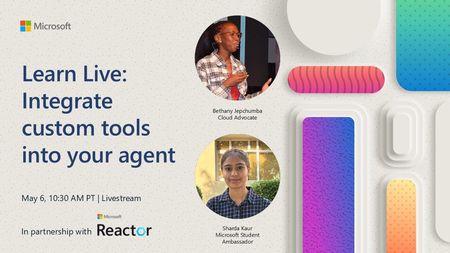
Artificial Intelligence is evolving, and so are the ways we build intelligent agents. On a recent Microsoft YouTube Live session, developers and AI enthusiasts gathered to explore the power of custom tools in AI agents using Azure AI Studio. The session walked through concepts, use cases, and a live demo that showed how integrating custom tools can bring a new level of intelligence and adaptability to your applications. 🎥 Watch the full session here: https://www.youtube.com/live/MRpExvcdxGs?si=X03wsQxQkkshEkOT What Are AI Agents with Custom Tools? AI agents are essentially smart workflows that can reason, plan, and act — powered by large language models (LLMs). While built-in tools like search, calculator, or web APIs are helpful, custom tools allow developers to tailor agents for business-specific needs. For example: Calling internal APIs Accessing private databases Triggering backend operations like ticket creation or document generation Learn Module Overview: Build Agents with Custom Tools To complement the session, Microsoft offers a self-paced Microsoft Learn module that gives step-by-step guidance: Explore the module Key Learning Objectives: Understand why and when to use custom tools in agents Learn how to define, integrate, and test tools using Azure AI Studio Build an end-to-end agent scenario using custom capabilities Hands-On Exercise: The module includes a guided lab where you: Define a tool schema Register the tool within Azure AI Studio Build an AI agent that uses your custom logic Test and validate the agent’s response Highlights from the Live Session Here are some gems from the session: Real-World Use Cases – Automating customer support, connecting to CRMs, and more Tool Manifest Creation – Learn how to describe a tool in a machine-understandable way Live Azure Demo – See exactly how to register tools and invoke them from an AI agent Tips & Troubleshooting – Best practices and common pitfalls when designing agents Want to Get Started? If you're a developer, AI enthusiast, or product builder looking to elevate your agent’s capabilities — custom tools are the next step. Start building your own AI agents by combining the power of: Microsoft Learn Module YouTube Live Session Final Thoughts The future of AI isn't just about smart responses — it's about intelligent actions. Custom tools enable your AI agent to do things, not just say things. With Azure AI Studio, building a practical, action-oriented AI assistant is more accessible than ever. Learn More and Join the Community Learn more about AI Agents with https://aka.ms/ai-agents-beginnersOpen Source Course and Building Agents. Join the Azure AI Foundry Discord Channel. Continue the discussion and learning: https://aka.ms/AI/discord Have questions or want to share what you're building? Let’s connect on LinkedIn or drop a comment under the YouTube video!503Views0likes0Comments
Microsoft Finland - Software Developing Companies monthly community series.
Tervetuloa jälleen mukaan Microsoftin webinaarisarjaan teknologiayrityksille! Microsoft Finlandin järjestämä Software Development monthly Community series on webinaarisarja, joka tarjoaa ohjelmistotaloille ajankohtaista tietoa, konkreettisia esimerkkejä ja strategisia näkemyksiä siitä, miten yhteistyö Microsoftin kanssa voi vauhdittaa kasvua ja avata uusia liiketoimintamahdollisuuksia. Sarja on suunnattu kaikenkokoisille ja eri kehitysvaiheissa oleville teknologiayrityksille - startupeista globaaleihin toimijoihin. Jokaisessa jaksossa pureudutaan käytännönläheisesti siihen, miten ohjelmistoyritykset voivat hyödyntää Microsoftin ekosysteemiä, teknologioita ja kumppanuusohjelmia omassa liiketoiminnassaan. Huom. Microsoft Software Developing Companies monthly community webinars -webinaarisarja järjestetään Cloud Champion -sivustolla, josta webinaarit ovat kätevästi saatavilla tallenteina pari tuntia live-lähetyksen jälkeen. Muistathan rekisteröityä Cloud Champion -alustalle ensimmäisellä kerralla, jonka jälkeen pääset aina sisältöön sekä tallenteisiin käsiksi. Pääset rekisteröitymään, "Register now"-kohdasta. Täytä tietosi ja valitse Distributor kohtaan - Other, mikäli et tiedä Microsoft-tukkurianne. Webinaarit: 29.5.2026 klo 09.00–09.30 Vibe Coding & Github Copilot Tervetuloa SDC Community Monthly ‑webinaariin. Vibe Coding ja GitHub Copilot muuttavat ohjelmistokehitystä, koodista tulee nopeammin syntyvää, iteratiivisempaa ja tiiviimmin liiketoimintaa tukevaa. Tässä sessiossa käymme läpi, mitä Vibe Coding käytännössä tarkoittaa ja miten GitHub Copilot toimii sen ytimessä. Näet, miten GitHub Copilot vauhdittaa kehitystä, parantaa tuottavuutta ja mahdollistaa nopeamman ideasta toteutukseen etenemisen. Näytämme käytännön esimerkkejä siitä, miten kehittäjät ja jopa ei-tekniset roolit voivat hyödyntää Copilotia modernissa kehitystyössä. Ilmoittaudu mukaan: Microsoft Finland – Software Developing Companies monthly community series – Vibe Coding & GitHub Copilot – Finland Cloud Champion Puhujat: Juha Karvonen, Sr Partner Tech Strategist Mikko Marttinen, Sr Partner Development Manager, Microsoft 24.4.2026 klo 09.00–09.30 Marketplace ja Resale Enabled Offers (REO) Tervetuloa SDC Community Monthly ‑webinaariin. Kasvua Azure Marketplace ‑kanavan kautta – tehokkaammin REO‑mallilla. Tämän kuukauden aiheena on REO (Resale Enabled Offers), ja käymme läpi, mitä REO käytännössä tarkoittaa, milloin sitä kannattaa käyttää ja mitä se muuttaa kumppaneille. Käsittelemme aihetta yhdessä Partner Solution Sales Manager Veli Myllylän kanssa. Opit, miten Resale Enabled Offers (REO) mahdollistaa kanavakumppaneiden myydä Marketplace‑tarjouksiasi puolestasi ja miten tämä vauhdittaa co‑sell‑kauppoja, skaalaa myyntiä ja tukee Azure‑kulutusta. Ilmoittaudu mukaan: Microsoft Finland – Software Developing Companies monthly community series – Marketplace ja Resale Enabled Offers (REO) – Finland Cloud Champion Puhujat Mikko Marttinen, Sr Partner Development Manager, Microsoft Veli Myllylä, Partner Solutions Sales Manager Microsoft, Microsoft 27.3.2026 klo 09:00-09:30 - Agent Factory Microsoft Foundryllä – miten rakennat ja viet AI-agentteja tuotantoon AI‑agentit ovat nopeasti nousemassa enterprise‑ohjelmistojen keskeiseksi rakennuspalikaksi, mutta monilla organisaatioilla haasteena on agenttien vieminen tuotantoon asti. Todellinen kilpailuetu syntyy siitä, miten agentit rakennetaan hallitusti, integroidaan osaksi kokonaisarkkitehtuuria ja skaalataan luotettavasti. Tässä webinaarissa käymme läpi ja näytämme käytännön demolla, miten AI-agentti rakennetaan Microsoft Foundry:n Agent Service -palvelulla. Näytämme miten agentin rooli ja ohjeet määritellään, miten agentille liitetään tietolähteitä ja työkaluja sekä katsomme miten tämä asemoituu Microsoft Agent Factoryyn. Katso nauhoite: Microsoft Finland – Software Developing Companies monthly community series: Agent Factory Microsoft Foundryllä – miten rakennat ja viet AI-agentteja tuotantoon – Finland Cloud Champion Puhujat: Mikko Marttinen, Sr Partner Development Manager, Microsoft Veli Myllylä, Partner Solutions Sales Manager, 27.2.2026 klo 09:00-09:30 - M-Files polku menestykseen yhdessä Microsoftin kanssa Mitä globaalin kumppanuuden rakentaminen M-Files:in ja Microsoft:in välillä on vaatinut – ja mitä hyötyä siitä on syntynyt? Tässä webinaarissa kuulet insiderit suoraan M-Filesin Kimmo Järvensivulta, Stategic Alliances Director: miten kumppanuus Microsoft kanssa on rakennettu, mitä matkalla on opittu ja miten yhteistyö on vauhdittanut kasvua. M-Files on älykäs tiedonhallinta-alusta, joka auttaa organisaatioita hallitsemaan dokumentteja ja tietoa metatiedon avulla sijainnista riippumatta. Se tehostaa tiedon löytämistä, parantaa vaatimustenmukaisuutta ja tukee modernia työtä Microsoft-ekosysteemissä. Tule kuulemaan, mitä menestyksekäs kumppanuus todella vaatii, ja miten siitä tehdään strateginen kilpailuetu. Katso nauhoite: Microsoft Finland – Software Developing Companies Monthly Community Series – M-Files polku menestykseen yhdessä Microsoftin kanssa – Finland Cloud Champion Asiantuntijat: Kimmi Järvensivu, Strategic Alliances Director, M-Files Mikko Marttinen, Sr Partner Development Manager, Microsoft Eetu Roponen, Sr Partner Development Manager, Microsoft 30.1.2026 klo 09:00-09:30 - Model Context Protocol (MCP)—avoin standardi, joka mullistaa AI-integraatiot Webinaarissa käymme läpi, mikä on Model Context Protocol (MCP), miten se mahdollistaa turvalliset ja skaalautuvat yhteydet AI‑mallien ja ulkoisten järjestelmien välillä ilman räätälöityä koodia, mikä on Microsoftin lähestyminen MCP‑protokollan hyödyntämiseen sekä miten softayritykset voivat hyödyntää MCP‑standardin tarjoamia liiketoimintamahdollisuuksia. Webinaarissa käymme läpi: Mikä MCP on ja miksi se on tärkeä nykyaikaisissa AI‑prosesseissa Kuinka MCP vähentää integraatioiden monimutkaisuutta ja nopeuttaa kehitystä Käytännön esimerkkejä Webiinarin asiaosuus käydään läpi englanniksi. Katso nauhoite: 30.1.2026 klo 09:00-09:30 – Model Context Protocol (MCP)—avoin standardi, joka mullistaa AI-integraatiot – Finland Cloud Champion Asiantuntijat: Massimo Caterino, Kumppaniteknologiastrategisti, Microsoft Europe North Mikko Marttinen, Sr Partner Development Manager, Microsoft Eetu Roponen, Sr Partner Development Manager, Microsoft 12.12. klo 09:00-09:30 - Mitä Suomen Azure-regioona tarkoittaa ohjelmistotaloille? Microsoftin uusi datakeskusalue Suomeen tuo pilvipalvelut lähemmäksi suomalaisia ohjelmistotaloja – olipa kyseessä startup, scaleup tai globaali toimija. Webinaarissa pureudumme siihen, mitä mahdollisuuksia uusi Azure-regioona avaa datan sijainnin, suorituskyvyn, sääntelyn ja asiakasvaatimusten näkökulmasta. Keskustelemme muun muassa: Miten datan paikallinen sijainti tukee asiakasvaatimuksia ja sääntelyä? Mitä hyötyä ohjelmistotaloille on pienemmästä latenssista ja paremmasta suorituskyvystä? Miten Azure-regioona tukee yhteismyyntiä ja skaalautumista Suomessa? Miten valmistautua teknisesti ja kaupallisesti uuden regioonan avaamiseen? Puhujat: Fama Doumbouya, Sales Director, Cloud Infra and Security, Microsoft Mikko Marttinen, Sr Partner Development Manager, Microsoft Eetu Roponen, Sr Partner Development Manager, Microsoft Katso nauhoite: Microsoft Finland – Software Developing Companies Monthly Community Series – Mitä Suomen Azure-regioona tarkoittaa ohjelmistotaloille? – Finland Cloud Champion 28.11. klo 09:00-09:30 - Pilvipalvelut omilla ehdoilla – mitä Microsoftin Sovereign Cloud tarkoittaa ohjelmistotaloille? Yhä useampi ohjelmistotalo kohtaa vaatimuksia datan sijainnista, sääntelyn noudattamisesta ja operatiivisesta kontrollista – erityisesti julkisella sektorilla ja säädellyillä toimialoilla. Tässä webinaarissa pureudumme siihen, miten Microsoftin uusi Sovereign Cloud -tarjonta vastaa näihin tarpeisiin ja mitä mahdollisuuksia se avaa suomalaisille ohjelmistoyrityksille. Keskustelemme muun muassa: Miten Sovereign Public ja Private Cloud eroavat ja mitä ne mahdollistavat? Miten datan hallinta, salaus ja operatiivinen suvereniteetti toteutuvat eurooppalaisessa kontekstissa? Mitä tämä tarkoittaa ohjelmistoyrityksille, jotka rakentavat ratkaisuja julkiselle sektorille tai säädellyille toimialoille? Puhujat: Juha Karppinen, National Security Officer, Microsoft Mikko Marttinen, Sr Partner Development Manager, Microsoft Eetu Roponen, Sr Partner Development Manager, Microsoft Katso nauhoite: Microsoft Finland – Software Developing Companies Monthly Community Series – Pilvipalvelut omilla ehdoilla – mitä Microsoftin Sovereign Cloud tarkoittaa ohjelmistotaloille? – Finland Cloud Champion 31.10. klo 09:00-09:30 - Kasvua ja näkyvyyttä ohjelmistotaloille – hyödynnä ISV Success ja Azure Marketplace rewards -ohjelmia Tässä webinaarissa pureudumme ohjelmistotaloille suunnattuihin Microsoftin keskeisiin kiihdytinohjelmiin, jotka tukevat kasvua, skaalautuvuutta ja kansainvälistä näkyvyyttä. Käymme läpi, miten ISV Success -ohjelma tarjoaa teknistä ja kaupallista tukea ohjelmistoyrityksille eri kehitysvaiheissa, ja miten Azure Marketplace toimii tehokkaana myyntikanavana uusien asiakkaiden tavoittamiseen. Lisäksi esittelemme Marketplace Rewards -edut, jotka tukevat markkinointia, yhteismyyntiä ja asiakashankintaa Microsoftin ekosysteemissä. Webinaari tarjoaa: Konkreettisia esimerkkejä ohjelmien hyödyistä Käytännön vinkkejä ohjelmiin liittymiseen ja hyödyntämiseen Näkemyksiä siitä, miten ohjelmistotalot voivat linjata strategiansa Microsoftin tarjoamiin mahdollisuuksiin Puhujat: Mikko Marttinen, Sr Partner Development Manager, Microsoft Eetu Roponen, Sr Partner Development Manager, Microsoft Nauhoite: Microsoft Finland – Software Developing Companies Monthly Community Series – Kasvua ja näkyvyyttä ohjelmistotaloille – hyödynnä ISV Success ja Azure Marketplace rewards -ohjelmia – Finland Cloud Champion 3.10. klo 09:00-09:30 - Autonomiset ratkaisut ohjelmistotaloille – Azure AI Foundry ja agenttiteknologioiden uudet mahdollisuudet Agenttiteknologiat mullistavat tapaa, jolla ohjelmistotalot voivat rakentaa älykkäitä ja skaalautuvia ratkaisuja. Tässä webinaarissa tutustumme siihen, miten Azure AI Foundry tarjoaa kehittäjille ja tuoteomistajille työkalut autonomisten agenttien rakentamiseen – mahdollistaen monimutkaisten prosessien automatisoinnin ja uudenlaisen asiakasarvon tuottamisen. Kuulet mm. Miten agenttiteknologiat muuttavat ohjelmistokehitystä ja liiketoimintaa. Miten Azure AI Foundry tukee agenttien suunnittelua, kehitystä ja käyttöönottoa. Miten ohjelmistotalot voivat hyödyntää agentteja kilpailuetuna. Puhujat: Juha Karvonen, Sr Partner Tech Strategist Mikko Marttinen, Sr Partner Development Manager, Microsoft Eetu Roponen, Sr Partner Development Manager, Microsoft Katso nauhoite täältä: Microsoft Finland – Software Developing Companies Monthly Community Series – Autonomiset ratkaisut ohjelmistotaloille – Azure AI Foundry ja agenttiteknologioiden uudet mahdollisuudet – Finland Cloud Champion 5.9.2025 klo 09:00-09:30 - Teknologiayritysten ja Microsoftin prioriteetit syksylle 2025. Tervetuloa jälleen mukaan Microsoftin webinaarisarjaan teknologiayrityksille! Jatkamme sarjassa kuukausittain pureutumista siihen, miten yhteistyö Microsoftin kanssa voi vauhdittaa kasvua ja avata uusia mahdollisuuksia eri vaiheissa oleville ohjelmistotaloille – olipa yritys sitten start-up, scale-up tai globaalia toimintaa harjoittava. Jokaisessa jaksossa jaamme konkreettisia esimerkkejä, näkemyksiä ja strategioita, jotka tukevat teknologia-alan yritysten liiketoiminnan kehitystä ja innovaatioita. Elokuun lopun jaksossa keskitymme syksyn 2025 prioriteetteihin ja uusiin mahdollisuuksiin, jotka tukevat ohjelmistoyritysten oman toiminnan suunnittelua, kehittämistä ja kasvun vauhdittamista. Käymme läpi, mitkä ovat Microsoftin strategiset painopisteet tulevalle tilikaudelle – ja ennen kaikkea, miten ohjelmistotalot voivat hyödyntää niitä omassa liiketoiminnassaan. Tavoitteena on tarjota kuulijoille selkeä ymmärrys siitä, miten oma tuote, palvelu tai markkinastrategia voidaan linjata ekosysteemin kehityksen kanssa, ja miten Microsoft voi tukea tätä matkaa konkreettisin keinoin. Puhujat: Mikko Marttinen, Sr Partner Development Manager, Microsoft Eetu Roponen, Sr Partner Development Manager, Microsoft Katso nauhoitus täältä: Teknologiayritysten ja Microsoftin prioriteetit syksylle 2025. – Finland Cloud Champion579Views0likes0CommentsThe Agent Era Has Already Arrived in Healthcare. Are You Ready to Govern It?
Start here. Answer honestly. Right now, how many AI agents are running inside your organization? Who built them? Which patient data, claims information, or proprietary research are they configured to access? If your CISO walked into your office tomorrow and asked for a complete inventory of every agent in your enterprise, including each one's owner, the systems it is permitted to access, and the policies that govern how it operates, could you produce that inventory before lunch? When the analyst who built that clinical summarization agent moves to a new role next quarter, what happens to the agent? Does its access continue? Does anyone notice? If a regulator opened an audit tomorrow, could you prove that every AI agent operating in your environment is subject to the same lifecycle controls, identity standards, and data protection policies you apply to your human workforce? Could you disable a compromised agent enterprise-wide with a single click, the same way you would revoke a lost access credential? If those questions made you hesitate, you are not alone. Almost no healthcare or life sciences organization can answer them confidently today. And that gap is exactly where the next decade of risk, and the next decade of competitive advantage, will be decided. The quiet crisis nobody talks about yet Healthcare and life sciences leaders are caught in a paradox. You need AI to survive the operational pressures squeezing your organization from every direction. Physician burnout is at crisis levels, with 45.2% of US physicians reporting symptoms in recent Mayo Clinic research. Revenue cycle complexity continues to climb, and McKinsey now estimates that the cost to collect consumes 30 to 60 percent of net patient revenue at many provider organizations. Prior authorization backlogs delay care. Clinical trial timelines stretch into years. Documentation burden eats hours that belong to patients. So you started piloting Microsoft 365 Copilot. You experimented with agents in Copilot Studio. Maybe a clinical team built an agent to draft discharge summaries. A revenue cycle group spun up an agent to triage denials. A medical affairs team built one to comb through literature. Each one delivered value. Each one was approved on its own merits. And then a quiet thing happened. You lost track of how many agents you have. According to KPMG's AI Quarterly Pulse Survey, 88 percent of organizations are now exploring or piloting AI agents. IDC projects that 1.3 billion agents will be in operation by 2028. Inside your own walls, the number is climbing fast. Each new agent is a digital identity that authenticates into your environment, accesses your data, and executes work on behalf of your business. Most have no formal owner. Most have no documented access scope. Most have no decommissioning plan. Most have never been reviewed by Compliance. Microsoft's 2024 Data Security Index found that 84 percent of organizations lack confidence in their AI data security posture, and 40 percent have already experienced an AI related data security incident. That is not a future problem. That is a now problem. If shadow IT was the defining governance challenge of the last decade, agent sprawl is the defining challenge of this one. And in healthcare and life sciences, where ePHI, member PII, and proprietary clinical trial data are at stake, the consequences are not theoretical. They are existential. The reframe that changes everything Here is the counterintuitive truth that separates HLS organizations that scale AI from those stuck in pilot purgatory. Governance is not the brake on AI adoption. Governance is the accelerator. When security, identity, and agent oversight are engineered in from day one, your teams stop tiptoeing. They build with confidence because the guardrails are real. They expand into clinical use cases because Compliance trusts the foundation. They scale wall-to-wall because IT can prove every agent is accounted for. The organizations that lead with trust end up moving faster in the long run, not slower. This is the bet behind Microsoft Agent 365 and Microsoft 365 E7. What Agent 365 and Microsoft 365 E7 actually are Microsoft 365 E7, announced March 6, 2026 and now generally available, is the Frontier Suite. It is Microsoft's answer to a single question that every healthcare CIO, CISO, and COO is wrestling with: how do you run AI safely, at scale, across an entire organization? E7 is not another SKU on top of your existing stack. It is one cohesive platform that brings together four essential capabilities: Microsoft 365 E5 for your enterprise productivity, collaboration, and security foundation, including Microsoft Defender, Microsoft Purview, and Microsoft Intune. Microsoft 365 Copilot for AI grounded in your organizational data through Work IQ, embedded in the flow of work for clinicians, researchers, operations teams, and administrators. Microsoft Entra Suite for identity governance, Conditional Access, and Zero Trust network access, extended consistently across users, applications, and AI agents. Microsoft Agent 365 as the centralized control plane to observe, govern, and secure every AI agent, whether built by Microsoft, your internal teams, or external partners. Agent 365 is also available as a standalone capability. But the magic happens when it works alongside the rest of E7, because that is where AI, identity, security, and governance stop being separate disciplines and become one operating system for the agentic era. The mental model that unlocks everything: agents are first-class digital identities Here is the simplest way to understand what Agent 365 does. Microsoft 365 governs your enterprise identities. Agent 365 governs your agent identities. The same control plane disciplines apply to both. Think about the rigor you apply to any privileged identity in your environment, whether a service account, an API integration, or a third-party application connector. You issue it a unique identity in Microsoft Entra. You assign a human owner who is accountable. You scope its access to least privilege. You apply DLP, sensitivity labels, and Conditional Access. You monitor for anomalous behavior. You have a documented decommissioning path. Identities that no one watches over become identities that get exploited. Now ask yourself how the last AI agent in your environment was created. The honest answer at most organizations: someone opened Copilot Studio, pointed it at a SharePoint library of clinical protocols, gave it a name, and moved on. No documented owner. No access review. No retirement plan. Compliance was never consulted. You would never stand up a privileged service account that way. Yet that is exactly how most organizations are standing up the fastest-growing class of digital identities in their environment. Agent 365 closes that gap by extending the identity, security, and lifecycle controls you already trust for users and applications so they apply with the same rigor to AI agents. Every agent receives a unique Entra Agent ID, a first-class identity in Azure AD with the same governance primitives as any other privileged identity. Every agent has a designated human owner who is accountable for its scope and behavior. Access is granted explicitly through Conditional Access and policy templates, so each agent operates only against the resources its purpose requires. Microsoft Purview DLP and sensitivity labels govern which data the agent is permitted to read, generate, or share. Microsoft Defender monitors agent activity for anomalies and surfaces alerts the same way it does for any other identity-driven risk. Lifecycle rules flag or auto-retire agents that are dormant, orphaned, or risky, eliminating the unowned automations that quietly accumulate in every enterprise. This is not metaphor. It is the actual architecture. The fastest path to governing agents is to extend the identity infrastructure you already trust. The three pillars of Agent 365: Observe, Govern, Secure Pillar 1: Observe. Know what is actually happening. You cannot govern what you cannot see. The first job of Agent 365 is to give you complete, continuous visibility into every AI agent operating in your environment. The Agent Registry is the single authoritative inventory of every agent, whether built by Microsoft, custom developed by your team, deployed by a partner, or discovered as a shadow agent operating without oversight. Each entry shows the owner, purpose, capabilities, lifecycle status, and business context. Agent Analytics tracks adoption, quality, performance, and business impact. Agent Map visualizes how agents connect with other agents, people, tools, and data sources, surfacing dependencies and risk concentrations you would never spot in a spreadsheet. Real time monitoring flows directly into Microsoft Defender, so unusual agent behavior generates alerts the same way unusual user behavior does today. For a health system CISO, that means finally being able to answer the question: which agents are touching ePHI, and is every one of them authorized? For a life sciences compliance officer, it means audit ready visibility into every AI system operating across R&D, regulatory affairs, and commercial. For a payer operations leader, it means knowing which claims processing agents are actually delivering accuracy and throughput, and which are quietly underperforming. Pillar 2: Govern. Set the rules. Control the lifecycle. Visibility is the start. Control is what turns visibility into outcomes. Agent 365 ensures that every agent is approved, compliant, and accountable from creation through retirement. IT led onboarding workflows make sure each agent launches with the right identity, access, and ownership before it ever touches data. Policy templates enforce data handling, permission, and usage rules consistently from day one through Defender, Entra, and Purview. Rules based agent management gives admins an automated If This Then That interface. If an agent is unused for 90 days, auto retire it. If an agent is flagged as risky, block it and alert the security operations team. No human in the loop required for the routine cases, full alerting and override for the exceptions. Ownership enforcement requires every agent to have a designated human owner. When that owner leaves the organization, the platform flags the orphaned agent for bulk reassignment, so nothing operates without clear accountability. The Tools Gateway brokers and audits tool access for agents, enabling least privilege at the action level, not just the identity level. For HLS specifically, that translates to outcomes you can take to your board. A hospital CIO can ensure any agent touching Epic or Cerner goes through standardized approval. A pharma IT director can enforce that clinical trial matching agents only touch de identified data unless elevated permissions are explicitly granted and documented. A payer compliance team can automatically retire agents tied to a completed open enrollment campaign instead of letting them silently expand the attack surface. Pillar 3: Secure. Protect agents and data with the stack you already trust. The final pillar is what makes Agent 365 production grade for healthcare and life sciences. Security and compliance are not bolted on. They are the same proven Microsoft security stack you already run for your users, extended natively to agents. Microsoft Purview, your data security and compliance backbone: Data Security Posture Management for AI gives visibility into how agents interact with sensitive data and detects risky usage patterns. Data Loss Prevention stops agents from accessing or processing files labeled Highly Confidential, even when a user prompts them to. Sensitivity labels are inherited automatically by agent outputs, governing how data is viewed, extracted, or shared downstream. Insider Risk Management detects risky behavior by users interacting with agents, such as unusual prompt patterns or excessive access to sensitive data. Communication Compliance monitors AI driven interactions for regulatory or ethical violations and unauthorized disclosures. eDiscovery and Audit logs every agent interaction, giving legal, compliance, and IT teams the transparency required for HIPAA, GDPR, and FDA 21 CFR Part 11. Oversharing Assessments run weekly checks for sensitive data exposure across SharePoint sites and agent access patterns. Microsoft Entra, your identity control plane: Entra Agent ID gives every agent a unique identity in Azure AD, so Conditional Access, role based access, and risk based policies apply individually. Conditional Access for agents enforces policies like only allow this prior authorization agent to access claims data from approved devices and locations during business hours. Identity Governance provides access packages for agents with reduced scope permissions and least privilege defaults. Block at Scale lets you instantly disable all high-risk agents from Entra in a single action. Microsoft Defender, your threat protection layer: Security Posture Management identifies and remediates agent misconfigurations, such as agents running with no authentication. Threat Detection and Blocking monitors suspicious agent activity, generates alerts, and blocks unauthorized tool invocations. Threat Investigation and Hunting collects unified agent observability logs so SOC teams can forensically trace every action an agent took. One Click Kill Switch instantly disables any agent and surfaces the complete audit trail of every action it took before being stopped. For a hospital security operations team, that means the same DLP policies protecting patient records in email and Teams now protect agents that summarize clinical notes. For a life sciences data protection officer, it means agents accessing proprietary compound data respect the same sensitivity labels as human researchers. For a payer CISO, it means an anomalous claims agent can be killed in seconds, with a complete forensic record of every member record it touched. Why this only works as an integrated platform Individual capabilities are useful. Integration is what makes them transformative. Here is the contrast HLS leaders feel today versus what changes the moment E7 lights up. Without an integrated platform, you operate with: Fragmented tools for identity, security, compliance, and AI, each with its own console and its own gaps. No centralized agent inventory, forcing your IT and security teams to track bots and automations in spreadsheets. Inconsistent policy enforcement across agents, creating compliance gaps every audit team will eventually find. Blind spots where agents access data, invoke tools, or interact with other agents without any oversight. Manual triage when an incident hits, because nothing connects user identity, agent identity, and data classification in one view. With Microsoft 365 E7, you gain: A Unified Agent Registry providing a single source of truth for every agent, whether Microsoft built, custom developed, partner deployed, or shadow discovered. Entra Agent ID giving each agent a unique identity, so Conditional Access, role based access, and risk based policies apply at the individual agent level. Full lifecycle governance with standardized onboarding, periodic review, ownership transfers, auto retirement of dormant agents, and structured offboarding. Policy by design, where Purview DLP, sensitivity labels, and compliance rules extend to all agent interactions through pre built templates applied consistently from day one. One click disable to instantly freeze any agent, with Defender threat detection extended to agents and full audit trails for forensic investigation. Expanded threat coverage that addresses agent sprawl, overprivileged access, tool misuse, misconfiguration, and inter agent risk patterns no legacy tool was designed to see. Shared registry and controls that let IT, Security, and Compliance reference the same authoritative inventory across Defender, Entra, and Purview, eliminating the silos that slow incident response. This is the reason E7 exists as a platform, not a bundle. AI, identity, security, and governance stop being separate disciplines and start operating as one system. What this is actually worth: the Forrester numbers Microsoft commissioned Forrester to conduct a Total Economic Impact study of Microsoft 365 Copilot, published in March 2025. The composite organization in that study, modeled on real customer interviews, achieved: 132 percent three-year ROI with payback in under one year. 9 hours saved per Copilot user per month through automation of routine work like drafting, summarizing, and analysis. Up to 2.6 percent top line revenue lift through better qualified opportunities, improved win rates, and stronger retention in customer facing teams. 25 percent acceleration in new employee onboarding as new hires ramp faster on summarized institutional knowledge. Those are the verified numbers. The bigger story for HLS is what they look like when applied to clinical, claims, and research workflows where every reclaimed hour is an hour that goes back to patients, members, or science. AI is already defending AI The same agentic capabilities transforming clinical and operational workflows are now embedded in your security stack. Microsoft Security Copilot agents work alongside human analysts inside Defender, Entra, Purview, and Intune, accelerating threat response and absorbing the manual load that today drowns most security operations teams. Independent benchmarks back the impact. In a 162 admin randomized study published in 2025, the Conditional Access Optimization Agent in Microsoft Entra completed configuration tasks 43 percent faster and produced 48 percent more accurate Conditional Access policies than admins working without it. Security triage, alert investigation, and identity hygiene are following the same trajectory. For HLS security teams already stretched thin, that is hours reclaimed every week to focus on the threats that actually matter, with the same Agent 365 governance applying to the security agents themselves. The defenders are governed by the same rules as the workforce they defend. How HLS organizations are putting Agent 365 to work Here is how the value shows up across the three biggest HLS segments. For providers: reclaiming time for care The challenge: clinicians spend more time on documentation than on patients. Care coordination is fragmented. Burnout is gutting retention. The strategy: deploy agents that absorb administrative load while Agent 365 ensures every one of them respects ePHI boundaries. Clinical documentation agents integrated with Microsoft Dragon Copilot structure dictation against EHR requirements, apply billing codes, and flag missing elements before submission. Care coordination agents generate care plans, allocate tasks, and surface relevant patient context during multidisciplinary rounds, optimized for HL7 FHIR interoperability. Patient intake and scheduling agents built in Copilot Studio handle appointment booking, reminders, eligibility verification, and referral management. Handoff and shift summary agents pull from multiple systems to generate complete handoff summaries for nurses and physicians transitioning between shifts, reducing communication gaps that drive adverse events. The aha moment: applied across a 10,000 employee health system, nine hours per user per month is more than one million reclaimed hours a year. That is the equivalent of hundreds of full time clinicians, returned to direct patient care, with every agent governed under the same Conditional Access and DLP policies your IT team already manages today. For payers: transforming revenue cycle and member experience The challenge: prior auth backlogs delay care. Denial rates climb. Member services teams drown in volume. The strategy: agentic AI rewires the most expensive, most manual workflows in your operation while Agent 365 keeps every agent inside the lines on member PII. Prior authorization agents autonomously gather clinical documentation, cross reference medical policy, determine approval criteria, and route decisions, accelerating turnaround from days to hours. Claims processing agents automate billing and denial management. With cost to collect running 30 to 60 percent of net patient revenue at many organizations, even modest automation produces material margin recovery. Denial resolution and appeals agents analyze denial patterns, surface root causes, generate appeal documentation, and track success rates over time, turning a cost center into a continuous improvement engine. Member services agents integrated with Microsoft 365 Copilot Chat handle benefits inquiries, claims status, and self service triage, deflecting call volume and improving first contact resolution. Fraud detection and risk adjustment agents scan claims data for anomalies and optimize coding accuracy for Medicare Advantage and ACA populations. The aha moment: a payer CISO can disable an anomalous prior auth agent in one click and produce a complete forensic record of every member record it accessed, while Compliance simultaneously confirms the agent never violated DLP. That is regulatory readiness that legacy automation cannot deliver. For life sciences and pharma: accelerating discovery and commercialization The challenge: clinical trials take years. Regulatory submissions consume teams. Medical affairs cannot keep up with literature volume. The strategy: orchestrate agents across R&D, regulatory, medical, and commercial, with Agent 365 enforcing the data classification rules that proprietary IP and clinical data demand. Clinical trial matching agents scan patient profiles and eligibility criteria to surface trial opportunities, accelerating recruitment. Regulatory document preparation agents assemble submissions, cross reference data across modules, and ensure consistency in FDA, EMA, and global filings. Medical research and literature review agents powered by Microsoft GraphRAG retrieve research backed insights with verified source references, giving medical science liaisons trustworthy synthesis on demand. Pharmacovigilance agents monitor safety databases, flag potential adverse events, and generate timely case reports. Commercial insights and launch planning agents synthesize market data, payer policy, and HCP sentiment for sharper launch and field strategy. The aha moment: cutting even three months off a regulatory cycle on a single high revenue product can mean tens of millions in additional sales, while Purview sensitivity labels guarantee every agent accessing proprietary compound data respects the same data classification as your senior researchers. A phased path that actually works in regulated industries In regulated industries, a big bang AI rollout is a recipe for incidents. The HLS organizations getting this right are following a five-phase pattern that builds expertise and validates governance before scale. Establish. Form a cross-functional champion team across IT, Compliance, Clinical Operations, and Research. Define what risks you are mitigating and what outcomes you are unlocking. Inventory the agents already in flight. Configure. Stand up identity, DLP, and policy templates in Microsoft 365 Admin Center, Power Platform Admin Center, and Microsoft Purview. Enforce that any agent handling PHI runs in a secure environment with audit logging on by default. Pilot. Choose a small group of makers in a controlled environment. Start with non-critical workflows like internal reporting or scheduling before moving to clinical or member facing use cases. Run weekly reviews with Compliance and Security. Empower. Launch role specific training for clinicians, researchers, makers, and IT. Stand up a Center of Excellence to provide templates, best practices, and reusable patterns. Promote success stories internally to build momentum. Scale. Expand agent development across departments with governance as a guardrail, not a gate. Use pay as you go metering to track usage and optimize licensing. Refine policies continuously based on Purview signals and audit results. The strategic insight: organizations that lead with governance reach scale faster than those that lead with experimentation. Trust is the unlock, not the obstacle. Governance is a team sport Here is the pattern we see again and again. The HLS organizations that succeed with AI at scale are not the ones with the smartest IT shop or the boldest Compliance officer. They are the ones whose IT, Security, Compliance, Clinical, Research, and Operations leaders sit at the same table on agent strategy from week one. Agent 365 was designed for that table. The Agent Registry is the shared truth. Purview policies satisfy your Compliance officer. Entra controls reassure your CISO. The lifecycle workflows give your CIO confidence. The clinical and research outcomes give your COO and Chief Medical Officer the business case. Everyone gets the view they need from the same single source. Stand up an agent governance council. Meet every two weeks. Use the Agent Registry as your standing agenda. Make decisions in plain sight. The organizations that do this consistently outperform on both speed and safety. The ones that try to keep AI inside a single function fall behind on both. Who contributes what Think back to the mental model. You would never let a single function authorize, configure, and oversee a new privileged system on its own, not when it touches ePHI, claims, or proprietary research. Security, IT, Compliance, Clinical, and the relevant business owner all weigh in because the stakes are too high for any one seat to carry alone. Agent governance demands the same multidisciplinary scrutiny, and the council is where that happens. Each seat brings something the others cannot. CIO. Owns the agent strategy and the platform investment. Translates board-level AI ambition into an operating model the rest of the organization can execute against. CISO and Security Operations. Define agent identity standards, Conditional Access policies, and incident response playbooks. Without this seat, an anomalous agent touching ePHI becomes a breach instead of a contained event. Chief Compliance Officer and Privacy. Translate HIPAA, GDPR, FDA 21 CFR Part 11, and state regulations into Purview policies and audit requirements. This is the seat that keeps you out of an OCR investigation or a 483 letter. Chief Medical Officer and Clinical Operations. Validate that clinical agents are safe, accurate, and aligned with care standards. Own the clinical risk review for any agent that touches patient care, the same way you would for a new clinical protocol. Chief Research Officer or Head of R&D. Govern how agents interact with proprietary trial data, compound libraries, and scientific IP. The seat that protects the next decade of pipeline value. COO and Revenue Cycle Leadership. Prioritize the operational workflows where agents will move the needle on cost to collect, denial rates, and throughput, and own the business outcomes that justify the investment. Center of Excellence Lead. Maintains templates, reusable patterns, and maker enablement. Turns every council decision into a guardrail builders can actually use the next morning. Frontline champions. Clinicians, claims specialists, and researchers who pilot, give feedback, and carry credibility back to their peers. The seat that decides whether agents get adopted or quietly ignored. When every one of these voices is in the room, your governance council operates like a tumor board for AI. Different lenses, one shared decision, full accountability. That is how regulated industries make complex calls safely, and it is exactly the muscle Agent 365 was built to support. Seven questions to bring to your next leadership meeting If you want to know whether your organization is ready, run through these together. The places you hesitate are exactly where Agent 365 and E7 deliver the most value. Visibility. Do you know which AI agents, bots, and automations are running in your environment today, who built them, what they have access to, and whether they are still needed? Control. If someone on your team builds a new AI agent tomorrow, what is the actual process to make sure it is approved and secured? Or could they deploy it with wide open access? Security. What prevents an AI agent from reading or transmitting patient data it should not? Do you have a way to detect and stop a rogue or compromised agent? Accountability. Who owns the outputs of an AI agent's actions? What is the offboarding process when the agent or its creator leaves? Scale. Six months from now, you may have a hundred agents deployed across departments. Are your oversight and compliance structures ready for that volume? Cross-functional alignment. How are your IT, Security, and Compliance teams partnering on AI today? Governance is a team sport. Data readiness. How confident are you that your data estate is clean, labeled, and governed well enough for AI to surface accurate answers and not outdated or conflicting information? If you hesitated on even one of those, you have just identified where Agent 365 and Microsoft 365 E7 will pay for themselves the fastest. The path forward Here is the honest truth. The healthcare and life sciences organizations that lead in the next decade will not be the ones that adopted AI first. They will be the ones that adopted AI safely, compliantly, and at scale, with intelligence and trust woven into every layer. Microsoft Agent 365 and Microsoft 365 E7 give you the only integrated platform that brings AI, identity, security, and governance into one cohesive system, running in the flow of work you already use. This is not about adding another tool to your stack. It is about extending the investments you have already made in Microsoft 365, Entra, Defender, and Purview to cover the fastest-growing class of digital identities in your environment. The agent era has already arrived. The question is whether you will govern it with confidence or chase it with anxiety. We would love to help you lead. Take the next step Explore Microsoft Agent 365: The Control Plane for Agents Microsoft Entra Agent ID: aka.ms/EntraAgentID Learn more about Microsoft 365 E7, the Frontier Suite: Introducing Microsoft 365 E7 See Microsoft 365 Copilot in action: Microsoft 365 Copilot Read the Forrester TEI study: The Total Economic Impact of Microsoft 365 Copilot