microsoft
540 Topics
co-managed Working flow
Hi SCCM Expert, I would like to understand how co-management works in a multi-tenant scenario. Currently, my SCCM environment manages devices from two different domains: abc.com → Integrated with ABC Intune Tenant xyz.com → Integrated with XYZ Intune Tenant To enable co-management, we configured the Cloud Attach/Co-Management settings in SCCM using a Global Administrator account from the abc.com tenant. We then created a pilot collection and added devices from both abc.com and xyz.com domains. My questions are: Since co-management was configured using credentials from the abc.com tenant, how can devices belonging to the xyz.com tenant successfully become co-managed and receive Intune workloads from their respective tenant? During the co-management enrollment process, what determines which Intune tenant a device enrolls into? Is the SCCM co-management configuration tied to the tenant used during setup, or does the device use its own Azure AD/Entra ID registration information to identify the target tenant? What is the actual trigger point for the transition from SCCM management to co-management/Intune enrollment? If devices from multiple tenants exist in the same SCCM hierarchy, how does SCCM ensure that each device is enrolled into the correct Intune tenant? Could you please help clarify the architecture and enrollment flow in this scenario?43Views0likes1CommentCopilot, Microsoft 365 & Power Platform Community call
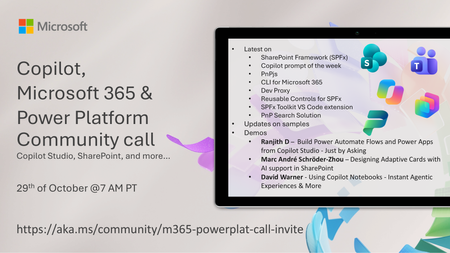
💡 Copilot, Microsoft 365 & Power Platform weekly community call focuses on different use cases and features within the Microsoft 365 and Power Platform - across Microsoft 365 Copilot, Copilot Studio, SharePoint, Power Apps and more. Demos in this call are presented by the community members. 👏 Looking to catch up on the latest news and updates, including cool community demos, this call is for you! 📅 On 29th of October we'll have following agenda: Latest on SharePoint Framework (SPFx) Latest on Copilot prompt of the week PnPjs CLI for Microsoft 365 Dev Proxy Reusable Controls for SPFx SPFx Toolkit VS Code extension PnP Search Solution Demos this time Ranjith D – Build Power Automate Flows and Power Apps from Copilot Studio - Just by Asking Marc André Schröder-Zhou – Designing Adaptive Cards with AI support in SharePoint David Warner - Using Copilot Notebooks - Instant Agentic Experiences & More 📅 Download recurrent invite from https://aka.ms/community/m365-powerplat-dev-call-invite 📞 & 📺 Join the Microsoft Teams meeting live at https://aka.ms/community/m365-powerplat-dev-call-join 💡 Building something cool for Microsoft 365 or Power Platform (Copilot, SharePoint, Power Apps, etc)? We are always looking for presenters - Volunteer for a community call demo at https://aka.ms/community/request/demo 👋 See you in the call! 📖 Resources: Previous community call recordings and demos from the Microsoft Community Learning YouTube channel at https://aka.ms/community/youtube Microsoft 365 & Power Platform samples from Microsoft and community - https://aka.ms/community/samples Microsoft 365 & Power Platform community details - https://aka.ms/community/home 🧡 Sharing is caring!106Views0likes0CommentsCopilot, Microsoft 365 & Power Platform product updates call
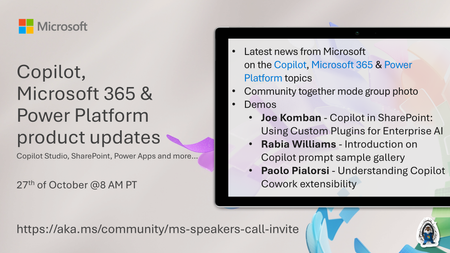
Copilot, Microsoft 365 & Power Platform product updates call concentrates on the different use cases and features within the Microsoft 365 and in Power Platform. Call includes topics like Microsoft 365 Copilot, Copilot Studio, Microsoft Teams, Power Platform, Microsoft Graph, Microsoft Viva, Microsoft Search, Microsoft Lists, SharePoint, Power Automate, Power Apps and more. 👏 Weekly Tuesday call is for all community members to see Microsoft PMs, engineering and Cloud Advocates showcasing the art of possible with Copilot, Microsoft 365 and Power Platform. 📅 On the 27th of October we'll have following agenda: News and updates from Microsoft Together mode group photo Joe Komban - Copilot in SharePoint: Using Custom Plugins for Enterprise AI Rabia Williams - Introduction on Copilot prompt sample gallery Paolo Pialorsi - Understanding Copilot Cowork extensibility 📞 & 📺 Join the Microsoft Teams meeting live at https://aka.ms/community/ms-speakers-call-join 🗓️ Download recurrent invite for this weekly call from https://aka.ms/community/ms-speakers-call-invite 👋 See you in the call! 💡 Building something cool for Microsoft 365 or Power Platform (Copilot, SharePoint, Power Apps, etc)? We are always looking for presenters - Volunteer for a community call demo at https://aka.ms/community/request/demo 📖 Resources: Previous community call recordings and demos from the Microsoft Community Learning YouTube channel at https://aka.ms/community/youtube Microsoft 365 & Power Platform samples from Microsoft and community - https://aka.ms/community/samples Microsoft 365 & Power Platform community details - https://aka.ms/community/home 🧡 Sharing is caring!123Views0likes0Comments
Microsoft Finland - Software Developing Companies monthly community series.
Tervetuloa mukaan Microsoftin webinaarisarjaan teknologiayrityksille! Microsoft Finlandin järjestämä Software Development monthly Community series on webinaarisarja, joka tarjoaa ohjelmistotaloille ajankohtaista tietoa, konkreettisia esimerkkejä ja strategisia näkemyksiä siitä, miten yhteistyö Microsoftin kanssa voi vauhdittaa kasvua ja avata uusia liiketoimintamahdollisuuksia. Sarja on suunnattu kaikenkokoisille ja eri kehitysvaiheissa oleville teknologiayrityksille - startupeista globaaleihin toimijoihin. Jokaisessa jaksossa pureudutaan käytännönläheisesti siihen, miten ohjelmistoyritykset voivat hyödyntää Microsoftin ekosysteemiä, teknologioita ja kumppanuusohjelmia omassa liiketoiminnassaan. Webinaarit: 6.11.2026 klo 09.00–09.30 Microsoft Suomen datacenter päivitys Tervetuloa jälleen Software Development -yrityksille suunnattuun webinaariin! Perjantaina 6.11.2026 keskustelemme Microsoftin Suomen datacenter-hankkeista ja niiden ajankohtaisista kuulumisista. Aiheesta päivityksen sekä näkökulmia kumppaneille tarjoaa Microsoftin kumppaniratkaisumyynnistä vastaava Mika Hämäläinen. Ilmottaudu mukaan: Microsoft Suomen datacenter päivitys | Microsoft Partner Skilling Hub Puhujat: Mikko Marttinen, Sr Partner Development Manager, Microsoft Mika Hämäläinen, Partner Solutions Sales Manager Microsoft Suomen datacenter päivitys | Microsoft Partner Skilling Hub 2.10.2026 klo 09.00–09.30 Microsoft FY27 teknologia- ja ratkaisuyrityksien kumppaniohjelmat Käymme tiiviissä suomenkielisessä sessiossa läpi Microsoftin kumppaniohjelmien viimeisimmät muutokset ja niiden vaikutukset teknologia- ja ratkaisukumppaneihin. Sessio on suunnattu erityisesti yrityksille, jotka haluavat pysyä ajan tasalla kumppaniohjelmien kehityksestä ja hyödyntää niiden tarjoamat mahdollisuudet täysimääräisesti. Microsoft Finland – Software Developing Companies monthly community series – Microsoft FY27 teknologia -ja ratkaisuyrityksien kumppaniohjelmat Puhujat: Mikko Marttinen, Sr Partner Development Manager, Microsoft 29.5.2026 klo 09.00–09.30 Vibe Coding & Github Copilot Tervetuloa SDC Community Monthly ‑webinaariin. Vibe Coding ja GitHub Copilot muuttavat ohjelmistokehitystä, koodista tulee nopeammin syntyvää, iteratiivisempaa ja tiiviimmin liiketoimintaa tukevaa. Tässä sessiossa käymme läpi, mitä Vibe Coding käytännössä tarkoittaa ja miten GitHub Copilot toimii sen ytimessä. Näet, miten GitHub Copilot vauhdittaa kehitystä, parantaa tuottavuutta ja mahdollistaa nopeamman ideasta toteutukseen etenemisen. Näytämme käytännön esimerkkejä siitä, miten kehittäjät ja jopa ei-tekniset roolit voivat hyödyntää Copilotia modernissa kehitystyössä. Ilmoittaudu mukaan: Microsoft Finland – Software Developing Companies monthly community series – Vibe Coding & GitHub Copilot – Finland Cloud Champion Puhujat: Juha Karvonen, Sr Partner Tech Strategist Mikko Marttinen, Sr Partner Development Manager, Microsoft 24.4.2026 klo 09.00–09.30 Marketplace ja Resale Enabled Offers (REO) Tervetuloa SDC Community Monthly ‑webinaariin. Kasvua Azure Marketplace ‑kanavan kautta – tehokkaammin REO‑mallilla. Tämän kuukauden aiheena on REO (Resale Enabled Offers), ja käymme läpi, mitä REO käytännössä tarkoittaa, milloin sitä kannattaa käyttää ja mitä se muuttaa kumppaneille. Käsittelemme aihetta yhdessä Partner Solution Sales Manager Veli Myllylän kanssa. Opit, miten Resale Enabled Offers (REO) mahdollistaa kanavakumppaneiden myydä Marketplace‑tarjouksiasi puolestasi ja miten tämä vauhdittaa co‑sell‑kauppoja, skaalaa myyntiä ja tukee Azure‑kulutusta. Katso tallenne: Microsoft Finland – Software Developing Companies monthly community series – Marketplace ja Resale Enabled Offers (REO) – Finland Cloud Champion Puhujat Mikko Marttinen, Sr Partner Development Manager, Microsoft Veli Myllylä, Partner Solutions Sales Manager Microsoft, Microsoft 27.3.2026 klo 09:00-09:30 - Agent Factory Microsoft Foundryllä – miten rakennat ja viet AI-agentteja tuotantoon AI‑agentit ovat nopeasti nousemassa enterprise‑ohjelmistojen keskeiseksi rakennuspalikaksi, mutta monilla organisaatioilla haasteena on agenttien vieminen tuotantoon asti. Todellinen kilpailuetu syntyy siitä, miten agentit rakennetaan hallitusti, integroidaan osaksi kokonaisarkkitehtuuria ja skaalataan luotettavasti. Tässä webinaarissa käymme läpi ja näytämme käytännön demolla, miten AI-agentti rakennetaan Microsoft Foundry:n Agent Service -palvelulla. Näytämme miten agentin rooli ja ohjeet määritellään, miten agentille liitetään tietolähteitä ja työkaluja sekä katsomme miten tämä asemoituu Microsoft Agent Factoryyn. Katso nauhoite: Microsoft Finland – Software Developing Companies monthly community series: Agent Factory Microsoft Foundryllä – miten rakennat ja viet AI-agentteja tuotantoon – Finland Cloud Champion Puhujat: Mikko Marttinen, Sr Partner Development Manager, Microsoft Veli Myllylä, Partner Solutions Sales Manager, 27.2.2026 klo 09:00-09:30 - M-Files polku menestykseen yhdessä Microsoftin kanssa Mitä globaalin kumppanuuden rakentaminen M-Files:in ja Microsoft:in välillä on vaatinut – ja mitä hyötyä siitä on syntynyt? Tässä webinaarissa kuulet insiderit suoraan M-Filesin Kimmo Järvensivulta, Stategic Alliances Director: miten kumppanuus Microsoft kanssa on rakennettu, mitä matkalla on opittu ja miten yhteistyö on vauhdittanut kasvua. M-Files on älykäs tiedonhallinta-alusta, joka auttaa organisaatioita hallitsemaan dokumentteja ja tietoa metatiedon avulla sijainnista riippumatta. Se tehostaa tiedon löytämistä, parantaa vaatimustenmukaisuutta ja tukee modernia työtä Microsoft-ekosysteemissä. Tule kuulemaan, mitä menestyksekäs kumppanuus todella vaatii, ja miten siitä tehdään strateginen kilpailuetu. Katso nauhoite: Microsoft Finland – Software Developing Companies Monthly Community Series – M-Files polku menestykseen yhdessä Microsoftin kanssa – Finland Cloud Champion Asiantuntijat: Kimmi Järvensivu, Strategic Alliances Director, M-Files Mikko Marttinen, Sr Partner Development Manager, Microsoft Eetu Roponen, Sr Partner Development Manager, Microsoft 30.1.2026 klo 09:00-09:30 - Model Context Protocol (MCP)—avoin standardi, joka mullistaa AI-integraatiot Webinaarissa käymme läpi, mikä on Model Context Protocol (MCP), miten se mahdollistaa turvalliset ja skaalautuvat yhteydet AI‑mallien ja ulkoisten järjestelmien välillä ilman räätälöityä koodia, mikä on Microsoftin lähestyminen MCP‑protokollan hyödyntämiseen sekä miten softayritykset voivat hyödyntää MCP‑standardin tarjoamia liiketoimintamahdollisuuksia. Webinaarissa käymme läpi: Mikä MCP on ja miksi se on tärkeä nykyaikaisissa AI‑prosesseissa Kuinka MCP vähentää integraatioiden monimutkaisuutta ja nopeuttaa kehitystä Käytännön esimerkkejä Webiinarin asiaosuus käydään läpi englanniksi. Katso nauhoite: 30.1.2026 klo 09:00-09:30 – Model Context Protocol (MCP)—avoin standardi, joka mullistaa AI-integraatiot – Finland Cloud Champion Asiantuntijat: Massimo Caterino, Kumppaniteknologiastrategisti, Microsoft Europe North Mikko Marttinen, Sr Partner Development Manager, Microsoft Eetu Roponen, Sr Partner Development Manager, Microsoft 12.12. klo 09:00-09:30 - Mitä Suomen Azure-regioona tarkoittaa ohjelmistotaloille? Microsoftin uusi datakeskusalue Suomeen tuo pilvipalvelut lähemmäksi suomalaisia ohjelmistotaloja – olipa kyseessä startup, scaleup tai globaali toimija. Webinaarissa pureudumme siihen, mitä mahdollisuuksia uusi Azure-regioona avaa datan sijainnin, suorituskyvyn, sääntelyn ja asiakasvaatimusten näkökulmasta. Keskustelemme muun muassa: Miten datan paikallinen sijainti tukee asiakasvaatimuksia ja sääntelyä? Mitä hyötyä ohjelmistotaloille on pienemmästä latenssista ja paremmasta suorituskyvystä? Miten Azure-regioona tukee yhteismyyntiä ja skaalautumista Suomessa? Miten valmistautua teknisesti ja kaupallisesti uuden regioonan avaamiseen? Puhujat: Fama Doumbouya, Sales Director, Cloud Infra and Security, Microsoft Mikko Marttinen, Sr Partner Development Manager, Microsoft Eetu Roponen, Sr Partner Development Manager, Microsoft Katso nauhoite: Microsoft Finland – Software Developing Companies Monthly Community Series – Mitä Suomen Azure-regioona tarkoittaa ohjelmistotaloille? – Finland Cloud Champion 28.11. klo 09:00-09:30 - Pilvipalvelut omilla ehdoilla – mitä Microsoftin Sovereign Cloud tarkoittaa ohjelmistotaloille? Yhä useampi ohjelmistotalo kohtaa vaatimuksia datan sijainnista, sääntelyn noudattamisesta ja operatiivisesta kontrollista – erityisesti julkisella sektorilla ja säädellyillä toimialoilla. Tässä webinaarissa pureudumme siihen, miten Microsoftin uusi Sovereign Cloud -tarjonta vastaa näihin tarpeisiin ja mitä mahdollisuuksia se avaa suomalaisille ohjelmistoyrityksille. Keskustelemme muun muassa: Miten Sovereign Public ja Private Cloud eroavat ja mitä ne mahdollistavat? Miten datan hallinta, salaus ja operatiivinen suvereniteetti toteutuvat eurooppalaisessa kontekstissa? Mitä tämä tarkoittaa ohjelmistoyrityksille, jotka rakentavat ratkaisuja julkiselle sektorille tai säädellyille toimialoille? Puhujat: Juha Karppinen, National Security Officer, Microsoft Mikko Marttinen, Sr Partner Development Manager, Microsoft Eetu Roponen, Sr Partner Development Manager, Microsoft Katso nauhoite: Microsoft Finland – Software Developing Companies Monthly Community Series – Pilvipalvelut omilla ehdoilla – mitä Microsoftin Sovereign Cloud tarkoittaa ohjelmistotaloille? – Finland Cloud Champion 31.10. klo 09:00-09:30 - Kasvua ja näkyvyyttä ohjelmistotaloille – hyödynnä ISV Success ja Azure Marketplace rewards -ohjelmia Tässä webinaarissa pureudumme ohjelmistotaloille suunnattuihin Microsoftin keskeisiin kiihdytinohjelmiin, jotka tukevat kasvua, skaalautuvuutta ja kansainvälistä näkyvyyttä. Käymme läpi, miten ISV Success -ohjelma tarjoaa teknistä ja kaupallista tukea ohjelmistoyrityksille eri kehitysvaiheissa, ja miten Azure Marketplace toimii tehokkaana myyntikanavana uusien asiakkaiden tavoittamiseen. Lisäksi esittelemme Marketplace Rewards -edut, jotka tukevat markkinointia, yhteismyyntiä ja asiakashankintaa Microsoftin ekosysteemissä. Webinaari tarjoaa: Konkreettisia esimerkkejä ohjelmien hyödyistä Käytännön vinkkejä ohjelmiin liittymiseen ja hyödyntämiseen Näkemyksiä siitä, miten ohjelmistotalot voivat linjata strategiansa Microsoftin tarjoamiin mahdollisuuksiin Puhujat: Mikko Marttinen, Sr Partner Development Manager, Microsoft Eetu Roponen, Sr Partner Development Manager, Microsoft Nauhoite: Microsoft Finland – Software Developing Companies Monthly Community Series – Kasvua ja näkyvyyttä ohjelmistotaloille – hyödynnä ISV Success ja Azure Marketplace rewards -ohjelmia – Finland Cloud Champion 3.10. klo 09:00-09:30 - Autonomiset ratkaisut ohjelmistotaloille – Azure AI Foundry ja agenttiteknologioiden uudet mahdollisuudet Agenttiteknologiat mullistavat tapaa, jolla ohjelmistotalot voivat rakentaa älykkäitä ja skaalautuvia ratkaisuja. Tässä webinaarissa tutustumme siihen, miten Azure AI Foundry tarjoaa kehittäjille ja tuoteomistajille työkalut autonomisten agenttien rakentamiseen – mahdollistaen monimutkaisten prosessien automatisoinnin ja uudenlaisen asiakasarvon tuottamisen. Kuulet mm. Miten agenttiteknologiat muuttavat ohjelmistokehitystä ja liiketoimintaa. Miten Azure AI Foundry tukee agenttien suunnittelua, kehitystä ja käyttöönottoa. Miten ohjelmistotalot voivat hyödyntää agentteja kilpailuetuna. Puhujat: Juha Karvonen, Sr Partner Tech Strategist Mikko Marttinen, Sr Partner Development Manager, Microsoft Eetu Roponen, Sr Partner Development Manager, Microsoft Katso nauhoite täältä: Microsoft Finland – Software Developing Companies Monthly Community Series – Autonomiset ratkaisut ohjelmistotaloille – Azure AI Foundry ja agenttiteknologioiden uudet mahdollisuudet – Finland Cloud Champion 5.9.2025 klo 09:00-09:30 - Teknologiayritysten ja Microsoftin prioriteetit syksylle 2025. Tervetuloa jälleen mukaan Microsoftin webinaarisarjaan teknologiayrityksille! Jatkamme sarjassa kuukausittain pureutumista siihen, miten yhteistyö Microsoftin kanssa voi vauhdittaa kasvua ja avata uusia mahdollisuuksia eri vaiheissa oleville ohjelmistotaloille – olipa yritys sitten start-up, scale-up tai globaalia toimintaa harjoittava. Jokaisessa jaksossa jaamme konkreettisia esimerkkejä, näkemyksiä ja strategioita, jotka tukevat teknologia-alan yritysten liiketoiminnan kehitystä ja innovaatioita. Elokuun lopun jaksossa keskitymme syksyn 2025 prioriteetteihin ja uusiin mahdollisuuksiin, jotka tukevat ohjelmistoyritysten oman toiminnan suunnittelua, kehittämistä ja kasvun vauhdittamista. Käymme läpi, mitkä ovat Microsoftin strategiset painopisteet tulevalle tilikaudelle – ja ennen kaikkea, miten ohjelmistotalot voivat hyödyntää niitä omassa liiketoiminnassaan. Tavoitteena on tarjota kuulijoille selkeä ymmärrys siitä, miten oma tuote, palvelu tai markkinastrategia voidaan linjata ekosysteemin kehityksen kanssa, ja miten Microsoft voi tukea tätä matkaa konkreettisin keinoin. Puhujat: Mikko Marttinen, Sr Partner Development Manager, Microsoft Eetu Roponen, Sr Partner Development Manager, Microsoft Katso nauhoitus täältä: Teknologiayritysten ja Microsoftin prioriteetit syksylle 2025. – Finland Cloud Champion604Views0likes0CommentsMicrosoft Foundry Guardrails Getting in Your Way? Here’s How to Dial Them Down
How This All Started So here’s the story. I just got back from a trip and had a pile of footage sitting on my laptop. Being the lazy (sorry, efficient) person I am, I fired up OpenCode and asked GPT-6 Astra, running on Microsoft Foundry, to cut me a travelogue. Nothing fancy: under two minutes, nice lighting, clean transitions, no cringy effects, a quick QA before showing me, and the output in its own folder. Easy, right? Nope. This is what I got instead: “Image processing blocked due to content policy violation.” Seriously? It’s holiday footage! Nothing even remotely dodgy in there. This is a classic false positive from the default guardrails, and the good news is it’s totally fixable. Let me show you how. My Setup Quick context before we dive in: I’ve got two models deployed on Microsoft Foundry, gpt-6-astra and gpt-6-sol. Both were running on Microsoft’s out-of-the-box guardrail. Step 1: Find the Guardrails Page Head over to the Microsoft Foundry portal, click Build, then hit Guardrails in the left menu. You’ll see three guardrails that Microsoft gives you by default: Microsoft.Default, Microsoft.DefaultV2 and Microsoft.MAIDefault. Microsoft.DefaultV2 is the one every new deployment gets, which is why it’s sitting on both of my models. Here’s the catch: you can’t edit or delete these Microsoft-managed defaults. So instead of tweaking them, we’re going to build our own guardrail and swap it in. Step 2: Create Your Own Guardrail Smash that "Create" button and you’ll land on the Create guardrail page. This is where all the knobs and switches live: Every control has three bits: the risk type, the intervention point (does it check what you send in, what the model spits out, or both?) and the action. The magic trick for loosening things up is flipping the action from Block to Annotate. With Annotate, Foundry still scans the content and tags it in the API response, but it stops slamming the door on your request. So What Does Each Setting Actually Do? Before you go on a switching-off spree, it’s worth knowing what each of these does and what you’re giving up when you loosen it. Here’s the quick tour: Jailbreak: This one catches prompts trying to trick the model into ignoring its rules. On Block, those prompts get rejected outright. On Annotate, they go through with a flag. Turn it off completely and you’re trusting the model’s own training to keep it in line. Network (egress rules): Controls which outbound calls a hosted agent is allowed to make. As the portal points out, it only applies to hosted agents, so for plain model deployments like mine it doesn’t change a thing. Indirect prompt injections: Watches user input and tool responses (files, docs, web pages the model reads) for sneaky instructions someone has planted. Leave it on and your agents are protected when they read outside content; switch it off and a dodgy file could quietly hijack your model. For an agentic tool like OpenCode, which reads files and runs shell commands, I’d honestly keep this one on, even if it’s just on Annotate. Spotlighting (Preview): Tags external content inside the prompt so the model can tell your real instructions apart from random untrusted data. Think of it as an extra seatbelt against indirect attacks. Content harms (Hate, Sexual, Self-harm, Violence): Each of these has a severity slider that starts at Medium blocking, meaning anything rated medium or higher gets blocked. Slide it down to Lowest blocking and only the really nasty stuff gets stopped, which kills off most false positives like mine. The asterisk means these four are mandatory: you can turn the dial down, but you can’t switch them off. Blocklists: Want to ban specific words or phrases, like profanity or your competitor’s name? This is where you do it. It’s off by default. Protected material for code and text: Checks whether the model is about to spit out known copyrighted text (song lyrics, articles and so on) or code lifted from public repos. Block stops it; Annotate lets it through with a flag. Switch it off and you’re rolling the dice on your app reproducing someone else’s copyrighted work. Step 3: Pick Your Models Hit Next and Foundry asks which agents and models you want this guardrail on. Any model you’ve already deployed in your project shows up here. For me that’s gpt-6-astra and gpt-6-sol, so I ticked both. Step 4: Name It and Pick a Streaming Mode One more Next and you’re on the Review page. Give your guardrail a name (I went with NoGuardrails, because subtlety isn’t my thing) and pick a streaming mode. You’ve got two choices: Default: Foundry buffers the response and runs it through the guardrail before each chunk goes out. Nothing reaches the user until it’s been checked. Safest option, but you’ll feel a bit of lag when streaming. Asynchronous: Content streams back the moment it’s generated, with the filters running in the background. Much snappier, but flagged content might flash up briefly before the filter catches it, so your app has to clean up after the fact. Microsoft pitches this for low-latency stuff like internal dev tools, which is exactly my use case. Give the summary a quick once-over, then click Create. Done! Did It Work? Yep! With my shiny new guardrail in place, I fired off the exact same request, this time to GPT-6 Sol. And boom: no more content policy error. The model went straight to work scanning my footage and putting the video together. Wrapping Up Look, Microsoft’s default guardrails are a solid starting point, but they can be a bit trigger-happy when you’re doing perfectly legit stuff like video editing, creative work or internal tooling. Since you can’t touch the defaults, the trick is to roll your own: flip Block to Annotate where it makes sense, drag those content harm sliders down, pick the streaming mode that fits your app, and assign it to your deployments. That’s it! One friendly word of warning though: with great power comes great responsibility. Only loosen what you actually need, keep things like indirect prompt injection detection switched on for any agent that reads files or browses the web, and think twice before doing this on anything customer-facing. And if you want to go further than the portal lets you, like switching content filters off completely, you’ll need to apply to Microsoft for approval first. Happy building!299Views1like2CommentsCopilot, Microsoft 365 & Power Platform Community call
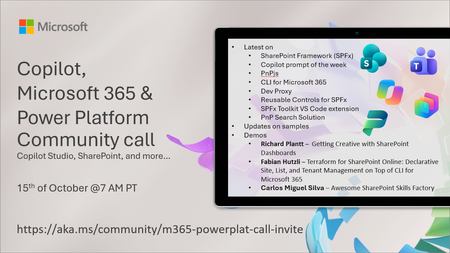
💡 Copilot, Microsoft 365 & Power Platform weekly community call focuses on different use cases and features within the Microsoft 365 and Power Platform - across Microsoft 365 Copilot, Copilot Studio, SharePoint, Power Apps and more. Demos in this call are presented by the community members. 👏 Looking to catch up on the latest news and updates, including cool community demos, this call is for you! 📅 On 15th of October we'll have following agenda: Latest on SharePoint Framework (SPFx) Latest on Copilot prompt of the week PnPjs CLI for Microsoft 365 Dev Proxy Reusable Controls for SPFx SPFx Toolkit VS Code extension PnP Search Solution Demos this time Richard Plantt – Getting Creative with SharePoint Dashboards Fabian Hutzli – Terraform for SharePoint Online: Declarative Site, List, and Tenant Management on Top of CLI for Microsoft 365 Carlos Miguel Silva – Awesome SharePoint Skills Factory 📅 Download recurrent invite from https://aka.ms/community/m365-powerplat-dev-call-invite 📞 & 📺 Join the Microsoft Teams meeting live at https://aka.ms/community/m365-powerplat-dev-call-join 💡 Building something cool for Microsoft 365 or Power Platform (Copilot, SharePoint, Power Apps, etc)? We are always looking for presenters - Volunteer for a community call demo at https://aka.ms/community/request/demo 👋 See you in the call! 📖 Resources: Previous community call recordings and demos from the Microsoft Community Learning YouTube channel at https://aka.ms/community/youtube Microsoft 365 & Power Platform samples from Microsoft and community - https://aka.ms/community/samples Microsoft 365 & Power Platform community details - https://aka.ms/community/home 🧡 Sharing is caring!297Views0likes0CommentsCopilot Extensibility community call - October 2026
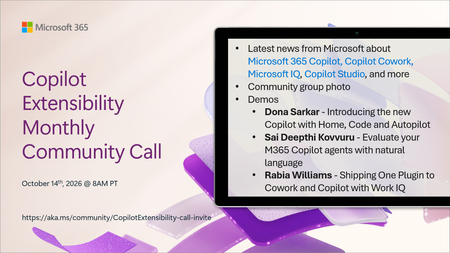
🚀 The Copilot Extensibility Monthly Community Call is a recurring virtual gathering designed to keep the global developer and maker community consistently connected, informed, and engaged with the latest advancements in Microsoft 365 Copilot, Copilot Cowork, Microsoft Scout, GitHub Copilot, Microsoft IQ, etc. and their extensibility ecosystem. 👏 Monthly Wednesday call is for all community members to see Microsoft PMs, engineering and Cloud Advocates showcasing the art of possible with the Microsoft AI technologies. 📅 On the 14th of October we'll have following agenda: News and updates from Microsoft Community group photo Dona Sarkar – Introducing the new Copilot with Home, Code and Autopilot Sai Deepthi Kovvuru - Evaluate your M365 Copilot agents with natural language Rabia Williams - Shipping One Plugin to Cowork and Copilot with Work IQ 📞 & 📺 Join the Microsoft Teams meeting live at https://aka.ms/community/CopilotExtensibility-call-join 🗓️ Download recurrent invite for this weekly call from https://aka.ms/community/CopilotExtensibility-call-invite 👋 See you in the call! 💡 Building something cool with Microsoft AI technologies (Copilot, Cowork, Copilot Studio, Microsoft IQ, etc)? We are always looking for presenters - Volunteer for a community call demo at https://aka.ms/community/request/demo 📖 Resources: Previous community call recordings and demos from the Microsoft Community Learning YouTube channel at https://aka.ms/community/youtube Labs and training material about Microsoft 365 Copilot Extensibility - https://aka.ms/copilotdevcamp Microsoft 365 & Power Platform samples from Microsoft and community - https://aka.ms/community/samples Microsoft 365 & Power Platform community details - https://aka.ms/community/home 🧡 Sharing is caring!498Views0likes0CommentsCopilot, Microsoft 365 & Power Platform product updates call
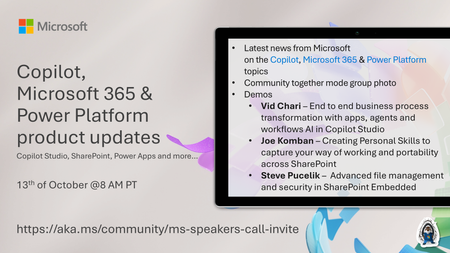
💡Copilot, Microsoft 365 & Power Platform product updates call concentrates on the different use cases and features within the Microsoft 365 and in Power Platform. Call includes topics like Microsoft 365 Copilot, Copilot Studio, Microsoft Teams, Power Platform, Microsoft Graph, Microsoft Viva, Microsoft Search, Microsoft Lists, SharePoint, Power Automate, Power Apps and more. 👏 Weekly Tuesday call is for all community members to see Microsoft PMs, engineering and Cloud Advocates showcasing the art of possible with Microsoft 365 and Power Platform. 📅 On the 13th of October we'll have following agenda: News and updates from Microsoft Together mode group photo Vid Chari – End to end business process transformation with apps, agents and workflows AI in Copilot Studio Joe Komban – Creating Personal Skills to capture your way of working and portability across SharePoint Steve Pucelik – Advanced file management and security in SharePoint Embedded 📞 & 📺 Join the Microsoft Teams meeting live at https://aka.ms/community/ms-speakers-call-join 🗓️ Download recurrent invite for this weekly call from https://aka.ms/community/ms-speakers-call-invite 👋 See you in the call! 💡 Building something cool for Microsoft 365 or Power Platform (Copilot, SharePoint, Power Apps, etc)? We are always looking for presenters - Volunteer for a community call demo at https://aka.ms/community/request/demo 📖 Resources: Previous community call recordings and demos from the Microsoft Community Learning YouTube channel at https://aka.ms/community/youtube Microsoft 365 & Power Platform samples from Microsoft and community - https://aka.ms/community/samples Microsoft 365 & Power Platform community details - https://aka.ms/community/home 🧡 Sharing is caring!223Views0likes0Comments