microsoft
2 Topics
windows security smart control is blocking my cpp and exe files and how to fix these?
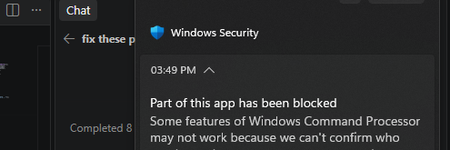
I own this Windows PC and Smart App Control is on. It blocks my locally built C++ app, Rose. Code Integrity events 3077 and 3033 show that firoseeyyy.exe and firoseeyyy-console.exe were blocked by code-integrity policy. I want to keep Smart App Control enabled. What signing or distribution options would let Windows trust my app, and would signing with a trusted code-signing certificate satisfy this policy? Please confirm whether Smart App Control can be turned back on after being disabled on my Windows version.11Views0likes0CommentsFast Microsoft recommended driver block rules update with automatic scheduled task
Microsoft recommended driver block rules in Windows are automatically updated starting with Windows 11 22H2, twice per year, but the list itself is updated more often. Microsoft provides ways to update them faster and out of the schedule. I've created a PowerShell script that does this automatically and you only need to run the script once, then it will create a scheduled task in Windows that runs every 7 days and renews the recommended drivers block list. # create a scheduled task that runs every 7 days if (-NOT (Get-ScheduledTask -TaskName "MSFT Driver Block list update" -ErrorAction SilentlyContinue)) { $action = New-ScheduledTaskAction -Execute 'Powershell.exe' ` -Argument '-NoProfile -WindowStyle Hidden -command "& {Invoke-WebRequest -Uri "https://aka.ms/VulnerableDriverBlockList" -OutFile VulnerableDriverBlockList.zip;Expand-Archive .\VulnerableDriverBlockList.zip -DestinationPath "VulnerableDriverBlockList" -Force;Rename-Item .\VulnerableDriverBlockList\SiPolicy_Enforced.p7b -NewName "SiPolicy.p7b" -Force;Copy-Item .\VulnerableDriverBlockList\SiPolicy.p7b -Destination "C:\Windows\System32\CodeIntegrity";$job = Start-Job -Name "Job1" -ScriptBlock { CiTool.exe -r };Start-Sleep -s 15;Stop-Job $job;Remove-Item .\VulnerableDriverBlockList -Recurse -Force;Remove-Item .\VulnerableDriverBlockList.zip -Force;}"' $TaskPrincipal = New-ScheduledTaskPrincipal -LogonType S4U -UserId $env:USERNAME -RunLevel Highest # trigger $Time = New-ScheduledTaskTrigger ` -Once -At (Get-Date).AddHours(3) ` -RepetitionInterval (New-TimeSpan -Days 7) ` # register the task Register-ScheduledTask -Action $action -Trigger $Time -Principal $TaskPrincipal -TaskPath "MSFT Driver Block list update" -TaskName "MSFT Driver Block list update" -Description "Microsoft Recommended Driver Block List update" # define advanced settings for the task $TaskSettings = New-ScheduledTaskSettingsSet -AllowStartIfOnBatteries -DontStopIfGoingOnBatteries -Compatibility Win8 -StartWhenAvailable -ExecutionTimeLimit (New-TimeSpan -Minutes 3) # add advanced settings we defined to the task Set-ScheduledTask -TaskPath "MSFT Driver Block list update" -TaskName "MSFT Driver Block list update" -Settings $TaskSettings } https://github.com/HotCakeX/Harden-Windows-Security/wiki/Fast-and-Automatic-Microsoft-Recommended-Driver-Block-Rules-updates2.5KViews0likes0Comments