microsoft defender experts
17 Topics
Microsoft Defender for Office 365 – High Confidence Phishing mail reprocessed delivered to Inbox
Hello everyone, We are investigating an incident in Microsoft Defender for Office 365 where an email initially detected as High Confidence Phishing was automatically reprocessed and subsequently delivered to the user's Inbox. Incident details: On November 1, 2026, an incoming email was detected as High Confidence Phishing (SCL 9, CAT: HPHISH) and quarantined by Microsoft Defender. The detection technology was URL detonation, and the detection details also showed URL detonation reputation. On November 2, 2026, Defender Explorer recorded a system-generated Reprocessed event. Following this event, the latest threat classification changed from Phish / High to None, and the email was moved from Quarantine to the user's Inbox. The event showed Reprocessed-Succeeded, with Primary Override Source as None. On November 10, 2026, we submitted the original email to Microsoft for analysis. The submission result was: "Threats found – This item has been identified as malicious." Microsoft's Threat Explorer documentation defines Reprocessed as a message that was retroactively identified as good. However, the available Microsoft documentation does not explain the exact internal trigger or processing mechanism responsible for this particular event. Questions: Is Reprocessed an automated system action performed by Microsoft Defender as part of false-positive recovery? What triggers Defender to reprocess an email that was initially classified as High Confidence Phishing and placed in Quarantine? Can automated reprocessing change the verdict from Phish / High to None and move a previously quarantined email into the user's Inbox? If the email is subsequently identified as malicious through Microsoft's submission analysis, why was it initially reclassified as good and delivered? Is there any supported configuration to prevent previously quarantined High Confidence Phishing emails from being automatically delivered following reprocessing? Can Microsoft administrators or support engineers identify the backend processing history, detection engine updates or threat intelligence changes responsible for a specific reprocessing event? Is there a way to identify whether the reprocessing was triggered by Automated Investigation and Response (AIR), threat intelligence updates, or another internal Defender process? We have reviewed the relevant transport rule and Defender message details but have not identified any configuration or policy override that explains the verdict change. We would appreciate your guidance in reviewing these findings and helping us understand the Reprocessed behaviour, particularly what triggers this action, how it changes the original threat verdict, and why a previously quarantined email was subsequently delivered to the user's Inbox. Thank you8Views0likes0Comments
Web Protection in Defender on Android v17 (Samsung S25) keeps switching off
I have read through the support page (https://support.microsoft.com/en-us/defender/web-protection-keeps-turning-off-on-my-android-device#bkmk_device-specific) However the page only covers Samsung with Android v13 and the solution does NOT work on my Samsung S25 with Android v17 (and One UI v9.0) Another issue is that in “Never Sleeping apps” only 19 Apps are shown that can be added and Microsoft Defender is not listed and therefore cannot be added to the “Never sleeping app“ list. Manage app if unused is OFF and greyed out so cannot be changed. Adaptive Battery is OFF Power Saving is OFF Android Version 17 One UI Version: 9.0 Android security patch level: 5 October 2026 Microsoft Defender Version 1.0.9428.010256Views0likes1CommentОшибка 0x11C7: Smart App Control блокирует Steam-приложение (satomi-chat.exe)
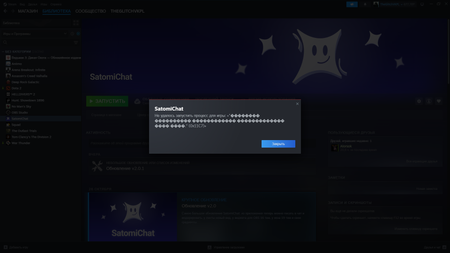
Описание проблемы: Здравствуйте. Функция «Интеллектуальное управление приложениями» (Smart App Control) ошибочно блокирует запуск лицензионного приложения из Steam. При попытке запуска файла satomi-chat.exe (приложение SatomiChat) система выдает уведомление «Это приложение частично заблокировано» и ошибку 0x11C7. Разработчики приложения подтвердили наличие этой проблемы на стороне защиты Windows. Дополнительные детали (баг интерфейса): В настройках Smart App Control пункт «Оценка» (Evaluation) неактивен (заблокирован). Пользователь не может перевести систему в режим оценки для запуска безопасного файла без полного отключения функции (что требует переустановки Windows). Просьба: Добавить satomi-chat.exe в белый список доверенных приложений. Исправить баг с неактивной кнопкой «Оценка» в интерфейсе Windows 11.131Views0likes1Comment
Microsoft Defender Offline scan: BitLocker recovery prompt and missing scan results on Windows11 Pro
Microsoft Defender Offline scan not completing or recording results — Windows 11 Pro I need help fixing Microsoft Defender Offline and verifying that scans complete successfully. History: Initially, starting an Offline scan rebooted Windows, but no scan screen appeared. The process lasted less than a minute on a laptop with 1 TB of storage. No result appeared in Protection history. SFC and DISM reported no system corruption. Windows repair failed with error 0xC1900101–0x20017; factory reset also failed. During clean installation, a technician changed or repaired something in the BIOS to resolve a storage-partition recognition problem. Windows then installed successfully. BitLocker is enabled on C: and D:. WinRE has since been repaired and enabled. Current behaviour: Defender Offline requests the BitLocker recovery key for C: after reboot. After I enter it, the Defender Antivirus scan screen appears and displays progress. The background also displays “Preparing for recovery.” (?!?!, I ran a scan, not a recovery) Windows starts normally afterward, but no new Offline scan result appears in Protection history. Event Viewer findings (31 October, around 1:52 pm): Event 1000 shows a Quick Scan started by scheduled maintenance. Event 1002 shows the same scan stopped before completion, with reason “RPC connection rundown.” I did not schedule or run a Quick Scan; I initiated only Defender Offline at that time. Other events around the same time include 1150, 1151, 1152, and 5007. Theee is also an event 2030 at 12:51pm, when I ran the offline scan for the first time today. Questions: Why do the events report a scheduled Quick Scan when I initiated Defender Offline? How can I fix this and verify that Offline scans complete successfully? Could BitLocker, WinRE, TPM, Secure Boot, or the previous BIOS repair be involved? I want to resolve this without reinstalling Windows if possible. Microsoft Support case: 7110599710.120Views0likes1Comment
Trojan;Win32 Threat Found- how to get rid of
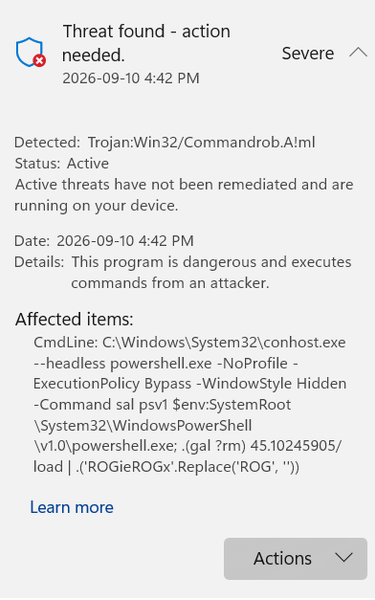
I've noticed that I've been getting this same threat consistently since yesterday and even when I "remove" the threat, it just comes back. Can someone tell me what this means and what it might be from so I can remove he problem. I already did a full scan and it didn't find any other threats867Views0likes3Comments
Microsoft defender is not catching threats before they are put into download folder.
Before I post this, please note that I’m a security researcher trained to investigate malware and other application bugs. my complaint is the following and it's a serious one that should be fixed by Microsoft as soon as possible. When I downloaded several malicious EXE files, Microsoft Defender didn't block or quarantine them during the download. Instead, Defender only detected them after I actually ran or executed the files. I also noticed that online platforms showed Microsoft Defender detecting the threats, so the files were clearly being recognized as malicious by Defender's engine. Has Microsoft changed the way Defender detects malware? Does it now require a malicious file to be executed before it detects it, similar to how some behavioral detection works in Malwarebytes? Or should Defender still be detecting and blocking known malicious EXE files before they are executed/downloaded because it's not at this current time and this is a clean installed system. My system is clean, and I even performed a clean installation of Windows. I also used ConfigureDefender with the settings configured to High, and all of the relevant protection settings appeared to be enabled.I'm trying to understand whether this is normal behavior with the current version of Microsoft Defender or if something might be misconfigured on my system. Before, Microsoft Defender would detect and block malicious files while they were being downloaded, before I had a chance to run or execute them. Now, however, it seems like Defender is allowing the files to finish downloading and only detects them after I execute them. Windows Defender isn't detecting EICAR test files? Mine doesn’t seem to detect them automatically, as shown in my proof. It only detects the file when I right-click it and select “Scan with Microsoft Defender.” Is this normal? It seems pretty crazy that it doesn’t detect the file immediately. it allowed them all to download. It's not even blocking Eicar test files when i bypass edges warning to download it just allows it to download no problem. edge detects it but Microsoft security does not. Please have Microsoft’s threat team investigate why Windows Defender isn’t detecting malicious files when downloaded through Microsoft Edge. When Edge warns about a malicious or suspicious download and those warnings are bypassed, the files aren’t caught or blocked by Defender and end up being saved to the system. This is extremely dangerous and needs to be replicated to confirm the issue.210Views0likes0Comments
Issues blocking DeepSeek
Hi all, I am investigating DeepSeek usage in our Microsoft security environment and have found inconsistent behaviour between Defender for Cloud Apps, Defender for Endpoint, and IOC controls. I am hoping to understand if others have seen the same. Environment Full Microsoft security and management suite What we are seeing Defender for Cloud Apps DeepSeek is classified as an Unsanctioned app Cloud Discovery shows ongoing traffic and active usage Multiple successful sessions and data activity visible Defender for Endpoint Indicators DeepSeek domains and URIs have been added as Indicators with Block action Indicators show as successfully applied Advanced Hunting and Device Timeline Multiple executable processes are initiating connections to DeepSeek domains Examples include Edge, Chrome, and other executables making outbound HTTPS connections Connection status is a mix of Successful and Unsuccessful No block events recorded Settings Network Protection enabled in block mode Web Content Filtering enabled SmartScreen enabled File Hash Computation enabled Network Protection Reputation mode set to 1 Has anyone else had similar issues when trying to block DeepSeek or other apps via Microsoft security suite? I am currently working with Microsoft support on this but wanted to ask here as well.496Views0likes1CommentCan’t Remove Defender Tag After Asset Rule Was Deleted
Hi all, I’m facing an issue where a rule-based tag in Microsoft Defender for Endpoint remains visible on devices even after I deleted the original asset rule. The rule was disabled and deleted months ago, but the tag still appears under Rule-based tags in the device details. Even using the API or PowerShell doesn’t show or remove it. Is there any supported way to force a tag refresh or clear orphaned rule-based tags from the Defender portal? Thanks in advance, Luca1.1KViews0likes2CommentsDefender for Endpoint Firewall Rules Not Applying to Devices
Hello Security Experts, I’m currently deploying Microsoft Defender for Business and trying to enforce firewall configurations directly from the Defender portal. However, I’ve noticed that the settings are not applying to any of the onboarded devices — nothing changes on the endpoints. Do firewall rules in Defender for Endpoint require Intune to be enforced, or should they work standalone? And if Intune isn’t used, what’s the best approach to apply consistent Defender firewall rules across devices? Thanks, Luca770Views0likes1CommentHigh CPU Usage by Microsoft Defender (MsMpEng.exe) on Azure Windows Server 2019
Hi everyone, I’ve been seeing consistent CPU spikes from MsMpEng.exe (Antimalware Service Executable) on several Windows Server 2019 Datacenter VMs hosted in Azure. The usage reaches 100% for about 10–15 minutes daily, always around the same time. No manual scans are scheduled, and limiting CPU usage with Set-MpPreference -ScanAvgCPULoadFactor didn’t help. Could this be related to Defender’s cloud protection update cycle, or possibly a backend maintenance task from Defender for Cloud? Is there a recommended way to throttle or schedule these background Defender tasks in production environments? Appreciate any insights, Luca320Views0likes0Comments