microsoft 365
5253 Topics
Using Cloud sync to sync AD to existing Entra Accounts
I want to sync in premise AD accounts with existing Entra accounts. The email on both accounts is the same, and I added the Entra/o365 suffix to the domain and set the UPN to that suffix, making both UPN(s) the same. It did not sync. It created a NEW Entra account. I thought I covered all my bases. How can I get on premise AD and existing Entra accounts to sync? thank you16Views0likes1CommentLimiting Microsoft 365 Copilot data exposure risk with Zero Trust apps and data controls
Learn how to reduce Microsoft 365 Copilot data exposure risks by governing what Copilot can reach after a user is authenticated. This post maps key Layer 2 risks to Zero Trust apps and data controls, including oversharing reduction, sensitivity labeling, DLP, connector governance, audit visibility, and privileged access management.144Views0likes0Comments
Planning to Migrate OST Files to Microsoft 365 - Need Some Guidance Before I Start
Hey folks, I have a task coming up where I need to migrate OST files into Office 365 mailboxes. A few of the OST files I'm dealing with are orphaned or corrupted which is making me a bit nervous about the whole process. A couple of things I'm unsure about: How to handle OST files that are no longer linked to an active profile Whether corrupted OST files can still be migrated to Office 365 without major data loss Best way to verify data integrity after migration Haven't started yet and want to make sure I'm going in the right direction before I begin. Has anyone migrated corrupted or orphaned OST files to Office 365? What approach worked best for you?40Views1like2Comments
Group-Based Licensing (E3 → Business Premium): MutuallyExclusiveViolation – Months Unresolved
We operate a Microsoft 365 environment with Entra ID, Intune, and Exchange Online. For months, we have been dealing with a critical issue that remains unresolved to this day — despite an active Microsoft Support ticket. The Technical Problem: During the migration of approximately 87 user accounts from Microsoft 365 E3 to Business Premium (SPB) via group-based licensing in Entra ID, all affected accounts receive a MutuallyExclusiveViolation error. Microsoft's backend treats E3 and Business Premium as mutually exclusive, blocking the SPB assignment — despite sufficient licenses being available. A sequential approach (removing E3 first, then assigning Business Premium) is not an acceptable solution: a test run proved that this causes a complete loss of Exchange Online access. For a rollout across 87 productive user accounts, this is not viable. What is required is a seamless, atomic license swap at the backend level — exclusively via group-based licensing. The Support Problem: Two support engineers assigned — zero technical progress. Instead of a substantive solution, we received standard documentation steps that do not address the actual problem. A false resolution notice was issued — the issue had demonstrably not been resolved. Our own PowerShell tests (Get-MgUser, Get-MgSubscribedSku) and CSV exports from the Entra ID portal disproved this conclusively. Committed updates from the Engineering Team were not delivered. Instead, automatically generated follow-up emails were sent with no substantive relation to the ongoing case. An additional unexplained behavior: a test user appears in the error report of a license group they were never added to — a further backend inconsistency that has not been investigated. Current Status: The ticket has been open for months. 87 user accounts cannot be migrated to Business Premium. An escalation to the Team Manager has been initiated. No resolution is in sight. My Question to the Community: Has anyone experienced a similar issue with MutuallyExclusiveViolation in group-based licensing (E3 → Business Premium)? Is there a known workaround or an official Microsoft statement on this? Ticket Reference: #26042414100006698Views0likes1CommentStreamlining business processes with Microsoft 365 - ShareCloud - SharePoint Partner Spotlight
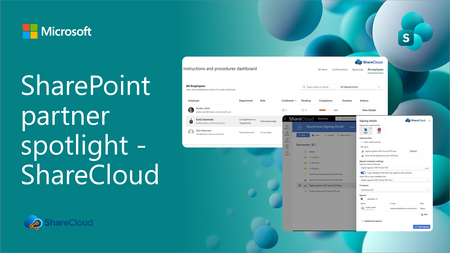
Discover how ShareCloud extends SharePoint and Microsoft 365 into practical business applications for secure e-signing, instructions management, HR processes, and everyday operational efficiency.349Views0likes0CommentsUnable to access our Microsoft Entra admin center
We cannot create a support request from the admin center because we cannot sign in Dear Microsoft Support Team, We are unable to access our Microsoft Entra admin center because even our administrator account, email address removed for privacy reasons, is being prompted for MFA, and we do not currently have access to the Microsoft Authenticator method required to complete the sign-in. As a result, we cannot access Entra ID / Microsoft 365 admin settings to reset MFA methods, issue a Temporary Access Pass, or re-register authentication methods for the affected users. Tenant/domain: itieurope.com Affected admin account: email address removed for privacy reasons Issue: MFA is required to sign in, but the Authenticator method is unavailable Impact: We are locked out of the tenant administration portal and cannot manage users or authentication methods We request assistance with one of the following recovery actions: Reset MFA methods for the administrator account email address removed for privacy reasons; or Enable re-registration of MFA for this account; or Provide a Temporary Access Pass or another Microsoft-approved recovery method so that we can regain administrative access to the tenant. We had force majeure, the only authenticator was on the phone, which was destroyed due to an unforeseen situation. (crashed) We are ready to verify domain ownership, provide billing information, tenant details, proof of identity, or any other information required to confirm that we are the legitimate owners/administrators of this Microsoft 365 tenant. Please escalate this as an urgent tenant lockout / admin access recovery issue. Kind regards, itieurope.com email address removed for privacy reasons42Views0likes1Comment
Power Apps + Excel Online: RFC 3339 Date/DateTime Format Error When Patching to Excel Date Columns
Hi everyone, I need help with a Power Apps canvas app connected to an Excel workbook stored in SharePoint/OneDrive. The app is a warehouse inventory system using Excel tables as the data source. The app has these Excel tables: tblSKU tblLocation tblInventory tblTransactions The main issue is with date fields when using Patch() from Power Apps to Excel. Error Message I keep encountering this error: Expected value "" to be valid RFC 3339 'date-time' format. Allowed ISO 8601 format(s): 'YYYY-MM-DDThh:mm:ssZ', 'YYYY-MM-DDThh:mm:ss+hh:mm', 'YYYY-MM-DDThh:mm:ss'. This happens during receiving / issuing / stock count transactions when patching to Excel. Date Columns Involved In tblTransactions, I have: DateTime TransDate ProductionDate ExpiryDate In tblInventory, I have: ProductionDate ExpiryDate LastUpdated These columns are formatted in Excel as Date or Date/Time. Current Patch Logic I already changed my formulas to stop saving formatted text like this: DateTime: Text(Now(), "dd mmm yyyy") TransDate: Text(Today(), "dd mmm yyyy") ProductionDate: Text(dpProductionDate.SelectedDate, "yyyy-mm-dd") ExpiryDate: "" Now I am trying to patch real date values instead: DateTime: Now(), TransDate: Today(), ProductionDate: If( IsBlank(dpProductionDate.SelectedDate), Blank(), dpProductionDate.SelectedDate ), ExpiryDate: If( IsBlank(varExpiryDate), Blank(), varExpiryDate ), LastUpdated: Now() However, I still sometimes get the RFC 3339 error. Sample Receiving Patch Here is the relevant part of my receiving button: Patch( tblTransactions, Defaults(tblTransactions), { TransID: Text(GUID()), DateTime: Now(), TransDate: Today(), Type: "RECEIVE", SKU: varSKU.SKU, Barcode: varBarcode, Description: varSKU.Description, Category: varSKU.Category, UOM: varSKU.UOM, LotNo: Upper(txtLot.Text), ProductionDate: If( IsBlank(dpProductionDate.SelectedDate), Blank(), dpProductionDate.SelectedDate ), ExpiryDate: If( IsBlank(varExpiryDate), Blank(), varExpiryDate ), Location: drpLocation.Selected.LocationCode, Qty: Text(Value(txtQty.Text)), User: User().FullName, Status: "POSTED", Remarks: "" } ) Expiry Date Calculation The expiry date is calculated based on SKU shelf life: Set( varShelfLifeDays, IfError( Value(varSKU.ShelfLifeDays), 0 ) ); Set( varExpiryDate, If( varShelfLifeDays > 0, DateAdd( dpProductionDate.SelectedDate, varShelfLifeDays, TimeUnit.Days ), Blank() ) ); Related Issue In galleries and labels, Excel sometimes returns date values as serial numbers, for example: 46192 So I had to use formulas like: Text( DateAdd( Date(1899,12,30), Value(Text(ThisItem.ExpiryDate)), TimeUnit.Days ), "dd mmm yy" ) This works for display, but I am still unsure about the correct way to patch date/date-time values back to Excel. Any guidance would be very much appreciated. Thank you.29Views0likes1CommentCopilot, Microsoft 365 & Power Platform Community call
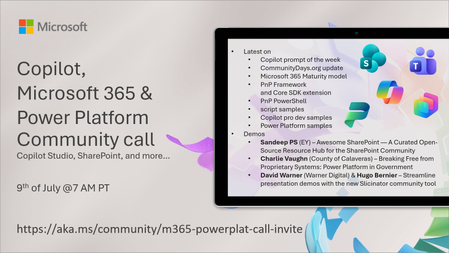
💡 Copilot, Microsoft 365 & Power Platform weekly community call focuses on different use cases and features within the Microsoft 365 and Power Platform - across Microsoft 365 Copilot, Copilot Studio, SharePoint, Power Apps and more. Demos in this call are presented by the community members. 👏 Looking to catch up on the latest news and updates, including cool community demos, this call is for you! 📅 On 9th of June we'll have following agenda: Latest on SharePoint Framework (SPFx) Latest on Copilot prompt of the week PnPjs CLI for Microsoft 365 Dev Proxy Reusable Controls for SPFx SPFx Toolkit VS Code extension PnP Search Solution Demos this time Sandeep PS (EY) – Awesome SharePoint — A Curated Open-Source Resource Hub for the SharePoint Community Charlie Vaughn (County of Calaveras) – Breaking Free from Proprietary Systems: Power Platform in Government David Warner (Quisitive) & Hugo Bernier (Takeda) – Streamline presentation demos with the new Slicinator community tool 📅 Download recurrent invite from https://aka.ms/community/m365-powerplat-dev-call-invite 📞 & 📺 Join the Microsoft Teams meeting live at https://aka.ms/community/m365-powerplat-dev-call-join 💡 Building something cool for Microsoft 365 or Power Platform (Copilot, SharePoint, Power Apps, etc)? We are always looking for presenters - Volunteer for a community call demo at https://aka.ms/community/request/demo 👋 See you in the call! 📖 Resources: Previous community call recordings and demos from the Microsoft Community Learning YouTube channel at https://aka.ms/community/youtube Microsoft 365 & Power Platform samples from Microsoft and community - https://aka.ms/community/samples Microsoft 365 & Power Platform community details - https://aka.ms/community/home 🧡 Sharing is caring!79Views0likes0Comments