microsoft 365 apps for enterprise
294 TopicsAutoSave disabled when opening SharePoint-synced files from Finder after macOS Tahoe 26.6 update
Files stored in SharePoint Online and synchronized locally through OneDrive are opened as local documents when launched from Finder. Office applications display "Saved to my Mac" and AutoSave is turned off by default. However, opening the exact same files through Word/Excel > Open > Sites, or via SharePoint "Open in Desktop App", correctly identifies them as cloud documents. In that scenario, AutoSave is enabled and collaboration/version history features work as expected. Troubleshooting already performed: OneDrive reset and re-linked SharePoint library re-synced Signed out and back into both Office and OneDrive Removed Microsoft credentials from macOS Keychain and re-authenticated Recreated local OneDrive sync relationships Verified OneDrive File Provider extensions are enabled Verified Office applications and OneDrive are fully up to date Tested with newly created files and existing files Tested "Always Keep on This Device" with no change in behavior The issue appears to be specific to the Finder-to-Office launch path after upgrading to macOS Tahoe 26.6. Before upgrading to macOS Tahoe 26.6, opening the same SharePoint-synchronized files directly from Finder correctly preserved cloud document identity and AutoSave was enabled as expected. I discussed this issue in detail with Apple Support, but they quickly dismissed it, saying that the problem is not on Apple's side and that I should contact Microsoft instead.4.6KViews13likes40Comments
Where is the "Microsoft Places" app?
Last year, Microsoft announced "https://www.microsoft.com/en-us/microsoft-365/blog/2022/10/12/introducing-microsoft-places-turn-your-spaces-into-places/" at Ignite, and the https://youtu.be/ndrS8B89uO4 is still online, too. There are even https://learn.microsoft.com/en-us/microsoftsearch/manage-floorplans because of the supposedly imminent arrival of this new app. But somehow, there has been no news anywhere about Micro since October 2022. The about to start beta did not start, and on the https://www.microsoft.com/en-us/microsoft-365/roadmap?filters=&searchterms=places. Or did I miss anything?24KViews10likes14CommentsInventory on Microsoft 365 Apps admin center goes GA!
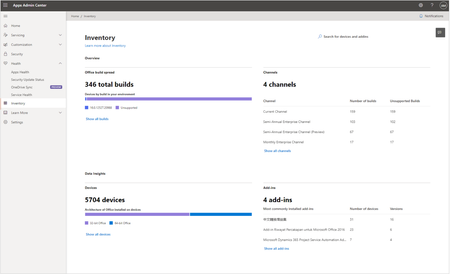
Today, we are happy to announce the General Availability (GA) of the new Inventory in the Microsoft 365 Apps admin center. It's a new experience specifically tailored to provide admins instant answers on the state of Microsoft 365 apps in the enterprise environment.17KViews10likes14CommentsRecent updates to the Microsoft 365 admin center
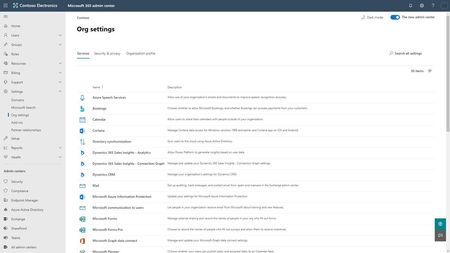
As part of our ongoing efforts to improve your Microsoft 365 admin experience, we have enhanced the Settings area, enabled dark mode across most pages, added several enhancements related to Microsoft 365 Groups, and added provisioning status for Microsoft Teams.14KViews9likes2CommentsGet the Microsoft Lists app for iOS
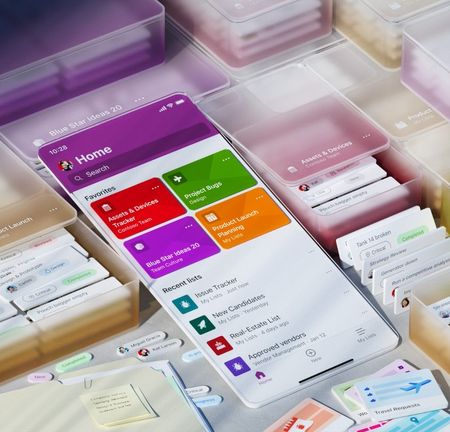
Take all your lists, and create new ones, on the go with Microsoft Lists app for iOS. Microsoft Lists is a Microsoft 365 app that helps you track information and organize your work. They are simple, smart, and flexible, so you can stay on top of what matters most to your team. And now you can track issues, assets, routines, contacts, inventory and more to keep everyone in sync from anywhere while on the go with a personalized, mobile-first experience.40KViews8likes26CommentsKeeping users safe and productive with Microsoft 365 Apps for enterprise
Months into COVID-19, businesses are beginning to realize that there can’t be a trade-off between productivity and security. Productivity is a part of the security story, and security is central to productivity.11KViews8likes4Comments