manage
30 Topics
Power BI and Fabric team ownership in extended engineering models
When an internal BI team already owns Power BI and additional engineers support Fabric development, how do you divide responsibilities? For example, should the extended team own data pipelines and notebooks while the internal team owns semantic models and reports, or is it cleaner to assign ownership by project? We have encountered this at Datatobiz when implementation work moves into ongoing development and support. Thoughts?237Views0likes1Comment
Organizing Multiple Shared Inbox's
Multiple people in Multiple shared inboxes within the organization. How do you keep them organized, what works, what doesn't work? We have color coding/tags that mean certain things for different inboxes which doesn't work when it is one person working out of multiple inboxes. For Example: Joe is in three shared inboxes, but each inbox has the color red tagged for different things. Joe can't save red as multiple things. Also, do people tag who is working on what and then move to their personal inboxes, or leave them in the original inbox until it is resolved and then move to a completed folder.906Views0likes2Comments
Helping students adopt Microsoft 365 tools for learning & productivity
Hi everyone, I’m a Microsoft 365 Champion and MSc Data Science student, and I’m currently helping fellow students get started with Microsoft tools such as: • Power BI (data analytics & dashboards) • Microsoft Learn learning paths • Microsoft 365 productivity tools I’m curious: What are the biggest challenges you’ve seen when introducing Power BI or Microsoft Learn to students or early-career professionals? I’d love to learn from your experiences and share what’s worked in an academic environment.292Views0likes0CommentsHow are you keeping your associates up to date on Microsoft changes? HELP
I’m looking for ideas or best practices from other organizations on how you're keeping associates up to date with the constant changes across Microsoft 365 especially in Teams, Outlook, SharePoint, Planner, Visio, and Copilot. With so many updates rolling out daily from the roadmap and message center, it’s a challenge to make sure users are aware of new features and understand how to use them in our environment. Do you have an intake process for all changes or just some? Do you vet all changes? Do you have a self-service model? Do you have a centralized communication or training strategy? Are you using internal champions, newsletters, Viva tools, or other methods? How do you make updates engaging and easy to understand? Any tips for turning roadmap and Message Center updates into actionable guidance? Thanks in advance for sharing what’s working for you!1.4KViews5likes7Comments
CPAi Advisors + Copilot Frontier: Accounting Meets Agent Mode
Hey all — I’m Dan, founder of CPAi Advisors, where boutique accounting meets workflow automation and Microsoft Copilot. I spent years in public company accounting, working across GL, AP/AR, reporting, and compliance — plus deep ERP integrations and technical troubleshooting. After seeing firsthand how manual and fragmented financial workflows can be, I decided to go out on my own and build something smarter: a boutique firm powered by Microsoft 365 Business Premium + Copilot. Now I’m exploring how Office Agent (Frontier) can take things further — not just chat in Word or Excel, but actually carry context across apps and orchestrate real accounting tasks. Here’s what I’m testing: Agent Mode in Excel → financial models, ledger reconciliation, anomaly detection Agent Mode in Word → client-ready reports that pull live spreadsheet data Agent Mode in Outlook → turning email threads into task lists and audit prep Cross-app orchestration → one prompt that builds a report, updates the spreadsheet, and drafts the email 💡 Focus: Copilot in accounting workflows Automating compliance & audit readiness Bridging trust in AI for financial advisory Pushing Agent Mode beyond the obvious Excited to share feedback and help shape what’s next. Let’s make accounting workflows smarter — and a little more fun. Take care & be well!318Views0likes0Commentsoptional suggestion: new menu bar app for mac
i wish i could launch one of my edge profile (no matter from which edge) directly in the menu bar. so you create a profile launcher.app and then i can search a profile installed on my 4 browser, without need to launch a browser. at the moment we can do similar things once the browser is launched using the dock icon or using the sync icon or using the menu bar option inside edge. but there is still the limit that we can do it for one browser. we cannot search profiles installed on all 4 browser. plus every time you launch the browser, you open the last used profile. so we first need to close and then switch (which requires time). profile switching is slower in edge compared to google. now with this new app you would simply launch a profile inside an edge app, without launching the previous profile.5.1KViews2likes10Comments
Google Workspace migration to Microsoft 365 with multiple domains
I'm managing a project to migrate mail from Google Workspace to Microsoft 365 via (Google Workspace Migration). My scenario is composed as follows: Primary domain in GWS: domain1.com Secondary domain in GWS: domain2.com Routing domain (alias domain) in GWS: m365.domain1.com and gws.domain1.com Microsoft side: accepted domain: domain1.com,domain2.com, m365.domain1.com and gws.domain1.com Users domain1.com have aliases routing domain m365.domain1.com and external forwarding gws.domain2.com. Users domain2.com have aliases routing domain m365.domain1.com and external forwarding gws.domain1.com. For users domain1.com the hybrid coexistence scenario, mailflow and batch work perfectly. For domain2.com users, the batch works, but at the time of completion, it returns an error that Google asks for verification of the forwarding address, as it is different from domain2.com. “GmailForwardingAddressRequiresVerificationException” Which configuration am I doing wrong? And above all, is the scenario in question supported? Thank you788Views1like1CommentIntroducing advanced deployment guides to make your Microsoft 365 deployments easier!
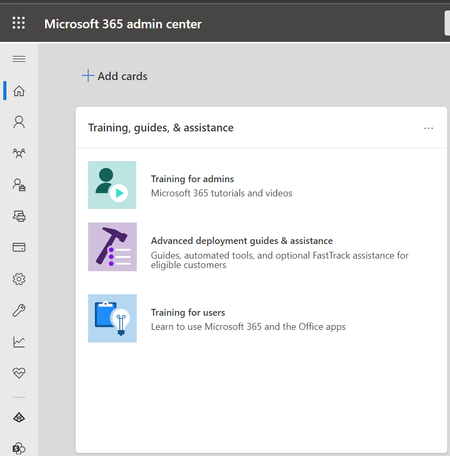
If you're an IT pro, you know that finding valuable tools to help you manage users in your organization is key to running an efficient environment. The FastTrack team just announced the availability of advanced deployment guides-now available in the Microsoft 365 admin center and setup.cloud.microsoft! These new guides help IT pros plan and configure Microsoft Cloud services for a smoother deployment experience. Check out the FastTrack team's latest blog post to learn more: Deploying Microsoft 365 just got easier - Introducing advanced deployment guides!7.8KViews0likes0CommentsInactive Users PST Migration from Tenant to Tenant M365
Is there a way I can migrate an inactive PST to another Office 365 tenant? Any suggestions on how I can move PST files to another tenant using eDiscovery? Is there any PowerShell script that can upload the PST directly into another Tenant data life cycle management Import job for PST. can AZ copy -copy the data from eDiscovery Export Key to Target Tenant SAS URL.571Views0likes0Comments