lob apps
33 Topics
CS agent OK in M365 Copilot; Teams chat silent / no Studio session
We are troubleshooting a Copilot Studio agent that works correctly in Microsoft 365 Copilot and in the Copilot Studio test surface, but does not receive inbound activities from Microsoft Teams personal chat. Environment and evidence: - Agent: Copilot Studio agent (custom business assistant) - Copilot Studio agent ID: 88901b10-… (truncated) - Teams/Entra app ID: 7e4a53cc-… (truncated) - Manifest version: 1.0.8 - Channel configuration: Microsoft 365 Copilot + Microsoft Teams - Publish: Succeeded / Channel state: Synchronized - Agent Registry: Available - Authentication: Integrated / Tool credentials: Maker-provided - MCP/custom connector runtime: working (Studio tool test HTTP 200) - Microsoft 365 Copilot routing: working Failure specific to Teams: - Messages in Teams web and desktop appear delivered in the agent personal chat - Agent never replies - Studio monitor has M365 Copilot sessions, but no Teams session for those timestamps - Teams Admin Center Manage apps returns 0 results by name or exact app ID despite Agent Registry Available - Intentionally not republishing / reconnecting OAuth / rewiring connectors because M365 Copilot path proves the same agent+connection works Classification: FAIL — Teams inbound activity is not reaching the Copilot Studio agent. Questions focused on Teams delivery: 1. Why would Teams personal 1:1 messages never create a Studio conversation while M365 Copilot does? 2. Is a missing TAC Manage apps row expected under Unified App Management when Registry shows Available? 3. Known gaps: Agent Registry Available + channel Synchronized, but Teams client chat bound to a non-runtime endpoint? 4. Best diagnostic if Monitor shows 0 Teams sessions after a confirmed client send? Looking for production experience / documented workaround. Redacted evidence available; no tokens/secrets.420Views0likes2Comments
Issue with Teams Tab App
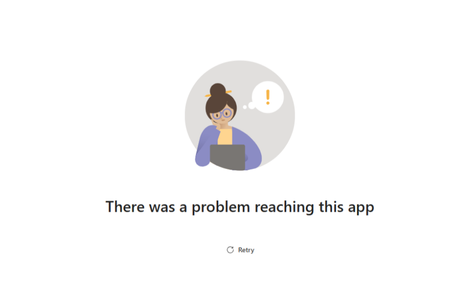
Hi, We are developing a teams tab app which works fine most of the time but intermittently we are seeing below error and if we just click retry it loads fine.Any tips on how to troubleshoot this issue. the app is hosted on aks and we dont see any issues with the availability of the app. Thanks Azeet267Views0likes2Comments
Small icon for Power App uploaded to Teams
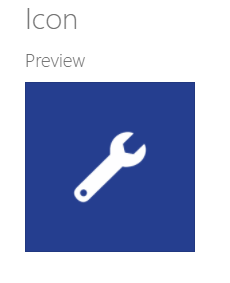
Hi everyone I've just uploaded a Power App to Teams for the first time and I have a slight issue with the way the icon looks once it's in Teams. In my app settings the icon size looks normal: However, when I add it to Teams, the icon looks really small: Is there anything that can be done about this? It's not the end of the world but it would look nicer if the icon on my custom app was the same size as the other app icons in Teams.6.7KViews0likes10CommentsHTML display
I’ve encountered a small issue with the logo we provided for https://parapet.com, which is misaligned when accessing the system through the Microsoft Teams app. It displays perfectly fine in the browser. IT doesn’t impact Parapet’s core https://parapet.com/Articles/Integrated-risk-Management functionalities. Does anyone know what kind of back-end engine Microsoft Teams uses for the html display?Solved70KViews0likes1Comment
Sample Code for a Bot Framework Bot making an outbound call and playing an audio stream?
Most of the samples for calling bots are for handling inbound calls, where the bot terminates a inbound call and responds to the user. In our use case, we would like the bot to make an outbound Teams call to a user and play (1) Stored media - sound file (2) Steaming media - i.e an audio stream we get from someplace else such as a internet radio station (as an example to illustrate) or even the bot acting as a relay between two calls. Are there any code samples or snippets available that illustrate a new outbound audio call to another teams user, and attaching a stored or streaming media to the call.988Views0likes2CommentsOpening custom desktop app from tab app
Hi, I developed a Desktop app and a teams tab app, I want to integrate them. The tabs app is supposed to open the desktop app and pass the data, where passing of the data is the most important thing The desktop application is running on MAC OS, and has registered listeners for the deep link Teams tab app has granted permission for open external and inside I run the application that implements teamsjs SDK with version 2.18.0 I call from the web app inside of the Teams Tab app app.openLink("myApp://data") I expect to have my desktop application opened and data accessable Anyone who solved similar or is there any different solution to how I can pass the data from the tab app into any desktop app? Thanks759Views0likes1CommentHow to find callChainID...?
Hi, Case: I have recording platform for Teams policy based recording, but based on Microsoft definitioin (?) there is only a callChainID available on the recordings. The callChainID is available only when the recording is done for the call or meeting: Get callRecord If I do have a meeting ID or the join URL to Teams meeting, then question is, is it possible to find the correct callchainID? Reason to find the recording is to enrich the metadata of the recording with business data. The meeting details can be found using the: Get onlineMeeting I just haven't had possibilities to see if the callchainID is already returned when getting online meeting.1.7KViews0likes5CommentsBlazor Teams App - Azure SQL / EF Core
Hello, I'm new at developing Teams app with the FX SDK. I started out with a predefined template for a Blazor Tab app. I will deploy it ti Azure and I want to use Az SQL as database. But I cannot find in the docs nothing related to how to integrate EF Core or how to setup a connection to a SQL Server instance. Does anyone have a guide or some documentation links that I couldnt find, please? Thanks a bunch!746Views0likes1Comment