licensing & activation
7 Topics
Your account is not enabled for Microsoft Forms
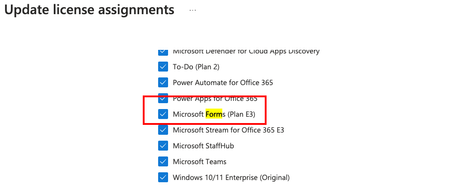
I have the following licenses inside Office 365, including Microsoft Forms:- Now I can access the Form home page and create new Forms as follow:- but when someone share a Form with me and i click on the form link inside the invitation email, i got this error:- so what could be the reason?8KViews0likes8Comments
Forms Licensing Question
Users in my org have E3 licenses, but have their Forms license toggled off. If I create a form, and share the link with them, will they be able to submit a response? Will I need to turn on the "Anyone with the link can respond" option, even though they are in my org? Thank you in advance, ChrisSolved4.5KViews0likes5CommentsRestrict permission to create Forms, to only one group or small subset of users?
Hi there, I have what seems like it should be a simple/common request, to only allow a small group of users in a tenant to create/manage Forms, but still enable all internal users to respond to Forms. - Looking at Microsoft's https://learn.microsoft.com/en-us/microsoft-forms/set-up-microsoft-forms#configure the only way this can be disabled for some users but not others is via the M365 Admin Center but would need to be done individually user-by-user, no good for hundeds of users as it could take several monotonous hours, but looking so far like my only workable option. - I've looked into a PowerShell solution to this but have been unable to achieve something that disables that property for all users except one group. - Another suggested option might be to create a conditional access policy in Azure AD / Entra Center, however this would restrict general users from responding to Forms content - the requirement is to only restrict the creation/management of Forms for most users. Please can anyone advise? Cheers, AlanSolved3.4KViews2likes2Comments
Limited to 200 submissions
The helpdesk has confirmed that I have an m365 family subscription. This would allow me to receive 1000 responses in Forms. However, when I log in to Forms with my details, only 200 answers are accepted. In addition, I get a "buy button" on the screen. In other words, Forms "thinks" that I have a free plan. Who can solve this for me?200Views0likes1Comment
Major Trouble Activating Win. 11 Pro After Hardware Change
Hello, I am trying to transfer a Windows 11 Professional product key to a different machine. It seems like no matter what I try, Windows will not reactivate. It activated just fine on the old machine. Before moving the installation to the new machine, I first signed into my Microsoft account on the old machine, per Microsoft's recommendation for hardware changes. I then signed into my Microsoft account on my new machine. When the activation failed on the new machine, I ran the troubleshooter in settings, which told me it couldn't find any devices to transfer the product key from. I then tried "slmgr /ato" which was unsuccessful but told me to call Microsoft. The chatbot told me to use a tool found here: "aka.ms/aoh". The tool said the "installation ID was unable to be activated". I'm feel like I'm out of options, however, I still want to use Windows. Any help would be greatly appreciated. Thank you.199Views0likes1Comment200 answers instead of 1000
The helpdesk has confirmed that I have an m365 family subscription. This would allow me to receive 1000 responses in Forms. However, when I log in to Forms with my details, only 200 answers are accepted. In addition, I get a "buy button" on the screen. In other words, Forms "thinks" that I have a free plan. Who can solve this for me?46Views0likes0Comments