learning
136 TopicsEngineering Agentic Recall Controls with MCP and Microsoft Foundry
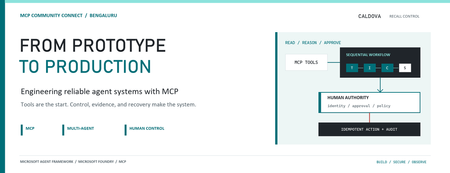
AI agents become operationally interesting when they can reach real systems. They also become operationally dangerous at exactly the same moment. Caldova Recall Control Tower is a developer demonstration built around that tension. It uses a fictional pharmaceutical recall to show how an agent can gather evidence and prepare a decision while deterministic application code retains authority over approval and inventory mutation. The implementation combines the Model Context Protocol (MCP), Microsoft Agent Framework, a Microsoft Foundry Hosted Agent, FastAPI, Microsoft Entra authentication, managed identity, and optimistic concurrency in Azure Blob Storage. Central design rule: Let the model interpret and recommend. Make ordinary code authenticate, authorize, mutate, and prove what happened. Caldova is fictional, all operational data is synthetic, and this sample is not a production recall system or a source of clinical advice. The scenario: useful reasoning, consequential action The demo starts with a temperature excursion affecting batch B-2408-AX7 of Caldova Relief 20 mg tablets. The synthetic inventory contains 2,196 units across two distribution centers and two retail stores. A useful system must establish the notice, locate every affected position, check supplier status, explain uncertainty, and recommend an action. That analysis is a good fit for specialized agents. Quarantining inventory is not. Quarantine changes operational state. It therefore needs an authenticated human, explicit authorization, a batch-scoped approval, concurrency control, idempotency, and an audit record. None of those guarantees should depend on a prompt being followed. The authenticated hosted application at the start of the fictional recall. Architecture: separate reasoning from authority The solution has two related but deliberately separate paths. Caldova separates model reasoning from application authority. Official Microsoft service icons identify Foundry Agent Service, App Service, Managed Identity, and Blob Storage. The reasoning path invokes a Hosted Agent through the Responses protocol. Four agents run in a fixed sequence: triage, inventory impact, supplier/compliance, and supervisor. The first three have narrow read-only tools. The supervisor has no tools and synthesizes the accumulated context into a decision brief. The authority path remains in the web application. It validates the EasyAuth identity claims, checks an approver allowlist, binds approval to the caller, batch, action, and current demo generation, and only then calls deterministic domain code. State is stored per actor in Blob Storage and updated with ETag match conditions so concurrent writes fail instead of silently overwriting each other. There is also a deterministic localhost demo. It reuses synthetic domain fixtures and demonstrates MCP contracts, approval, quarantine, and replay without a model or cloud account. It is useful for development, but its typed approver name and in-memory state are not production identity or durable compliance evidence. Building a narrow MCP surface MCP standardizes how an AI application discovers and calls external tools. It does not remove the need to design those tools carefully. Caldova exposes small, typed operations such as get_recall_notice , locate_inventory , and get_supplier_status . Inputs are constrained with Pydantic, and tool annotations tell clients that these operations are read-only and closed-world: @mcp.tool( title="Locate affected inventory", annotations=ToolAnnotations( read_only_hint=True, open_world_hint=False, ), ) def locate_inventory(batch_id: BatchId) -> dict[str, Any]: return STORE.locate_inventory(batch_id) The mutation tool is separately marked destructive and requires a batch-scoped approval token. Those annotations improve discovery and planning, but they are metadata, not an authorization boundary. The real check occurs inside quarantine_batch , below the model and below the tool description. The Hosted Agent does not receive the mutation tools at all. Its specialists call only three read operations through an isolated MCP stdio subprocess. This is stronger than asking an all-powerful agent to "please remain read-only": capability is constrained by construction. The subprocess boundary also keeps MCP v2 dependencies isolated from the Foundry hosting environment. Each call has a timeout, bounded concurrency, structured JSON handling, and a generic failure response that does not leak subprocess details. Fixed workflows beat vague autonomy for this case Multi-agent does not have to mean dynamic routing. Caldova uses an explicit sequence because the business dependency is explicit: validate the notice before locating inventory, locate inventory before checking supplier implications, and synthesize only after all three specialist outputs exist. return ( WorkflowBuilder(start_executor=triage, output_from=[supervisor]) .add_edge(triage, inventory) .add_edge(inventory, compliance) .add_edge(compliance, supervisor) .build() .as_agent() ) This topology is easier to test and reason about than an unconstrained planner. Each specialist has one job and one tool allowlist. Full context is passed where synthesis requires it, while the supervisor remains tool-free. Request isolation matters too. A hosted process can serve concurrent users, so workflow state must not leak between requests. The sample creates a fresh workflow agent for each request context rather than reusing mutable agent state globally. What the live hosted run showed The hosted application completed a read-only assessment for the synthetic batch. The resulting brief reported: 2,196 affected units across four locations. A high-risk inbound temperature excursion. Supplier acknowledgement, a 36-hour replacement estimate, and a drafted credit note. Unknown transit temperature details, excursion duration, stability impact, final supplier disposition, and potentially issued stock. A recommendation to hold or quarantine stock, explicitly stating that no quarantine had occurred. A required human approval before any inventory restriction. The live Hosted Agent decision brief. Transient response and correlation identifiers are masked; the operations rail is excluded because it contains actor-scoped audit data. The screenshot also shows an important truthfulness choice: the UI says Hosted workflow trace unavailable. The application does not invent stage completion or tool-call evidence when the hosted endpoint does not return trustworthy trace data. The answer can be displayed, but it must not be presented as proof of an internal execution path. Approval is a protocol, not a button The hosted web path uses App Service authentication with Microsoft Entra. The application accepts the injected principal only on the configured App Service host, validates tenant and object identifiers, applies a user allowlist, and performs an additional approver check for mutation requests. State-changing calls also require the expected origin and an application request header. Approval is then bound to five facts: The authenticated actor. The current demo generation. The affected batch. The quarantine action. A ten-minute validity window until first use. Resetting the demo creates a new generation, invalidating old handles. Consuming an approval does not make replay unsafe: the same bound handle can repeat the same quarantine operation, but domain code changes only positions that are not already quarantined. A second call reports an idempotent replay with zero additional positions changed. This is the difference between a human-in-the-loop interface and a human-authorized system. A modal dialog provides user experience; identity binding and deterministic policy provide control. Durable state needs concurrency semantics The hosted application stores each actor's synthetic session in a separate Blob object. A load returns both JSON state and its ETag. A save uses IfNotModified semantics; if another request updated the same state first, Azure Storage rejects the stale write and the API returns a conflict. conditions = ( {"etag": etag, "match_condition": MatchConditions.IfNotModified} if etag else {} ) await blob.upload_blob( json.dumps(state), overwrite=etag is not None, **conditions, ) Without that condition, two browser requests could both read the same approval state and overwrite one another using last-writer-wins behavior. Agent systems do not get a concurrency exemption: ordinary distributed-systems rules still apply. Fail closed, and make the failure legible The analysis adapter accepts only HTTPS Foundry endpoints with the expected path, uses a managed-identity token for https://ai.azure.com/.default , disables redirects, and enforces bounded connect and overall timeouts. It accepts only a completed assistant response with non-empty output text. If the endpoint times out, returns partial output, returns malformed data, or becomes unavailable, the application clears the analysis lease and reports that no inventory changed. It does not substitute a local answer and label it as hosted. Approval remains locked until a new hosted analysis succeeds. This can feel strict during a demo, but it protects provenance. A degraded fallback is useful only when the UI and audit model can identify it accurately. What is proven, and what is not The sample provides useful evidence for several engineering claims: Typed MCP tools reject malformed input. Hosted specialists receive read-only capabilities only. Approval is checked below the model and bound to identity and session state. Quarantine is idempotent in the synthetic domain. Blob ETags prevent stale session writes. Empty, partial, failed, and timed-out hosted responses fail closed. Local tests cover domain, MCP, workflow, API, and repository-hygiene behavior. It does not prove that the sample is a production recall platform. The scenario is synthetic. The local audit log is not tamper-evident. The hosted UI currently lacks trustworthy per-stage and per-tool trace rendering. Deployment-specific RBAC, EasyAuth configuration, telemetry access, model behavior, load characteristics, costs, and recovery procedures require validation in each environment. Evaluation evidence also expires. Golden cases and evaluator configuration are useful assets, but historical results are not a current release certificate. Re-run evaluations against the deployed agent version and inspect failures before making quality claims. Try the pattern Start with the deterministic path before provisioning cloud resources: Set-Location (git rev-parse --show-toplevel) py -3.13 -m venv caldova-recall-control/.venv ./caldova-recall-control/.venv/Scripts/python.exe -m pip install ` -r caldova-recall-control/requirements-ui.txt ./caldova-recall-control/.venv/Scripts/python.exe -m uvicorn ` control_tower_api:app ` --app-dir caldova-recall-control/src ` --host 127.0.0.1 ` --port 8091 Then inspect the MCP server over stdio: ./caldova-recall-control/.venv/Scripts/python.exe ` caldova-recall-control/scripts/inspect_mcp.py The inspector discovers the real tool schemas, reads the synthetic inventory, rejects malformed input and an unapproved mutation, and confirms the stock remains unchanged. Only after that local contract is understood should you configure a Foundry project, deployment identity, model deployment, and Hosted Agent. Engineering takeaways The most reusable lesson in Caldova is not the number of agents. It is the placement of authority. Give each model the smallest useful toolset. Prefer explicit workflow topology when the business process is known. Treat tool annotations as descriptive metadata, not access control. Bind consequential approval to authenticated identity, resource, action, and session generation. Put mutation and idempotency in deterministic domain code. Use optimistic concurrency for durable web state. Preserve provenance by failing closed instead of silently changing execution paths. Show only evidence the system actually captured. Agents are excellent at turning fragmented evidence into an actionable brief. Reliable systems make sure the brief and the action remain two different things. References Caldova source repository Model Context Protocol introduction Microsoft Agent Framework workflow capabilities Deploy a Hosted Agent in Microsoft Foundry Configure Microsoft Entra authentication for Azure App Service Manage concurrency in Azure Blob StorageDistributing Agents to Microsoft Teams and Microsoft 365 Copilot Part 4/5
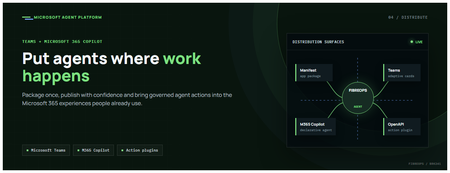
This is the fourth post in our series on the Microsoft agent platform. We cover the Distribute in M365 pillar — publishing your agents to Microsoft Teams and Microsoft 365 Copilot so they reach users where they already work. All examples reference the FibreOps repository, demonstrated at Microsoft Build BRK241. The Distribution Story Building a great agent is only half the challenge. The other half is getting it into the hands of users without asking them to learn a new tool, visit a new URL, or change their workflow. Microsoft 365 Copilot and Microsoft Teams are where enterprise users already spend their day, making them the natural distribution surface for agents. With the GA release, publishing an agent to Teams and M365 Copilot is a single command. No separate app registration portal, no manual manifest assembly, no multi-step approval workflow for development and testing. Publishing to Microsoft 365 Copilot (GA) FibreOps ships as a declarative agent + action plugin ready for sideload. A single CLI command produces the complete package: python -m fibreops.demo publish-m365 --out dist/m365 # Output: # ✓ wrote dist/m365/declarativeAgent.json # ✓ wrote dist/m365/fibreops-action.json # ✓ wrote dist/m365/manifest.json # ✓ wrote dist/m365/color.png (192x192) # ✓ wrote dist/m365/outline.png ( 32x32) # ✓ wrote dist/m365/fibreops-copilot.zip What Gets Generated File Purpose declarativeAgent.json Defines the agent's persona, capabilities, and conversation starters for M365 Copilot fibreops-action.json Action plugin that proxies tool calls to the deployed FastAPI backend via OpenAPI manifest.json Teams app manifest with publisher metadata, permissions, and capabilities color.png / outline.png App icons for Teams and M365 surfaces fibreops-copilot.zip Ready-to-upload package for Teams Admin Center Configuration Set the base URL to your deployed FastAPI app before publishing — the action plugin uses this to resolve the OpenAPI runtime: # Set the public HTTPS hostname of the deployed FastAPI app $env:M365_ACTION_BASE_URL = "https://fibreops-demo.azurewebsites.net" # Optional: customise publisher metadata $env:M365_PUBLISHER_NAME = "Contoso Network Operations" $env:M365_PUBLISHER_WEBSITE = "https://contoso.com/noc" # Generate the package python -m fibreops.demo publish-m365 --out dist/m365 Environment Variable Purpose M365_ACTION_BASE_URL Public HTTPS root for the FastAPI /openapi.json (e.g., Container Apps FQDN) M365_APP_ID Override the generated Teams app GUID (default: deterministic per repo) M365_PUBLISHER_NAME Publisher name shown in M365 Admin Center M365_PUBLISHER_WEBSITE Publisher website link Uploading the Package Upload the generated fibreops-copilot.zip through either path: Teams Admin Center → Manage apps → Upload new app M365 Admin Center → Integrated apps → Upload custom apps Once uploaded, the declarative agent: Inherits the publisher metadata you configured Advertises conversation starters from the FibreOps deck (e.g., "What is the current outage status?", "Dispatch an engineer to FN-LDN-001") Proxies tool calls to the deployed FastAPI app via the action plugin Appears in Microsoft 365 Copilot as a specialised agent users can invoke How Declarative Agents Work A declarative agent in Microsoft 365 Copilot is defined by metadata rather than code running in the M365 surface. The intelligence lives in your backend — Copilot handles the conversational UX, tool orchestration schema, and user authentication. The flow: User invokes the agent in Microsoft 365 Copilot or Teams Copilot renders conversation starters and accepts natural language input When the agent needs to act, Copilot calls the action plugin (your OpenAPI endpoint) Your FastAPI backend processes the request using the full agent pipeline Results return to the user in the Copilot/Teams UX This architecture means your agent logic stays in one place — the backend. The M365 surface is purely a distribution and interaction layer. Action Plugins and OpenAPI The action plugin ( fibreops-action.json ) references your FastAPI app's /openapi.json endpoint. FibreOps exposes a JSON API that the action plugin can call: /api/runs — List and query agent runs /api/optimiser — Get optimizer scores and suggestions /sdk/chat — Natural language interaction with the agent system /healthz — Liveness probe Because FastAPI auto-generates OpenAPI schemas from your typed Python endpoints, the action plugin gets accurate parameter descriptions, response schemas, and error codes without any manual specification work. Publishing as Autopilots (Public Preview) Autopilots take distribution one step further — agents that operate autonomously without requiring a user to initiate each interaction. An Autopilot can: React to events (e.g., a critical telemetry signal) without human initiation Take actions within defined guardrails Notify users only when human intervention is needed Operate continuously across Microsoft 365 surfaces For FibreOps, an Autopilot would monitor the Event Hub stream continuously and only surface to the NOC team when an incident exceeds automated resolution capability — a fully autonomous operations agent. Teams Adaptive Cards FibreOps posts rich Adaptive Card notifications to Microsoft Teams throughout the agent pipeline. This is separate from the declarative agent — it is a push notification channel for real-time operational awareness. # The NetOps agent posts an outage notice via Incoming Webhook def post_outage_notice(incident_id, node_id, severity, summary, engineer=None): card = { "type": "AdaptiveCard", "body": [ {"type": "TextBlock", "text": f"🚨 Outage: {node_id}", "weight": "Bolder", "size": "Large"}, {"type": "FactSet", "facts": [ {"title": "Severity", "value": severity.upper()}, {"title": "Incident", "value": incident_id}, {"title": "Summary", "value": summary}, ]}, ], "actions": [ {"type": "Action.OpenUrl", "title": "View in NOC Console", "url": f"{base_url}/runs/{incident_id}"} ] } # POST to Teams webhook or append to outbox for offline mode ... If TEAMS_WEBHOOK_URL is not configured, cards are appended to state/teams_outbox.jsonl for review in the NOC console's Teams panel. End-to-End: From Code to Copilot Here is the complete flow from development to distribution: Build — Develop agents with Microsoft Agent Framework, test locally with python -m fibreops.demo --backend local Publish agents — python -m fibreops.demo publish creates hosted Prompt Agents in Foundry Deploy infrastructure — azd up provisions App Service, ACR, Event Hub, Key Vault, and Application Insights Deploy hosted agent — azd env set FIBREOPS_DEPLOY_HOSTED true && azd up Generate M365 package — python -m fibreops.demo publish-m365 --out dist/m365 Upload to Teams — Upload fibreops-copilot.zip via Teams Admin Center Users interact — The agent is now available in Microsoft 365 Copilot and Teams Security Considerations Managed Identity — The deployed app uses system-assigned managed identity for all Azure service access. No secrets in code. Least privilege — Each role grant is scoped to the minimum required (Event Hubs Data Owner, Key Vault Secrets User, AcrPull, Azure AI Developer). Authentication — The M365 Copilot surface handles user authentication; your backend receives authenticated requests. Guardrails — Autopilots operate within defined boundaries; human-in-the-loop escalation is built into the Routine and agent decision logic. Key Takeaways Publishing to Teams and M365 Copilot is GA — a single command generates the complete package. Declarative agents separate distribution (M365) from intelligence (your backend). Action plugins leverage your existing FastAPI OpenAPI schema — no manual specification needed. Autopilots (Public Preview) enable fully autonomous operation within guardrails. Adaptive Cards provide real-time push notifications alongside the conversational agent surface. The same backend serves the NOC console, the Copilot SDK, and the M365 declarative agent. Next Steps Explore the FibreOps repository — try python -m fibreops.demo publish-m365 Microsoft 365 Copilot extensibility documentation Next in this series: Voice Live and Observability for Production Agent SystemsBuilding Autonomous Agents with Microsoft Agent Framework and GitHub Copilot SDK Part 2/5
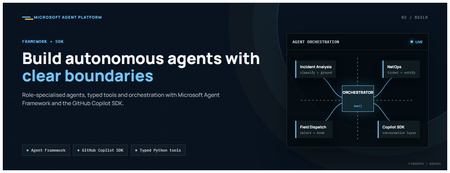
This is the second post in our series on the Microsoft agent platform. Here we dive deep into building autonomous agents, the development experience, the Microsoft Agent Framework, tool design patterns, and how the GitHub Copilot SDK brings conversational AI to your agent system. All examples reference the FibreOps repository, an autonomous fibre outage response system demonstrated at Microsoft Build BRK241. The Microsoft Agent Framework The Microsoft Agent Framework (now GA) provides a unified programming model for building agents. It supports multiple backends through a single .run() contract: Hosted — FoundryAgent connected to a Prompt Agent published to Microsoft Foundry Agent Service. Foundry — Agent + FoundryChatClient with the definition resolved locally (ideal for prompt iteration). Local — Deterministic LocalAgent for offline development and testing. This design means your orchestration code never changes regardless of where the agent runs. The factory pattern in FibreOps selects the backend at startup: # src/fibreops/agents/factory.py — simplified from agent_framework_foundry import FoundryAgent from agent_framework import Agent, FoundryChatClient def build_agent(role: str, backend: str, config: Config): if backend == "hosted": return FoundryAgent(agent_id=config.foundry_agents[role]) elif backend == "foundry": return Agent( instructions=get_instructions(role), chat_client=FoundryChatClient(endpoint=config.endpoint), tools=get_tools(role), ) else: return LocalAgent(role=role) Set FIBREOPS_AGENT_BACKEND to override the backend, or leave it as auto for intelligent detection. Designing Role-Specialised Agents FibreOps demonstrates a key pattern: role specialisation. Rather than one monolithic agent, the system uses three focused agents, each with a clear responsibility boundary: Agent Role Tools Available IncidentAnalysisAgent Classify severity, find root cause, retrieve SOP Knowledge (SOPs + topology), Web IQ, Work IQ NetOpsCoordinatorAgent File D365 incident, post Teams notice Ticketing, Teams, Memory FieldDispatchAgent Select engineer, book resource, update team Dispatch, Teams, Voice Why Role Specialisation? Focused system prompts — Each agent has a tightly scoped instruction set, reducing hallucination and improving reliability. Independent evaluation — You can score each agent separately against role-specific criteria. Parallel development — Teams can iterate on agents independently. Selective upgrade — Swap one agent's model or implementation without touching others. Tool Design: Typed Python Functions Tools in the Microsoft Agent Framework are typed Python functions that the runtime supplies to the hosted agent definition. FibreOps demonstrates several tool categories: Knowledge Tools # src/fibreops/tools/knowledge.py — simplified def sop_lookup(node_id: str, signal_type: str) -> dict: """Retrieve the Standard Operating Procedure for a given signal type. Args: node_id: The fibre node identifier (e.g., FN-LDN-001) signal_type: The type of signal (loss_of_light, high_ber, signal_degradation) Returns: SOP with steps, escalation path, and estimated resolution time. """ # Load from local markdown SOPs or Foundry IQ ... def web_iq_search(query: str, *, limit: int = 5) -> list[dict]: """Search public web for context relevant to the incident. Grounding against roadworks, weather, power outages, splice guidance. Falls back to deterministic fixtures when endpoint is unset. """ ... def work_iq_search(query: str, *, limit: int = 5) -> list[dict]: """Search enterprise knowledge for context relevant to the incident. Site surveys, SLA tiers, competency matrix, MTTR trends. """ ... Integration Tools # src/fibreops/tools/teams.py — simplified def post_outage_notice( incident_id: str, node_id: str, severity: str, summary: str, engineer: str | None = None, ) -> dict: """Post an Adaptive Card outage notice to the configured Teams channel. If TEAMS_WEBHOOK_URL is not set, appends to state/teams_outbox.jsonl for offline review. """ card = build_adaptive_card(incident_id, node_id, severity, summary, engineer) if config.teams_webhook_url: requests.post(config.teams_webhook_url, json=card) else: append_to_outbox(card) return {"status": "posted", "incident_id": incident_id} Design Principles for Agent Tools Typed parameters with docstrings — The runtime uses type hints and docstrings to generate the tool schema for the LLM. Graceful degradation — Every tool works offline by falling back to local fixtures or file-based state. Idempotent where possible — Tools that create resources return existing records if called with the same parameters. Observable — Every tool invocation emits an OpenTelemetry span for tracing and debugging. The Orchestrator Pattern The orchestrator drives signals through the agent pipeline. It is deliberately simple — a linear flow with error handling: # src/fibreops/orchestrator.py — simplified async def handle_signal(signal: TelemetrySignal) -> RunResult: """Process a telemetry signal through the agent pipeline.""" # Stage 1: Incident Analysis analysis = await incident_agent.run( f"Analyse this signal: {signal.model_dump_json()}" ) # Stage 2: NetOps Coordination coordination = await netops_agent.run( f"Coordinate response for: {analysis.summary}" ) # Stage 3: Field Dispatch dispatch = await dispatch_agent.run( f"Dispatch engineer for incident: {coordination.incident_id}" ) return RunResult( signal=signal, analysis=analysis, coordination=coordination, dispatch=dispatch, ) The orchestrator honours the same contract regardless of backend — hosted , foundry , or local — because all backends implement await agent.run(prompt) . GitHub Copilot SDK Integration (GA) The GitHub Copilot SDK enables conversational interaction with your agent system. FibreOps implements FibreOpsCopilotClient with the same interface as github/copilot-sdk : # src/fibreops/sdk/__init__.py — simplified from fibreops.sdk.client import FibreOpsCopilotClient client = FibreOpsCopilotClient() session = client.create_session() # Query agent status response = session.send_and_wait("status") print(response.text) # Human-readable summary print(response.data) # Structured JSON # Inject a telemetry signal via conversation response = session.send_and_wait(json.dumps({ "signal_id": "sig-demo", "node_id": "FN-LDN-001", "signal_type": "loss_of_light", "severity": "critical" })) The adapter routes prompts by shape: JSON signal-shaped dicts — Forwarded to the orchestrator for processing. Free-form text — Answered by a deterministic responder ( help , status , nodes , engineers , optimiser , dispatch ). Drive it from the terminal: python -m fibreops.demo chat "help" python -m fibreops.demo chat "status" python -m fibreops.demo chat '{"signal_id":"sig-demo","node_id":"FN-LDN-001","signal_type":"loss_of_light","severity":"critical"}' Or hit the embedded HTTP endpoint when the NOC console is running: Invoke-RestMethod -Method Post http://127.0.0.1:8800/sdk/chat -Body '{"prompt":"status"}' -ContentType application/json Development Workflow with Foundry Toolkit for VS Code The Foundry Toolkit for VS Code provides an integrated development experience: Author prompts — Edit system instructions with live preview and token counting. Test locally — Run against the foundry backend with FoundryChatClient pointing at your development model. Iterate fast — The foundry backend resolves definitions locally, so prompt changes take effect immediately without republishing. Publish when ready — python -m fibreops.demo publish creates hosted Prompt Agents in Foundry. Multi-Model Support The Microsoft Agent Framework supports multiple models. FibreOps defaults to gpt-4.1-mini (the model available in most demo Foundry accounts), but any chat-completions deployment works: # .env AZURE_AI_MODEL_DEPLOYMENT=gpt-4.1-mini # or gpt-4o-mini, gpt-4o, gpt-4.1 The framework also supports Claude Code connectors and Magentic-One for multi-agent collaboration scenarios. Testing Strategy FibreOps demonstrates a layered testing approach: Unit tests — Test tools in isolation with mocked dependencies. Local backend tests — Run the full pipeline with LocalAgent for deterministic assertions. Integration tests — Run against real Foundry agents with pytest -q . Rubric evaluation — The optimizer scores every run against defined criteria. # Run the test suite .\.venv\Scripts\python.exe -m pytest -q Key Takeaways The Microsoft Agent Framework provides a unified .run() contract across hosted, foundry, and local backends. Role specialisation keeps agents focused, testable, and independently evolvable. Tools are typed Python functions with docstrings — the runtime generates schemas automatically. The GitHub Copilot SDK (GA) enables conversational interaction with any agent system. Graceful degradation means the entire system works offline for development. The factory pattern lets you switch backends without changing orchestration code. Next Steps Clone the FibreOps repository and run python -m fibreops.demo --signals 3 Microsoft Agent Framework documentation Next in this series: Running Hosted Agents in Microsoft Foundry Agent Service
Vector search finds candidates. Reranking decides what your RAG app reads
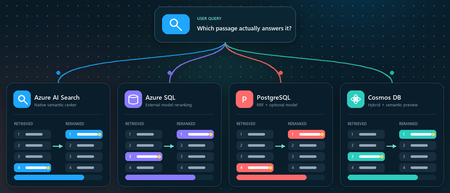
You ask a retrieval-augmented generation (RAG) application a question. Vector search returns ten passages that are clearly related to the topic. The passage that actually contains the answer, however, is ranked seventh, while the language model receives only the first five. Retrieval did not completely fail. It found the evidence, but ordered it below less useful context. Reranking addresses that gap between a passage that is semantically similar and a passage that is relevant to the user's specific question. This article demonstrates that pattern in four Azure services using the Stanford Question Answering Dataset (SQuAD). The goal is not to declare a winning service or publish a quality benchmark. It is to show where retrieval, rank fusion, and model-based reranking run in each architecture, and to illustrate how the position of a known source passage can change. What this demonstration establishes The examples show rank movement for three selected questions. They do not establish that one reranker or service is universally more accurate. A production decision requires a larger, representative query set and aggregate relevance, latency, and cost measurements. Get the full Python implementation: pauldj54/azure-vector-reranking-squad Retrieval and reranking are different stages A production search pipeline commonly uses two stages: Retrieve for recall. Fast retrieval narrows a large corpus to a bounded candidate set. It can use vector search, keyword search, or both. Rerank for precision. A more expensive model evaluates only those candidates against the original query and produces the final order. Reciprocal Rank Fusion (RRF) belongs between those two ideas. RRF is a model-free rank aggregation method that merges independent result lists, usually vector and keyword results. For a document d, a typical score is: RRF(d) = ∑ r ∈ R 1 k + rank r (d) Here, R is the set of ranked lists and k is commonly 60. RRF works with positions rather than raw scores, so it can combine signals such as cosine distance and BM25 without pretending their score scales are comparable. This gives a clearer three-part vocabulary: Stage Purpose Typical mechanism Retrieve Find broad candidate set Vector search, BM25, filters Fuse Combine independent rankings RRF Rerank Reassess query-document relevance Semantic ranker or cross-encoder RRF often improves hybrid retrieval when exact names, dates, identifiers, or terms matter. A learned reranker can then read the query and each candidate together, capturing interactions that separately generated embeddings can miss. The learned stage costs more, so it should operate on tens of candidates rather than the whole corpus. The following image describes the general process: Why use SQuAD for this demonstration? SQuAD 1.1 contains crowd-written questions over more than 500 Wikipedia articles. Its packaged splits contain 87,599 training rows and 10,570 validation rows. Each row includes a question, a context passage, and one or more answer spans inside that passage. That source-context mapping gives this demonstration a useful label: the context associated with a question is treated as its gold passage. We can then inspect whether each search stage moves that passage up or down. This is convenient, but it is not a perfect passage-ranking benchmark. SQuAD was designed for extractive question answering, and another passage in the corpus might also answer a question. The gold context is therefore a reproducible reference, not proof that every other passage is irrelevant. The results shown here use the 2,067 unique contexts in the SQuAD validation split and 1,536-dimensional embeddings. The repository default should be set to the same corpus size before treating the screenshots or rank transitions as directly reproducible. Three illustrative questions Question Expected answer Gold context According to game stats, which Super Bowl 50 quarterback had his worst year since his first NFL season? Peyton Manning 12, Super Bowl 50 What else did Tesla do for work at this time? Various electrical repair jobs 165, Nikola Tesla Who acts as laborer, paymaster, and design team for a renovation project? The property owner 1306, Construction Each notebook selects a seeded demonstration question when it runs. The three saved examples were collected across separate runs; the current notebooks do not execute all three questions in one pass. A benchmark harness should iterate over a fixed question list and save all stage results in one structured output. Capability boundaries at a glance Service Retrieval and Fusion Learned Reranking Boundary to Keep in Mind Azure AI Search Native keyword and vector retrieval with native RRF Built-in semantic ranker Semantic ranking only reorders the retrieved top 50 Azure SQL Database Exact vector retrieval in the current notebook External Cohere model invoked through native REST procedure SQL issues the HTTPS request; Foundry performs inference PostgreSQL Flexible Server pgvector plus hand-written SQL RRF over full-text search Optional external Cohere call from Python Retrieval primitives are native; this RRF query and Cohere path are application code Azure Cosmos DB for NoSQL Native vector search and native hybrid RRF SDK-integrated Semantic Reranker, currently preview Reranking is a separate inference call over at most 50 supplied documents Azure AI Search: native hybrid retrieval and semantic ranking How it works: Azure AI Search provides the most integrated pipeline in this demonstration. A hybrid query runs keyword and vector retrieval, combines the lists with RRF, and passes up to the top 50 results to the built-in semantic ranker. The semantic ranker assigns @search.rerankerScore values from 0 to 4 and can return extractive captions and answers. The semantic configuration identifies the fields that carry the meaning of each document: semantic_search = SemanticSearch( configurations=[ SemanticConfiguration( name=SEMANTIC_CONFIG, prioritized_fields=SemanticPrioritizedFields( title_field=SemanticField(field_name="title"), content_fields=[SemanticField(field_name="content")], ), ) ] ) This tells the semantic ranker which text fields to evaluate. The query then enables semantic ranking after hybrid retrieval: results = search_client.search( search_text=question, vector_queries=[vector_query], query_type="semantic", semantic_configuration_name=SEMANTIC_CONFIG, top=10, ) The important constraint is candidate recall. Semantic ranking does not search the corpus again. If the correct passage is absent from the hybrid top 50, the semantic stage cannot recover it. See 01_azure_ai_search_reranking.ipynb for the complete setup and query path. Test results for Azure AI Search These examples show that semantic reranking improves relevance selectively, not universally. It strongly helps the construction query, moving the correct passage from rank 4 to rank 1, but slightly degrades the Super Bowl and Tesla queries by one position. This reinforces that semantic ranking should be evaluated across a representative query set using aggregate metrics such as MRR or NDCG, rather than judged from a single result. Azure SQL Database: vector retrieval plus external Cohere reranking How it works. The Azure SQL notebook retrieves 20 candidates with exact cosine distance and sends their text to Cohere Rerank v4.0 Fast through sys.sp_invoke_external_rest_endpoint. The vector column and query vector must have the same dimensions. This repository uses 1,536-dimensional embeddings: SELECT TOP (@ candidate_count) context_id, title, content, 1 - VECTOR_DISTANCE( 'cosine', CAST(@ query_vector AS VECTOR(1536)), embedding ) AS similarity FROM dbo.documents ORDER BY similarity DESC; For reranking, we selected Cohere Rerank v4.0 Fast (Cohere-rerank-v4.0-fast), a fast version of Cohere’s fourth-generation relevance-ranking model. The model is deployed in Microsoft Foundry, where its Azure Direct inference endpoint is available in the deployment details within the Foundry portal. Azure SQL can call REST APIs directly using sp_invoke_external_rest_endpoint. Because Azure SQL allowlists Azure AI’s *.cognitiveservices.azure.com domain, we translate the equivalent Foundry endpoint from *.services.ai.azure.com while preserving the Cohere reranking route. from urllib.parse import urlsplit, urlunsplit def sql_compatible_endpoint(endpoint: str) -> str: """Convert an Azure Direct endpoint to Azure SQL's allowed hostname.""" parts = urlsplit(endpoint) if parts.hostname.endswith(".services.ai.azure.com"): resource = parts.hostname.removesuffix(".services.ai.azure.com") hostname = f"{resource}.cognitiveservices.azure.com" elif parts.hostname.endswith(".cognitiveservices.azure.com"): hostname = parts.hostname else: raise ValueError("Expected an Azure AI Services endpoint.") return urlunsplit( (parts.scheme, hostname, parts.path, parts.query, "") ) Then I defined a re-rank with cohere function, starting by loading the endpoint and setting the authentication: def rerank_with_cohere( cursor, question: str, candidates: list[dict], top_n: int = 10, ) -> list[dict]: """ Rerank candidate documents by calling Cohere through Azure SQL. Each candidate must contain a 'content' field. """ if not candidates: return [] sql_endpoint = sql_compatible_endpoint( os.environ["COHERE_RERANK_ENDPOINT"] ) model = os.environ["COHERE_RERANK_MODEL"] access_token = credential.get_token( "https://cognitiveservices.azure.com/.default" ).token headers = json.dumps({"Authorization": f"Bearer {access_token}"}) payload = json.dumps( { "model": model, "query": question, "documents": [row["content"] for row in candidates], "top_n": min(k, len(candidates)), }, ensure_ascii=False, ) cursor.execute( """ DECLARE @url NVARCHAR(4000) = CAST(? AS NVARCHAR(4000)); DECLARE @headers NVARCHAR(4000) = CAST(? AS NVARCHAR(4000)); DECLARE Payload NVARCHAR(MAX) = CAST(? AS NVARCHAR(MAX)); DECLARE Response NVARCHAR(MAX); DECLARE @status INT; EXEC @status = sys.sp_invoke_external_rest_endpoint @url = @url, @method = 'POST', @headers = @headers, Payload = Payload, @timeout = 60, @retry_count = 2, Response = Response OUTPUT; SELECT @status, Response; """, sql_endpoint, headers, payload, ) status, response_text = cursor.fetchone() if status != 0: raise RuntimeError(f"Reranker endpoint returned HTTP status {status}.") response = json.loads(response_text)["result"] You can see the complete implementation in the 02_azure_sql_reranking.ipynb notebook. Test results for Azure SQL Db Across the three sample questions, Cohere reranking consistently moved the correct SQuAD passage closer to the top: from rank 5 to 1 for the Super Bowl question, 3 to 2 for the Tesla question, and 8 to 1 for the construction question. These examples show how vector search provides a strong candidate set, while reranking applies deeper query-document relevance scoring to improve the final ordering. The results are illustrative rather than a complete quality benchmark, so broader evaluation across many queries is still recommended. Azure Database for PostgreSQL flexible server: pgvector, SQL RRF, and an optional model How it works: PostgreSQL makes the pipeline components explicit. The notebook uses pgvector for vector similarity, PostgreSQL full-text search for keyword retrieval, and SQL to implement RRF. Vector retrieval uses cosine distance: SELECT context_id, title, content, 1 - (embedding <= > % (query_vector) s:: vector) AS similarity FROM squad_docs ORDER BY embedding <= > % (query_vector) s:: vector LIMIT % (candidate_count) s; The hybrid query independently ranks vector and keyword hits, then combines positions rather than raw scores: SELECT d.context_id, COALESCE(1.0 / (60 + v.rank), 0) + COALESCE(1.0 / (60 + k.rank), 0) AS rrf_score FROM squad_docs AS d LEFT JOIN vector_hits AS v USING (context_id) LEFT JOIN keyword_hits AS k USING (context_id) WHERE v.context_id IS NOT NULL OR k.context_id IS NOT NULL ORDER BY rrf_score DESC; This is not a built-in PostgreSQL RRF operator. It is transparent, hand-written SQL over native retrieval primitives, which makes weighting and debugging flexible but leaves implementation and tuning with the application team. The notebook's optional learned stage sends the vector candidates from Python to a Foundry deployment of Cohere Rerank v4.0 Fast. This path was chosen because the tested Flexible Server azure_ai extension version expected the older serverless reranking endpoint contract. Microsoft documentation still describes azure_ai.rank() as a preview function whose default model is Cohere Rerank v3.5, even though that model retired on May 14, 2026. Treat this as a version-specific compatibility issue and verify current extension behavior before selecting an architecture. Azure HorizonDB is a different product path. Its AI Model Management feature can provision Cohere Rerank v4.0 Fast as default-reranker, but that management feature is currently a limited preview. It should not be described as a generally available Flexible Server capability. See 03_azure_postgres_reranking.ipynb for the full SQL and optional external model path. Test results for Azure SQL for PostgreSQL Flexible Server The tests show that PostgreSQL vector search provides a useful candidate set, SQL RRF can substantially improve results when keyword evidence is strong, and the Cohere semantic reranker is the most consistent overall: it moved the correct passage to rank 1 in two tests and from rank 3 to rank 2 in the Tesla test. RRF produced the biggest gain for the construction question, moving the correct passage from outside the vector top five to rank 1, but did not improve every query. The scores across stages are not directly comparable because cosine similarity, RRF score, and Cohere relevance use different scales. Azure Cosmos DB for NoSQL: hybrid search with built-in RRF How it works: Azure Cosmos DB for NoSQL supports native hybrid ranking with VectorDistance, FullTextScore, and RRF inside ORDER BY RANK: SELECT TOP K C.context_id, c.title, c.text FROM c ORDER BY RANK RRF( VectorDistance(c.vector, @query_vector), FullTextScore(c.text, @term1, @term2, @term3) ) The notebook extracts distinct terms from the question before building the full-text part of the query. That token selection is application logic and can materially affect the hybrid ranking, so production evaluation should test analyzers, languages, term extraction, and optional RRF weights. Cosmos DB Semantic Reranker is an SDK-integrated preview feature. The application first runs a query, serializes the resulting documents, and submits those documents with the user's context string: result = container.semantic_rerank( context=question, documents=documents, options={ "return_documents": False, "top_k": min(k, len(documents)), "sort": True, "document_type": "json", "target_paths": "title,text", }, ) The service accepts at most 50 documents per rerank call and returns relevance scores from 0 to 1, plus inference latency and token usage. It uses the Microsoft semantic ranking model also used by Azure AI Search. The reranking call requires Microsoft Entra authentication, the appropriate Semantic Reranker role, and an account-linked inference endpoint. The 04_azure_cosmosdb_reranking.ipynb in the shared repo contains and end-to-end implementation. Test results for Azure Cosmos Db The results show that vector search provides a strong baseline, while hybrid RRF and semantic reranking improve different queries in different ways. Hybrid RRF helps when exact keywords matter, moving the construction answer into the top results, while the semantic reranker delivers the strongest overall ordering, promoting the correct construction passage from hybrid rank 3 to rank 1 and improving the Super Bowl answer from rank 5 to rank 2. However, it does not always place the gold passage first, as seen in the Tesla example, confirming that reranking improves relevance but is query-dependent and should be evaluated across a larger test set. What the examples do and do not show The four services expose different ownership boundaries: • Azure AI Search owns hybrid fusion and learned semantic ranking inside the search service. • Azure SQL owns vector retrieval and outbound REST invocation in this example, while Foundry owns model inference. • PostgreSQL supplies vector and full-text primitives; the application owns the RRF SQL and optional Cohere call. • Cosmos DB provides native hybrid RRF and integrates a separate preview inference call through its SDK. Across three selected questions, the known source passage often moved substantially. That supports the practical value of testing a second-stage ranker. It does not prove that semantic reranking always improves top-1 accuracy, that RRF is universally beneficial, or that scores from different stages can be compared directly. Cosine similarity, RRF score, Azure AI Search reranker score, Cohere relevance, and Cosmos DB semantic relevance all have different definitions and scales. Compare rank positions and task-level metrics, not raw values across systems. Turn the demonstration into an evaluation For a production RAG system, convert the notebook pattern into a repeatable evaluation harness: Build a representative labeled query set from real user tasks. Freeze corpus, chunking, embedding model, dimensions, and candidate counts for each run. Record ranks after retrieval, fusion, and learned reranking. Measure Recall@k or Hit@k to verify that retrieval finds relevant evidence. Measure Mean Reciprocal Rank (MRR) when the position of the first relevant result matters. Use NDCG when judgments include multiple passages or graded relevance. Record latency percentiles, inference usage, request cost, and failure rates. Evaluate the generated answer separately for correctness, citation support, and refusal behavior. Also test the operational cases that a three-question demonstration cannot cover: empty keyword results, missing gold passages, long documents, multilingual text, filters, partial outages, token expiration, throttling, model retirement, and low-confidence scores. Practical guidance Retrieve broadly enough that the correct evidence can reach the learned stage. Use RRF when vector and keyword retrieval provide complementary signals. Rerank a bounded candidate set, commonly 20 to 50 passages, and measure the latency cost. Keep citations and source identifiers through every rank transformation. Version the corpus, embedding model, dimensions, query set, and reranker deployment. Do not hard-code assumptions about model endpoints or lifecycle dates. Verify current service documentation and the deployed extension or SDK version. Add thresholds or fallback behavior only after calibrating scores on your own data. Judge the full RAG chain. Better passage order is valuable only when it improves grounded answers for users. Vector search is built to find plausible candidates quickly. Rank fusion can reconcile retrieval signals, and a learned reranker can decide which candidates best address the question. The right architecture depends on where your data lives, which service boundaries you want to operate, and what your evaluation says about quality, latency, and cost. Resources Companion repository Azure AI Search semantic ranker Azure SQL VECTOR_DISTANCE Azure SQL sp_invoke_external_rest_endpoint Azure Database for PostgreSQL AI functions Microsoft Foundry model retirement schedule Azure Cosmos DB hybrid search Azure Cosmos DB Semantic Reranker SQuAD dataset card Dataset attribution Rajpurkar, P., Zhang, J., Lopyrev, K., and Liang, P. (2016). SQuAD: 100,000+ Questions for Machine Comprehension of Text. EMNLP 2016. SQuAD 1.1 is distributed under CC BY-SA 4.0.Building and Deploying Microsoft Hosted Agents to Microsoft Teams
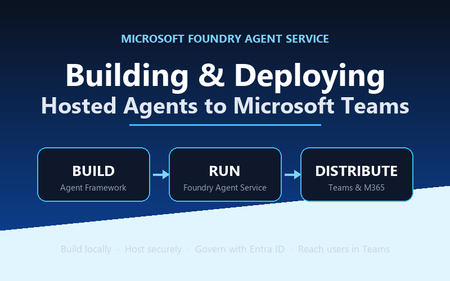
A practical, engineer-to-engineer guide to taking an AI agent from a developer laptop, into Microsoft Foundry Agent Service, and out to end users inside Microsoft Teams and Microsoft 365 — using the BRK241 FibreOps reference implementation as a worked example. Introduction: the hard part is no longer building the agent Two years ago, wiring an LLM to a couple of tools felt like the summit. It isn't any more. Frameworks, hosted models, and function-calling have made the build step almost routine. The problem has quietly moved downstream. The genuinely hard questions today are operational: Where does the agent run when it's no longer on your machine? What identity does it use to call enterprise systems, and who granted it? How does a platform team scale, monitor, and roll it back? How do business users actually reach it without learning a new tool? Who signed off on it touching production data? A prototype answers none of these. A production agent platform answers all of them, repeatably, for every agent an organisation ships. That shift — from a clever notebook to a governed, observable service that lands in the tools people already use — is the subject of this article. We'll use a single narrative to keep it concrete: FibreOps, the BRK241 "Autonomous Fibre Outage Response" system. It ingests optical line terminal (OLT) telemetry, analyses incidents, files tickets in Dynamics 365 Field Service, posts Adaptive Cards to Microsoft Teams, and dispatches engineers — all through role-specialised agents. The full source is on GitHub. The story runs on three verbs: Build → Run → Distribute. Section 1: Building the agent An agent is not one mega-prompt. FibreOps is deliberately factored into three role-specialised agents behind a single orchestrator, each with its own tool surface, its own system instructions, and a strict output contract: IncidentAnalysisAgent — classifies severity, finds probable cause, and pulls the correct standard operating procedure (SOP). NetOpsCoordinatorAgent — files the D365 incident and posts the Teams outage notice. FieldDispatchAgent — selects the best engineer by skill, region and shift, books the resource, and updates Teams. The Coordinator hands off to Dispatch with a literal HANDOFF:DISPATCH token rather than a fuzzy "I think we should…". Hard contracts between agents are how you stop them inventing work. Microsoft Agent Framework The agents are built with the Microsoft Agent Framework (MAF). The key design decision in the reference implementation is that all three backends honour one contract — await agent.run(prompt) -> response — so the orchestrator never knows or cares where reasoning actually happens: local — a deterministic LocalAgent shim with no LLM, so the demo runs with zero Azure credentials. foundry — agent_framework.Agent + FoundryChatClient , definition resolved locally. Ideal while iterating on prompts. hosted — agent_framework_foundry.FoundryAgent bound to a Prompt Agent published to Foundry Agent Service. This is the production path. Building a Foundry-backed agent is just a client plus instructions plus typed tools: from agent_framework import Agent from agent_framework_foundry import FoundryChatClient from azure.identity import DefaultAzureCredential client = FoundryChatClient( project_endpoint=settings.azure_ai_project_endpoint, model=settings.azure_ai_model_deployment, # e.g. gpt-4.1-mini credential=DefaultAzureCredential(), # no connection strings, ever ) agent = Agent( client=client, instructions=INCIDENT_ANALYSIS_INSTRUCTIONS_V1, name="IncidentAnalysisAgent", tools=[lookup_sop, recall, remember, web_iq_search, work_iq_search], ) Note the DefaultAzureCredential . There are no keys or connection strings anywhere in the reasoning path — identity flows from Microsoft Entra ID. Keep that in mind; it becomes the backbone of the governance story later. Tool calling and MCP Every tool is a typed Python function. Foundry sees the JSON schema derived from the signature; the runtime executes the Python. That separation matters: the published agent definition stores only the model and instructions, while the implementations are supplied by the runtime on every call. The same in-process tools (Teams, D365, dispatch, knowledge, memory) run identically whether the agent is local or hosted. Beyond your own functions, Foundry agents can draw on hosted toolbox tools ( web_search , code_interpreter ) and Model Context Protocol (MCP) servers. MCP is the open standard for exposing tools, resources and prompts to agents over a uniform protocol, so an enterprise can stand up an MCP server once and let every agent consume it. In FibreOps this is config-gated — set FIBREOPS_FOUNDRY_TOOLBOX=1 and the incident analyst gains live web search alongside its Web IQ / Work IQ connectors, with no code change. Grounding strategies FibreOps grounds reasoning three ways, in layers: Retrieval over owned knowledge — SOPs (markdown) and the fibre-node topology graph, looked up by the analysis agent. Foundry IQ — Web IQ for public context (roadworks, weather, power) and Work IQ for enterprise context (site surveys, SLA tiers, competency matrix). Procedural memory — prior incidents for a node, recalled before analysis so the agent learns from history. Crucially, when the IQ endpoints are unset the tools fall back to deterministic fixtures so the agent always grounds. Grounding that silently fails is worse than no grounding; design your fallbacks explicitly. Local development, testing and evaluation The whole system runs from one command with no cloud dependency: # Deterministic local backend — no Azure credentials required python -m fibreops.demo --signals 3 --backend local Every run is persisted as a JSON document — the input signal, every agent step, every tool call, every output, every ticket. That single artefact shape feeds three consumers: structured logs, the local optimiser, and Foundry Evaluators. The optimiser scores each run against a five-criterion rubric (was the analysis complete, was severity consistent with customer impact, did a ticket land, did dispatch policy match severity, was an SOP cited) and writes back concrete improvement suggestions. That evaluation loop — not the first working demo — is what turns a prototype into a system you can keep improving. Section 2: Deploying to Microsoft Foundry Agent Service Microsoft Foundry Agent Service is the managed runtime that hosts your agents. It gives you a secure, isolated execution environment, an agent runtime that speaks the OpenAI-compatible Responses API, plus hosted memory, toolboxes, knowledge integrations, and observability — without you operating any of it. FibreOps demonstrates the two hosting shapes Foundry offers. Shape 1 — Prompt Agents A Prompt Agent stores a model deployment plus system instructions as an immutable, versioned definition in Foundry. Publishing is a one-time step per change: from azure.ai.projects import AIProjectClient from azure.ai.projects.models import PromptAgentDefinition from azure.identity import DefaultAzureCredential pc = AIProjectClient(endpoint=endpoint, credential=DefaultAzureCredential(), allow_preview=True) pc.agents.create_version( agent_name="fibreops-incident-analysis", definition=PromptAgentDefinition( model=model_deployment, instructions=INCIDENT_ANALYSIS_INSTRUCTIONS_V1, ), description="FibreOps incident analysis agent", ) At run time you bind to the published version with a FoundryAgent , and — as noted above — the runtime supplies the tool implementations. Prompt versioning ( instructions_v1 , _v2 , _v3 ) is where the optimiser's suggestions land, closing the improvement loop inside the platform. Shape 2 — Containerised hosted agents The BRK241 hero path packages the entire analyse → coordinate → dispatch flow as a single hosted agent: a container that serves the Responses /responses contract on port 8088, deployed straight into your Foundry project. The Agent Framework agent is wrapped by ResponsesHostServer : from agent_framework_foundry_hosting import ResponsesHostServer def main() -> None: server = ResponsesHostServer(build_system_agent()) # Foundry sets the reserved PORT env var inside the sandbox server.run(host="0.0.0.0", port=8088) The container is declared in agent.yaml — kind: hosted , the image reference, the per-session sandbox size (0.5/1 Gi, 1/2 Gi or 2/4 Gi), the protocol version, and only user-declared environment variables. You never hard-code FOUNDRY_* values or the Application Insights connection string; the platform injects those at run time. Deployment registers the image as an immutable version and polls until active : details = pc.agents.create_version( agent_name="fibreops-outage-response", definition=HostedAgentDefinition( protocol_versions=[ProtocolVersionRecord( protocol=AgentProtocol.RESPONSES, version="1.0.0")], cpu="1", memory="2Gi", container_configuration=ContainerConfiguration(image=image), environment_variables={"MODEL_DEPLOYMENT_NAME": model_deployment}, ), ) From local execution to managed hosting The migration path is deliberately gentle because the contract never changes. A developer iterates locally against LocalAgent , moves to the foundry backend to test real prompts, then publish es Prompt Agents or builds and deploy-hosted s the container. The orchestrator code is byte-for-byte identical across all three. That property — same code path local for dev, hosted in Foundry for prod — is the single most important thing to preserve when designing your own agents. Scaling, memory, toolboxes, knowledge and observability Scaling — Foundry provisions a per-session sandbox and a dedicated Entra agent identity per hosted-agent version; you size the sandbox in agent.yaml and let the platform handle isolation. Memory — set FOUNDRY_MEMORY_STORE_NAME and a FoundryMemoryProvider is attached as a context provider so agents read and write learned procedures in Foundry's hosted store; unset, they use local SQLite. No code change. Toolboxes & knowledge — hosted web_search , code interpreter, MCP, and Web/Work IQ connectors are curated per role and merged with your Python tools. Observability — the agent emits OpenTelemetry spans; set APPLICATIONINSIGHTS_CONNECTION_STRING (injected by the platform for hosted agents) and every agent decision, tool call and latency is queryable in Application Insights. Section 3: IT and development responsibilities Successful agent deployments need both developer velocity and platform governance. The failure mode at either extreme is familiar: developers who can't ship because every request routes through a ticket queue, or a free-for-all where nobody can say what identity an agent runs as. The workable model draws a clean line of responsibility. Concern Developer / Agent team IT / Platform team Identity Use DefaultAzureCredential ; never embed secrets; declare the scopes the agent needs Provision the managed / Entra agent identity; own the app registration and consent Access control Request least-privilege roles for the tools the agent calls Grant RBAC at the correct scope; run role-assignment scripts; enforce approvals Security Validate inputs, handle tool failures cleanly, avoid data exfiltration in prompts Disable ACR admin, enforce managed-identity pulls, network controls, Key Vault for secrets Compliance Keep decisions explainable and replayable (the JSON run record) Data-residency, retention, audit, Responsible AI review sign-off Monitoring Emit structured traces + OTel spans; define the rubric Own Application Insights / Log Analytics, alerting, dashboards, SLOs Cost Right-size the sandbox and model deployment; cache grounding Budgets, quota, token-consumption monitoring, chargeback Lifecycle Version prompts and images; feed the optimiser back into new versions Environment promotion (dev → test → prod), rollback, deprecation The reference implementation encodes this split honestly. The Bicep template does not create role assignments, because most deployers only hold Contributor . Instead a subscription Owner runs scripts/grant-mi-roles.ps1 once to grant the App Service's identity exactly the roles it needs — Event Hubs Data Owner, Key Vault Secrets User, AcrPull, Azure AI Developer, and Cognitive Services OpenAI User — and no more. That is least privilege made operational. Section 4: Publishing to Microsoft Teams and Microsoft 365 An agent nobody can reach has no value. The final verb — Distribute — puts the agent where users already work. FibreOps reaches Teams two ways. The lightweight path: Adaptive Cards via Incoming Webhook The NetOps coordinator posts outage notices and status updates to a Teams channel as Adaptive Cards through an Incoming Webhook. Any unconfigured channel is logged to state/teams_outbox.jsonl , so the same code runs in a demo and in production — you only change the webhook target. This is the fastest way to get agent output into Teams and is ideal for notifications and human-in-the-loop review. The rich path: a declarative agent for Microsoft 365 Copilot To make the agent conversational and discoverable across Teams, Microsoft 365 Copilot and copilot.microsoft.com, FibreOps ships as a declarative agent plus an API plugin action. One command builds the sideload-ready package: python -m fibreops.demo publish-m365 --out dist/m365 # wrote declarativeAgent.json (name, description, conversation starters) # wrote fibreops-action.json (API plugin -> {base_url}/openapi.json) # wrote manifest.json (Teams app manifest) # wrote color.png / outline.png (icons) # wrote fibreops-copilot.zip (upload this) The declarative agent declares metadata, conversation starters and a capability set; the action plugin proxies tool calls to the deployed FastAPI app via its OpenAPI document. Set M365_ACTION_BASE_URL to the app's public HTTPS root before publishing — the CLI warns when the placeholder is still in effect. That single environment variable is the only thing that flips the package from demo to production. The end-to-end distribution workflow Conceptually, the artefact travels a fixed pipeline: Developer laptop │ build + test (local backend) → publish Prompt Agent / deploy hosted container ▼ Microsoft Foundry Agent Service │ hosted agent, secure sandbox, Entra agent identity, observability ▼ Teams App package (fibreops-copilot.zip) │ Teams Admin Center → Manage apps → Upload (or M365 Admin Center → Integrated apps) ▼ Microsoft 365 tenant │ admin approval, availability policy, targeted rollout ▼ End user in Teams / M365 Copilot Enterprise rollout is rarely "publish to everyone". The realistic pattern is a staged one: sideload to a pilot group, gather feedback and optimiser scores, then widen availability through Teams app-permission and app-setup policies to department, then tenant. Because the package carries publisher metadata and the declarative schema, IT can review it exactly like any other line-of-business app. Section 5: Enterprise governance Governance is not a bolt-on; in this architecture it's a property of the platform. The pillars: Entra ID integration and agent identity — every hosted agent version gets a dedicated Entra agent identity. Nothing authenticates with a shared key. DefaultAzureCredential means the same code picks up a developer's identity locally and the managed identity in production. RBAC at the right scope — roles are granted to identities, not baked into images. Deploying a hosted agent requires Azure AI Project Manager at project scope; the Foundry project identity needs AcrPull on the registry to pull the container. Least privilege is enforced, not assumed. Auditability — the JSON run record plus OpenTelemetry spans in Application Insights give you a replayable, per-incident audit trail. You can reconstruct exactly which SOP was cited, which engineer was chosen, and why severity was escalated. Data boundaries — the mock D365 is a drop-in for a real Dataverse environment; grounding sources are enterprise connectors (Work IQ) kept inside the tenant boundary. Nothing leaves the subscription without an explicit connector. Responsible AI — the Adaptive Card JSON can be pasted into the Adaptive Cards designer for governance review; the evaluation rubric makes quality measurable; explicit grounding fallbacks prevent silent failure. Production readiness — immutable versioning, one-command rollback (delete a version), managed-identity-only image pulls, and disabled ACR admin credentials are all first-class in the reference deployment. Section 6: Reference architecture The following diagram shows the production topology — users on the left, enterprise systems and controls on the right, with Foundry Agent Service at the centre hosting the agent. flowchart LR User["NOC operator / business user"] subgraph M365["Microsoft 365 tenant"] Teams["Microsoft Teams(Adaptive Cards + declarative agent)"] Copilot["Microsoft 365 Copilot"] end subgraph Foundry["Microsoft Foundry Agent Service"] Hosted["Hosted AgentOutage Response System(secure per-session sandbox)"] Runtime["Agent runtime(Responses API)"] Memory["Hosted memory + toolboxes"] end subgraph Enterprise["Enterprise data & tools"] MCP["MCP servers / web_search"] D365["Dynamics 365 Field Service"] EventHub["Azure Event Hubs(OLT telemetry)"] Knowledge["SOPs + topology + Web/Work IQ"] end subgraph Ops["Cross-cutting"] Obs["ObservabilityApp Insights / OTel"] Gov["GovernanceEntra ID · RBAC · audit"] end User --> Teams User --> Copilot Teams --> Runtime Copilot --> Runtime Runtime --> Hosted Hosted --> Memory Hosted --> MCP Hosted --> Knowledge Hosted --> D365 EventHub --> Hosted Hosted -.->|Adaptive Cards| Teams Hosted --> Obs Gov -.->|identity & policy| Foundry Gov -.->|identity & policy| Enterprise Read the solid arrows as the control/orchestration flow and the dashed arrows as governance and outbound notifications. The point of the diagram is that governance (Entra ID, RBAC, audit) applies across every component, and observability captures every agent decision — neither is optional plumbing. Section 7: What production looks like Picture the FibreOps rollout at a national fibre operator, with the four personas doing their part: Developers build the three agents and the orchestrator on their laptops against the local backend — no cloud, no credentials, deterministic tests. They tune prompts against the foundry backend, watch the optimiser rubric climb from 0.90 to 1.0 as they add the ">5,000 customers ⇒ escalate to critical" rule, and commit a new instruction version. The platform team deploys the container to Foundry Agent Service via scripts/deploy-hosted-agent.ps1 , which builds the image in ACR, pushes it, and registers an immutable version. They provision the Event Hub, Key Vault, Log Analytics and Application Insights from Bicep, and size the sandbox at 1 vCPU / 2 GiB. IT approves the workload: a subscription Owner grants the managed identity its five least-privilege roles, hardens the App Service to pull via managed identity, disables ACR admin, and signs off the Responsible AI review using the replayable run records and the Adaptive Card previews. They sideload fibreops-copilot.zip to a pilot channel first. Business users consume it inside Teams. When an OLT in London loses light, an Adaptive Card appears in the NOC channel within seconds — severity, probable cause, ticket ID, and the dispatched engineer's ETA — with no human having read a dashboard, opened a ticket, or phoned a dispatcher. If Foundry ever wobbles, the same system falls back to the deterministic local agent with an identical trace shape. Every integration but D365 is live in the demo, and D365 is a one-variable swap to a real Dataverse endpoint. That is the whole point: the demo and production differ by configuration, not by code. Key takeaways Design for one contract. If agent.run(prompt) behaves identically local, foundry-backed and hosted, migration to production is configuration, not a rewrite. Factor agents by role with hard handoff contracts. Literal tokens like HANDOFF:DISPATCH beat fuzzy natural-language handoffs and stop agents inventing work. Never embed secrets. DefaultAzureCredential + Entra agent identities give you keyless auth that works the same everywhere. Make every run replayable. A single JSON artefact that feeds logs, evaluation and audit is worth more than any dashboard. Ground explicitly, and design your fallbacks. Grounding that fails silently is a liability; deterministic fixtures keep the agent honest. Split responsibility cleanly. Developers own velocity and quality; the platform team owns identity, scale, cost and promotion. Encode the split in scripts, not tribal knowledge. Version prompts and images immutably. Rollback should be "delete a version", and the optimiser's suggestions should land as the next version. Distribute where users already are. Adaptive Cards for notifications, a declarative agent for conversation and discovery across Teams and M365 Copilot. Roll out in stages. Pilot channel → department → tenant, gated by app policies and real optimiser scores. Resources Reference implementation: github.com/leestott/BRK241-frontier Microsoft Agent Framework overview Microsoft Foundry Agent Service Hosted agents in Foundry Agent Service · Deploy a hosted agent Microsoft Teams developer platform Declarative agents for Microsoft 365 Copilot Model Context Protocol GitHub Copilot Clone the repo, run python -m fibreops.demo --signals 3 --backend local , and watch the analyse → coordinate → dispatch loop close. Then wire in your own Foundry project and take it all the way to Teams. Go build something.Agents League: The Esports-Inspired Hackathon Where AI Agents Battle for Glory
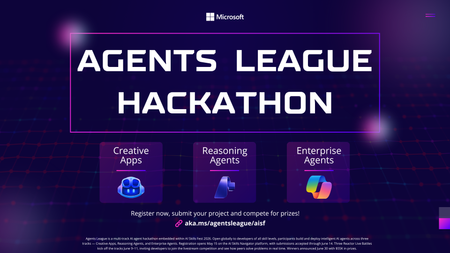
Ready to put your AI skills to the ultimate test? Agents League is here, a dynamic, esports-inspired developer challenge that brings the thrill of live competition to the world of agentic AI. Whether you're a seasoned AI developer or just getting started, this is your chance to build, compete, and win. What is Agents League? Agents League is a week-long hackathon running as part of AI Skills Fest (June 4–14, 2026). Unlike traditional hackathons, Agents League combines live AI coding battles, asynchronous project submissions, and a thriving Discord community all competing for a total prize pool of $55,000 USD. This isn't just about building it's about showcasing what's possible with agentic AI in a format that's fast, competitive, and globally accessible. Three Challenge Tracks Pick One or Compete in All 1. Creative Apps Build innovative applications using GitHub Copilot for AI-assisted development. Show off your creativity and demonstrate how AI can accelerate app creation from concept to code. 2. Reasoning Agents Create intelligent agents using Microsoft Foundry that solve complex problems through multi-step reasoning. This track is all about building agents that can think, plan, and execute. 3. Enterprise Agents Build business-ready knowledge agents integrated with Microsoft 365 Copilot, authored in Copilot Studio. Perfect for developers focused on real-world enterprise solutions. Live Microsoft Reactor Events—Don't Miss the Battles! The heart of Agents League beats through live Microsoft Reactor events. Watch experts go head-to-head in live coding battles, learn cutting-edge techniques, and get inspired for your own submissions: Event What You'll Learn Creative Apps Battle See GitHub Copilot in action as experts build innovative apps live Reasoning Agents Battle Watch multi-step reasoning agents come to life with Microsoft Foundry Enterprise Agents Battle Learn to build M365-integrated agents with Copilot Studio 👉 View the full event series Key Dates Registration Deadline: June 12, 2026, 12:00 PM PT Hacking Period: June 4–14, 2026 Submission Deadline: June 14, 2026, 11:59 PM PT What You Get Live coding battles with expert demonstrations Curated technical experiences and on-demand content Learning resources on Microsoft Learn and AI Skills Navigator Community support through Discord GitHub-based submissions for transparent, collaborative judging Why Participate? Agents League isn't just another hackathon. It's designed as a streamlined, competitive format that: ✅ Fits into your schedule with focused, time-boxed challenges ✅ Provides real-world product innovation experience ✅ Offers global accessibility—participate from anywhere ✅ Demonstrates the latest capabilities of agentic AI, including new IQ tools ✅ Connects you with a passionate developer community Ready to Enter the Arena? Register Now for Agents League Before you register: Review the Hackathon Rules and Regulations for prize categories and judging criteria Join the Microsoft Reactor event series for live battles and learning Check out the Microsoft Event Code of Conduct Join the Conversation Have questions? Want to connect with fellow competitors? Join the Agents League community on Discord and start strategizing with developers from around the world. Whether you're building creative apps, reasoning agents, or enterprise solutions—the arena awaits. May the best agent win! 🏆 Agents League hackathon is open to the public and offered at no cost. Government employees should check with their employers to ensure participation is permitted in accordance with applicable policies. Related Links: Agents League Hackathon Registration Microsoft Reactor Series AI Skills FestEnterprise-ready Claude Desktop with Entra ID, APIM, and Microsoft Foundry (No Backend Required)
How I put corporate sign-in in front of Claude Desktop without writing a single line of backend code. TL;DR — In this post, I show how to securely enable Claude Desktop in enterprise environments using Microsoft Entra ID, Azure API Management, and Microsoft Foundry — without deploying a custom backend. This approach removes API keys from endpoints, enforces per-user identity, and aligns fully with Zero Trust principles. Who this is for: Enterprise architects evaluating secure AI client patterns Developers enabling Claude Desktop in regulated environments Platform teams standardizing identity and governance for LLM access Why this post exists: Microsoft Learn's Configure Claude Desktop with Foundry Models only shows the API-key path — a shared key pasted into every user's Claude Desktop config. That's fine for a quick demo, but it's a non-starter for most enterprises (no per-user identity, no MFA / Conditional Access, hard to revoke, hard to audit). This post fills that gap: same Foundry backend, but with Microsoft Entra ID SSO in front via Azure API Management, so each user signs in with their corporate identity and zero secrets land on the laptop. The problem For many teams experimenting with Claude Desktop, the blocker isn't capability — it's enterprise readiness. How do you enforce identity, eliminate shared secrets, and apply governance without standing up a custom backend service to sit in front of the model? If your team wants to use Claude Desktop with your own Anthropic deployment running on Microsoft Foundry, but with a few non-negotiable requirements: No shared API keys floating around on developer laptops. Per-user identity — every request must be attributable to a real person. MFA and Conditional Access must apply, the same way they do for every other internal app. Central rate-limiting and logging — a centralized control plane for governance. Claude Desktop 1.5+ supports a "Gateway SSO" mode where it can sign each user in with OpenID Connect and forward their token to a custom LLM gateway. Azure API Management (APIM) is a perfect fit for that gateway role: it validates the user's Entra ID token, then re-authenticates itself to Foundry behind the scenes. APIM acts as a centralized policy enforcement layer, enabling identity validation, traffic governance, and secure re-authentication to backend AI services without custom code. The end-to-end flow looks like this: %%{init: {'flowchart': {'nodeSpacing': 60, 'rankSpacing': 80, 'useMaxWidth': true}, 'themeVariables': {'fontSize':'16px'}} }%% flowchart TB User([Corporate user]) Claude["Claude Desktop"] Entra["Microsoft Entra ID<br/>(OIDC + MFA + Conditional Access)"] APIM["Azure API Management<br/>validate-jwt → rewrite headers<br/>(policy gateway)"] Foundry["Microsoft Foundry<br/>Claude deployment"] User -- "1. Sign in (browser PKCE)" --> Entra Entra -- "2. ID token" --> Claude Claude -- "3. POST /v1/messages<br/>Authorization: Bearer ID token" --> APIM APIM -- "4. OIDC discovery / JWKS" --> Entra APIM -- "5. x-api-key (or Managed Identity)" --> Foundry Foundry -- "6. Response" --> APIM APIM -- "7. Response" --> Claude classDef azure fill:#0a4d8c,stroke:#0a3a6b,color:#ffffff; classDef client fill:#f3f3f3,stroke:#888,color:#222; class Entra,APIM,Foundry azure; class Claude,User client; Or in plain text: Claude Desktop │ Authorization: Bearer <Entra ID token from the user's browser sign-in> ▼ Azure API Management (<your-apim>) │ ① validate-jwt → verifies user's Entra ID token │ ② re-auths to Foundry with an API key from a Named value │ Authorization stripped, x-api-key injected ▼ Microsoft Foundry /anthropic/v1/messages │ runs Claude (<your-deployment>) ▼ Response back to the user There are no API keys on user devices. Foundry's key lives only inside APIM. And every request carries the user's oid claim, so I can build dashboards and per-user quotas later. What you need before starting An Azure subscription with a Microsoft Foundry (AI Services) account and a Claude deployment. (Throughout this post I'll just call it Foundry.) An API Management instance, any tier. Permission to register applications in Entra ID for your tenant. Claude Desktop 1.5.0 or later. Azure CLI installed locally. Throughout this post I'll use placeholders for resource names: <apim-name> — your API Management service name <resource-group> — the resource group that holds it <foundry-account> — your Foundry account name <deployment-name> — the name of the Claude model deployment on Foundry Step 1 — Register an Entra ID app for Claude Desktop This is the OIDC client Claude Desktop signs users into. Claude Desktop requires a single-tenant, public PKCE client (no client secret) with a loopback redirect URI, configured under the Mobile and desktop applications platform in Entra ID — the only platform that allows any loopback port. I scripted it so the setup is one command and idempotent: # scripts/register-claude-entra-app.ps1 [CmdletBinding()] param( [string] $TenantId = '<your-tenant-id>', [string] $SubscriptionId = '<your-subscription-id>', [string] $ResourceGroup = '<resource-group>', [string] $ApimName = '<apim-name>', [string] $AppDisplayName = 'Claude Cowork gateway', [string] $RedirectUri = 'http://127.0.0.1/callback' ) az account set --subscription $SubscriptionId | Out-Null # 1. Create (or reuse) the app registration $appId = az ad app list --display-name $AppDisplayName --query "[0].appId" -o tsv if (-not $appId) { $appId = az ad app create --display-name $AppDisplayName ` --sign-in-audience AzureADMyOrg --query appId -o tsv } # 2. Configure as public PKCE client with the Mobile/Desktop redirect URI $objectId = az ad app show --id $appId --query id -o tsv $patch = @{ publicClient = @{ redirectUris = @($RedirectUri) } isFallbackPublicClient = $true } | ConvertTo-Json -Depth 5 -Compress az rest --method PATCH ` --uri "https://graph.microsoft.com/v1.0/applications/$objectId" ` --headers "Content-Type=application/json" --body $patch | Out-Null # 3. Ensure a service principal exists $sp = az ad sp list --filter "appId eq '$appId'" --query "[0].id" -o tsv if (-not $sp) { az ad sp create --id $appId | Out-Null } # 4. Push two Named values into APIM for the validate-jwt policy az apim nv create -g $ResourceGroup --service-name $ApimName ` --named-value-id entra-tenant-id --display-name entra-tenant-id ` --value $TenantId --secret false az apim nv create -g $ResourceGroup --service-name $ApimName ` --named-value-id entra-client-id --display-name entra-client-id ` --value $appId --secret false "Client ID: $appId" Run it once. The output prints the client ID you'll need in Claude Desktop later, and it leaves two Named values in APIM ( entra-tenant-id , entra-client-id ) that the gateway policy will reference. ⚠️ Common pitfall: if the redirect URI ends up under the Web platform instead of Mobile and desktop applications, Entra will demand a client secret on token exchange — Claude won't send one and you'll get Token exchange failed (HTTP 401) . The app type can't be changed after creation, so create a new app if that happens. Step 2 — Create the API in APIM In the portal under APIM → APIs → + Add API → HTTP: Field Value Display name Anthropic API Name anthropicapi Web service URL https://<foundry-account>.services.ai.azure.com/anthropic API URL suffix claude Subscription required Off (Entra ID is our only credential) Add two operations under it: Method URL Display name POST /v1/messages Create message GET /v1/models List models The /v1/models operation isn't strictly needed (Foundry's Anthropic surface doesn't implement it), but having it registered means you can decide later whether to stub it out or proxy it. Step 3 — Add an API key for Foundry as a Named value APIM → Named values → + Add: Name: foundry-key Type: Secret Value: paste a key from the Foundry account's Keys and Endpoint blade. This is the only place the key ever lives. Clients never see it. Alternative — keyless with Entra ID (managed identity): If you prefer not to manage a Foundry key at all, enable the APIM instance's system-assigned managed identity (APIM → Identity → System assigned → On), then grant that identity the Foundry User role on the Foundry account (role ID 53ca6127-db72-4b80-b1b0-d745d6d5456d — previously named Azure AI User; Microsoft renamed it but the ID and permissions are unchanged). In Step 4, replace the set-header that injects x-api-key with: <authentication-managed-identity resource="https://cognitiveservices.azure.com" output-token-variable-name="foundry-token" /> <set-header name="Authorization" exists-action="override"> <value>@("Bearer " + (string)context.Variables["foundry-token"])</value> </set-header> Then you can skip the foundry-key Named value entirely. Don't use the legacy Cognitive Services User role — per the Foundry RBAC doc, roles starting with Cognitive Services don't apply to Foundry scenarios. Step 4 — Write the gateway policy This is the core enforcement layer in the architecture. Open APIs → anthropicapi → All operations → Inbound processing → </> and paste: <policies> <inbound> <base /> <!-- USER → APIM: verify Entra ID token from Claude Desktop --> <validate-jwt header-name="Authorization" failed-validation-httpcode="401" failed-validation-error-message="Unauthorized" require-scheme="Bearer"> <openid-config url="https://login.microsoftonline.com/{{entra-tenant-id}}/v2.0/.well-known/openid-configuration" /> <audiences> <audience>{{entra-client-id}}</audience> </audiences> <issuers> <issuer>https://login.microsoftonline.com/{{entra-tenant-id}}/v2.0</issuer> </issuers> </validate-jwt> <!-- APIM → Foundry --> <set-backend-service base-url="https://<foundry-account>.services.ai.azure.com/anthropic" /> <set-header name="x-api-key" exists-action="override"> <value>{{foundry-key}}</value> </set-header> <set-query-parameter name="api-version" exists-action="skip"> <value>2024-05-01-preview</value> </set-query-parameter> </inbound> <backend><base /></backend> <outbound><base /></outbound> <on-error><base /></on-error> </policies> Two things to notice: validate-jwt uses the OIDC discovery URL — JWKS keys are fetched and cached automatically. It rejects any token whose aud claim is not the client ID of our Entra app, which is exactly what we want. The Authorization header from the user is not forwarded — once validate-jwt succeeds, the request is re-authenticated to Foundry with x-api-key . No user token ever leaves APIM. APIM becomes the security boundary — user identity is validated at the edge, and downstream services never see or rely on user tokens. Step 5 — Configure Claude Desktop Open Claude Desktop → Configure third-party inference and fill it in like this: Field Value Connection Gateway Credential kind Interactive sign-in Gateway base URL https://<apim-name>.azure-api.net/claude Client ID (the appId your script printed) Issuer URL https://login.microsoftonline.com/<tenant-id>/v2.0 Authorization URL / Token URL leave empty Bearer token ID token (default) Scopes leave default ( openid profile email offline_access ) Redirect port leave empty (ephemeral) Model discovery Off Model list → Model ID <deployment-name> (your Foundry deployment name) ℹ️ Why Model discovery is Off — Claude Desktop's discovery uses GET /v1/models , and the Foundry /anthropic surface doesn't implement that endpoint, so it 404s. Listing the model manually skips the call entirely. If you want to leave Model discovery On, stub /v1/models in APIM. Add a GET /v1/models operation to your API and give it this inbound policy that returns an Anthropic-shaped response without ever hitting the backend: <policies> <inbound> <base /> <return-response> <set-status code="200" reason="OK" /> <set-header name="Content-Type" exists-action="override"> <value>application/json</value> </set-header> <set-body>@{ return new JObject( new JProperty("data", new JArray( new JObject( new JProperty("id", "<deployment-name>"), new JProperty("type", "model"), new JProperty("display_name", "Claude on Foundry"), new JProperty("created_at", "2026-01-01T00:00:00Z") ) )), new JProperty("has_more", false), new JProperty("first_id", "<deployment-name>"), new JProperty("last_id", "<deployment-name>") ).ToString(); }</set-body> </return-response> </inbound> <backend><base /></backend> <outbound><base /></outbound> <on-error><base /></on-error> </policies> Add one entry per deployment you want to expose. The benefit of stubbing rather than turning discovery off is that adding new models becomes a policy edit — no need to re-export and redeploy Claude Desktop config to every user. Click Apply Changes then Sign in to your organization. Your browser opens to the normal Entra sign-in page; once approved you're returned to the app, and a quick connection test runs. The success indicator is a small green banner: ✅ Inference — 1-token completion in 1449 ms · via identity provider For broader rollout, hit the Export button at the top of the configuration window — it produces a .mobileconfig (macOS) or .reg (Windows) you can push via Intune / Jamf to every user's machine. Step 6 — Verify both hops In APIM → APIs → anthropicapi → Test → POST /v1/messages I sent: Headers: anthropic-version: 2023-06-01 Body: { "model": "<deployment-name>", "max_tokens": 64, "messages": [{"role":"user","content":"hi"}] } Click Send → Trace, and look at two places: Inbound → validate-jwt: should say succeeded and show the decoded claims (your oid , email , etc.). Backend → Request: outbound URL is https://<foundry-account>.services.ai.azure.com/anthropic/v1/messages?api-version=2024-05-01-preview , with x-api-key: **** present and Authorization absent. Backend → Response: 200, with a Claude message JSON body. That confirms both halves of the chain. Bumps I hit along the way A few common issues encountered during setup — sharing so you can skip them: Symptom Cause Fix Claude shows "Your provider's model list hasn't loaded yet" and /v1/models returns 404 Foundry's Anthropic surface doesn't implement that endpoint Turn Model discovery OFF in Claude Desktop and add the deployment name manually Claude shows "Authentication failed" even though sign-in worked The APIM API still had Subscription required = ON, blocking the call before validate-jwt ran with 401: Access denied due to missing subscription key Uncheck Subscription required on the API Portal Test panel shows "Cannot read properties of undefined (reading 'statusCode')" The test console doesn't attach an Entra token, so validate-jwt 401s and the panel's JavaScript crashes Comment out <validate-jwt> temporarily for portal testing, or test via curl with a real token OIDC discovery failed (HTTP 404) in Claude Desktop Pasted the metadata URL into Issuer URL Issuer must end at /v2.0 , not at /.well-known/openid-configuration Token exchange failed (HTTP 401) App registered under Web platform instead of Mobile and desktop applications Create a new app with the right platform — it can't be changed Where this leaves us This pattern is small in moving parts but has outsized architectural impact: Zero secrets on endpoints. Eliminates API-key sprawl across laptops, MDM profiles, and shared vaults. The Foundry key lives only inside APIM — or disappears entirely when you switch APIM to managed identity. Identity, not credentials. Every Claude Desktop user authenticates against Entra ID in their browser, the same as Office or Teams. MFA, Conditional Access, and Entra ID Protection apply automatically — no parallel auth story to maintain. Per-user observability built in. APIM logs carry the user's Entra oid , email , and group claims. That unlocks per-user dashboards, cost allocation, and abuse detection without any client-side instrumentation. Aligned with Zero Trust. Strong identity at the edge, no implicit trust between hops, single policy chokepoint for inspection and rate-limiting, and full revocability through a single Enterprise Application. Optional but trivial keyless path. Flip APIM to system-assigned managed identity + <authentication-managed-identity resource="https://cognitiveservices.azure.com" /> and one Foundry User role assignment (role ID 53ca6127-db72-4b80-b1b0-d745d6d5456d , formerly Azure AI User) on the Foundry account. See the Foundry RBAC doc — don't use any Cognitive Services * roles for Foundry. What I'd add next llm-token-limit and llm-emit-token-metric policies for per-user quotas and cost visibility. App Insights wiring on the API, with a workbook that pivots on the oid claim. Assignment required = Yes on the Entra Enterprise Application + a security group, so only approved users can sign in. Intune deployment of the exported .reg / .mobileconfig so the gateway URL and client ID land on devices automatically. But that's all incremental. The hard part — getting Claude Desktop, Entra ID, APIM, and Foundry to agree on who's allowed to talk to whom — is done. Total elapsed: about an afternoon, most of it spent learning where each portal hides its switches. Useful links Gateway single sign-on with your identity provider — Claude.ai Documentation Configure Claude Desktop with Foundry Models — Microsoft Learn Role-based access control for Microsoft Foundry — Microsoft Learn3.3KViews0likes3CommentsMCP for Beginners: Why Every AI Engineer and Developer Should Learn the Model Context Protocol
If you have spent any time building with large language models in the last year, you have hit the same wall everyone hits: your model is brilliant at reasoning but blind to the real world. It cannot read your database, call your internal API, search your documents, or trigger a deployment unless you hand-write glue code for every single integration. The Model Context Protocol (MCP) exists to tear that wall down, and Microsoft's open-source MCP for Beginners curriculum (reachable via the short link https://aka.ms/mcp-for-beginners) is the most complete, hands-on way to learn it. This post explains what MCP is, walks through the latest updates to the course, shows real code, and makes the case for why MCP belongs on your learning roadmap right now. Whether you are an AI engineer shipping agents to production, a developer wiring tools into Copilot, or a student trying to build a standout portfolio project. What is MCP, and why does it matter? Think of MCP as a universal translator for AI applications. Just as a USB-C port lets you connect any peripheral to any laptop without a custom cable per device, MCP lets an AI model connect to any tool or data source through one standardized protocol. The course uses exactly this analogy, and it holds up well. Before MCP, integrations were an M × N problem: every one of your M AI applications needed bespoke code to talk to each of your N tools. MCP turns that into an M + N problem. Build a tool once as an MCP server, and any MCP-compatible client, Claude Desktop, VS Code, Cursor, GitHub Copilot, and many others — can use it immediately. The protocol is built on a clean client–server model with a small set of primitives: Tools — functions the model can call (query a database, send an email, run code). Resources — data the server exposes for context (files, records, documents). Prompts — reusable, parameterized prompt templates. Sampling — a server asking the client's LLM to generate a completion, enabling collaborative workflows. Elicitation — a server requesting structured input from the user mid-task. Roots — boundaries that tell a server which directories or resources it is allowed to operate on. Communication runs over JSON-RPC, with transports for local processes ( stdio ) and remote servers (streamable HTTP). That standardization is the whole point: write to the spec, and you interoperate with the entire ecosystem. What's new: the latest updates to the course The MCP for Beginners curriculum is actively maintained, and the public changelog reads like a release log for a living product. Here are the most important recent changes, drawn directly from that changelog. 1. Aligned to MCP Specification The biggest update: the entire curriculum has been validated against the current MCP Specification 2025-11-25 and the latest official SDKs. Stale references to older spec revisions (2025-03-26 and 2025-06-18) were corrected across the security, transport, real-time search, sampling, and stdio-server modules, with links repointed to the canonical modelcontextprotocol.io spec paths. A gap analysis confirmed the course already covers every primitive introduced or expanded in the latest spec: Sampling — covered in lesson 3.14 and Advanced Topics. Elicitation (including URL mode) — in Core Concepts and Protocol Features. Roots — in the Introduction, Core Concepts, and Root Contexts. Tasks (experimental, long-running operations) — in Core Concepts and Protocol Features. Tool Annotations ( readOnlyHint / destructiveHint ) — in Core Concepts and Protocol Features. 2. Samples validated against current SDKs Code that does not run is worse than no code at all, so the maintainers re-validated the core samples: TypeScript: @modelcontextprotocol/sdk resolved to 1.29.0 ; a tsc --noEmit type-check passed with no errors — the McpServer and StdioServerTransport APIs remain valid. Python: validated in an isolated virtual environment with mcp[cli] (1.27.2); FastMCP.list_tools() correctly returned the sample add and subtract tools. SDK version pins across labs were bumped (for example mcp>=1.26.0 ) and lockfiles regenerated so every sample tracks the current release. 3. A serious security pass Security is treated as a first-class concern, not an afterthought. A full audit across every dependency manifest and the sample source code was run, and npm audit now reports 0 vulnerabilities in every audited directory. Highlights: Transitive npm advisories (in the MCP Inspector dev tool, the OpenAI client, and the SDK) were remediated by bumping @modelcontextprotocol/inspector to 0.22.0 and pinning a patched shell-quote . A real code-level command-injection fix (OWASP A03): an open_in_vscode tool that used subprocess.run(..., shell=True) was rewritten to launch the resolved executable directly with no shell — closing a metacharacter-injection vector. Python dependencies were audited with pip-audit , and a vulnerable transitive werkzeug was pinned to a patched >=3.1.6 . For anyone learning to ship agents, this is gold: the course demonstrates the whole secure-development loop, not just the happy path. 4. New lessons and a growing curriculum The curriculum keeps expanding with practical, modern lessons: 5.17 Adversarial Multi-Agent Reasoning — two agents argue opposite sides of a question using shared MCP tools ( web_search + run_python ), judged by a third agent. Includes a Mermaid architecture diagram, orchestrators in Python, TypeScript, and C#, and use cases like hallucination detection, threat modeling, and API design review. 3.12 MCP Hosts — configuration for Claude Desktop, VS Code, Cursor, Cline, and Windsurf, with JSON templates and a transport comparison table. 3.13 MCP Inspector — a debugging guide for testing tools, resources, and prompts. 4.1 Pagination — cursor-based pagination patterns in Python, TypeScript, and Java. 5.16 Protocol Features — progress notifications, request cancellation, resource templates, and lifecycle management. 5. Microsoft product rebranding Content was updated to reflect Microsoft's rebranding: Azure AI Foundry → Microsoft Foundry, and the AI Toolkit (AITK) → Microsoft Foundry Toolkit Extension for VS Code. If you have seen older tutorials referencing the previous names, the curriculum is now current. Your first MCP server: see how little code it takes The course's "first server" lesson builds a simple calculator. Here is the shape of a minimal MCP server in Python using FastMCP , which mirrors the validated sample in the repo. Notice how the protocol plumbing disappears — you just decorate functions. # server.py — a minimal MCP server with two tools from mcp.server.fastmcp import FastMCP # Name your server; this identifies it to MCP clients mcp = FastMCP("Calculator") @mcp.tool() def add(a: int, b: int) -> int: """Add two numbers and return the result.""" return a + b @mcp.tool() def subtract(a: int, b: int) -> int: """Subtract b from a and return the result.""" return a - b if __name__ == "__main__": # Run over stdio so local hosts (VS Code, Claude Desktop) can connect mcp.run() The same idea in TypeScript, using the official SDK validated at version 1.29.0 : // server.ts — minimal MCP server in TypeScript import { McpServer } from "@modelcontextprotocol/sdk/server/mcp.js"; import { StdioServerTransport } from "@modelcontextprotocol/sdk/server/stdio.js"; import { z } from "zod"; const server = new McpServer({ name: "Calculator", version: "1.0.0" }); // Register a tool with a typed input schema server.tool( "add", { a: z.number(), b: z.number() }, async ({ a, b }) => ({ content: [{ type: "text", text: String(a + b) }], }) ); // Connect over stdio and start listening const transport = new StdioServerTransport(); await server.connect(transport); That is a complete, runnable server. The docstrings and schemas matter: MCP exposes them to the model so it knows when and how to call each tool. Clear descriptions are effectively prompt engineering for your tools — a common pitfall is leaving them vague, which leads to the model misusing or ignoring the tool. Connecting it in VS Code Once your server runs, an MCP host connects to it. A typical VS Code / host configuration looks like this: { "servers": { "calculator": { "command": "python", "args": ["server.py"] } } } Lesson 3.12 (MCP Hosts) covers the equivalent JSON for Claude Desktop, Cursor, Cline, and Windsurf, and lesson 3.13 shows how to use the MCP Inspector to test your tools before wiring them into a host — the single best debugging habit you can build early. How the course is structured The curriculum is organized as a progressive journey with hands-on code in C#, Java, JavaScript, Python, Rust, and TypeScript. It is grouped into phases: Foundations (Modules 0–2): Introduction, Core Concepts, and Security. Building (Module 3): Getting Started — 15 lessons covering your first server and client, LLM clients, VS Code integration, stdio and HTTP streaming, testing, deployment, auth, hosts, the Inspector, sampling, and MCP Apps. Growing (Modules 4–5): Practical Implementation and Advanced Topics — 17 advanced lessons including Azure integration, OAuth2, Entra ID auth, scaling, multi-modality, context engineering, custom transports, and adversarial multi-agent reasoning. Mastery (Modules 6–11): Community Contributions, Lessons from Early Adoption, Best Practices, Case Studies, a Microsoft Foundry Toolkit workshop, and an end-to-end 13-lab PostgreSQL capstone. That final module is the standout for portfolio building: a complete, production-flavored path that takes you from architecture and row-level security through database design, a FastMCP server, semantic search with pgvector and Azure OpenAI, testing, Docker deployment to Azure Container Apps, and monitoring with Application Insights. Why developers should learn MCP now For AI engineers MCP is becoming the default integration layer for agents. Instead of re-implementing tool calling for every framework, you write to one open protocol and your tools work everywhere. The advanced modules — sampling, roots, elicitation, scaling, routing, and adversarial multi-agent patterns — are exactly the techniques you need to move agents from demo to production. For developers MCP is already wired into tools you use daily: VS Code, GitHub Copilot, Claude Desktop, Cursor, and more. Learning to build an MCP server means you can expose your systems — internal APIs, databases, CI/CD — to AI assistants safely. The security-first approach in the course (OAuth2, Entra ID, RBAC, dependency auditing) teaches you to do this the right way from day one. For students MCP is a rare opportunity to learn a technology while it is still early, with a free, beginner-friendly, Microsoft-maintained curriculum and code in six languages. The 13-lab capstone alone is a genuine portfolio project. And with content translated into 50+ languages, the barrier to entry is low no matter where you are. Responsible and secure by design A recurring theme worth calling out: the course does not treat security and governance as optional extras. It models real practices you should carry into your own work: Least privilege via roots — constrain what a server can touch. Tool annotations — mark tools readOnlyHint or destructiveHint so clients can warn users before destructive actions. No shells for user input — the command-injection fix is a textbook example of why you never pass untrusted input through a shell. Dependency hygiene — audit with npm audit and pip-audit , and pin patched releases. Proper auth — dedicated lessons on OAuth2 and Microsoft Entra ID. Key takeaways MCP standardizes how AI connects to tools and data, turning a combinatorial integration problem into a simple, reusable one. The course is current, validated against MCP Specification 2025-11-25 with SDKs at TypeScript 1.29.0 and Python mcp 1.27.2 . Samples actually run, and the repo demonstrates a full secure-development loop with 0 reported vulnerabilities after auditing. It is broad and deep: from a 10-line calculator server to a 13-lab production capstone, in six languages. It is the fastest credible path to MCP fluency for AI engineers, developers, and students alike. Get started today Open the course: https://aka.ms/mcp-for-beginners (redirects to the GitHub repository). Fork and clone it — use a sparse checkout to skip translations for a faster download: git clone --filter=blob:none --sparse https://github.com/microsoft/mcp-for-beginners.git cd mcp-for-beginners git sparse-checkout set --no-cone "/*" "!translations" "!translated_images" Build your first server with lesson 3.1 in your language of choice. Debug it with the MCP Inspector, then connect it in VS Code. Go deep with the 13-lab database capstone, and read the official spec at modelcontextprotocol.io. Track what's new in the changelog and join the community discussions. MCP is quietly becoming the connective tissue of the AI ecosystem. The earlier you learn it, the more leverage you will have — and Microsoft's MCP for Beginners is the clearest on-ramp available. Star the repo, build a server this week, and start connecting your AI to the world.Infrastructure as Code for AI: Building and Deploying Microsoft Hosted Agents with Terraform
AI agents are no longer experimental. Teams are shipping production-grade agents that retrieve information, call APIs, reason over documents, and orchestrate multi-step workflows at scale. Microsoft Foundry's Hosted Agents service gives you a fully managed runtime for those agents, built on top of the Microsoft Foundry Agent Service, with Microsoft handling the infrastructure, scaling, and runtime lifecycle. The challenge is that provisioning this infrastructure by hand or clicking through the portal, running one-off CLI commands, or relying on undocumented shell scripts, simply does not scale. It introduces configuration drift, makes reproducing environments painful, and creates real governance risk as teams grow. This post walks through how to provision and manage the Azure infrastructure required to run Microsoft Hosted Agents using Terraform. You will leave with working configuration, a clear understanding of the resource model, and practical guidance on where Terraform can take you all the way and where you will need to supplement with the Azure CLI or the Microsoft Foundry Agent Service SDK. What Are Microsoft Hosted Agents? Microsoft Hosted Agents are AI agents deployed and managed within Microsoft Foundry. Microsoft Foundry is Microsoft's unified platform for building, evaluating, and deploying AI applications and agents. It provides: A managed compute runtime — Microsoft provisions and scales the infrastructure so you do not manage VMs or containers. An agent execution environment — agents are defined with instructions, tools (code interpreter, Bing grounding, Azure AI Search, function calling), and a backing model endpoint. Deep Azure integration — identity via Microsoft Entra ID, secrets via Azure Key Vault, storage via Azure Blob, tracing via Azure Monitor and Application Insights. A project-scoped model — each Microsoft Foundry project encapsulates an agent's resources, connections, and deployments within a logical boundary. The "Hosted" distinction matters. You are not running agent code on your own Kubernetes cluster or App Service. Microsoft manages the runtime. Your responsibility is to provision the surrounding infrastructure correctly: the Microsoft Foundry resource, the project, the model deployment, the identity configuration, and the monitoring resources that back it all. That boundary — the infrastructure you own — is exactly what Terraform manages well. Why Terraform for Hosted Agent Deployments? Infrastructure as Code (IaC) is not a new idea, but its importance grows as AI deployments become more complex. Here is why Terraform is a strong choice for Microsoft Foundry deployments specifically: Repeatability: A Terraform configuration produces the same infrastructure every time. Staging mirrors production. Disaster recovery is a terraform apply away. Governance: Infrastructure definitions live in version control alongside application code. Changes are reviewable, auditable, and reversible. This satisfies most enterprise change-management requirements. Scale: Spinning up per-customer or per-team agent environments using Terraform workspaces or module instantiation is far more manageable than manual provisioning. State management: Terraform tracks the actual state of your Azure resources. It detects drift and reconciles it declaratively. Ecosystem: The AzureRM provider is mature, actively maintained by HashiCorp and Microsoft, and covers the majority of Azure services including the Microsoft Foundry resources. Architecture Overview Before writing any Terraform, it helps to understand the resource hierarchy in Microsoft Foundry and how each layer maps to an Azure resource type. The Foundry Resource Hierarchy Microsoft Foundry uses a two-level hierarchy: 1. Foundry Account ( azurerm_cognitive_account , kind: AIServices ) — The top-level AI Services resource. It provides the model endpoint, manages agent execution, and acts as the logical boundary for all projects beneath it. You must set project_management_enabled = true and provide a custom_subdomain_name to enable project creation. In ARM terms this is a Microsoft.CognitiveServices/accounts resource. 2. Foundry Project ( azurerm_cognitive_account_project ) — A child resource scoped within the Foundry Account. Each project has its own agents, model deployments, connections, and data assets. In production, you typically have one project per application, product team, or environment. Figure 1: The Microsoft Foundry resource hierarchy. A single Foundry Account (Cognitive Services, kind AIServices) acts as the top-level container, with Projects scoped beneath it — one per application, team, or environment. Supporting Resources The following Azure resources make up a complete Hosted Agents deployment: Microsoft Foundry Account (AI Services): A single azurerm_cognitive_account of kind AIServices serves as both the Foundry Account and the model endpoint host. Model deployments (e.g. gpt-4.1 ) are provisioned via azurerm_cognitive_deployment within this account. Log Analytics Workspace + Application Insights: Provides observability for agent traces, request logs, and metrics. User-Assigned Managed Identity: Grants the Foundry Account and Projects access to Azure resources without stored credentials. Role Assignments (RBAC): Wires the managed identity to the Foundry Account with least-privilege Cognitive Services permissions. Figure 2: Supporting infrastructure map. The managed identity holds least-privilege RBAC grants to the Microsoft Foundry Account (AI Services) — enabling model access and project management — all within the same resource group. Reference Architecture (Described) A production-ready layout separates concerns across two resource groups: one for shared infrastructure (networking, monitoring) and one for the Microsoft Foundry Account and its projects. The Foundry resource group houses the azurerm_cognitive_account (kind: AIServices) resource and the azurerm_cognitive_account_project instances. The shared resource group holds Log Analytics and Application Insights. A user-assigned managed identity spans both, holding RBAC grants to each backing service. For a dev/test environment you can collapse both into a single resource group. For production, the separation makes cost attribution, access control, and lifecycle management cleaner. Prerequisites Accounts and Permissions An active Azure subscription with the Owner or Contributor + User Access Administrator roles at the subscription or resource group level (role assignments require elevated permission). Foundry access enabled in your subscription. In some tenants you may need to accept terms or request quota for Azure OpenAI. Azure OpenAI quota for the model you intend to deploy (e.g. gpt-4.1 ). Request this via the Azure portal under Quotas in Azure OpenAI Studio. Local Tools Terraform CLI ≥ 1.9 — Install guide Azure CLI ≥ 2.60 — Install guide A code editor (VS Code with the HashiCorp Terraform extension and the Azure Terraform extension is a strong combination). Authentication For local development, authenticate via the Azure CLI. The AzureRM Terraform provider picks this up automatically: az login az account set --subscription "<your-subscription-id>" For CI/CD pipelines, use a service principal with AZURE_CLIENT_ID , AZURE_CLIENT_SECRET , AZURE_TENANT_ID , and AZURE_SUBSCRIPTION_ID environment variables, or — preferably — a workload identity federation (federated credentials) to avoid storing long-lived secrets. GitHub Actions supports OIDC-based workload identity natively. Terraform Fundamentals for Hosted Agents Provider Configuration The hashicorp/azurerm provider is your primary dependency. The new Microsoft Foundry resources ( azurerm_cognitive_account with kind = "AIServices" and azurerm_cognitive_account_project ) require version 4.x of the provider. Pin your version to avoid unexpected breaking changes: terraform { required_version = ">= 1.9" required_providers { azurerm = { source = "hashicorp/azurerm" version = "~> 4.0" } } } provider "azurerm" { features { key_vault { purge_soft_delete_on_destroy = false } resource_group { prevent_deletion_if_contains_resources = true } } subscription_id = var.subscription_id } The features block is required even when empty. The Key Vault setting prevents accidental secret loss during terraform destroy . The resource group setting adds an extra safety net in production. State Management Never use local state for shared or production environments. Store state in Azure Blob Storage with state locking via Azure Blob lease: terraform { backend "azurerm" { resource_group_name = "rg-terraform-state" storage_account_name = "sttfstate<unique>" container_name = "tfstate" key = "ai-agents/prod.tfstate" } } Create the state storage account and container before running terraform init . A bootstrap script or a separate Terraform workspace dedicated to state management are both valid approaches. Known Limitations and Workarounds Terraform coverage of Foundry is improving rapidly but is not yet complete. You should be aware of the following gaps as of mid-2025: Agent definitions are not in Terraform: The actual agent (its system prompt, instructions, tool configuration, and model binding) is created via the Azure AI Agent Service SDK or the Foundry portal, not via Terraform. Terraform provisions the infrastructure; your application code or a post-provisioning script creates the agent. Connections: Some connection types within a Foundry Project (e.g. Azure AI Search, custom connections) may require the Azure CLI or the Foundry SDK. Verify coverage in the AzureRM provider docs before assuming Terraform handles them. Model deployments: azurerm_cognitive_deployment covers OpenAI model deployments and is well-supported. Use this to deploy your model before referencing it from the agent. Private networking: If you need private endpoints for your Foundry Account, additional VNet, subnet, and DNS zone resources are required. This post focuses on the public networking path; private networking is a follow-on topic. Step-by-Step Implementation The following sections build up a complete Terraform configuration. The recommended project structure is a flat module layout for a single environment, with a separate modules/ai-foundry/ directory when you need to reuse the pattern across environments. ai-agents-infra/ ├── main.tf ├── variables.tf ├── outputs.tf ├── versions.tf └── terraform.tfvars 1. Variables Define variables first. Parameterising from the start avoids hard-coded values that create technical debt when you replicate the configuration for staging or production: # variables.tf variable "subscription_id" { type = string description = "Azure subscription ID." } variable "location" { type = string default = "eastus" description = "Azure region for all resources." } variable "environment" { type = string default = "dev" description = "Environment label (dev, staging, prod)." } variable "project_name" { type = string description = "Short name for the project. Used in resource naming." } variable "openai_model_name" { type = string default = "gpt-4.1" description = "Azure OpenAI model to deploy for the agent." } variable "openai_model_version" { type = string default = "2025-04-14" description = "Model version to deploy." } variable "openai_sku_capacity" { type = number default = 10 description = "Tokens-per-minute capacity (in thousands) for the deployment." } 2. Resource Group and Core Infrastructure A single resource group keeps things simple for dev. In production, consider splitting as described in the architecture section above. # main.tf — Resource group and naming locals locals { name_prefix = "${var.project_name}-${var.environment}" tags = { environment = var.environment project = var.project_name managed_by = "terraform" } } resource "azurerm_resource_group" "main" { name = "rg-${local.name_prefix}" location = var.location tags = local.tags } 3. Supporting Services Provision Log Analytics and Application Insights for agent observability and diagnostics. Unlike the legacy Hub-based architecture, the azurerm_cognitive_account (kind AIServices ) does not require a dedicated Storage Account or Key Vault as provisioning dependencies. # main.tf — Monitoring infrastructure data "azurerm_client_config" "current" {} # Log Analytics Workspace (required by Application Insights) resource "azurerm_log_analytics_workspace" "main" { name = "law-${local.name_prefix}" resource_group_name = azurerm_resource_group.main.name location = azurerm_resource_group.main.location sku = "PerGB2018" retention_in_days = 30 tags = local.tags } # Application Insights for agent observability resource "azurerm_application_insights" "main" { name = "appi-${local.name_prefix}" resource_group_name = azurerm_resource_group.main.name location = azurerm_resource_group.main.location workspace_id = azurerm_log_analytics_workspace.main.id application_type = "web" tags = local.tags } 4. User-Assigned Managed Identity A managed identity allows the Foundry Account and its projects to authenticate to Azure services without stored credentials. This is a security best practice and is required for several Microsoft Foundry features. # main.tf — Managed identity for the Microsoft Foundry Account resource "azurerm_user_assigned_identity" "foundry" { name = "id-${local.name_prefix}-foundry" resource_group_name = azurerm_resource_group.main.name location = azurerm_resource_group.main.location tags = local.tags } 5. Microsoft Foundry Account and Model Deployment In the current Microsoft Foundry architecture, a single azurerm_cognitive_account of kind AIServices serves as both the Foundry Account and the model endpoint host. Set project_management_enabled = true and provide a globally unique custom_subdomain_name to enable Foundry Project creation beneath it. # main.tf — Microsoft Foundry Account (AI Services) resource "azurerm_cognitive_account" "foundry" { name = "aisa-${local.name_prefix}" resource_group_name = azurerm_resource_group.main.name location = azurerm_resource_group.main.location kind = "AIServices" sku_name = "S0" project_management_enabled = true custom_subdomain_name = "${replace(local.name_prefix, "-", "")}foundry" tags = local.tags identity { type = "UserAssigned" identity_ids = [azurerm_user_assigned_identity.foundry.id] } } # Deploy the model within the Foundry Account resource "azurerm_cognitive_deployment" "agent_model" { name = var.openai_model_name cognitive_account_id = azurerm_cognitive_account.foundry.id model { format = "OpenAI" name = var.openai_model_name version = var.openai_model_version } sku { name = "Standard" capacity = var.openai_sku_capacity } } Note on quota: The capacity value is in thousands of tokens per minute. A value of 10 means 10,000 TPM. If terraform apply fails with a quota error, reduce this value or request a quota increase via the Azure portal. Note on custom_subdomain_name : This must be globally unique across all Azure AI Services accounts. If provisioning fails with a conflict error, adjust the suffix (e.g. append a random string using the random_string resource). 6. Foundry Project Create a Foundry Project beneath the Foundry Account provisioned in Step 5. Each project scopes its own agents, model connections, and data assets. Use one project per application or team. # main.tf — Microsoft Foundry Project resource "azurerm_cognitive_account_project" "agent_project" { name = "proj-${local.name_prefix}-agents" cognitive_account_id = azurerm_cognitive_account.foundry.id location = azurerm_resource_group.main.location display_name = "Agent Project - ${var.project_name}" description = "Hosted agents project for ${var.project_name}" identity { type = "UserAssigned" identity_ids = [azurerm_user_assigned_identity.foundry.id] } tags = local.tags } 7. RBAC Role Assignments Grant the managed identity the permissions it needs. This is the area most commonly misconfigured in manual deployments. Terraform makes it explicit and auditable. # main.tf — RBAC assignments # AI Services: Foundry identity needs Cognitive Services OpenAI User to call model endpoints resource "azurerm_role_assignment" "foundry_openai" { scope = azurerm_cognitive_account.foundry.id role_definition_name = "Cognitive Services OpenAI User" principal_id = azurerm_user_assigned_identity.foundry.principal_id } # AI Services: Foundry identity needs Cognitive Services Contributor to manage projects resource "azurerm_role_assignment" "foundry_contributor" { scope = azurerm_cognitive_account.foundry.id role_definition_name = "Cognitive Services Contributor" principal_id = azurerm_user_assigned_identity.foundry.principal_id } # Optional: grant your own principal the Azure AI Developer role on the Foundry Account # so you can create and manage agents from your local machine or CI pipeline resource "azurerm_role_assignment" "developer_account" { scope = azurerm_cognitive_account.foundry.id role_definition_name = "Azure AI Developer" principal_id = data.azurerm_client_config.current.object_id } 8. Outputs Export the values your application and post-provisioning scripts will need: # outputs.tf output "resource_group_name" { value = azurerm_resource_group.main.name } output "foundry_account_id" { value = azurerm_cognitive_account.foundry.id } output "ai_foundry_project_id" { value = azurerm_cognitive_account_project.agent_project.id } output "foundry_endpoint" { value = azurerm_cognitive_account.foundry.endpoint } output "openai_deployment_name" { value = azurerm_cognitive_deployment.agent_model.name } output "managed_identity_client_id" { value = azurerm_user_assigned_identity.foundry.client_id } 10. Example terraform.tfvars # terraform.tfvars — do NOT commit this file if it contains sensitive values subscription_id = "xxxxxxxx-xxxx-xxxx-xxxx-xxxxxxxxxxxx" location = "eastus" environment = "dev" project_name = "contoso-agents" openai_model_name = "gpt-4.1" openai_model_version = "2025-04-14" openai_sku_capacity = 10 Figure 3: Terraform deployment workflow. State is stored in an Azure Blob Storage backend, enabling team collaboration and preventing concurrent apply conflicts. Deploying and Validating the Agent Infrastructure Running the Deployment # 1. Initialise — downloads provider plugins and configures the backend terraform init # 2. Validate syntax and configuration terraform validate # 3. Preview what will be created (review carefully before applying) terraform plan -out=tfplan # 4. Apply the plan terraform apply tfplan A full initial apply typically takes 8–15 minutes. The Foundry Account (AI Services) provisioning is the longest step. The model deployment may also take a few minutes to reach a ready state — Terraform handles this with implicit dependency ordering, but you may see brief retries in the output. Verifying the Deployment After apply completes, verify each resource is in a healthy state: # Confirm the resource group and its resources exist az resource list --resource-group "rg-contoso-agents-dev" --output table # Check the Foundry Account (AI Services) is in a Succeeded state az cognitiveservices account show \ --name "aisacontosoagentsdevfoundry" \ --resource-group "rg-contoso-agents-dev" \ --query "properties.provisioningState" # Confirm the model deployment is ready az cognitiveservices account deployment show \ --resource-group "rg-contoso-agents-dev" \ --name "aisacontosoagentsdevfoundry" \ --deployment-name "gpt-4.1" \ --query "properties.provisioningState" Navigate to the Microsoft Foundry portal and confirm your Foundry Account and Project appear. At this point you can create an agent manually in the portal to validate that the model endpoint is reachable and the identity chain works correctly before automating agent creation. Common Deployment Issues Quota exceeded on model deployment: Reduce openai_sku_capacity or request a quota increase in the Azure portal under Azure OpenAI → Quotas. Resource name conflicts: The custom_subdomain_name on the Foundry Account must be globally unique. Use the random_string Terraform resource to append a unique suffix if needed. Role assignment propagation delay: RBAC changes can take 1–2 minutes to propagate. If the Foundry Account cannot access resources immediately after apply, wait a moment and retry. project_management_enabled not set: If azurerm_cognitive_account_project fails with an error about project management, ensure project_management_enabled = true and custom_subdomain_name are set on the parent azurerm_cognitive_account . azurerm_cognitive_account_project not found: Ensure your AzureRM provider version is ~> 4.0 or later. Run terraform init -upgrade if you previously initialised with an older version. Creating an Agent After Infrastructure Provisioning Terraform has provisioned the platform. Now you need to create the agent itself. This is done via the Azure AI Agents SDK (available for Python, C#, JavaScript, and Java) or the Foundry portal. The following Python snippet demonstrates creating a basic agent programmatically after Terraform apply. It uses the outputs from Terraform directly: import os from azure.ai.projects import AIProjectClient from azure.identity import DefaultAzureCredential # These values come from Terraform outputs project_connection_string = os.environ["AI_PROJECT_CONNECTION_STRING"] model_deployment = os.environ["OPENAI_DEPLOYMENT_NAME"] client = AIProjectClient.from_connection_string( credential=DefaultAzureCredential(), conn_str=project_connection_string, ) # Create the hosted agent agent = client.agents.create_agent( model=model_deployment, name="customer-support-agent", instructions=( "You are a helpful customer support assistant. " "Answer questions accurately and concisely. " "If you are unsure, say so rather than guessing." ), ) print(f"Agent created: {agent.id}") Figure 5: Agent runtime architecture. The Foundry Project hosts the Agent Service, which routes requests to the GPT-4.1 model endpoint and optionally invokes tool integrations (Code Interpreter, File Search, Azure Functions, or custom tools). The project connection string is available from the Foundry portal (Project → Overview → Project connection string) or can be constructed from Terraform outputs. Refer to the Azure AI Agents quickstart for the full SDK setup. Operational Considerations Lifecycle Management Terraform's declarative model means updates are incremental by default. To update the OpenAI model version, change openai_model_version in your .tfvars file and run terraform plan to confirm the change before applying. Terraform will delete and recreate the cognitive deployment in-place — be aware this causes brief downtime for the model endpoint. To destroy a complete environment: terraform destroy The prevent_deletion_if_contains_resources feature on the resource group will block destruction if any untracked resources exist, which is a useful safety net in production. Handling Configuration Drift Drift occurs when Azure resources are modified outside of Terraform (portal changes, CLI scripts, other automation). Detect drift with: terraform plan -refresh-only This reports the difference between the Terraform state and the actual resource state without making changes. Schedule this as a drift-detection job in CI to catch out-of-band changes early. Environment Isolation Use Terraform workspaces or separate state files per environment: # Create and switch to a staging workspace terraform workspace new staging terraform workspace select staging terraform apply -var-file="environments/staging.tfvars" Alternatively, use a directory-per-environment layout ( environments/dev/ , environments/prod/ ) with a shared module in modules/ai-foundry/ . The directory layout is more explicit and easier to navigate in a team setting. Cost Control Set a low openai_sku_capacity in dev (e.g. 1 = 1,000 TPM) to limit accidental spend. Tag all resources with environment and project tags (the locals.tags block handles this) to enable cost attribution in Azure Cost Management. Use the Azure Pricing Calculator to estimate monthly costs before deploying to production. The Azure AI Services account (model token usage), Log Analytics, and Application Insights are the primary cost drivers. Consider destroying dev environments overnight using a scheduled CI job that runs terraform destroy and terraform apply on a schedule. CI/CD Integration Automating Terraform via GitHub Actions is straightforward. The following workflow runs plan on pull requests and apply on merge to the main branch: # .github/workflows/terraform.yml name: Terraform Deploy on: push: branches: [main] pull_request: branches: [main] permissions: id-token: write # Required for OIDC workload identity federation contents: read pull-requests: write env: ARM_CLIENT_ID: ${{ secrets.AZURE_CLIENT_ID }} ARM_TENANT_ID: ${{ secrets.AZURE_TENANT_ID }} ARM_SUBSCRIPTION_ID: ${{ secrets.AZURE_SUBSCRIPTION_ID }} ARM_USE_OIDC: "true" jobs: terraform: runs-on: ubuntu-latest environment: ${{ github.ref == 'refs/heads/main' && 'production' || 'staging' }} steps: - uses: actions/checkout@v4 - uses: hashicorp/setup-terraform@v3 with: terraform_version: "~1.9" - name: Terraform Init run: terraform init - name: Terraform Plan run: terraform plan -out=tfplan -var-file="environments/dev.tfvars" - name: Terraform Apply if: github.ref == 'refs/heads/main' run: terraform apply -auto-approve tfplan Figure 4: CI/CD pipeline using GitHub Actions with OIDC workload identity federation. No long-lived secrets are stored — the runner exchanges a JWT for a short-lived Azure token before each Terraform run. Use OIDC workload identity federation to avoid storing long-lived service principal secrets in GitHub. This is the recommended authentication method for GitHub Actions deployments to Azure. Best Practices Modular Terraform Design Once you have a working flat configuration, extract the Foundry resources into a reusable module. A module boundary around the Hub, Project, OpenAI account, and RBAC assignments lets you stamp out new agent environments with a single module call and a new .tfvars file. # environments/staging/main.tf module "agent_platform" { source = "../../modules/ai-foundry" project_name = "contoso-agents" environment = "staging" location = "eastus" subscription_id = var.subscription_id openai_model_name = "gpt-4.1" openai_model_version = "2025-04-14" openai_sku_capacity = 30 } Parameterisation and Environment Configs Never hard-code subscription IDs, tenant IDs, or region names in main.tf . Keep environment-specific values in environments/<env>.tfvars files and commit them to source control (they are config, not secrets). Store actual secrets (service principal credentials, API keys for third-party connections) in Azure Key Vault or GitHub Secrets — not in .tfvars files. Versioning Models and Agent Configurations Treat your openai_model_version and agent instructions as versioned artefacts. When Microsoft releases a new model version, create a pull request that updates the variable value, runs a plan, and documents the expected change. This creates a clear history of when model versions changed and who approved the change. Logging and Monitoring Enable diagnostic settings on the Azure OpenAI account to route request logs and metrics to your Log Analytics workspace. Use Application Insights to capture agent traces from the Azure AI Agents SDK (it integrates with OpenTelemetry). Set up Azure Monitor alerts on OpenAI account errors (4xx/5xx rates) and Log Analytics ingestion failures. Responsible AI Considerations Enable Azure OpenAI content filtering on your deployment. Terraform supports this via the content_filter block in azurerm_cognitive_deployment where the policy allows. Define a clear system prompt that sets agent behaviour boundaries and instructs the agent to decline harmful requests. Log and review agent conversations during early deployment. Microsoft Foundry includes evaluation tools for assessing agent response quality and safety. Apply least-privilege RBAC throughout — the role assignments in this post follow that principle. Conclusion and Next Steps You now have a complete, repeatable Terraform configuration for provisioning the Azure infrastructure required to run Microsoft Hosted Agents via Microsoft Foundry. The key takeaways: Terraform manages the infrastructure layer effectively — the Foundry Account, Project, model deployment, identity, and RBAC. Agent definitions themselves are provisioned via the Azure AI Agents SDK or the Foundry portal as a post-Terraform step. State management, parameterisation, and modular design are non-negotiable for team environments. OIDC-based workload identity is the right authentication model for CI/CD pipelines. Drift detection, environment isolation, and cost tagging are operational necessities, not optional extras. Where to Go Next Add Azure AI Search: Extend the Foundry Project with an Azure AI Search connection and enable the Search tool on your agent for Retrieval-Augmented Generation (RAG). Private networking: Add private endpoints for the Foundry Hub and OpenAI account to lock down ingress to your VNet. Multi-region deployment: Instantiate the Terraform module twice with different regions and use Azure Traffic Manager or Front Door to route requests. GitOps for agents: Store agent definitions (system prompts, tool configurations) as YAML or JSON in your repository and use a CI pipeline to apply them via the Azure AI Agents SDK on every merge, creating a fully declarative agent deployment pipeline. Evaluation pipelines: Use Microsoft Foundry's built-in evaluation capabilities to run automated quality and safety assessments on every new model version or prompt change. References What is Microsoft Foundry? — Microsoft Learn Azure AI Agent Service overview — Microsoft Learn Azure AI Agents quickstart — Microsoft Learn azurerm_cognitive_account — Terraform Registry azurerm_cognitive_account_project — Terraform Registry azurerm_cognitive_deployment — Terraform Registry AzureRM backend — Terraform documentation OIDC workload identity federation with GitHub Actions — Microsoft Learn Azure OpenAI content filtering — Microsoft Learn Install Terraform — HashiCorp Microsoft Foundry portal1.2KViews0likes0CommentsBuilding and Operating a Microsoft Foundry Hosted Agent with GitOps and GitHub Tasks
The Gap Between Prototype and Production Most AI engineering teams can build a working agent in a day. The hard part is not building it; the hard part is operating it. Prompts drift. Tool configurations change without review. Deployments happen from someone's laptop. There is no audit trail, no rollback plan, and no consistent way to promote a change from a development environment to production. GitOps closes that gap. By treating your agent definition, configuration, and infrastructure as version-controlled source code, you get the same delivery discipline that software engineering teams have applied to application code for years. Every change is reviewed, every deployment is automated, and every environment state is traceable to a specific commit. This post shows you how to apply GitOps principles to a Microsoft Foundry Hosted Agent using GitHub as the source of truth and GitHub Tasks and Actions as the automation layer. The result is a repeatable, governed, production-ready delivery model for AI agents. What Is a Microsoft Foundry Hosted Agent? Microsoft Foundry is Microsoft's platform for building, deploying, and operating AI applications and agents. A Hosted Agent is an agent runtime managed by the Foundry platform rather than self-hosted by your team. You supply the agent logic, configuration, and tools; Foundry handles the runtime lifecycle, scaling, and managed infrastructure. In practical terms, a Foundry Hosted Agent is a containerised agent application. You package your agent code, prompt definitions, tool bindings, and environment configuration into a container image. Foundry deploys and manages that container within a Foundry project, connected to models, tools, and observability infrastructure that the platform provides. Teams choose Hosted Agents over self-hosting because: The platform manages runtime infrastructure, patching, and scaling Integration with Azure AI models, managed identity, and observability is built in You can focus engineering effort on agent logic rather than cluster management Foundry projects provide environment and resource isolation without requiring you to provision and manage separate Azure resources for each environment Hosted Agents are a good fit when your team wants strong operational support with minimal platform overhead, when you need clear separation between environments, and when your agents depend on Azure AI capabilities such as Azure OpenAI Service, Azure AI Search, or Model Context Protocol integrations. Why GitOps Matters Specifically for AI Agents GitOps is straightforward for stateless web services: the code changes, the pipeline runs, the container is deployed. AI agents are more complex because there are multiple distinct artefacts that all affect agent behaviour: System prompts and instruction files Tool definitions and external integrations Model selection and configuration (temperature, max tokens, safety settings) Model Context Protocol (MCP) server definitions Orchestration logic and agent workflow code Safety and policy settings Infrastructure and deployment configuration Any one of these can change the behaviour of your agent in ways that are difficult to detect without structured review. A prompt change that looks harmless can alter tone, scope, or factual grounding. A tool configuration change can expose data to unintended callers. A model upgrade can shift response quality unpredictably. Git gives you a single place to version, review, and approve all of these artefacts together. Pull requests give you a structured review gate. Workflow automation gives you validation before anything reaches a deployed environment. Tags and releases give you deployment markers you can roll back to. The discipline of GitOps turns what is often an ad-hoc AI delivery process into a repeatable engineering practice. Reference Architecture The following diagram shows a practical reference architecture for delivering a Microsoft Foundry Hosted Agent through a GitOps model using GitHub. +---------------------------+ | GitHub Repository | | /src /agents /tools | | /prompts /infra | | /.github/workflows | +---------------------------+ | | Pull Request / Push to main v +---------------------------+ | GitHub Actions | | 1. Validate agent config | | 2. Lint and scan code | | 3. Run unit tests | | 4. Build container image | | 5. Push to registry | +---------------------------+ | | Image tag (SHA or semver) v +---------------------------+ | Azure Container Registry | | myregistry.azurecr.io | | my-agent:<sha> | +---------------------------+ | +------+------+ | | v v +----------+ +----------+ | Foundry | | Foundry | | Dev | | Test | | Project | | Project | +----------+ +----------+ | Approval gate (GitHub env) | v +----------+ | Foundry | | Prod | | Project | +----------+ | v +---------------------------+ | Observability | | Azure Monitor / App | | Insights / Foundry Logs | +---------------------------+ Key design decisions in this architecture: The GitHub repository is the single source of truth for all agent artefacts No human deploys directly to any Foundry project; all changes flow through automation Environment promotion requires a GitHub environment approval, creating a governance gate The container image is built once and promoted across environments; the image is not rebuilt per environment Secrets are stored in Azure Key Vault and accessed by the Foundry agent at runtime via managed identity Figure: GitOps delivery pipeline stages from commit to production Repository Structure A well-structured repository separates agent logic from infrastructure and tooling from prompts. The following structure works well in practice: my-foundry-agent/ ├── .github/ │ ├── workflows/ │ │ ├── validate.yml # Runs on every PR │ │ ├── build-deploy.yml # Runs on merge to main │ │ └── rollback.yml # Manual trigger workflow │ └── CODEOWNERS # Review assignments by path ├── src/ │ ├── agents/ │ │ ├── agent.py # Agent entry point and orchestration │ │ └── agent_config.json # Agent metadata and settings │ ├── tools/ │ │ ├── search_tool.py # Tool implementations │ │ └── data_tool.py │ └── prompts/ │ ├── system.txt # System prompt (versioned as plain text) │ └── instructions.txt # Supplementary instructions ├── tests/ │ ├── unit/ # Unit tests for tools and logic │ ├── integration/ # Integration tests against a running agent │ └── smoke/ # Post-deployment smoke tests ├── infra/ │ ├── main.bicep # Foundry project and resource definitions │ └── environments/ │ ├── dev.parameters.json │ ├── test.parameters.json │ └── prod.parameters.json ├── scripts/ │ ├── validate_agent.py # Config validation script │ └── smoke_test.py # Smoke test runner ├── Dockerfile # Container image definition └── docs/ └── architecture.md # Architecture and runbook documentation What belongs where and why: /src/prompts - System prompts as plain text files. Versioning prompts as files means every change goes through a pull request with a diff review, just as code does. /src/agents - Agent orchestration logic and configuration. Keeps the entry point and agent metadata co-located. /src/tools - Tool implementations separated from agent logic. Tool logic changes independently and should be reviewable in isolation. /infra - Infrastructure as code with per-environment parameter files. Environment-specific values live here, never in source files. /tests - Three layers of testing: unit tests for tools, integration tests for the full agent, and smoke tests that run against a deployed environment. /.github/workflows - All automation defined as code. There should be no manual deployment steps that live outside this directory. GitHub Tasks Across the Delivery Lifecycle GitHub Tasks and Issues provide the work tracking layer on top of the GitOps delivery model. Used well, they connect the intention behind a change to its implementation and deployment history. Practical patterns for using GitHub Tasks with agent delivery: Prompt change task - Open an issue to describe why the system prompt is changing. The pull request that changes system.txt closes that issue, creating a permanent link between the rationale and the diff. Tool integration task - When adding a new MCP server or external tool integration, create a task that captures the design decision, security review outcome, and test evidence before the pull request is merged. Model upgrade task - When upgrading the underlying model version, create a task that includes evaluation results and comparison data. The task becomes part of your change audit trail. Rollback task - If a deployment causes quality regressions, create a task to track the rollback, root cause investigation, and corrective action. Automation can open this task automatically when a deployment fails health checks. Dependency on approval - GitHub Tasks can be linked to environment approvals in GitHub Actions. A task in a specific milestone or project column can gate a promotion workflow. The key insight is that GitHub Tasks are not just work management; they are part of your audit trail. A regulatory or security reviewer can follow the chain from a production deployment back through workflow runs, pull request reviews, and the original task that described the intent of the change. End-to-End GitOps Flow The following walk-through describes a realistic developer experience for changing an agent prompt and promoting it to production. A developer opens a GitHub Issue describing the prompt change required and the expected behaviour improvement. The developer creates a feature branch, edits src/prompts/system.txt , and updates any related unit tests. A pull request is opened. The validate workflow runs immediately, checking prompt length, configuration schema, and lint rules. Unit tests run against the changed files. A code reviewer approves the pull request. The CODEOWNERS file ensures that prompt changes require review from the AI engineering team, not just any contributor. On merge to main, the build workflow runs: the container image is built with the new prompt baked in, tagged with the commit SHA, and pushed to Azure Container Registry. The deployment workflow deploys the new image to the Foundry Dev project automatically. Integration and smoke tests run against the deployed dev agent. If tests pass, the workflow pauses at the Test environment gate and requests approval from a named reviewer. After approval, the same image is deployed to Foundry Test. Smoke tests run again. A second approval gate controls promotion to Foundry Prod. If at any point a health check or smoke test fails, the rollback workflow redeploys the previous image tag from the registry. The image tag of the last known-good deployment is stored as a GitHub environment variable. This flow means that no human ever deploys directly to any environment. Every environment state is traceable to a specific commit, image tag, and workflow run. Security and Governance AI agents often have access to sensitive data and external systems. Security and governance cannot be an afterthought. Identity and Access Use managed identity for the Foundry Hosted Agent to access Azure resources. Avoid service principal secrets where Microsoft Entra Workload Identity or managed identity is available. Apply the principle of least privilege: the agent identity should have read access to data sources and limited write access only where the use case requires it. Tool integrations that require API keys or external credentials should retrieve them from Azure Key Vault at runtime, never from environment variables baked into the image. Secrets and Configuration Store secrets in Azure Key Vault. Reference them in your Foundry project configuration using Key Vault references. Store GitHub Actions secrets using repository or environment-scoped secrets. Never echo secrets in workflow logs. Separate environment configuration (endpoints, resource names, capacity settings) from agent logic. Use the /infra/environments/ parameter files for this. Auditability and Review Enforce pull request reviews for all changes to /src/prompts , /src/agents , and /infra via CODEOWNERS. Require status checks to pass before merging. Blocked merges prevent untested changes reaching production. GitHub's workflow run history gives you a complete deployment audit trail. You can answer "what was deployed to prod on Tuesday and who approved it" in seconds. For regulated environments, consider branch protection rules that require signed commits. Safe Rollout Use canary or blue-green patterns where Foundry supports them for high-traffic agents. Always keep the previous image tag available in the registry. Do not delete images on deployment. Document and test your rollback procedure before you need it in production. Observability and Operational Readiness A deployed agent that you cannot observe is an agent you cannot operate. Build observability in from the start. What to Monitor Deployment health - Track whether each Foundry deployment succeeded and the agent is responding. Wire deployment outcomes back to GitHub workflow run status. Model and tool errors - Log tool call failures, model timeout errors, and safety filter activations. Aggregate these in Azure Monitor or Application Insights. Latency - Track end-to-end response latency per agent version. A latency increase after a model or prompt change is an early signal of a quality regression. Token consumption - Monitor token usage per request and per session. Unexpected increases can indicate prompt injection or runaway orchestration loops. Traceability - Log which agent version handled each request. Correlation between the image tag and request traces is essential for debugging production issues. Debugging and Alerting Use structured logging with a consistent schema. Include fields for agent version, session ID, tool called, and outcome. Set up alerts for error rate thresholds and latency percentiles. Alert before users notice the problem. For failed agent runs, ensure logs capture the full conversation context (within your data retention policy) so that developers can reproduce and diagnose the failure. Microsoft Foundry Toolboxes One of the most important additions to the Foundry platform is Toolboxes, currently in Public Preview. If you have ever seen an agent codebase where three different agents each wire the same search tool with their own credentials and slightly different configurations, you already understand the problem Toolboxes solve. A Toolbox is a named, versioned bundle of tools managed centrally in Microsoft Foundry. You define the tools once, configure authentication and access centrally, and publish a single MCP-compatible endpoint. Any agent in any runtime consumes that endpoint without per-tool wiring, custom SDK integration, or duplicated credential management. Figure: Before and after Foundry Toolboxes. Each agent previously managed its own tool connections. With Toolboxes, agents connect to one governed endpoint. The Four Pillars Discover (coming soon) - Find approved tools without browsing long catalogues. Reduces duplication by surfacing what already exists before developers build something new. Build (available today) - Select tools into a named toolbox. Supported types include built-in tools (Web Search, Code Interpreter, File Search, Azure AI Search), MCP servers, Agent-to-Agent (A2A) endpoints, and OpenAPI-defined services. Consume (available today) - A single MCP-compatible endpoint exposes every tool in the toolbox to any agent runtime. Agents that can speak MCP can use a Foundry Toolbox without any Foundry-specific SDK dependency. Govern (coming soon) - Centralised authentication and observability applied to every tool call flowing through the toolbox. Security and platform teams get consistent controls without asking developers to bolt governance onto every agent individually. Toolboxes and GitOps: A Natural Fit Toolboxes are particularly well-suited to a GitOps delivery model because the toolbox definition is a discrete, versioned artefact. Instead of credentials and tool configuration scattered across agent codebases, the toolbox becomes its own managed entity with its own version history. The key design property is that the toolbox endpoint URL is stable. When you promote a new toolbox version to be the default, agents consuming the endpoint pick up the update without any code changes. This means you can update tool configuration, add a new MCP server, or rotate credentials in the toolbox without redeploying every agent that uses it. Figure: Toolbox versioning in a GitOps model. Commits trigger CI validation and deployment of new toolbox versions. The stable endpoint URL allows agents to consume updates without redeployment. Adding a Toolbox to Your Repository In your GitOps repository, toolbox definitions belong in /src/tools/toolbox_config.py or as a declarative configuration file checked into version control. The following example creates a toolbox that combines web search, Azure AI Search over internal documentation, and a GitHub MCP server: # src/tools/toolbox_config.py # Run this via CI to create or update a toolbox version in Foundry. from azure.identity import DefaultAzureCredential from azure.ai.projects import AIProjectClient import os client = AIProjectClient( endpoint=os.environ["FOUNDRY_PROJECT_ENDPOINT"], credential=DefaultAzureCredential() ) toolbox_version = client.beta.toolboxes.create_toolbox_version( toolbox_name="customer-feedback-toolbox", description="Tools for triaging customer feedback: search, docs, and GitHub.", tools=[ { "type": "web_search", "description": "Search approved public documentation sites.", "custom_search_configuration": { "project_connection_id": os.environ["BING_CONNECTION_NAME"], "instance_name": os.environ["BING_INSTANCE_NAME"] } }, { "type": "azure_ai_search", "name": "product-manuals-search", "description": "Search internal product documentation.", "azure_ai_search": { "indexes": [ { "index_name": os.environ["SEARCH_INDEX_NAME"], "project_connection_id": os.environ["SEARCH_CONNECTION_ID"] } ] } }, { "type": "mcp", "server_label": "github", "server_url": "https://api.githubcopilot.com/mcp", "project_connection_id": os.environ["GITHUB_CONNECTION_ID"] } ], ) print(f"Toolbox version created: {toolbox_version.version}") print(f"MCP endpoint: {toolbox_version.mcp_endpoint}") To promote a toolbox version to be the default (the endpoint agents use without specifying a version), add this to your deployment workflow: # Promote toolbox version to default after validation toolbox = client.beta.toolboxes.update( toolbox_name="customer-feedback-toolbox", default_version=toolbox_version.version, ) print(f"Default version is now: {toolbox.default_version}") The stable endpoint for agents consuming this toolbox is: https://<your-project>.services.ai.azure.com/api/projects/<project>/toolbox/customer-feedback-toolbox/mcp?api-version=v1 Attaching the Toolbox to Your Hosted Agent In your agent code, connect to the toolbox via a single MCP tool definition. The agent gains access to every tool in the toolbox without knowing their individual configurations: # src/agents/agent.py (relevant excerpt) from agent_framework import MCPStreamableHTTPTool import httpx, os toolbox_endpoint = os.environ["FOUNDRY_TOOLBOX_ENDPOINT"] http_client = httpx.AsyncClient( auth=_ToolboxAuth(token_provider), # Microsoft Entra bearer token timeout=120.0, ) mcp_tool = MCPStreamableHTTPTool( name="toolbox", url=toolbox_endpoint, http_client=http_client, load_prompts=False, ) # Agent now has access to web search, AI Search, and GitHub MCP # through one tool definition and one authenticated connection. GitOps Workflow Extension for Toolboxes Add a dedicated job to your build-deploy workflow to create and promote toolbox versions as part of the same CI/CD pipeline: deploy-toolbox: name: Deploy Toolbox Version needs: validate runs-on: ubuntu-latest environment: dev permissions: id-token: write contents: read steps: - uses: actions/checkout@v4 - name: Azure login (OIDC) uses: azure/login@v3 with: client-id: ${{ secrets.AZURE_CLIENT_ID_DEV }} tenant-id: ${{ secrets.AZURE_TENANT_ID }} subscription-id: ${{ secrets.AZURE_SUBSCRIPTION_ID }} - name: Create toolbox version in Foundry env: FOUNDRY_PROJECT_ENDPOINT: ${{ vars.FOUNDRY_PROJECT_ENDPOINT_DEV }} BING_CONNECTION_NAME: ${{ vars.BING_CONNECTION_NAME }} BING_INSTANCE_NAME: ${{ vars.BING_INSTANCE_NAME }} SEARCH_INDEX_NAME: ${{ vars.SEARCH_INDEX_NAME }} SEARCH_CONNECTION_ID: ${{ vars.SEARCH_CONNECTION_ID }} GITHUB_CONNECTION_ID: ${{ vars.GITHUB_CONNECTION_ID }} run: python src/tools/toolbox_config.py Key points to note: Toolbox configuration is Python code in source control, reviewed through pull requests like any other change Connection IDs and index names are environment variables from GitHub Actions variables, not hardcoded in the script The same script runs for dev, test, and prod with different environment variable bindings Toolbox version promotion is a separate step from agent deployment, so you can update tools independently of the agent container Because the toolbox endpoint is stable, rolling back a toolbox version does not require rolling back the agent image Common Pitfalls Teams adopting this pattern commonly make the following mistakes. Identifying them early saves significant operational pain later. Treating prompts as unmanaged text. If your system prompt lives in a portal text box rather than a versioned file, you have no history, no review process, and no rollback capability. Move prompts into source control on day one. Deploying manually from the portal. Even one manual deployment breaks the GitOps contract. Your repository no longer reflects the true state of the environment. Automate everything and remove portal deployment permissions from individuals. Mixing environment configuration into source files. Hardcoded endpoint URLs or model deployment names in agent_config.json mean your dev and prod configurations diverge at the source level. Use parameter files and environment variables resolved at deployment time. Poor separation between agent logic and tool logic. When agents and tools are tightly coupled in a single file, a tool change requires a full agent review and redeployment. Keep them separate so they can evolve independently. Not versioning your Toolbox definition. Defining a Foundry Toolbox interactively through the portal gives you no audit trail and no rollback path. The toolbox configuration script belongs in source control alongside your agent code. Skipping evaluation before promotion. Deploying a prompt change without running a structured evaluation against a representative test set is how regressions reach production. Build evaluation into the pull request workflow, not just the deployment workflow. No rollback plan. If your first rollback is unplanned and urgent, it will be slow and stressful. Test your rollback procedure in a non-production environment and document the steps. Ignoring token and cost signals. AI workloads have variable cost profiles. A change that doubles average token consumption per request may be functionally correct but economically unsustainable. Monitor consumption as a first-class signal. Example GitHub Actions Workflow The following workflow runs on pull request validation and on merge to main. It covers the core delivery lifecycle: validate, build, deploy to dev, and smoke test. # .github/workflows/build-deploy.yml name: Build and Deploy Foundry Hosted Agent on: push: branches: - main pull_request: branches: - main env: REGISTRY: myregistry.azurecr.io IMAGE_NAME: my-foundry-agent jobs: validate: name: Validate Agent Configuration runs-on: ubuntu-latest steps: - uses: actions/checkout@v4 - name: Set up Python uses: actions/setup-python@v5 with: python-version: "3.12" - name: Install dependencies run: pip install -r requirements.txt - name: Validate agent config schema run: python scripts/validate_agent.py - name: Run unit tests run: pytest tests/unit/ -v - name: Lint code run: ruff check src/ build: name: Build and Push Container Image needs: validate runs-on: ubuntu-latest if: github.ref == 'refs/heads/main' permissions: id-token: write contents: read outputs: image_tag: ${{ steps.meta.outputs.version }} steps: - uses: actions/checkout@v4 - name: Azure login (OIDC) uses: azure/login@v3 with: client-id: ${{ secrets.AZURE_CLIENT_ID }} tenant-id: ${{ secrets.AZURE_TENANT_ID }} subscription-id: ${{ secrets.AZURE_SUBSCRIPTION_ID }} - name: Log in to Azure Container Registry run: az acr login --name ${{ env.REGISTRY }} - name: Extract metadata id: meta uses: docker/metadata-action@v5 with: images: ${{ env.REGISTRY }}/${{ env.IMAGE_NAME }} tags: | type=sha,format=short - name: Build and push image uses: docker/build-push-action@v7 with: context: . push: true tags: ${{ steps.meta.outputs.tags }} deploy-dev: name: Deploy to Foundry Dev needs: build runs-on: ubuntu-latest environment: dev permissions: id-token: write contents: read steps: - uses: actions/checkout@v4 - name: Azure login (OIDC) uses: azure/login@v3 with: client-id: ${{ secrets.AZURE_CLIENT_ID_DEV }} tenant-id: ${{ secrets.AZURE_TENANT_ID }} subscription-id: ${{ secrets.AZURE_SUBSCRIPTION_ID }} - name: Deploy agent to Foundry Dev project run: | az ai foundry agent deploy \ --project ${{ vars.FOUNDRY_PROJECT_DEV }} \ --image ${{ env.REGISTRY }}/${{ env.IMAGE_NAME }}:${{ needs.build.outputs.image_tag }} \ --environment dev - name: Run smoke tests against dev run: pytest tests/smoke/ -v --base-url ${{ vars.AGENT_URL_DEV }} deploy-test: name: Deploy to Foundry Test needs: deploy-dev runs-on: ubuntu-latest environment: test permissions: id-token: write contents: read steps: - uses: actions/checkout@v4 - name: Azure login (OIDC) uses: azure/login@v3 with: client-id: ${{ secrets.AZURE_CLIENT_ID_TEST }} tenant-id: ${{ secrets.AZURE_TENANT_ID }} subscription-id: ${{ secrets.AZURE_SUBSCRIPTION_ID }} - name: Deploy agent to Foundry Test project run: | az ai foundry agent deploy \ --project ${{ vars.FOUNDRY_PROJECT_TEST }} \ --image ${{ env.REGISTRY }}/${{ env.IMAGE_NAME }}:${{ needs.build.outputs.image_tag }} \ --environment test - name: Run smoke tests against test run: pytest tests/smoke/ -v --base-url ${{ vars.AGENT_URL_TEST }} Key decisions in this workflow: Validation runs on every pull request, not just on merge. Fast feedback catches problems before review. The container image is built once and the image tag is passed forward to deployment jobs. The same artefact is promoted across environments. Authentication uses OIDC federated credentials via azure/login@v3 with id-token: write permissions. No long-lived secrets are stored in GitHub for Azure authentication. The environment: test directive in the deploy-test job triggers a GitHub environment approval gate. A named reviewer must approve before the job runs. Smoke tests run after every deployment. A failed smoke test prevents further promotion. Best Practices Checklist Use this checklist when adopting the GitOps pattern for a Microsoft Foundry Hosted Agent: All agent artefacts, including prompts, tool definitions, model configuration, and Toolbox configuration scripts, are committed to source control No manual deployments to any environment; all changes flow through GitHub Actions workflows Pull request reviews are enforced for all changes to agent logic, prompts, and infrastructure via CODEOWNERS Unit tests cover tool logic; integration tests cover end-to-end agent behaviour; smoke tests cover deployed environments Container images are built once per commit and promoted across environments; images are not rebuilt per environment Environment configuration (endpoints, resource names) lives in parameter files, never in source code Secrets are stored in Azure Key Vault and accessed via managed identity at runtime GitHub environment approval gates control promotion from dev to test to prod Foundry Toolboxes are used to centralise tool definitions, credentials, and access governance across all agents; the toolbox configuration script is version-controlled and deployed through CI/CD Toolbox versions are promoted via the update default_version API step in the deployment workflow, not manually through the portal Latency, error rate, and token consumption are monitored with alerting thresholds The rollback procedure is documented, automated, and has been tested in a non-production environment GitHub Issues are used to record the intent behind significant changes and link to the pull requests that implement them Branch protection rules prevent direct pushes to main and require status checks to pass before merge The previous image tag is retained in the registry and stored as a GitHub environment variable for rollback Conclusion A Microsoft Foundry Hosted Agent is not something you deploy once and forget. Prompts evolve, tools change, models are upgraded, and policy requirements shift. Every one of those changes has the potential to alter agent behaviour in ways that affect users, costs, and compliance posture. GitOps, implemented through GitHub and GitHub Tasks, gives you the operational discipline to manage that complexity. Source control for all artefacts. Pull request review for every change. Automated validation, build, and deployment. Environment promotion gates. A complete audit trail from task to production. These are not bureaucratic overhead; they are the foundation of reliable, trustworthy AI agent operations. The teams that operate AI agents well are the ones that treat them like production software from the start. The investment in pipeline, structure, and governance pays back every time a change goes smoothly, every time a rollback takes minutes rather than hours, and every time a security or compliance reviewer can answer their question from a pull request history rather than a support ticket. Build the discipline in early. Your future self, and your production environment, will benefit from it. References Microsoft Foundry documentation Microsoft Foundry Agent Service documentation Microsoft Foundry Toolboxes documentation Introducing Toolboxes in Foundry (Microsoft Developer Blog) GitHub Actions documentation GitHub Projects and Tasks documentation Azure Container Registry documentation Azure Key Vault documentation Microsoft Entra Managed Identities documentation OpenGitOps Principles1.1KViews0likes0Comments