java
182 TopicsIntroducing Azure Container Apps as a target workload in Azure Migrate
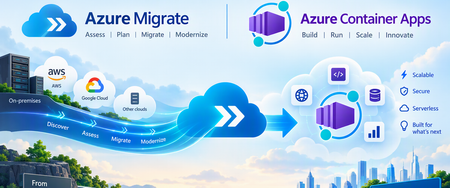
We are excited to announce Azure Container Apps as a target workload for assessment in Azure Migrate, helping organizations evaluate existing web applications for migration to a managed, serverless container platform. This capability extends the Azure Migrate assessment experience to Azure Container Apps, bringing application readiness, migration requirements, sizing recommendations, and estimated hosting costs into migration planning. Organizations can identify suitable applications, understand the changes required, and make informed decisions before starting migration. Supported workloads include Web Apps discovered through Azure Migrate Make informed modernization and migration decisions For organizations with an existing application estate, modernization starts with a few essential questions: Which applications are suitable for container-based hosting? What needs to change? What resources will they require, and what will they cost to run? Azure Migrate helps answer these questions through discovery and assessment. With Azure Container Apps as a workload target, migration teams can: Assess application readiness: Evaluate existing web applications for migration to Azure Container Apps. Identify migration requirements: Review compatibility issues, warnings, and recommended remediation. Review resource recommendations: Understand the compute requirements of the assessed applications. Estimate hosting costs: Use assessment estimates to support migration decisions and budgeting. Plan migration waves: Turn assessment insights into manageable migration batches. These insights help migration teams and application owners establish a shared understanding of migration scope, effort, and priorities. Why Azure Container Apps? Azure Container Apps enables organizations to run containerized applications without managing servers or the underlying container orchestration infrastructure. The platform supports web applications, APIs, microservices, and background processing, with capabilities including: Automatic scaling based on HTTP traffic or event-driven rules, including scale-to-zero for supported configurations. Managed ingress for application endpoints. Application revisions and traffic splitting to support controlled updates. Connectivity to dependent services, including databases, storage, and messaging. Adding Azure Container Apps as an assessment target helps organizations evaluate these capabilities against the requirements of existing applications before migration begins. From discovery to migration 1. Discover existing web applications Start with an Azure Migrate project and configure the Azure Migrate appliance for the source environment. Discovery builds an inventory of web applications and their hosting servers. Review the discovered applications and dependency information to establish the assessment scope. Review discovered web applications and select workloads for assessment. The inventory includes discovered workloads; discovery alone does not establish readiness for Azure Container Apps. 2. Assess for Azure Container Apps Create a web app assessment for the selected applications and choose Azure Container Apps as the target. Configure the applicable assessment settings, including target region and sizing preferences, then run the assessment to generate readiness findings, resource recommendations, and estimated costs. Create an assessment for the discovered web app workloads. 3. Review results and decide Review the assessment findings to understand which applications are ready for migration and which require changes. Evaluate migration issues alongside business criticality, application dependencies, and operational requirements. Use these insights to select applications for migration and prioritize modernization work. Navigate to the Azure Container Apps tab for more details on the readiness Review readiness and estimated monthly costs for Azure Container Apps. This example shows three web apps ready for migration and one not ready, with a cost estimate for the three ready apps. Estimates vary by workload and assessment settings. 4. Plan migration waves After selecting the migration path, use Azure Migrate wave planning, to organize assessed applications and workloads into migration batches. Review the proposed waves, sequencing, dependencies, and risks. Refine assignments with application owners and stakeholders, then commit approved waves. Committing a wave accepts the migration plan; it does not start migration. The approved scope and assessment findings provide the foundation for application preparation and deployment. 5. Migrate to Azure Container Apps Continue the approved migration plan in GitHub Copilot app modernization, using the Azure Migrate assessment findings, application scope, and dependency information as context. The tooling handles application code changes, validation, containerization, and deployment to Azure Container Apps. Follow the workflow for the application's language: Java: Migrate with GitHub Copilot app modernization, including containerization and deployment to Azure Container Apps. .NET: GitHub Copilot modernization overview and deployment workflow. Get started Assess existing web applications for Azure Container Apps and move forward with a migration grounded in application readiness, resource requirements, and cost insights. Explore the resources: Azure Migrate overview Azure Container Apps overview Migrate to Azure Container Apps with Azure Migrate Containerize Java Web Apps and Migrate to Azure Container Apps - Azure Migrate112Views0likes0CommentsPlan Your Java Upgrade Ahead of Microsoft’s 2027 Support Milestones
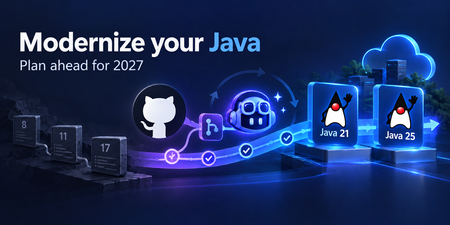
In April 2021, we announced the Microsoft Build of OpenJDK. We were starting with a preview of our Java 11 builds for Windows, Linux, and macOS. Today, if you’re planning a Java upgrade on Azure, you have several generations of that work to build on: 11, 17, 21, and now 25. Java 8 has been part of that work too, with help from the fine folks at the Eclipse Foundation’s Eclipse Adoptium project. Microsoft has supported Java 8 on Azure using their Eclipse Temurin builds of OpenJDK 8, rather than producing a Microsoft Build of OpenJDK 8. That collaboration goes back to the launch: our first Java 11 builds also used Adoptium’s build scripts and quality assurance suite. Supporting those releases has meant years of updates. Now it’s time to plan the next move. The Microsoft Build of OpenJDK support roadmap lists September 2027 as the earliest end-of-support date for Java 11 and 17. That’s a distribution-wide milestone: if you use those Microsoft builds on a VM, in a container, on Kubernetes, on Azure platform services, or evem outside Azure, it belongs in your upgrade planning. These dates are initial targets, and Microsoft may extend them. However, consider taking action now. Azure services also have their own deadlines. Azure App Service and Azure Functions support for Java 8, 11, and 17 ends on September 1, 2027. Existing applications will continue to run, but the affected Java versions will no longer receive security updates, improvements, or related customer support. If that’s your application, the practical question is how to get to Java 21 or 25 while keeping it working. GitHub Copilot modernization gives you a tool: the Modernize CLI, which can assess your code, help plan the upgrade, and actually perform and apply changes for you to review. Continue reading on the Java at Microsoft blog...288Views0likes0CommentsWhat's new in Azure App Service at #MSBuild 2026
At Microsoft Build 2026, Azure App Service introduced a powerful set of updates designed to help organizations accelerate their journey into AI, without increasing complexity or cost. These innovations focus on one clear business outcome: enabling teams to build, deploy, and scale AI-powered applications and agents faster, more securely, and with greater operational efficiency. A key highlight is the new Easy AI experience, which allows existing web apps to become AI-ready with no rearchitecting required. With capabilities like built-in Model Context Protocol (MCP), developers can instantly expose app functionality as agent-ready endpoints, enabling AI agents to interact with business logic securely and seamlessly. This dramatically reduces development time, allowing teams to move from idea to intelligent application in a fraction of the usual effort. Security and compliance are also strengthened with the general availability of Isolated v4 for Azure App Service Environments, delivering improved performance for customers that need single-tenant isolation and strong data residency guarantees. For enterprises operating in regulated industries, this ensures AI applications meet strict governance requirements without sacrificing scalability or speed. For modernization scenarios, Managed Instance on Azure App Service simplifies the migration of legacy applications, including those with OS-level dependencies. Faster restarts, enhanced diagnostics, and AI-assisted migration workflows help organizations modernize existing systems cost-effectively—avoiding expensive rewrites while unlocking AI capabilities. Recent updates include an AI-assisted approach to migrating legacy IIS applications using a multi-agent workflow powered by MCP. Managed Instance is supported on both Premium v4 and Isolated v4, laying the foundation for a modern compute infrastructure across the board. Operational efficiency is further enhanced through platform and CLI improvements designed for the “agent era.” From structured deployment diagnostics to optimized Python pipelines delivering faster deployments, these updates reduce friction and infrastructure overhead, lowering total cost of ownership. Together, these innovations position Azure App Service as a future-ready platform where businesses can rapidly build intelligent, agent-driven applications securely, efficiently, and at scale. 👉 Learn more in the full announcement: Deep dive into Azure App Service Build 2026 updates1.8KViews0likes0CommentsAzure Functions MCP Extension: What's New at Build 2026
The Azure Functions MCP extension has had a breakout year! Since its initial preview, the extension has grown from a single trigger type into a full-featured platform for building remote MCP servers: with tool, resource, and prompt triggers across multiple languages, MCP Apps for interactive UIs, built-in MCP authentication, and feature enhancements. Here's what's new and what it means for developers building MCP servers on Azure Functions. The full MCP primitive set: Tools, resources, and prompts When the MCP extension first shipped, it supported tool triggers. Declare a function as an MCP tool, and any MCP client can discover and call it. That was the starting point. Since then, we've shipped the remaining MCP primitives: Resource triggers: expose a function as an MCP resource. Prompt triggers: expose a function as an MCP prompt, letting clients request structured prompt templates from your server. Like tool triggers, resource and prompt triggers are supported in multiple languages including .NET, Java, Python, TypeScript, and JavaScript. MCP Apps: interactive UI from your MCP server MCP Apps let your tools return interactive user interfaces instead of plain text. Combine tool triggers with resource triggers, and your MCP server can serve rich, rendered experiences to MCP-aware clients. The Azure Functions MCP extension supports MCP Apps natively, meaning the same function app that exposes tools and resources can also serve UI components. The launch blog post on the Azure Apps Blog walked through the pattern in detail. For .NET developers, the new fluent builder API (available in the latest NuGet release) makes it easier to compose MCP Apps by chaining tool and resource definitions in a declarative style. MCP authentication The extension supports built-in MCP authentication, implementing the requirements of the MCP auth spec. All samples in the aka.ms/remote-mcp repo enable built-in MCP auth by default with Microsoft Entra ID as the identity provider. Samples have also been updated to demonstrate how to exchange tokens in the On-Behalf-Of (OBO) flow, so your MCP tools can access downstream APIs using the invoking user's identity. Auth configuration in the Azure portal: Preview at Build is a one-click experience in the Azure portal for configuring built-in MCP auth. No more manual app registration creating, configuration and wiring to the server. Just open your server app on the portal and click to enable MCP auth. Try it out! Feature enhancements Beyond the headline primitives and auth, the extension has shipped a steady stream of capabilities the past few months. The following are the notable additions. Structured content Structured content lets you return machine-readable JSON metadata alongside your tool's response via the `structuredContent` field. Clients that support it can programmatically consume the data (e.g. parse fields, render tables, drive downstream logic) rather than just displaying text. Clients that don't support it still get the regular content blocks as a fallback. Rich content types Tools aren't limited to returning plain text. The extension supports the full set of MCP content block types, e.g. `TextContent`, `ImageContent`, `AudioContent`, `ResourceLink`, and `EmbeddedResource`, so your tools can return images, audio clips, references to resources, and inline file content alongside text. Input and output schemas `WithInputSchema` and `WithOutputSchema` give you explicit control over the JSON schemas advertised for your tools. This is especially useful when the auto-generated schema from function parameters doesn't capture the full contract. For example, when your tool accepts a complex nested object or returns a specific shape that clients depend on. Input and output schemas are currently supported in .NET, with support for other languages coming soon. builder.ConfigureMcpTool("SearchDocs") .WithOutputSchema(""" { "type": "object", "properties": { "results": { "type": "array", "items": { "type": "string" } }, "query": { "type": "string" } }, "required": ["results", "query"] } """); Fluent configuration APIs in .NET A set of fluent builder APIs that let you configure MCP primitives declaratively in `Program.cs`: ConfigureMcpTool: add properties, metadata, input/output schemas, or promote a tool to an MCP App ConfigureMcpResource: attach metadata to resources ConfigureMcpPrompt: define prompt arguments and metadata builder.ConfigureMcpTool("sayhello") .WithProperty("name", McpToolPropertyType.String, "Name of the user", required: true) .WithMetadata("ui", new { resourceUri = "ui://index.html" }); What's next Usage of the MCP extension has grown steadily since its preview launch. Tool execution volume has increased 15x over the past several months as more customers move from experimentation to production. As adoption grows, so do the expectations. Developers building production MCP servers are hitting real friction around auth complexity, client configuration, and observability. We're continuing to invest in the extension to address these gaps and help customers be more successful building and hosting MCP servers on Azure Functions. Here's where we're focusing next. Continued auth simplification Auth remains the biggest barrier to getting an MCP server into production. We'll work on: Smoother client setup: making it easier to connect any MCP client to an authenticated Azure Functions MCP server, not just VS Code. Simplified OBO flow: streamlining the experience of On-Behalf-Of authentication so developers can delegate user identity to downstream services with less configuration. Our goal: the secure path should be the easy path. Deeper integration with Microsoft Foundry We'll build tighter integration between Azure Functions MCP servers and Microsoft Foundry. This includes surfacing MCP servers in Foundry Toolbox, a new feature introduced to help Foundry agents discover and consume tools from a single endpoint. Developers will be able to publish an MCP server from Functions and have it available to Foundry agents through Toolbox without manual endpoint configuration. Continued feature enhancement We prioritize based on feedback from the community raised in our GitHub repo. For example, support for streaming output and pagination are top items in our backlog today based on user demand. We also track the MCP spec's evolution closely and will continue shipping support for strategic features as they land. Examples of proposals we're following: MCP Tasks: the Tasks extension (SEP-2663) defines a standard pattern for async, long-running tool calls with durable task handles. This replaces hand-rolled polling patterns and aligns well with Functions' execute-and-return model. Stateless MCP: SEP-2575 proposes removing the mandatory initialization handshake, which is a natural fit for serverless platforms like Azure Functions where fresh instances can handle any request. Have something you'd like us to prioritize? Let us know by filing a request on GitHub. Get started Samples: Samples showcasing most up-to-date features: aka.ms/remote-mcp Documentation: Model Context Protocol for Azure Functions MCP Extension GitHub repo: Azure Functions MCP Extension846Views1like0CommentsClosing the AI-readiness gap with agentic modernization
Legacy debt is widening the AI-readiness gap Legacy systems and mounting tech debt aren't just slowing your AI agenda — they're quietly stealing its potential. Aging architectures, and complex, decades-old applications, databases, and infrastructure weren't designed for high performance, complex, dynamically scaling agentic workloads. The longer legacy lasts, the wider the gap between AI ambition and AI-readiness. This year at Microsoft Build 2026, we're taking our biggest step yet toward closing it. In a recent Forrester study, 94% of IT leaders ranked modernization as a top priority for their AI strategy, yet only 43% of their portfolios have been modernized on average, and only 32% are AI-ready.¹ Ambition for AI adoption is at a high, yet most are held back by the underlying legacy code, technical debt, and modernization backlog. Forrester’s data underscores it: on average, 35% of modernization projects stall due to legacy constraints, 65% cite security and compliance as the top challenge, 58% are held back by the complexity of monolithic applications, and 59% struggle with finding skilled talent to execute.¹ The result: AI initiatives that stall before they ever reach production. Modernization is a key step to move towards AI production; and it’s typically easier said than done. The growing problem is how to execute at the pace and scale that AI now demands. That’s why IT operators, architects, application owners, and developers are turning to agents to eliminate legacy toil, connect workstreams across teams, and scale their modernization efforts while customizing how they modernize. The first agentic end-to-end modernization solution that unifies IT and developer workflows Azure Copilot migration agent and GitHub Copilot modernization agent create the first agentic, end-to-end modernization solution that unifies IT and developer workflows— helping organizations close the AI-readiness gap by connecting discovery, assessment, planning, code transformation, governance, deployment, and observability into one continuous system. Built into the tools IT teams and developers already use, the solution combines estate-scale planning with GitHub-native execution, application-aware migration, broad workload coverage across apps, infrastructure, and data, and enterprise-grade privacy, security, and flexibility— so modernization becomes a governed, scalable, portfolio-level capability across teams, rather than a series of one-off projects. Building the estate-wide modernization plan Azure Copilot migration agent (public preview) brings AI to every step of estate modernization planning - from discovery and assessment to dependency mapping, ROI analysis, and wave planning - reducing months of manual analysis to minutes. For organizations with a clear picture of their estate, the migration agent accelerates the path from inventory to wave plan. For organizations that don’t, the migration agent helps them build that picture from scratch: what is running, what depends on what, what to move, what to modernize, what to retire, and in what order. By creating business-goal oriented estate plans, generating ROI analysis in minutes, and aligning IT and development teams through connected workflows, it helps enterprises move mission critical applications, databases, and infrastructure onto Azure faster and more confidently, with a continuous, data-driven view of what to modernizing next. Freeing teams from the legacy tax GitHub Copilot modernization agent, now generally available, empowers application owners, architects, and developers to scale modernization across their entire application portfolio. Operated from the CLI, the modernization agent acts as an orchestrator that simultaneously: Assesses readiness across multiple applications at once Plans application-specific modernization journeys and executes the identified migration tasks Surfaces deep code and dependency-level insights and recommendations Automates upgrades for Java and .NET applications Recommends Azure services aligned to organizational standards With its native design into GitHub Copilot, the modernization agent creates issues, pull requests, and shareable assessment reports for each application as it works. Architects and application owners retain visibility and governance from a single view, while developers receive clear, prioritized work they can execute from the agent or finish directly in their preferred editor. Behind the scenes, the modernization agent coordinates with GitHub Copilot's coding agent to complete tasks asynchronously across repositories, with a full monitoring and audit trail in GitHub's Agent HQ. The result is a connected planning-to-execution flow that finally makes modernization at scale possible, without sacrificing oversight or control. In just a few months, the modernization agent has already accelerated modernization up to 4x faster across hundreds of thousands of legacy .NET and Java applications at hundreds of customers. Enterprise level customization Every application is built and operated as uniquely as the business it serves. The path to modernization must be equally unique: tailored to each application's architecture, dependencies, and intent. At Build, we're excited to announce the general availability of custom skills for the modernization agent. Custom skills (GA) let developers teach the modernization agent how their organization works by encoding proprietary patterns, libraries, Azure best practices, and migration approaches once, then reusing them across every run. Each skill is authored as a skill.md file with build instructions, sample usage, reference APIs, and more, and is built on open-standard agent skills so teams aren't locked into a proprietary format. With custom skills, developers can equip the modernization agent with: Business-specific context, knowledge, intent, and migration approaches for application-aware guidance Centralized skills library to reuse and repeat tasks across the portfolio Full traceability for every skill used in generating the modernization plan The result is portfolio-scale execution with application-level specificity, in the same agentic workflow. And because skills live in a shared library, teams can reuse and repeat for faster, more consistent modernization outcomes aligned with the application's goals. Innovating while closing the AI-readiness gap GitHub Copilot is already dramatically reducing technical debt in real world environments, helping to close the AI readiness gap and, more importantly, innovate faster with AI. Organizations that adopt agentic modernization can not only close their AI-readiness gap, they can also make modernization a continuous process, allowing them to more readily integrate AI into existing business applications and services Ready to reimagine your applications? Join us at Microsoft Build this year, online or in person, to see our product teams reimagine applications live with GitHub Copilot modernization, share customer success, and empower you to modernize with confidence in days, not months. Join online or in person for Build session BRK220 on Wednesday 9AM PST Learn more about GitHub Copilot modernization: aka.ms/ghcp-modernization Dive deeper at the virtual .NET Agentic Modernization Day on June 16 th : aka.ms/dotnetday/rsvp ¹ Forrester’s Q1 2026 Cloud and AI Application Modernization Survey [E-66670]1.9KViews1like0CommentsAzure Functions MCP extension now supports MCP Prompts
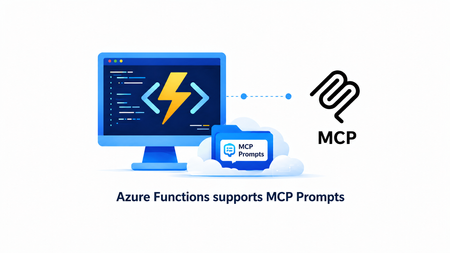
We are thrilled to announce that the MCP prompt trigger is now available in public preview in the Azure Functions MCP extension! With this release, the extension now supports all three core MCP server primitives - tools, resources, and prompts, giving you a complete platform for building rich MCP servers on Azure Functions. In case you missed it, the MCP resource trigger is generally available for serving resources and building interactive UIs in MCP Apps. What are MCP Prompts In the Model Context Protocol (MCP), prompts are reusable templates that allow server authors to provide parameterized prompts for a domain, or showcase how to best use the MCP server. Prompts are user-controlled in that they require explicit invocation rather than automatic triggering, and can be context-aware, referencing available resources and tools to create comprehensive workflows. Unlike tools (which are model-controlled) and resources (which are application-controlled), prompts are exposed from servers to clients so users can explicitly select them. Applications typically expose prompts through slash commands, command palettes, dedicated UI buttons, or context menus. How It Works In Python, defining a prompt is as simple as decorating a function. Here's a prompt that returns a code review checklist: app.mcp_prompt_trigger( arg_name="context", prompt_name="code_review_checklist", description="Returns a structured code review checklist prompt for evaluating code changes." ) def code_review_checklist(context: func.PromptInvocationContext) -> str: logging.info("Code review checklist prompt invoked.") return """You are a senior software engineer performing a code review. Use the following checklist to evaluate the code: 1. **Correctness** — Does the code do what it's supposed to? 2. **Error Handling** — Are edge cases and failures handled? 3. **Security** — Are there any vulnerabilities (injection, auth, secrets)? 4. **Performance** — Are there obvious inefficiencies? 5. **Readability** — Is the code clear and well-named? 6. **Tests** — Are there adequate tests for the changes? Provide your feedback in a structured format with a severity level (critical, warning, suggestion) for each finding.""" Prompts can accept arguments, allowing clients to customize the generated message. Here's a prompt that generates documentation with configurable parameters: app.mcp_prompt_trigger( arg_name="context", prompt_name="generate_documentation", prompt_arguments=[ func.PromptArgument("function_name", "The name of the function to document.", required=False), func.PromptArgument("style", "Documentation style: 'concise', 'detailed', or 'tutorial'.", required=False) ], description="Generates API documentation for a function. Arguments are configured in Program.cs." ) def generate_documentation(context: func.PromptInvocationContext) -> str: function_name = context.arguments.get("function_name", "(unknown)") style = context.arguments.get("style", "concise") logging.info(f"Generate docs prompt invoked for function: {function_name}") return f"""Generate API documentation for the function named **{function_name}**. Documentation style: **{style}** Include the following sections: - **Description** — What the function does. - **Parameters** — List each parameter with its type and purpose. - **Return Value** — What the function returns. - **Example Usage** — A short code example showing how to call it.""" Checkout the Get Started section for the complete sample and samples in different languages. Why Azure Functions Azure Functions is the ideal platform for hosting remote MCP servers because of its built-in MCP authentication, event-driven scaling from 0 to N, and serverless billing. This ensures your agentic tools are secure, cost-effective, and ready to handle any load. With the MCP extension, you focus on implementing the primitives you want to expose, tools, resources, and prompts, instead of worrying about MCP protocol details and server logistics. Get Started You can start building today using our quickstarts and samples: Python TypeScript .NET Java Documentation Azure Functions MCP extension overview Prompt trigger We'd Love to Hear from You! Let us know your thoughts about the new prompt trigger. What kinds of prompts are you building for your MCP servers? What would you like us to prioritize next? Share your feedback in our GitHub repo.680Views0likes0CommentsGive your Foundry Agent Custom Tools with MCP Servers on Azure Functions
This blog post is for developers who have an MCP server deployed to Azure Functions and want to connect it to Microsoft Foundry agents. It walks through why you'd want to do this, the different authentication options available, and how to get your agent calling your MCP tools. Connect your MCP server on Azure Functions to Foundry Agent If you've been following along with this blog series, you know that Azure Functions is a great place to host remote MCP servers. You get scalable infrastructure, built-in auth, and serverless billing. All the good stuff. But hosting an MCP server is only half the picture. The real value comes when something actually uses those tools. Microsoft Foundry lets you build AI agents that can reason, plan, and take actions. By connecting your MCP server to an agent, you're giving it access to your custom tools, whether that's querying a database, calling an API, or running some business logic. The agent discovers your tools, decides when to call them, and uses the results to respond to the user. Why connect MCP servers to Foundry agents? You might already have an MCP server that works great with VS Code, VS, Cursor, or other MCP clients. Connecting that same server to a Foundry agent means you can reuse those tools in a completely different context, i.e. in an enterprise AI agent that your team or customers interact with. No need to rebuild anything. Your MCP server stays the same; you're just adding another consumer. Prerequisites Before proceeding, make sure you have the following: 1. An MCP server deployed to Azure Functions. If you don't have one yet, you can deploy one quickly by following one of the samples: Python TypeScript .NET 2. A Foundry project with a deployed model and a Foundry agent Authentication options Depending on where you are in development, you can pick what makes sense and upgrade later. Here's a summary: Method Description When to use Key-based (default) Agent authenticates by passing a shared function access key in the request header. This method is the default authentication for HTTP endpoints in Functions. Development, or when Entra auth isn't required. Microsoft Entra Agent authenticates using either its own identity (agent identity) or the shared identity of the Foundry project (project managed identity). Use agent identity for production scenarios, but limit shared identity to development. OAuth identity passthrough Agent prompts users to sign in and authorize access, using the provided token to authenticate. Production, when each user must authenticate individually. Unauthenticated Agent makes unauthenticated calls. Development only, or tools that access only public information. Connect your MCP server to your Foundry agent If your server uses key-based auth or is unauthenticated, it should be relatively straightforward to set up the connection from a Foundry agent. The Microsoft Entra and OAuth identity passthrough are options that require extra steps to set up. Check out detailed step-by-step instructions for each authentication method. At a high level, the process looks like this: Enable built-in MCP authentication : When you deploy a server to Azure Functions, key-based auth is the default. You'll need to disable that and enable built-in MCP auth instead. If you deployed one of the sample servers in the Prerequisite section, this step is already done for you. Get your MCP server endpoint URL: For MCP extension-based servers, it's https://<FUNCTION_APP_NAME>.azurewebsites.net/runtime/webhooks/mcp Get your credentials based on your chosen auth method: a managed identity configuration, OAuth credentials Add the MCP server as a tool in the Foundry portal by navigating to your agent, adding a new MCP tool, and providing the endpoint and credentials. Microsoft Entra connection required fields OAuth Identity required fields Once the server is configured as a tool, test it in the Agent Builder playground by sending a prompt that triggers one of your MCP tools. Closing thoughts What I find exciting about this is the composability. You build your MCP server once and it works everywhere: VS Code, VS, Cursor, ChatGPT, and now Foundry agents. The MCP protocol is becoming the universal interface for tool use in AI, and Azure Functions makes it easy to host these servers at scale and with security. Are you building agents with Foundry? Have you connected your MCP servers to other clients? I'd love to hear what tools you're exposing and how you're using them. Share with us your thoughts! What's next In the next blog post, we'll go deeper into other MCP topics and cover new MCP features and developments in Azure Functions. Stay tuned!630Views0likes0CommentsBuilding the agentic future together at JDConf 2026
JDConf 2026 is just weeks away, and I’m excited to welcome Java developers, architects, and engineering leaders from around the world for two days of learning and connection. Now in its sixth year, JDConf has become a place where the Java community compares notes on their real-world production experience: patterns, tooling, and hard-earned lessons you can take back to your team, while we keep moving the Java systems that run businesses and services forward in the AI era. This year’s program lines up with a shift many of us are seeing first-hand: delivery is getting more intelligent, more automated, and more tightly coupled to the systems and data we already own. Agentic approaches are moving from demos to backlog items, and that raises practical questions: what’s the right architecture, where do you draw trust boundaries, how do you keep secrets safe, and how do you ship without trading reliability for novelty? JDConf is for and by the people who build and manage the mission-critical apps powering organizations worldwide. Across three regional livestreams, you’ll hear from open source and enterprise practitioners who are making the same tradeoffs you are—velocity vs. safety, modernization vs. continuity, experimentation vs. operational excellence. Expect sessions that go beyond “what” and get into “how”: design choices, integration patterns, migration steps, and the guardrails that make AI features safe to run in production. You’ll find several practical themes for shipping Java in the AI era: connecting agents to enterprise systems with clear governance; frameworks and runtimes adapting to AI-native workloads; and how testing and delivery pipelines evolve as automation gets more capable. To make this more concrete, a sampling of sessions would include topics like Secrets of Agentic Memory Management (patterns for short- and long-term memory and safe retrieval), Modernizing a Java App with GitHub Copilot (end-to-end upgrade and migration with AI-powered technologies), and Docker Sandboxes for AI Agents (guardrails for running agent workflows without risking your filesystem or secrets). The goal is to help you adopt what’s new while hardening your long lived codebases. JDConf is built for community learning—free to attend, accessible worldwide, and designed for an interactive live experience in three time zones. You’ll not only get 23 practitioner-led sessions with production-ready guidance but also free on-demand access after the event to re-watch with your whole team. Pro tip: join live and get more value by discussing practical implications and ideas with your peers in the chat. This is where the “how” details and tradeoffs become clearer. JDConf 2026 Keynote Building the Agentic Future Together Rod Johnson, Embabel | Bruno Borges, Microsoft | Ayan Gupta, Microsoft The JDConf 2026 keynote features Rod Johnson, creator of the Spring Framework and founder of Embabel, joined by Bruno Borges and Ayan Gupta to explore where the Java ecosystem is headed in the agentic era. Expect a practitioner-level discussion on how frameworks like Spring continue to evolve, how MCP is changing the way agents interact with enterprise systems, and what Java developers should be paying attention to right now. Register. Attend. Earn. Register for JDConf 2026 to earn Microsoft Rewards points, which you can use for gift cards, sweepstakes entries, and more. Earn 1,000 points simply by signing up. When you register for any regional JDConf 2026 event with your Microsoft account, you'll automatically receive these points. Get 5,000 additional points for attending live (limited to the first 300 attendees per stream). On the day of your regional event, check in through the Reactor page or your email confirmation link to qualify. Disclaimer: Points are added to your Microsoft account within 60 days after the event. Must register with a Microsoft account email. Up to 10,000 developers eligible. Points will be applied upon registration and attendance and will not be counted multiple times for registering or attending at different events. Terms | Privacy JDConf 2026 Regional Live Streams Americas – April 8, 8:30 AM – 12:30 PM PDT (UTC -7) Bruno Borges hosts the Americas stream, discussing practical agentic Java topics like memory management, multi-agent system design, LLM integration, modernization with AI, and dependency security. Experts from Redis, IBM, Hammerspace, HeroDevs, AI Collective, Tekskills, and Microsoft share their insights. Register for Americas → Asia-Pacific – April 9, 10:00 AM – 2:00 PM SGT (UTC +8) Brian Benz and Ayan Gupta co-host the APAC stream, highlighting Java frameworks and practices for agentic delivery. Topics include Spring AI, multi-agent orchestration, spec-driven development, scalable DevOps, and legacy modernization, with speakers from Broadcom, Alibaba, CERN, MHP (A Porsche Company), and Microsoft. Register for Asia-Pacific → Europe, Middle East and Africa – April 9, 9:00 AM – 12:30 PM GMT (UTC +0) The EMEA stream, hosted by Sandra Ahlgrimm, will address the implementation of agentic Java in production environments. Topics include self-improving systems utilizing Spring AI, Docker sandboxes for agent workflow management, Retrieval-Augmented Generation (RAG) pipelines, modernization initiatives from a national tax authority, and AI-driven CI/CD enhancements. Presentations will feature experts from Broadcom, Docker, Elastic, Azul Systems, IBM, Team Rockstars IT, and Microsoft. Register for EMEA → Make It Interactive: Join Live Come prepared with an actual challenge you’re facing, whether you’re modernizing a legacy application, connecting agents to internal APIs, or refining CI/CD processes. Test your strategies by participating in live chats and Q&As with presenters and fellow professionals. If you’re attending with your team, schedule a debrief after the live stream to discuss how to quickly use key takeaways and insights in your pilots and projects. Learning Resources Java and AI for Beginners Video Series: Practical, episode-based walkthroughs on MCP, GenAI integration, and building AI-powered apps from scratch. Modernize Java Apps Guide: Step-by-step guide using GitHub Copilot agent mode for legacy Java project upgrades, automated fixes, and cloud-ready migrations. AI Agents for Java Webinar: Embedding AI Agent capabilities into Java applications using Microsoft Foundry, from project setup to production deployment. Java Practitioner’s Guide: Learning plan for deploying, managing, and optimizing Java applications on Azure using modern cloud-native approaches. Register Now JDConf 2026 is a free global event for Java teams. Join live to ask questions, connect, and gain practical patterns. All 23 sessions will be available on-demand. Register now to earn Microsoft Rewards points for attending. Register at JDConf.com336Views0likes0Comments
Migrating Ant Builds to Maven with GitHub Copilot app modernization
Many legacy Java applications still rely on Apache Ant for building, packaging, and dependency management. While Ant remains flexible, it lacks the structured lifecycle, dependency resolution, and ecosystem support that modern build tools like Maven provide. Migrating from Ant to Maven improves maintainability, build reproducibility, IDE compatibility, and enables modern Java workflows such as dependency upgrades, framework updates, and containerization. GitHub Copilot app modernization accelerates this transition by analyzing an Ant‑based project, generating a migration plan, and applying transformations to produce a Maven‑based build aligned with modern Java tooling. What GitHub Copilot app modernization Supports GitHub Copilot app modernization can help teams: Detect Ant build scripts (build.xml) and related custom task files Recommend Maven project structure and lifecycle alignment Generate an initial pom.xml with matched project metadata Map Ant targets to Maven phases where possible Identify external dependencies and translate them into Maven coordinates Migrate resource directories and compiled output locations Surface code or configuration changes required for a Maven‑driven build Validate the new Maven configuration through iterative builds This modernizes the build foundation before performing other upgrades such as JDK, Spring, Jakarta, or container‑readiness transformations. Project Analysis When you open an Ant‑based project in Visual Studio Code or IntelliJ IDEA, GitHub Copilot app modernization performs an analysis: Detects build.xml and auxiliary Ant scripts Identifies classpaths defined across Ant targets Evaluates manually referenced JARs in lib directories Inspects source layout and output directories Determines project metadata such as groupId, artifactId, and version Determines whether frameworks or libraries require updates before Maven migration This analysis forms the basis of the migration plan. Migration Plan Generation GitHub Copilot app modernization produces a migration plan that outlines: The recommended Maven project layout (src/main/java, src/test/java, resources directories) A generated pom.xml with discovered dependencies Mapped Ant targets to Maven lifecycle phases (compile, test, package) Plugin configurations needed to replicate custom Ant functionality Suggested removal of lib directory JARs in favor of dependency management Notes on unsupported or manual‑review areas (custom Ant tasks, script‑heavy targets, specialized packaging logic) You can review and adjust the plan before proceeding. Automated Transformations Once confirmed, GitHub Copilot app modernization applies targeted updates: Generates the project’s pom.xml Migrates dependency JAR references to Maven dependency entries Moves source and resource files into Maven‑compatible structure Updates ignore files, build output directories, and paths Introduces common Maven plugins for compiler, surefire, assembly, or shading Suggests replacements for custom Ant tasks if built‑in Maven plugins exist This automated work removes most of the manual lifting normally required for Ant → Maven transitions. Build & Fix Iteration After applying the transformations, the tool attempts to build the new Maven project: Runs the build Captures missing dependencies, incorrect scopes, or misaligned plugin versions Suggests targeted fixes Applies adjustments and rebuilds Iterates until the project compiles or no further automated fixes are possible This helps stabilize the migration quickly. Security & Behavior Validation GitHub Copilot app modernization also performs additional validation: Flags CVEs introduced or resolved through dependency discovery Alerts you to behavioral differences between Ant‑driven and Maven‑driven builds Highlights test failures, packaging differences, or altered classpaths that may need review These findings allow developers to refine the migration safely. Expected Output After the migration, you can expect: A newly generated and fully structured Maven project A populated pom.xml with dependencies, plugins, and metadata Updated project layout aligned with Maven standards Removed or deprecated Ant build files where appropriate Aligned dependency versions ready for further modernization A summary file detailing: Build changes Dependency mappings Code or config adjustments Remaining manual review items Developer Responsibilities While GitHub Copilot app modernization automates the mechanical migration from Ant to Maven, developers remain responsible for: Reviewing tests and build artifacts for behavioral differences Validating packaging steps for WAR/EAR/JAR outputs Replacing complex custom Ant scripts with proper Maven plugins Verifying deployment and CI workflows dependent on Ant build logic Confirming integration points that rely on Ant‑specific tasks or ordering Once validated, the Maven‑based structure becomes a strong foundation for further modernization such as JDK upgrades, Spring migration, Jakarta adoption, and containerization. Learn More For project setup and the complete modernization workflow, refer to the Microsoft Learn guide for upgrading Java projects with GitHub Copilot app modernization. Quickstart: Upgrade a Java Project with GitHub Copilot App Modernization | Microsoft Learn474Views1like0CommentsA Practical Path Forward for Heroku Customers with Azure
On February 6, 2026, Heroku announced it is moving to a sustaining engineering model focused on stability, security, reliability, and ongoing support. Many customers are now reassessing how their application platforms will support today’s workloads and future innovation. Microsoft is committed to helping customers migrate and modernize applications from platforms like Heroku to Azure.389Views0likes0Comments