isv
80 TopicsEarn the badge built for Frontier AI leaders
The next wave of AI transformation needs more than ambition. Customers need partners with the skills and proven capabilities to deliver real outcomes. The Frontier Transformation Engineer badge recognizes partners building the capabilities to design, implement, and deliver Microsoft Frontier AI solutions. Earn the badge to demonstrate validated skills, strengthen customer confidence, and differentiate your practice in a rapidly evolving AI market. With the Frontier Transformation Engineer journey, your team can: Validate Frontier AI engineering capabilities. Strengthen credibility in customer conversations. Build readiness for AI transformation engagements. Bring greater credibility to customer conversations. Differentiate your practice with demonstrated expertise. Qualify for a flagship Frontier Partner specialization recognition. The journey combines certifications, hands-on training, and project readiness to help your team build the capabilities needed to lead Frontier AI transformation. Don’t just prepare for the future of AI. Build the expertise to deliver it. Earn the Frontier Transformation Engineer badge1KViews1like3Comments
Dell PowerScale for Azure is now Generally Available
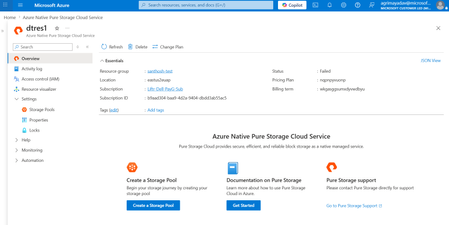
We're excited to announce that Dell PowerScale for Azure – Dell managed is now Generally Available (GA). Following a successful Public Preview announced at Ignite, PowerScale for Azure is now production-ready for enterprise workloads. Co-developed with Dell as an Azure Native Integration, this fully managed service brings Dell's proven scale-out NAS technology and the PowerScale OneFS operating system directly into Azure — delivering the performance and scale enterprises expect with the simplicity of Azure-native provisioning, management, and billing. The solution is purpose-built for modern, data-intensive workloads such as AI/ML pipelines, media & entertainment, electronic design automation (EDA), high-performance computing, backup & recovery, and enterprise content management. Product highlights Dell-Managed Service: A streamlined experience where Dell handles deployment, monitoring, maintenance, and upgrades — freeing IT teams to focus on higher-value initiatives. Azure-Native Experience: Provision, manage, and monitor PowerScale directly from the Azure portal, with full Azure Resource Manager (ARM) integration and unified billing on your monthly Azure invoice. Enterprise-Grade Durability: Data is distributed across multiple nodes within the cluster for high durability and fault tolerance. Advanced Protection: Space-efficient erasure coding plus SyncIQ asynchronous replication across sites keep data available even during outages. Secure Private Access: Integrates into your Azure Virtual Network (VNet) via VNet Injection, with data encrypted at rest using Microsoft-managed keys. Massive scale & multi-protocol: Up to 8.4PB in a single namespace with simultaneous NFS, SMB, and S3 support, powered by custom PMEM-enabled compute SKUs engineered for Dell Consider a large health system running PACS (Picture Archiving and Communication System) imaging archives, Electronic Health Record (EHR) data pipelines, and AI/ML diagnostic workloads on an on-premises Dell PowerScale cluster. As PACS volumes grow alongside demand for AI-driven diagnostics, the team wants to scale into Azure for GPU-accelerated model training without re-architecting their environment. With Dell PowerScale for Azure, they can provision the fully managed service directly from the Azure portal, giving clinicians, researchers, and applications low-latency multi-protocol access to the same global namespace across NFS, SMB, and S3. Since Dell handles deployment, monitoring, and upgrades, IT teams stay focused on patient outcomes rather than infrastructure, while enterprise-grade durability and encryption at rest help protect sensitive patient data. Availability Dell PowerScale for Azure is generally available through the Azure Marketplace and Azure portal (search for Dell PowerScale for Azure – Dell managed). GA is rolling out in waves, starting with US East, with additional regions coming online shortly. Get started Azure Marketplace: Dell PowerScale for Azure – Dell managed Microsoft Learn: Dell PowerScale – Azure Native Integrations Solution Brief: Dell PowerScale for Microsoft Azure184Views1like0Comments
ISV Offering SaaS vs On-Prem
Hi all, We are a partner and have some apps on the marketplace (appsource) for customers to download. We would like to offer the same apps for on-premise deplyments as well. How would we go about object numbers and customers' licenses? How do we add our object id range we develop in to be part of the customers' license? Thanks in advance!Introducing Everpure Cloud Azure Native for Azure VMs
Overview We're excited to announce Everpure Cloud Azure Native for Azure Virtual Machines (VMs). With this release, Azure customers can provision enterprise-grade block storage volumes and attach it directly to their Azure VMs, all managed natively within the Azure portal. No appliances to manage, no complex storage stack to stitch together — just elastic, high-performance block storage that behaves like any other Azure disk. This release solves three persistent challenges Azure VM customers face with traditional Managed Disks: Pay for capacity what you actually use, not what you provision — Billing follows effective capacity after deduplication and compression, helping customers avoid overprovisioning and reduce storage costs (by up to 40%) Scale storage independently from compute — Grow capacity and tune performance without resizing your VM or touching the VM SKU, giving you finer control over both cost and performance. Enterprise data services built in — Thin provisioning, deduplication, and compression — all native to Everpure. What you can expect Familiar building blocks — storage pools, volume groups, and volumes that map cleanly to your applications and VMs. Independent scaling of capacity and IOPS — dial storage performance up or down without disturbing compute. Seamless guest-OS integration — mounted volumes appear as standard Windows disks; no special drivers or custom tooling required. Step-by-step: Setting up Everpure Cloud Azure Native storage for your Azure VM Step 1 — Deploy Everpure Cloud service Find Azure Native Everpure Cloud in the Azure Marketplace and deploy it into your subscription. The service is provisioned natively as an Azure resource and enables the service in selected region. Step 2 — Create a Storage Pool Create a storage pool — Choose an availability zone for resiliency and use the performance slider to set your desired IOPS independently of capacity Step 3 — Create a volume group Create a volume group — a logical container that groups related volumes together, for example all the disks belonging to a single application, database, or VM. Operating at the group level makes access control and day-2 management simpler at scale. Step 4 — Create volumes Within the volume group, create the volumes your VM will consume. Specify a name and size — this size is a logical limit, not pre-allocated capacity. Volumes can be resized live and shared across multiple VMs when needed. Step 5 — Mount to your Azure VM From the volume group, select Mount on VM. The Azure VM connection experience opens, letting you attach the volume to your chosen Azure Virtual Machine. Step 6 — Bring the disk online inside the guest OS Once mounted, the final step happens inside the VM. The Everpure volumes appear as standard, uninitialized Windows disks. Open Disk Management, initialize the disks with GPT, run the New Simple Volume Wizard, and format them as NTFS. Within seconds, the Everpure-backed volume becomes a regular drive letter (for example, F:) ready for any workload. Get Started Today Everpure Cloud Azure Native for Azure VMs is available now in the Azure Marketplace. Deploy it into your subscription to start bringing enterprise-grade Everpure to your Azure VMs Start Your Free Trial of Everpure Cloud Azure Native Check out the Everpure Cloud release notes for detailed guidance on supported configurations, capacity points, and operational considerations. Read the Everpure GA announcement blog to learn how Everpure Cloud Azure Native for Azure VMs helps reduce costs and simplify storage operations. Have feedback or questions? Drop a comment below — we'd love to hear how you plan to use Everpure Cloud for your Azure workloads.652Views2likes0Comments
From insight to action: how Adobe and Microsoft are helping marketers move faster with AI
Today’s marketing leaders are under pressure to do more than ever—deliver meaningful personalization, accelerate execution, and prove measurable business impact. At the same time, teams are navigating increasing complexity: fragmented data, disconnected tools, and insights that arrive too late to act on. AI can change this—but only when it’s embedded directly into how people already work. That’s why Microsoft and Adobe are deepening our partnership: bringing customer experience intelligence, AI-powered workflows, and enterprise-grade AI directly into Microsoft 365 Copilot—so teams can move from insight to alignment to execution in one continuous workflow. The result is faster decisions, more coordinated execution, and clearer business outcomes—without breaking flow or context. Bringing customer experience intelligence into the flow of work Marketing teams don’t struggle because they lack data. They struggle because insights live in one place, collaboration in another, and execution somewhere else entirely. That disconnect slows teams down and creates unnecessary friction between analysis and action. Together, Adobe and Microsoft are changing that dynamic by connecting Adobe’s customer experience capabilities with Microsoft 365 Copilot and Copilot Cowork—so insight, collaboration, and next-best action can happen where work already happens: in Copilot Chat and in everyday apps like Teams, Word, and PowerPoint. Marketers can ask questions, explore insights, align with teammates, and take action without jumping between tools—turning intelligence into impact at the moment it matters. Adobe Marketing Agent for Microsoft 365 Copilot: now generally available A major milestone in this journey is the general availability of the Adobe Marketing Agent for Microsoft 365 Copilot, now available via Microsoft Commercial Marketplace. The Adobe Marketing Agent brings Adobe customer experience intelligence directly into Copilot, enabling marketing teams to: Accelerate time from insight to decision Move seamlessly from analysis to execution Keep humans firmly in control, with AI supporting—not replacing—decision‑making Importantly, the agent is enterprise-ready by design. IT administrators can deploy and manage the experience through the Microsoft 365 admin center, ensuring security, governance, and compliance at scale. Expanding executive experiences with Copilot Cowork Looking ahead, Adobe skills designed for customer experience orchestration will be accessible in Copilot Cowork—in a future release. This upcoming experience will enable customer experience leaders to engage with customer experience insights in a more direct, conversational way, bringing strategic visibility into the same Copilot environments where decisions are made and actions are coordinated. Built on Azure to scale securely and responsibly The technology foundation of this innovation is Azure. Adobe Experience Platform, Adobe Experience Platform Agent Orchestrator, and Adobe AI Agents are built on Azure and leverage Azure AI models, providing the scalability, security, and reliability enterprises require. By running on Azure, these agentic experiences benefit from Microsoft’s global infrastructure, enterprise‑grade security, and responsible AI commitments—supporting customer trust as organizations scale AI across their business. Designed for interoperability across agent ecosystems Modern enterprises don’t operate in a single ecosystem—and their agents shouldn’t either. Adobe agents are built to interoperate with agents created using Microsoft Azure AI Foundry or Copilot Studio, enabling customers to orchestrate richer, cross‑functional workflows across marketing, sales, service, and operations. This architecture is designed to enable organizations to compose agentic solutions that reflect how work actually happens—across systems, teams, and business processes. Moving from experimentation to execution This partnership reflects a broader shift in how organizations adopt AI—moving from experimentation to embedded, enterprise‑ready execution. By bringing the full power of Adobe Experience Platform together with Microsoft’s AI platform, cloud infrastructure, and Copilot experiences, we’re helping teams move faster with clarity, confidence, and control. This is how AI becomes not just powerful—but practical. Learn more Adobe + Microsoft partnership page Adobe Marketing Agent for Microsoft Copilot page402Views1like0CommentsAzure Native Integrations: Public Preview of Napster Companion API on Azure
What is Napster Companion API? Napster Companion API is Napster's platform for building Omniagents: persistent, multi-channel AI agents with one identity, one memory, and one set of tools that show up across every channel an end user touches. The same Omniagent meets the customer on the website, in the mobile app, on video, and on the phone line with the same face, the same voice, and the same memory of the last conversation. The Omniagent as a digital worker The clearest way to think about an Omniagent is as a digital worker: It has a role (customer support specialist, sales advisor, internal IT assistant). It carries the memory of past shifts and prior conversations. It has the tools it needs to do the job which include APIs, knowledge bases, ticketing systems, CRMs. It shows up across every surface the end user touches, like a human worker who answers the door, the phone, and the inbox. When something is outside its scope, it hands off to a human colleague with the context already attached and picks the thread back up when the human is done. Use cases for the Companion API Teams are already exploring the Companion API across a wide range of scenarios: Agentic commerce. Agents that guide end users through discovery, recommendations, purchase, and post-sales support all in one continuous conversation across channels. Customer service. Agents that resolve issues end to end, escalate to humans with full context attached, and pick the thread back up across sessions. Internal operations and digital coworkers. Agents that orchestrate workflows, retrieve knowledge, and automate repetitive tasks for the workforce. Capabilities introduced by Napster Companion API The Companion API public preview brings the following capabilities to Azure customers: Persistent multi-channel agents that maintain identity, memory, and context across web, mobile, voice, video, and telephony. Real-time multimodal interactions across voice, video, and text for natural back-and-forth conversation. Tool and API orchestration that lets agents take real actions like opening tickets, updating records, retrieving documents, and triggering workflows. Persona-driven agents with configurable behavior, conversational style, and avatar-based interaction. Knowledge bases and deterministic question-and-answer pairs for grounded, accurate responses on topics where exactness matters. Developer SDKs and a no-code Dashboard for building, testing, deploying, and iterating on agents. Better together: Napster and Microsoft This integration is the result of a long-term Azure-native partnership between Napster and Microsoft. It is not an external service layered onto Azure infrastructure but it is a co-engineered offering designed to help enterprises operationalize persistent AI agents at scale. In practice, the Azure Native integration delivers: Benefit What it means for you Seamless development experience Provision and manage Companion API resources directly from the Azure portal, alongside your other Azure services. Build and operate Omniagents in the Napster Dashboard, reached through single sign-on. Bring your own model or use Napster Hosted Connect your Azure OpenAI realtime deployment on Microsoft Foundry so inference runs in your tenant. Or use the Napster Hosted tier where Napster manages the model for you. Simplified billing Manage Companion API spend through Azure Marketplace, on the same invoice as the rest of your Azure consumption which means no separate procurement, no separate billing relationship. Single sign-on with Microsoft Entra Switch between Azure resources and the Companion API Dashboard without re-entering credentials. Enterprise-ready foundation Built on Azure's compliance, security, and global infrastructure footprint. How it works?    If the player doesn’t load, open the video in a new window: Open video Get started in minutes Provisioning Napster Companion API on Azure takes just a few clicks: Open the Azure portal and search for *Napster Companion API*. Create a new resource and choose your subscription, resource group, region, and pricing tier. Link your Napster organization (or create one as part of resource provisioning). Launch the Companion API Dashboard from the resource overview page using single sign-on, and start building your first Omniagent in the Napster portal. Full step-by-step guidance is available in the Napster Companion API documentation on Microsoft Learn Resources Product documentation: Napster Companion API on Microsoft Learn Quickstart: Create a Napster Companion API resource Azure Marketplace listing: Napster Companion API Napster for partners: napster.com/partners Azure Native Integrations overview: Azure partner solutions What's next This public preview is the first milestone on a broader roadmap. We are eager to hear from early adopters. Try the public preview, build your first Omniagent, and let us know what you think as your feedback will shape what ships next. Get started today by searching for Napster Companion API in the Azure portal.1.8KViews1like1Comment
Microsoft Finland - Software Developing Companies monthly community series.
Tervetuloa jälleen mukaan Microsoftin webinaarisarjaan teknologiayrityksille! Microsoft Finlandin järjestämä Software Development monthly Community series on webinaarisarja, joka tarjoaa ohjelmistotaloille ajankohtaista tietoa, konkreettisia esimerkkejä ja strategisia näkemyksiä siitä, miten yhteistyö Microsoftin kanssa voi vauhdittaa kasvua ja avata uusia liiketoimintamahdollisuuksia. Sarja on suunnattu kaikenkokoisille ja eri kehitysvaiheissa oleville teknologiayrityksille - startupeista globaaleihin toimijoihin. Jokaisessa jaksossa pureudutaan käytännönläheisesti siihen, miten ohjelmistoyritykset voivat hyödyntää Microsoftin ekosysteemiä, teknologioita ja kumppanuusohjelmia omassa liiketoiminnassaan. Huom. Microsoft Software Developing Companies monthly community webinars -webinaarisarja järjestetään Cloud Champion -sivustolla, josta webinaarit ovat kätevästi saatavilla tallenteina pari tuntia live-lähetyksen jälkeen. Muistathan rekisteröityä Cloud Champion -alustalle ensimmäisellä kerralla, jonka jälkeen pääset aina sisältöön sekä tallenteisiin käsiksi. Pääset rekisteröitymään, "Register now"-kohdasta. Täytä tietosi ja valitse Distributor kohtaan - Other, mikäli et tiedä Microsoft-tukkurianne. Webinaarit: 29.5.2026 klo 09.00–09.30 Vibe Coding & Github Copilot Tervetuloa SDC Community Monthly ‑webinaariin. Vibe Coding ja GitHub Copilot muuttavat ohjelmistokehitystä, koodista tulee nopeammin syntyvää, iteratiivisempaa ja tiiviimmin liiketoimintaa tukevaa. Tässä sessiossa käymme läpi, mitä Vibe Coding käytännössä tarkoittaa ja miten GitHub Copilot toimii sen ytimessä. Näet, miten GitHub Copilot vauhdittaa kehitystä, parantaa tuottavuutta ja mahdollistaa nopeamman ideasta toteutukseen etenemisen. Näytämme käytännön esimerkkejä siitä, miten kehittäjät ja jopa ei-tekniset roolit voivat hyödyntää Copilotia modernissa kehitystyössä. Ilmoittaudu mukaan: Microsoft Finland – Software Developing Companies monthly community series – Vibe Coding & GitHub Copilot – Finland Cloud Champion Puhujat: Juha Karvonen, Sr Partner Tech Strategist Mikko Marttinen, Sr Partner Development Manager, Microsoft 24.4.2026 klo 09.00–09.30 Marketplace ja Resale Enabled Offers (REO) Tervetuloa SDC Community Monthly ‑webinaariin. Kasvua Azure Marketplace ‑kanavan kautta – tehokkaammin REO‑mallilla. Tämän kuukauden aiheena on REO (Resale Enabled Offers), ja käymme läpi, mitä REO käytännössä tarkoittaa, milloin sitä kannattaa käyttää ja mitä se muuttaa kumppaneille. Käsittelemme aihetta yhdessä Partner Solution Sales Manager Veli Myllylän kanssa. Opit, miten Resale Enabled Offers (REO) mahdollistaa kanavakumppaneiden myydä Marketplace‑tarjouksiasi puolestasi ja miten tämä vauhdittaa co‑sell‑kauppoja, skaalaa myyntiä ja tukee Azure‑kulutusta. Ilmoittaudu mukaan: Microsoft Finland – Software Developing Companies monthly community series – Marketplace ja Resale Enabled Offers (REO) – Finland Cloud Champion Puhujat Mikko Marttinen, Sr Partner Development Manager, Microsoft Veli Myllylä, Partner Solutions Sales Manager Microsoft, Microsoft 27.3.2026 klo 09:00-09:30 - Agent Factory Microsoft Foundryllä – miten rakennat ja viet AI-agentteja tuotantoon AI‑agentit ovat nopeasti nousemassa enterprise‑ohjelmistojen keskeiseksi rakennuspalikaksi, mutta monilla organisaatioilla haasteena on agenttien vieminen tuotantoon asti. Todellinen kilpailuetu syntyy siitä, miten agentit rakennetaan hallitusti, integroidaan osaksi kokonaisarkkitehtuuria ja skaalataan luotettavasti. Tässä webinaarissa käymme läpi ja näytämme käytännön demolla, miten AI-agentti rakennetaan Microsoft Foundry:n Agent Service -palvelulla. Näytämme miten agentin rooli ja ohjeet määritellään, miten agentille liitetään tietolähteitä ja työkaluja sekä katsomme miten tämä asemoituu Microsoft Agent Factoryyn. Katso nauhoite: Microsoft Finland – Software Developing Companies monthly community series: Agent Factory Microsoft Foundryllä – miten rakennat ja viet AI-agentteja tuotantoon – Finland Cloud Champion Puhujat: Mikko Marttinen, Sr Partner Development Manager, Microsoft Veli Myllylä, Partner Solutions Sales Manager, 27.2.2026 klo 09:00-09:30 - M-Files polku menestykseen yhdessä Microsoftin kanssa Mitä globaalin kumppanuuden rakentaminen M-Files:in ja Microsoft:in välillä on vaatinut – ja mitä hyötyä siitä on syntynyt? Tässä webinaarissa kuulet insiderit suoraan M-Filesin Kimmo Järvensivulta, Stategic Alliances Director: miten kumppanuus Microsoft kanssa on rakennettu, mitä matkalla on opittu ja miten yhteistyö on vauhdittanut kasvua. M-Files on älykäs tiedonhallinta-alusta, joka auttaa organisaatioita hallitsemaan dokumentteja ja tietoa metatiedon avulla sijainnista riippumatta. Se tehostaa tiedon löytämistä, parantaa vaatimustenmukaisuutta ja tukee modernia työtä Microsoft-ekosysteemissä. Tule kuulemaan, mitä menestyksekäs kumppanuus todella vaatii, ja miten siitä tehdään strateginen kilpailuetu. Katso nauhoite: Microsoft Finland – Software Developing Companies Monthly Community Series – M-Files polku menestykseen yhdessä Microsoftin kanssa – Finland Cloud Champion Asiantuntijat: Kimmi Järvensivu, Strategic Alliances Director, M-Files Mikko Marttinen, Sr Partner Development Manager, Microsoft Eetu Roponen, Sr Partner Development Manager, Microsoft 30.1.2026 klo 09:00-09:30 - Model Context Protocol (MCP)—avoin standardi, joka mullistaa AI-integraatiot Webinaarissa käymme läpi, mikä on Model Context Protocol (MCP), miten se mahdollistaa turvalliset ja skaalautuvat yhteydet AI‑mallien ja ulkoisten järjestelmien välillä ilman räätälöityä koodia, mikä on Microsoftin lähestyminen MCP‑protokollan hyödyntämiseen sekä miten softayritykset voivat hyödyntää MCP‑standardin tarjoamia liiketoimintamahdollisuuksia. Webinaarissa käymme läpi: Mikä MCP on ja miksi se on tärkeä nykyaikaisissa AI‑prosesseissa Kuinka MCP vähentää integraatioiden monimutkaisuutta ja nopeuttaa kehitystä Käytännön esimerkkejä Webiinarin asiaosuus käydään läpi englanniksi. Katso nauhoite: 30.1.2026 klo 09:00-09:30 – Model Context Protocol (MCP)—avoin standardi, joka mullistaa AI-integraatiot – Finland Cloud Champion Asiantuntijat: Massimo Caterino, Kumppaniteknologiastrategisti, Microsoft Europe North Mikko Marttinen, Sr Partner Development Manager, Microsoft Eetu Roponen, Sr Partner Development Manager, Microsoft 12.12. klo 09:00-09:30 - Mitä Suomen Azure-regioona tarkoittaa ohjelmistotaloille? Microsoftin uusi datakeskusalue Suomeen tuo pilvipalvelut lähemmäksi suomalaisia ohjelmistotaloja – olipa kyseessä startup, scaleup tai globaali toimija. Webinaarissa pureudumme siihen, mitä mahdollisuuksia uusi Azure-regioona avaa datan sijainnin, suorituskyvyn, sääntelyn ja asiakasvaatimusten näkökulmasta. Keskustelemme muun muassa: Miten datan paikallinen sijainti tukee asiakasvaatimuksia ja sääntelyä? Mitä hyötyä ohjelmistotaloille on pienemmästä latenssista ja paremmasta suorituskyvystä? Miten Azure-regioona tukee yhteismyyntiä ja skaalautumista Suomessa? Miten valmistautua teknisesti ja kaupallisesti uuden regioonan avaamiseen? Puhujat: Fama Doumbouya, Sales Director, Cloud Infra and Security, Microsoft Mikko Marttinen, Sr Partner Development Manager, Microsoft Eetu Roponen, Sr Partner Development Manager, Microsoft Katso nauhoite: Microsoft Finland – Software Developing Companies Monthly Community Series – Mitä Suomen Azure-regioona tarkoittaa ohjelmistotaloille? – Finland Cloud Champion 28.11. klo 09:00-09:30 - Pilvipalvelut omilla ehdoilla – mitä Microsoftin Sovereign Cloud tarkoittaa ohjelmistotaloille? Yhä useampi ohjelmistotalo kohtaa vaatimuksia datan sijainnista, sääntelyn noudattamisesta ja operatiivisesta kontrollista – erityisesti julkisella sektorilla ja säädellyillä toimialoilla. Tässä webinaarissa pureudumme siihen, miten Microsoftin uusi Sovereign Cloud -tarjonta vastaa näihin tarpeisiin ja mitä mahdollisuuksia se avaa suomalaisille ohjelmistoyrityksille. Keskustelemme muun muassa: Miten Sovereign Public ja Private Cloud eroavat ja mitä ne mahdollistavat? Miten datan hallinta, salaus ja operatiivinen suvereniteetti toteutuvat eurooppalaisessa kontekstissa? Mitä tämä tarkoittaa ohjelmistoyrityksille, jotka rakentavat ratkaisuja julkiselle sektorille tai säädellyille toimialoille? Puhujat: Juha Karppinen, National Security Officer, Microsoft Mikko Marttinen, Sr Partner Development Manager, Microsoft Eetu Roponen, Sr Partner Development Manager, Microsoft Katso nauhoite: Microsoft Finland – Software Developing Companies Monthly Community Series – Pilvipalvelut omilla ehdoilla – mitä Microsoftin Sovereign Cloud tarkoittaa ohjelmistotaloille? – Finland Cloud Champion 31.10. klo 09:00-09:30 - Kasvua ja näkyvyyttä ohjelmistotaloille – hyödynnä ISV Success ja Azure Marketplace rewards -ohjelmia Tässä webinaarissa pureudumme ohjelmistotaloille suunnattuihin Microsoftin keskeisiin kiihdytinohjelmiin, jotka tukevat kasvua, skaalautuvuutta ja kansainvälistä näkyvyyttä. Käymme läpi, miten ISV Success -ohjelma tarjoaa teknistä ja kaupallista tukea ohjelmistoyrityksille eri kehitysvaiheissa, ja miten Azure Marketplace toimii tehokkaana myyntikanavana uusien asiakkaiden tavoittamiseen. Lisäksi esittelemme Marketplace Rewards -edut, jotka tukevat markkinointia, yhteismyyntiä ja asiakashankintaa Microsoftin ekosysteemissä. Webinaari tarjoaa: Konkreettisia esimerkkejä ohjelmien hyödyistä Käytännön vinkkejä ohjelmiin liittymiseen ja hyödyntämiseen Näkemyksiä siitä, miten ohjelmistotalot voivat linjata strategiansa Microsoftin tarjoamiin mahdollisuuksiin Puhujat: Mikko Marttinen, Sr Partner Development Manager, Microsoft Eetu Roponen, Sr Partner Development Manager, Microsoft Nauhoite: Microsoft Finland – Software Developing Companies Monthly Community Series – Kasvua ja näkyvyyttä ohjelmistotaloille – hyödynnä ISV Success ja Azure Marketplace rewards -ohjelmia – Finland Cloud Champion 3.10. klo 09:00-09:30 - Autonomiset ratkaisut ohjelmistotaloille – Azure AI Foundry ja agenttiteknologioiden uudet mahdollisuudet Agenttiteknologiat mullistavat tapaa, jolla ohjelmistotalot voivat rakentaa älykkäitä ja skaalautuvia ratkaisuja. Tässä webinaarissa tutustumme siihen, miten Azure AI Foundry tarjoaa kehittäjille ja tuoteomistajille työkalut autonomisten agenttien rakentamiseen – mahdollistaen monimutkaisten prosessien automatisoinnin ja uudenlaisen asiakasarvon tuottamisen. Kuulet mm. Miten agenttiteknologiat muuttavat ohjelmistokehitystä ja liiketoimintaa. Miten Azure AI Foundry tukee agenttien suunnittelua, kehitystä ja käyttöönottoa. Miten ohjelmistotalot voivat hyödyntää agentteja kilpailuetuna. Puhujat: Juha Karvonen, Sr Partner Tech Strategist Mikko Marttinen, Sr Partner Development Manager, Microsoft Eetu Roponen, Sr Partner Development Manager, Microsoft Katso nauhoite täältä: Microsoft Finland – Software Developing Companies Monthly Community Series – Autonomiset ratkaisut ohjelmistotaloille – Azure AI Foundry ja agenttiteknologioiden uudet mahdollisuudet – Finland Cloud Champion 5.9.2025 klo 09:00-09:30 - Teknologiayritysten ja Microsoftin prioriteetit syksylle 2025. Tervetuloa jälleen mukaan Microsoftin webinaarisarjaan teknologiayrityksille! Jatkamme sarjassa kuukausittain pureutumista siihen, miten yhteistyö Microsoftin kanssa voi vauhdittaa kasvua ja avata uusia mahdollisuuksia eri vaiheissa oleville ohjelmistotaloille – olipa yritys sitten start-up, scale-up tai globaalia toimintaa harjoittava. Jokaisessa jaksossa jaamme konkreettisia esimerkkejä, näkemyksiä ja strategioita, jotka tukevat teknologia-alan yritysten liiketoiminnan kehitystä ja innovaatioita. Elokuun lopun jaksossa keskitymme syksyn 2025 prioriteetteihin ja uusiin mahdollisuuksiin, jotka tukevat ohjelmistoyritysten oman toiminnan suunnittelua, kehittämistä ja kasvun vauhdittamista. Käymme läpi, mitkä ovat Microsoftin strategiset painopisteet tulevalle tilikaudelle – ja ennen kaikkea, miten ohjelmistotalot voivat hyödyntää niitä omassa liiketoiminnassaan. Tavoitteena on tarjota kuulijoille selkeä ymmärrys siitä, miten oma tuote, palvelu tai markkinastrategia voidaan linjata ekosysteemin kehityksen kanssa, ja miten Microsoft voi tukea tätä matkaa konkreettisin keinoin. Puhujat: Mikko Marttinen, Sr Partner Development Manager, Microsoft Eetu Roponen, Sr Partner Development Manager, Microsoft Katso nauhoitus täältä: Teknologiayritysten ja Microsoftin prioriteetit syksylle 2025. – Finland Cloud Champion582Views0likes0Comments
Foundry IQ and the partner opportunity: Turning domain knowledge into AI advantage
Turning domain knowledge into AI advantage with Foundry IQ The enterprise software landscape is undergoing a fundamental shift. AI agents are moving quickly from experimental pilots into production workloads. As organizations deploy agents at scale, a hard truth is emerging: an agent is only as valuable as the knowledge behind it. General-purpose models can reason, summarize, and generate. What they cannot replicate is the deep domain expertise software development companies have spent years building into products, data models, and best practices. That expertise is what turns an agent from “capable” into “useful” in real business workflows. This is the moment to ask a strategic question: where does your knowledge live in the AI agent economy, and how easily can customers find it when they are building agents? Microsoft Foundry IQ is designed to answer that question. What Foundry IQ means for the partner ecosystem Foundry IQ is a knowledge layer within Microsoft AI Foundry that connects curated, structured knowledge sources to the agents customers build and deploy. Organizations constructing agents in Foundry can browse, evaluate, and attach knowledge sources in the same place they select models and tools. Microsoft is leading with its own investment. Foundry IQ already surfaces product knowledge for first-party services, including: Microsoft Fabric (data pipelines, lakehouses, analytics) Azure Storage (blob, file, queue, and table architectures) SharePoint (collaboration, content management, and search) A growing set of additional Microsoft services For partners, this matters because it establishes a distribution surface inside the workflows where customers design and operationalize agents. Customers already use Microsoft knowledge sources when building. That same integration path is now open to partners, creating a clear opportunity to bring domain expertise into the agent-building experience. Microsoft knowledge covers Microsoft products. Customers also need industry and function-specific expertise that only partners provide. Foundry IQ enables you to meet that need by connecting your knowledge to the moment of highest intent, when customers are assembling the knowledge and tools their agents will rely on. In return, partners can gain: Increased visibility inside the platform where enterprise AI decisions are made A route to customer acquisition at the point of agent creation, not only through a separate sales cycle Stronger integration into the Microsoft ecosystem that can reinforce alignment with Microsoft sellers The ability to consume Microsoft first-party knowledge via the Model Context Protocol (MCP), making partner-built agents more capable without duplicating knowledge pipelines Three partner value paths The opportunity is not one-size-fits-all. Depending on your product architecture and go-to-market strategy, Foundry IQ opens three practical paths. Path 1: Integrate your knowledge where customers are already building Microsoft has populated Foundry IQ with knowledge for Fabric, SharePoint, Azure Storage, and other first-party services. Partners can integrate alongside these sources, becoming discoverable at the moment customers are assembling their agents. This is about showing up where design choices happen, not after the architecture is locked. A financial services organization builds a compliance agent and pulls in Microsoft platform knowledge alongside your regulatory expertise. A healthcare organization constructs a clinical workflow agent and discovers your domain knowledge at the point of need. In this model, your expertise becomes part of the agent’s foundation. Instead of being evaluated later through a separate procurement cycle, it becomes a selectable component in the agent-building workflow. That creates a new distribution channel at the point of highest customer intent. Path 2: Consume Foundry IQ to power your own agents The value flows both ways. Partners building agents, or agent-building platforms, can consume Foundry IQ as a knowledge source through MCP. Consider a partner offering a vertical supply chain platform. By connecting to Foundry IQ via MCP, that platform can: Ground its agents in Microsoft knowledge for Azure infrastructure, data services, and collaboration tools Layer the partner’s proprietary supply chain logic on top Deliver more capable agents without building and maintaining knowledge pipelines for every Microsoft service This is leverage. Partners benefit from Microsoft’s knowledge investment. Customers get agents that understand more of the full stack, from infrastructure through industry workflows. Path 3: Extend your existing knowledge platform with Foundry IQ Some partners already operate knowledge management or intelligence platforms. For these partners, Foundry IQ can expand relevance without forcing a platform rewrite. Foundry IQ and Microsoft Search capabilities can be integrated into your existing solution so you can: Combine your proprietary knowledge graph with Microsoft’s enterprise knowledge surface Deliver a more unified experience without requiring users to leave the platform they already use Evolve a standalone knowledge product into one that is connected to broader enterprise intelligence workflows This path strengthens your role as the knowledge hub while extending the reach of the content you surface. The business case for software development companies Across these paths, the business case tends to show up in three ways: Growth through integration When your knowledge becomes a selectable part of a customer’s agent architecture, each deployment becomes a durable touchpoint. Agents built with your integration can create ongoing product usage and expanded commercial opportunity. Differentiation through domain expertise Microsoft covers the platform layer. Partners cover the domain layer. As reasoning capabilities become more common, curated domain expertise becomes a key differentiator in agent outcomes. Ecosystem leverage through co-innovation Partners who integrate early can shape emerging patterns, build stronger visibility into customer demand, and become a natural choice when customers need domain-specific knowledge connected to their agents. Next steps Microsoft has already committed its product knowledge to Foundry IQ, and customers are using it to build agents. The domain layer is where partners complete the picture. Start with these actions: Identify your value path: Which of the three models aligns with your product and go-to-market strategy? Inventory your knowledge assets: What expertise, data sets, or frameworks would materially improve customer-built agents? Define an integration plan: Prioritize one scenario where your knowledge creates clear customer value and can be packaged repeatably. Engage your Microsoft partner development team: Align on scope and the right technical path to integrate or consume knowledge. The partners who move early can help set quality benchmarks and establish durable placement in the agent-building workflows customers adopt first. Additional resources Microsoft AI Foundry – Build, evaluate, and deploy AI agents Foundry IQ Overview – Learn how Foundry IQ connects knowledge to agents Model Context Protocol (MCP) – Open standard for connecting AI agents to knowledge and tools Azure AI Foundry Documentation – Technical documentation for the Foundry platform Microsoft Partner Network – Explore partnership opportunities and engagement path569Views0likes0CommentsMicrosoft Partnership Multiplier Series for ISVs (SDCs) with Juhi Saha
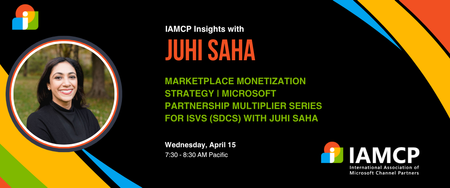
Eighty percent of Azure Marketplace listings never generate meaningful revenue - this session reveals why and shows you how to be in the winning twenty percent. We'll move beyond basic listings to explore the monetization hierarchy: when contact-me offers work versus when transactability becomes essential, how private offers unlock enterprise opportunities, and advanced strategies like MACC consumption programs. You'll learn the pricing models that convert versus those that create friction, discover what truly drives marketplace visibility and field seller recommendations, and understand the co-marketing tactics that actually work. Walk away with a clear offer design strategy and your path to first marketplace transaction. Register for the event here About Juhi She specializes in turning partnerships into a company’s fastest growth engine. A seasoned operator, over the past two decades, she's helped startups, scale-ups, services companies and global enterprises transform complex ecosystems into real revenue, driving billions in pipeline (and valuations), accelerating exits, and scaling globally while de-risking the investment into partner-led growth. At Microsoft, she launched and led Pegasus, the company’s flagship program for high-growth VC-backed startups, unlocking hundreds of millions in pipeline. She also built fintech and AI partnerships that shaped Microsoft’s GTM strategy with key industries. As VP of Partnerships at Clearbit, she designed and ran a new partner business that generated double-digit revenue growth and positioned the company for acquisition by HubSpot. Earlier leadership roles at Intel and Qualcomm gave her a foundation in product, operations, and ecosystem expansion. Today, as CEO of Partner1, she advises CEOs and CROs on how to: ✔ Grow profitably and globally through B2B partnerships while de-risking investment in partnerships ✔ Accelerate co-sell and marketplace revenue with Microsoft, AWS, GCP, AI and other key ecosystems ✔ Align GTM, sales, and partner strategies to unlock non-dilutive, scalable growth She also serves as a board director and strategic advisor to fintech, AI, and SaaS companies scaling through ecosystem-led growth. With a B.S. in Electrical Engineering & Computer Science from UC Berkeley, an M.S. in Electrical & Computer Engineering from UC San Diego, and three patents that run on every mobile device, she pairs deep technical expertise with real-world impact. Combined with go-to-market expertise, She brings the rare ability to bridge vision with execution, and partnerships with revenue.221Views1like0CommentsFrom Copilot to Catalyst: How MSPs Turn AI Readiness Into Recurring Revenue
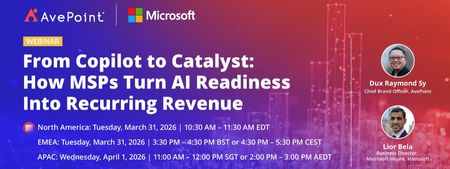
AI interest is surging—but most customers aren’t ready to scale it securely or successfully. Gaps in device management, identity hygiene, data governance, and operational consistency often stall AI initiatives before they deliver real value. For Managed Service Providers, this challenge creates a powerful opportunity. In this webinar, you’ll learn how MSPs are using Microsoft Intune as the foundation for helping manage and secure devices, and extending it with AvePoint Confidence Platform: Elements Edition to standardize, automate, and scale AI-ready environments across customer tenants. Together, they enable MSPs to move beyond one-off AI projects and deliver AI readiness as a repeatable, revenue-generating managed service. This session focuses on turning AI demand—starting with Copilot—into a long-term services motion that improves margins, reduces operational friction, and positions your MSP as a trusted AI partner. In this webinar, you will learn how to: Turn AI readiness into recurring revenue Learn how MSPs are packaging AI readiness—starting with Copilot—into repeatable, high-margin managed services customers renew and expand. Scale securely without adding overhead See how Microsoft Intune, extended with AvePoint Confidence Platform: Elements Edition, enables standardized, automated delivery across multiple customer tenants. Move from AI pilots to real outcomes Get a practical blueprint to replace one-off AI projects with scalable services that position your MSP as a trusted AI partner. Register now: From Copilot to Catalyst: How MSPs Turn AI Readiness Into Recurring Revenue214Views0likes0Comments