import
5 TopicsNew in Excel for the web: The full Power Query experience
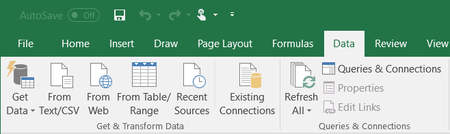
We’ve reached yet another milestone in Excel for the web: The full Power Query user experience is now generally available, including the import wizard and Power Query Editor. After we released the ability to refresh Power Query data from authenticated data sources, we were able to unlock the ability to complete the full user journey of importing data and editing it using Power Query. Getting started Learn all about Power Query in Excel for the web here > See this support article for more information on Power Query data sources in Excel versions. Note: Viewing and refreshing queries is available to all Microsoft 365 Subscribers. The full Power Query experience is available to all Microsoft 365 Subscribers with Business or Enterprise plans. Importing data You can import data into Excel using Power Query from a wide variety of data sources, for example: Excel Workbook, Text/CSV, XML, JSON, SQL Server Database, SharePoint Online List, OData, Blank Table, and Blank Query. Select Data > Get Data: In the Choose data source dialog box, select one of the available data sources: Connect to the data source. After you select the source, the authentication kind will be auto-populated, according to the relevant source (you can still change it, if you like). Press Next, and choose the table you wish to import: Press Transform data to open the table in the Power Query editor, where you can perform many powerful transformations. Note: You can open the editor whenever you need it, by using Data > Get Data > Launch Power Query Editor. When you are done, load the table – press Close & Load to load to the Excel grid: Or Close & Load to - to either load to the Excel grid, or create a connection-only query: See the query was created in the Queries & Connections pane: If you loaded to a table, you can see it on the Excel grid: You can refresh the created query from the Queries & Connections pane, or by using Data > Refresh/Refresh All. You can also perform operations, such as editing the query (with the Power Query Editor), renaming it, and more: What’s next? Future plans include adding data sources and advanced features. Feedback We hope you like this new addition to Excel and we’d love to hear what you think about it! Let us know by using the Feedback button in the top right corner in Excel - add #PowerQuery in your feedback so that we can find it easily. Want to know more about Excel for the web? See What's new in Excel for the web and subscribe to our Excel Blog to get the latest updates. Stay connected with us and other Excel fans around the world – join our Excel Community and follow us on Twitter. Jonathan Kahati, Gal Horowitz ~ Excel Team6.2KViews12likes14CommentsDecimal separator after CSV import
Hi, I need some help, please. I'm trying to import a csv file. The problem is that numbers are written with comma decimal separator, but my PC is working with dots as decimal separator. In the previous Excel versions, there was the possibility to convert them during the import wizard. Unfortunately, I'm not able to find the same option in the new import wizard (Power Query). Thanks for all your answers Luca165KViews0likes9CommentsExcel Import 32 bit vs 64 bit
I currently use the 32 bit excel, which I believe only allows use of 2gb or ram. This is extremely frustrating when working in large spreadsheets. I've requested from my IT department an upgrade to 64 bit. Their response is that our accounting system does not support the 64 bit. My question is how would a separate system be effected by the use of 64 bit vs 32 bit? I understand an add-in needing a certain excel version but would exporting reports from our accounting system to csv. or xls. be effected by 32 vs 64 bit excel? Wouldn't I be able to export a report to csv. then open in excel no matter the version?3.9KViews0likes1CommentMicrosoft Excel Web Query 404 Error When Importing From Web
Hello all, I am in desperate need of help with this issue. I am trying to import a web query from DoubleClick Search into Excel via the Web option. Every time I grab the URL, input it into the address bar and hit go I get an error "This Website Declined to Show This Web page HTTP 403". Screenshot attached. Please any advice would help.1.3KViews0likes0Comments