ignite
5 Topics
Your experience matters: help shape what’s next for Windows Server
Windows Server powers the workloads and services organizations rely on every day. As those environments evolve, so do the priorities behind them—from strengthening security and improving resiliency to making operations more consistent across on-premises, cloud, and edge deployments. Every organization brings a different perspective shaped by its people, workloads, and operating needs. We want to learn from those experiences and build lasting connections with the customers who rely on Windows Server. The Windows Server Technology Adoption Program (TAP) brings customers and the Windows Server product team together to validate preview capabilities and releases before they ship. Through the Windows Server TAP, customers can share their perspectives directly with the Windows Server team, explore areas of mutual interest, and help inform how we build and improve the product. We see TAP as an ongoing conversation: listening to your needs, learning from your feedback, and working together to make Windows Server better for the organizations that depend on it. What is Windows Server TAP? TAP is a structured partnership focused on testing and feedback. Participating customers validate defined scenarios in a test or lab environment isolated from production, share their findings, and work with the product team to identify issues and assess readiness. Depending on the engagement, validation may focus on a particular capability or on broader release-readiness scenarios, such as upgrades and workload compatibility. TAP is a two-way partnership: your team can explore upcoming capabilities in a test environment, share what you learn, and engage directly with the Windows Server product team. Your real-world perspective helps us understand how Windows Server is used across different environments and focus validation on the scenarios that matter to customers. Is your organization a good fit for Windows Server TAP? We're interested in hearing from Windows Server customers who can dedicate technical resources to hands-on validation and regular feedback. You must have a non-production environment where your team can deploy preview builds and run test scenarios from Windows Server features. TAP engagements are focused and selective. The team matches customer interests and environments to available validation opportunities, then discusses participation requirements and next steps. Expressing interest does not enroll your organization or guarantee a place in the program. Learn more about Windows Server TAP Attending Microsoft Ignite? Meet the team at the Windows Server Booth in the Hub (open November 17th – 19th) to learn more about TAP and discuss whether it could be a fit for your organization. Prefer to connect virtually? Fill out the Windows Server TAP interest form and let's chat over Microsoft Teams about your organization's interests and whether TAP could be a fit. Questions? Feel free to reach out to the TAP team at windowsserver-engage@microsoft.com.Windows Server at Microsoft Ignite 2026: Sessions, our booth, and how to join the pre-day
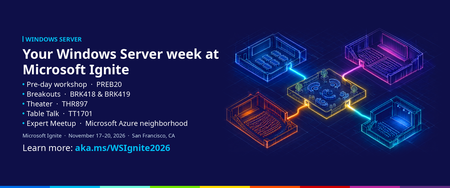
Start early with the Windows Server pre-day Windows Server: Secure, manage, and accelerate with AI (PREB20) Monday, November 16 | 1:00–5:00 PM PT | Moscone Center This is a demo-filled, deep-dive workshop built for Windows Server professionals and led by the engineers and product team who build Windows Server. You'll see how to manage your servers across Azure, hybrid cloud, and on-premises environments, and get an early look at what's coming in the next version of Windows Server, including local AI, security, Hyper-V, Active Directory, networking, and storage. Expect practical tips you can take back to optimize, modernize, and get the most out of your Windows Server fleet. How to sign up The pre-day was added after Ignite registration opened, and it's a paid add-on that you select during registration. That means it doesn't show up when you search the session catalog, and many people who registered early never saw it. Here's how to get a seat. If you haven't registered for Ignite yet: Visit the Microsoft Ignite registration website and select Register. Choose the in-person Conference pass. When you reach the pre-day options, add Windows Server: Secure, manage, and accelerate with AI (PREB20). The pre-day has an additional fee of $325. Finish registration. The pre-day will appear in your confirmation. Already registered for the in-person event? Sign in to your registration using the same account you used to register. Open your registration page and select "Add a Pre-Day pass". Add Windows Server: Secure, manage, and accelerate with AI (PREB20) and complete checkout; additional fee of $325 applies. Watch for an updated confirmation email. If it doesn't arrive, check your junk folder. Seats are limited, and the Windows Server pre-day has sold out in past years, so we recommend adding it soon. Windows Server sessions on Thursday, November 19 All four of our sessions are on Thursday in the Moscone Center area. The venues are close together with 30 to 45 minutes between sessions, so you can catch all of them. Add them to your schedule from the session catalog. Session Speakers What you'll see When and where BRK418 (Breakout): What's new and what's next for Windows Server Neil Hinnant, Elden Christensen The latest release news and a preview of the next version of Windows Server, covering Hyper-V, Active Directory, storage, and networking, and how the next release raises the bar for security, performance, and AI. Thursday, Nov 19 10:15 AM – 11:00 AM BRK419 (Breakout): From VMware to Hyper-V: Hyperscale virtualization in your datacenter Jeff Woolsey, Davanna White How Windows Admin Center Virtualization Mode helps you build cost-effective, cloud-connected on-premises virtualization with Hyper-V in Windows Server. Thursday, Nov 19 1:30 PM – 2:15 PM THR897 (Theater): Cloud management for every Windows Server Theo Tran, Cindy Wan Consistent management with Azure Arc wherever your servers run, plus lower ESU costs, free hotpatching, and SQL Server optimization. Thursday, Nov 19 10:45 AM – 11:10 AM TT1701 (Table talk): On-prem inferencing with Windows Server Dan Cuomo A small-group conversation on running AI workloads on-premises: planning AI-ready server hardware, and thinking through performance, security, and operational consistency. Thursday, Nov 19 9:00 AM – 9:45 AM Come find us at the Windows Server booth Windows Server has its own booth in the Hub, open November 17 to 19. Stop by to see demos, ask the product team your toughest questions, and tell us what you need from Windows Server. Bring your upgrade plans, your hotpatching questions, and your AI ideas. Can't be there in person? The digital pass is free and includes keynotes and a wide range of sessions. Breakouts and Theater sessions will be streamed or available on demand. Table talks and the pre-day are in-person only. Get hands-on before you arrive Want a head start? Join the Windows Server Insider Program to try preview builds of the next version of Windows Server and share feedback with the team. Several features you'll hear about at Ignite are already in Insider builds, and we've covered them here on Tech Community, including Trusted Launch for virtual machines, ReFS boot, and Windows NVMe-over-Fabrics initiator preview. We can't wait to see you in San Francisco. If you have questions about our sessions or the pre-day, refer to the Ignite event page for more information or leave us a comment below.