hybrid
299 Topics
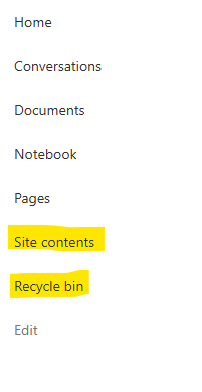
Recycle Bin and Site Content Hidden for Site Members and Site Visitors
I posted this before but made a mistake with my write up, so I am reposting. I have a requirement that the Recycle bin and Site Contents should be be hidden from the Site Members and Site Visitors. Please how can I achieve this because the Server Infrastructure activation is not working for me. Any workarounds? Please help657Views0likes1CommentDynamic Mandatory Fields
In a SharePoint library, I have folders which are = a. Admin b. Events c. Furniture and Moves d. Janitorial and Maintenance e. Parking and Transportation f. Shipping and Receiving g. Supplies and Equipment h. Waste and Recycling I have Meta data across the library whose data type are all choices and are: a. Document Type = Contract, Financial, planning b. Building = Gym, Garage, Heating c. Asset Category = Office, Playground d. Fiscal Year = FY23, FY24, FY25, FY26, FY27 e. Vendor = Maple Leaf, Canadian Tire, Home Depot f. Status = Active, Pending, Not Active g. Retention Label = 3 years, 5 years h. Service Type = Admin, Events, Furniture and Moves, Janitorial and Maintenance, Parking and Transportation, Shipping and Receiving, Supplies and Equipment, Waste and Recycling Service Type and Retention Label are mandatory fields, with the Rule below for all the files in the various folders: IF Folder Name = Admin, then Service Type = Admin and Retention Label = 5 years; the mandatory fields should be Document Type, Status and Fiscal Year IF Folder Name = Events, then Service Type = Events and Retention Label = 3 years; the mandatory fields should be Document Type, Status and Fiscal Year, Building and Vendor IF Folder Name = Furniture and Moves, then Service Type = Furniture and Moves and Retention Label = 3 years; the mandatory fields should be Document Type, Status and Building IF Folder Name = Janitorial and Maintenance, then Service Type = Janitorial and Maintenance and Retention Label = 3 years; the mandatory fields should be Document Type, Status and Fiscal Year IF Folder Name = Parking and Transportation, then Service Type = Parking and Transportation and Retention Label = 3 years; the mandatory fields should be Document Type, Status and Fiscal Year IF Folder Name = Shipping and Receiving, then Service Type = Shipping and Receiving and Retention Label = 3 years; the mandatory fields should be Document Type, Status IF Folder Name = Supplies and Equipment, then Service Type = Supplies and Equipment and Retention Label = 3 years; the mandatory fields should be Document Type, Status and Fiscal Year IF Folder Name = Waste and Recycling, then Service Type = Waste and Recycling and Retention Label = 3 years; the mandatory fields should be Document Type, Status and Vendor I have used Column Default Value Settings for SharePoint to display Auto-Display the Service Type and Retention Label, but I cannot seem to perform the conditional mandatory fields using Validations setting for the other requirements. Please help611Views0likes1Comment
User Accounts Not Populating with Filters in Directory with PnP V4
I'm working on building a staff directory for my org. I'm leveraging the PnP Modern Search Web Parts for this directory. I am having issues with 5 user accounts not populating in the Search Results Web Part with the department or office filters applied to the SearchTerms box. I have RefinableString03 set to People:Department and People:SPS-DEPARTMENT. RefinableString09 is set to People:OFFICE and People:SPS-Location. If I set the SearchTerms box to *, the 5 missing user accounts populate along with other accounts that needed filtered out. The location/office and department attributes are set for each of these accounts. They show in the hovercard for each account. It seems that the department and office/location attributes are not being picked up by the SearchTerm filter when the RefinableString03 and or RefinableString09 are applied to the Search Results Web Part. User account attributes are synced from our on-prem AD environment. What piece am I missing here?144Views0likes1Comment 353Views0likes1Comment
Sharepoint no sync for userdata
Hallo together, I tried to do a Employee page with SP Modern Search. So far so good and everything is working. Now the AD Userdate got corrected and Emails like Max.Mustermann... got changed into max.mustermann... Deltasync had done everything and AAD are synced but the Sharepoint Search are not interested in and still shows Max.Mustermann... And i cant find a way to start that syncjob. Anyone hint me in the right direction ?116Views0likes2CommentsOneDrive “Auto Sync SharePoint Library” GPO not working no errors, registry keys present
Hello, I am trying to deploy the “Configure team site libraries to sync automatically” Group Policy for OneDrive, according to Microsoft’s official documentation, in order to automatically sync a SharePoint library for my users. Here is what I have already checked: The GPO is set to “Enabled” with the correct library string and format. The expected keys are present in the Windows registry on client machines. gpresult confirms the GPO is applied. All computers run Windows 10 (22H2), with the latest available OneDrive client. Files On-Demand is enabled. No related errors appear in the Event Viewer after multiple reboots and gpupdate. I have also tried applying the registry settings manually. Despite this, the target SharePoint library never appears for our users in File Explorer or in the OneDrive client. Has anyone faced and solved a similar issue? Are there any hidden prerequisites or troubleshooting tips for this policy? Thank you very much for your help!77Views0likes0Comments