https
13 Topics
IIS on Windows 10 no longer serving my websites
My websites were working, i.e. I could access them on my mobile phone. But something has happened abd they are not longer accessible - "NOT FOUND" I have checked: The bindings - https, correct domain name Both web sites are started. I have done ISSRESET. Checked my A records in Webcentral account. So what else do I need to check? Is there a specific IIS troubleshooter available that I can download and run?156Views0likes1Comment
HTTPS Reverse Proxy on IIS 10 – External Access Fails (Timeout) Although Local Requests Work
Hello everyone, I’m currently facing an issue with an IIS 10 reverse proxy configuration on Windows Server, and I would really appreciate your guidance. Environment Windows Server IIS 10 Application Request Routing (ARR) + URL Rewrite enabled Backend application running on: http://localhost:8080/ http://localhost:8080/login Public domain: https://lojistik.abc.com.tr What I want to achieve I want users to access the backend web application through the following URL: https://lojistik.abc.com.tr/LMYS/login Internally, IIS should proxy this to: http://localhost:8080/login What works The backend application is accessible without issues: http://localhost:8080/login From the server itself, reverse proxy works: Invoke-WebRequest "https://lojistik.abc.com.tr/LMYS/login" → StatusCode: 200 (success) What does NOT work From any client machine, the following request results in a timeout: https://lojistik.abc.com.tr/LMYS/login Browser shows connection timeout. No entry appears in IIS logs for external requests to /LMYS/.... Tests performed ▪ netstat -ano | findstr :443 on the server → Port 443 is listening ▪ DNS resolves correctly: lojistik.abc.com.tr → 10.6.130.90 ▪ Reverse proxy rule on IIS is correctly configured under the HTTPS binding site: Pattern: ^LMYS(/.*)?$ Rewrite to: http://localhost:8080{R:1} ▪ ARR Server Proxy is enabled. Key observation Requests from the server itself succeed (reverse proxy returns 200), but external clients always time out, which suggests that the HTTPS traffic is not reaching IIS at all (likely blocked or not NAT-forwarded on the network path). Question What could cause HTTPS (port 443) traffic to reach IIS locally, but external requests to the same port to hang indefinitely? Any guidance would be greatly appreciated. Thank you in advance. Best regards,338Views0likes1Comment
Where do I propose a feature request to show detailed information on HTTP status codes in dev tools?
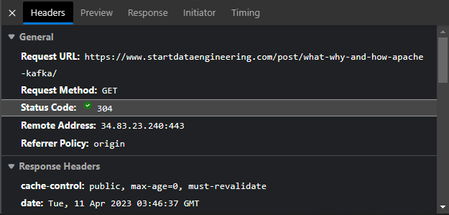
I think it'd be neat if the `Status Code` section of the Microsoft Edge DevTools had a link to MDN for a specific status code, and even showed a short "blurb" detailing what a status code means. Is this the right forum to propose that feature, or should we do it elsewhere?1.2KViews0likes1Commentusing IIS URL Rewrite module for HTTP to HTTPS
I have installed the URL Rewrite module in IIS 10 to redirect HTTP calls to HTTPS, and I have attempted to set up the redirect but have not gotten it working on one server. Here is the issue: Server1 with IP 1.1.1.1 is running IIS with an https enabled website. An outside DNS has assigned https://gohere.com to IP 1.1.1.1. When users attempt to get to http://gohere.com the connection times out and it is not redirected to https://gohere.com Accessing https://gohere.com works without an issue. Here is the rewrite code from the web.config file. <rewrite> <rules> <rule name="HTTP to HTTPS" patternSyntax="Wildcard" stopProcessing="true"> <match url="http://gohere.com*" /> <conditions> <add input="{HTTPS}" pattern="^OFF$" /> </conditions> <action type="Redirect" url="https://gohere.com" appendQueryString="false" /> </rule> </rules> </rewrite> I have also tried using match url=".*" Any ideas on what might be causing the issue? Or something to try to get it working? Thanks! Jim3.8KViews0likes2Comments
Windows 11 RM Https
Hello! I am trying to enable remote commands via Powershell on a Windows 11 Enterprise N in Azure.I have a script which if I run locally works well but if from a pipeline in Azure Devops I got: Machine="localhost"><f:Message><f:ProviderFault provider="Config provider" path="%systemroot%\system32\WsmSvc.dll"><f:WSManFault xmlns:f="http://schemas.microsoft.com/wbem/wsman/1/wsmanfault" Code="2150859113" Machine="3waegf4b2x"><f:Message>WinRM firewall exception will not work since one of the network connection types on this machine is set to Public. Change the network connection type to either Domain or Private and try again. </f:Message></f:WSManFault></f:ProviderFault></f:Message></f:WSManFault> At line:116 char:17 Tried all of the command which I can found on the net to fix it but nothing seems to help: Get-NetConnectionProfile | Where-Object { $_.NetworkCategory -match "Public" } | Set-NetConnectionProfile -NetworkCategory Private; Enable-PSRemoting -SkipNetworkProfileCheck -Force; Set-NetFirewallRule -Name "WINRM-HTTP-In-TCP-PUBLIC" -RemoteAddress Any; Set-Item wsman:\localhost\Client\TrustedHosts -value * -Force Is there any new "thing" in Windows 11 which I should take care of to make this work? What do I miss here? Thanks, Attila696Views0likes0CommentsLogging API HTTPS URIs
Hello I run a local Java applet which opens a SunAwtFrame window and I click a button there to download a csv. I want to see the URI of this download as it should be a permanent link as part of an API. The problem is that it is under HTTPS, certificates and perhaps via localhost. Is there a way to get that URI? Thanks!472Views0likes0CommentsIIS 10: how to enable both HTTPS+HTTP bindings on one site to access the site from internet or local
Hi, I run an IIS web site having HTTPS binding for host name = "opendata.sperling.cz " at port 443. It is accesible from internet, as the name is revorderd in DNS and tehre is a rule in our router's firewall to reach the site. This is fine. What I would like achieve is to be able to acces the site from local network or even localhost using HTTP port. I have added a binding without any host name using port 91, but it doesnot work. I have tried to access it via http://localhost:91/ or http://192.168.10.20:91/, but non of it worked. It always redirected to https://localhost and disaplayed an SSL error, as the HTTPS host name does not match the entered. What is wrong? Is it even possible? Thanks. Milan748Views0likes0Comments[SOLVED] MECM 2103 - Clients showing offline and no currently logged on users
Hello guys, Since two days ago, our Windows 10 client computers stopped reporting currently logged on users and are showing offline, although they're active. Our setup is HTTPS only and after reading a lot of Internet suggestions, I am having the following errors to share: ClientIDManagerStartup.log shows no errors. LocationServices.log shows: Both AAD token auth and client PreAuth are not ready. Cannot get CCM token Client doesn't have PKI issued cert and cannot get CCM access token. Error 0x8000ffff (...) [CCMHTTP] ERROR INFO: StatusCode=403 StatusText=Forbidden I do have a client certificate installed on all workstations using machine name, requested to our internal CA. CcmMessaging.log shows: Status Agent hasn't been initialized yet. Attempting to create pending event. Successfully queued event on HTTP/HTTPS failure for server (...) Post to https://(...)/ccm_system/request failed with 0x87d00231. Client doesn't have PKI issued cert and cannot get CCM access token. Error 0x8000ffff Any ideas? Kind regards, BrunoSolved14KViews0likes1CommentNew Feature | Automatic HTTPS switching added to Edge browser
Automatic HTTPS Enables support for Automatic HTTPS, which switches connections to websites from HTTP to HTTPS. The feature can then be turned on/off or further configured at edge://settings/privacy. – Mac, Windows, Linux #edge-automatic-https Microsoft Edge Version 92.0.877.0 (Official build) canary (64-bit) edge://flags/#edge-automatic-https2.4KViews4likes0Comments
https auto upgrade/https only (like Firefox's one)
I just want to ask a feature, the feature is juste like the one Firefox is adding to Firefox the mode https upgrade or https only (directly built into the browser with a parameter), like that we don't have to rely on extension who maintain a list of our browser habits. thanks797Views1like0Comments