foundry
1 Topic🆕Orchestrate Foundry Prompt and Hosted Agents with Logic Apps Automation
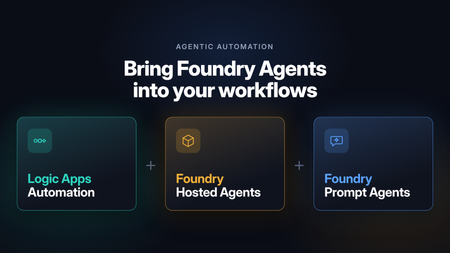
Microsoft Foundry is retiring workflows on December 1, 2026. After that date, the visual workflow designer and running workflows in the Foundry portal won’t be supported. For business process automation that combines deterministic steps with AI reasoning, the Foundry migration guide recommends Azure Logic Apps. Logic Apps is especially well suited to building these processes visually: Foundry agents become steps in a workflow, running alongside built-in actions, APIs, and MCP servers in the same run. Beyond the migration, there’s a broader question many teams face once an agent is working. Most agents start out as interactive, chat-based experiences: a person asks, and the agent responds. Putting that same agent to work in a business process means it has to run autonomously, started by an API call or an event instead of a person, running in the background and at scale. It also has to fit alongside the deterministic steps the process already depends on, such as gathering data before the agent runs and validating and acting on its output afterward. With support for Foundry Prompt Agents and Foundry Hosted Agents, Azure Logic Apps Automation gives you a direct way to do this. Any agent you’ve built in Foundry can become a step in a workflow. It can be started by an API call, a schedule, or an event from one of 1,400+ connectors, run in the background at scale, and sit between the deterministic steps that come before and after it. Before we get to the workflow side, here’s a quick look at the two agent types. If you want the full picture, the Foundry Agent Service overview compares them in detail. What are Foundry Prompt Agents A Prompt Agent is an agent you configure rather than code. You write instructions, pick a model, attach tools, and Foundry runs it. There’s nothing to deploy and no scaling to think about. It can use the Foundry model and tool catalogs, including knowledge sources like Azure AI Search and Foundry IQ. You pay for the tokens and tool calls it uses, with no separate platform charge. If you can write down what the agent should do and which tools it needs, a Prompt Agent will usually do the job, and it’s the quickest way to get something working. The prompt agent quickstart walks through building one. What are Foundry Hosted Agents A Hosted Agent is your own agent code, packaged as a container and run on Microsoft Foundry Agent Service. You can build it with Microsoft Agent Framework, LangGraph, the OpenAI Agents SDK, or your own code. Foundry handles the hosting and scaling. Since it’s your code, you decide how the agent loop works. Each session gets its own isolated sandbox with the CPU and memory you choose, and files and state persist between turns. Each Hosted Agent also gets its own Microsoft Entra agent identity, so you can see and audit what it does like any other identity in your tenant. Hosted Agents use the same models and tools as Prompt Agents. On top of tokens and tool calls, you pay for the compute they use (vCPU and memory hours). You can read more about how Hosted Agents work. A simple way to choose: start with a Prompt Agent. Move to a Hosted Agent when you need custom code or custom orchestration or want to bring your own code and framework. Orchestrate Foundry agents with Logic Apps workflows An agent in Foundry runs when someone or something calls it. Most business processes start somewhere else: an email comes in, a ticket is opened, a file lands in SharePoint, or a schedule fires. They usually end somewhere else too, with a record updated or someone getting a message. Logic Apps covers both ends and everything in between: a trigger to start the agent, deterministic steps around it, and branching, retries, timeouts, and parallel branches for the agent call. The next two sections show what that looks like. Every run shows up in run history, with the inputs, what the agent returned, and what happened next. When something goes wrong, you can see exactly where. The Learn article on automating Foundry agents with workflows covers the setup step by step. Run agents autonomously from any trigger The simplest setup is a trigger, an agent, and an action. Say a support email arrives in Outlook. The workflow sends it to a Prompt Agent that classifies it and drafts a reply, then creates a ticket with the result. This runs every time an email arrives, with no one starting it. Schedules work the same way. A recurrence trigger could call a Hosted Agent every Monday to go through last week’s data and post a summary in Teams. Mix agentic reasoning with deterministic steps Most processes are largely rule-based, with a step or two that needs adaptive reasoning or a decision. In Logic Apps you use an agent for those steps and keep everything else as deterministic steps. Before the agent runs, collect what it needs. Look up the customer in your CRM, pull the contract from SharePoint, or query a database, and pass all of it in. After it runs, check what came back. Validate it against a schema, apply your business rules, and send anything uncertain to a person for approval. Then write the result to the right system with a connector. Use both agent types in one workflow You don’t have to pick one type of agent per process. A workflow can call a Prompt Agent for a quick classification and send only the harder cases to a Hosted Agent for a longer analysis. The workflow passes output from one agent to the next, runs agents in parallel when they don’t depend on each other, and brings the results back together. Each agent stays small, and the end-to-end logic lives in the workflow, where you can see it and change it. How to use Foundry Agents from Workflows Hosted Agent You can create Foundry Hosted Agents directly from your Logic Apps Automation application. Pick your Foundry project and model deployment, and the app takes care of identity, permissions, and readiness checks for you. In a workflow, the Foundry Hosted agent action sends the agent its instructions, task, files, and any workflow actions you’ve added as tools. It returns the agent’s final response and generated files for the next steps to use. For details, see Foundry Hosted Agents for an overview and Create and use a Foundry Hosted Agent for step-by-step setup. https://youtu.be/foN9oPu5lRE Prompt Agent You can call an existing Foundry Prompt Agent from a workflow or create a new one right from the designer . Connect to your Foundry project, then either pick an agent from the list or select Create new agent and give it a name, a model, and instructions. The agent is created and hosted in Foundry. You can also give the agent tools from Logic Apps: actions from 1,400+ connectors, built-in actions, APIs, MCP servers, and other workflows. https://youtu.be/YkM7dHzHjdM Roadmap Today, workflows can invoke Hosted Agents that you create from your Logic Apps Automation app. We’re adding support for selecting an existing Hosted Agent from your Foundry project and invoking it from a workflow. Get Started Read to automate! Start building at auto.azure.com Automation QuickStart Automation Documentation - https://auto.azure.com/docs/360Views1like0Comments