feature suggestions
6 Topics
Feature Suggestion: hover over description for teams within MS Teams
My organization has been using teams for about six years now. Slowly, my left column in teams has filled up with many teams. Sometimes I'm added to a team and I don't even know what it is! Sometimes I joined the team three years ago and forget what they do. The name of the team may not be very descriptive, or is an acronym I've forgotten / never learned, and this leads me to browsing posts to get an idea of the main function of the team. I predict that this issue will only grow as time goes on. In the early days of teams, this was not as much of an issue. I'm suggesting a feature with this intent: allow users either with a mouseover on the team name, or with clicking on the three dots next to a team name (ideally both), to see a brief 200 character or less synopsis / description of the team. In this way, we'll quickly relay the intent of the team to any / all users. Currently, hovering your mouse over the team name produces the team name again and "Public" or "Private" as far as I can tell. Currently it is clean and light, but I propose adding an optional description below the "Public" / "Private" part. Thoughts? NOTE: I would have submitted this in other more appropriate forums like feedbackportal.microsoft.com but i don't have access.76Views0likes0Comments
New Window feature : safe BOYD for desktop dividing windows OS in environments
Hi, I was thinking we are more and more pushing BOYD at office, but bring your own computer brings a lot of troubles to IT because it is not easy to secure. What if in the next windows version we could have spaces, completely separated running seemlessly on the same computer. We could have one space for our personnal usage with our own softwares, games, browser, vpn if any, and so on with complete freedom, and on the other a professional space with total control from the company on software and security settings. If done well, like containers the OS could share resources without duplicating all the hardware usage. Would required some work on drivers to allow to divide memory space or a storage drive into different spaces to have different security applied for example. That would help a lot reducing the number of computers people own, companies could propose to provide a computer or money to support employee own equipment, and no longer requiring multiple computers. For consultants working for clients could also avoid providing a computer for each client they work on, could all be just more professional spaces of the same computer. Of course you cannot start 10 spaces at the same time on a small laptop, but usually you would have maybe 2 at the same time, max 3 and not one running a game... What do you think ? Regards, Marc-Antoine1.2KViews0likes2Comments
Integrate Audio into Tasks
I would love if the application had an integration of voice messages for example into the creation or the detailed section of each task. Oftentimes I don't have time to detail the tasks thoroughly and having the ability to register my voice would speed up my workflow massively. I'm not proposing a speech to text feature but the ability to have a voice message linked to a task. Implementation wise I would hope that we have the option to create audio only tasks and even if there is a time limit in order to prevent server issues, I believe this feature would have enormous benefits for the users. Alternatively, even linking voice messages would be helpful, given that the application is used globally and most languages don't have the option of being transcribed.1.7KViews0likes1Comment
Vertical Tabs Layout and Keyboard Shortcuts
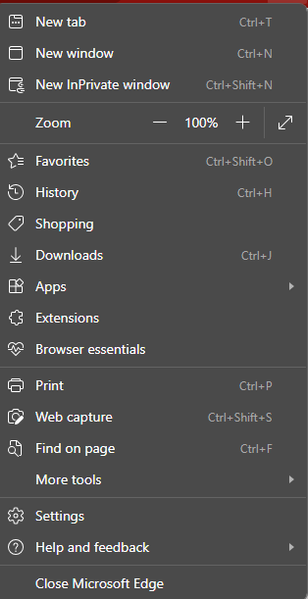
I recently switched to Edge, because I liked the implementation of Vertical Tabs and other features I have not found elsewhere. However I would suggest the following changes: Keyboard shortcut to toggle the Tab Sidebar (similar to VS Code CTRL + B) Center Placement for Search Bar (Not vertically centered) Customization options for the Bing Icon (size and Icon) Issue: It is currently misplaced, looks off & shifts icons downward to make space for it Solution: Option to hide icon and use shortcut only Option to change size of icon Option to change icon entirely, or pick from preselected Chat Icons1.3KViews0likes0CommentsViva Insights - Product Feedback and Feature Suggestions forum
Hi community members! Please use this board for discussions on the below topics: Product Feedback: Such as issues with the tool, things you like about it, things that do not make sense to you. This forum is not for bug reporting, please reach out to your company admin and ask them to submit a support ticket in the case of bugs. Feature Suggestions: You can also use this forum to post questions about current features, or ideas for new features/changes to existing features you would like to see. Posts on this forum will be regularly sent to the product team to review new feedbacks and suggestions. Please remember to review the general guidelines before posting. Note that this community is to share experiences and general questions only, please open a support ticket for specific questions on your organization's support issues.