endpoint security
10 TopicsSpeed where it matters: How Microsoft Intune helps IT prioritize time-sensitive actions
By: Albert Cabello Serrano | Principal Product Manager - Microsoft Intune A closer look at how Intune delivers updates to devices and the investments we’re making to help important changes move faster and more predictably. A common concern we hear from IT admins is, “How quickly will this change actually reach my device?” In many cases, the answer is much faster than expected. Today, 90% of policy updates, app deployments, and device actions in Intune are completed in under an hour. So where does the idea of “8-hour latency” come from? That number reflects a routine maintenance check-in used when devices are idle - not how Intune processes meaningful changes. Intune uses notification-based, priority-driven processing so that high-impact actions, like security policy changes or remediation steps, are handled promptly and reliably as possible. In this context, latency isn’t about making every action instant - it’s about providing predictable, prioritized delivery at global scale. The sections below break down how Intune prioritizes different types of updates and recent investments that are helping time-sensitive changes complete more consistently. How Intune delivers changes to devices Cloud-based device management is designed for real-world conditions; devices are not always online, fully charged, or on stable networks. Intune uses an eventual consistency model so devices can continue to be productive while converging to the desired state over time, without management actions unnecessarily disrupting users or workflows. Because devices operate in different conditions, not all device activity is handled the same way. To manage change reliably at scale, Intune uses different types of device check-ins depending on what needs to happen. Types of device check-ins in Intune Device check-ins generally fall into several categories, each triggered by a different type of action: Single‑device check‑ins: Occurs when an admin or user initiates an action on a specific device, such as starting a device action or installing an app from the Intune Company Portal. Change‑based check‑ins: Push‑triggered check‑ins used to deliver meaningful changes to devices as soon as possible. Client‑initiated check‑ins: Background activity that helps keep devices healthy, such as when a user signs in to a device or when malware status changes. Maintenance check-ins: Scheduled syncs that occur at predetermined intervals and can be client or service-initiated, depending on the platform. These typically occur approximately every 8 hours. Regardless of what triggers a check-in, any pending changes will be applied to the device when it occurs. What happens when an admin makes a change When an admin makes a change in Intune, such as updating a device compliance policy, deploying an app, or setting a configuration, Intune identifies the devices impacted by that change and initiates a change‑based check‑in for affected devices. For online devices, Intune sends a push notification prompting the device to establish a management session with the service, apply the change, and report enforcement status back to Intune. If a device is offline or unreachable, the change is applied when the device next checks in through available mechanisms. Four investments that help critical updates move forward faster The following product changes focus on reducing device‑change latency by shortening the time between an admin action in Intune and enforcement on the device, especially during peak or constrained conditions. 1. Check-in prioritization focused on what matters most Not all device activity carries the same urgency. Routine background check-ins can compete for service resources with devices that have important pending changes, such as compliance updates, remediation actions, or administrator-initiated configuration changes. Intune evaluates the potential impact of delaying a device check-in on security posture, compliance state or user productivity, and dynamically prioritizes processing accordingly. This real-time prioritization model ensures that high-impact actions move forward without being delayed by lower‑impact background activity. Prioritization adapts as conditions change, helping important updates reach devices more quickly and predictably without being delayed by lower-impact background activity. 2. Built-in resilience when multiple changes occur in quick succession Change activity often happens in bursts, with several related updates occurring in rapid succession. These periods of activity may be driven by operational needs or background processes, and can involve adjusting assignments, updating multiple policies, or rolling out configuration changes across the same set of devices. Intune dynamically coordinates notifications, so that each change requiring action triggers a corresponding device notification, even during high-activity periods. This helps improve consistency when applying multiple updates and reduces delays across consecutive changes on devices. Over the next several months, these improvements will extend to additional payloads delivered through the Intune Management Extension (IME), including scripts, Win32 apps, and custom compliance across both Windows and macOS platforms. 3. More timely notifications on Windows Intune notifies devices to check-in when changes require action. If the device is offline, on an unstable network, or low on battery, notifications may be delayed. This can cause missed check-ins or delayed actions. When notification services are delayed, blocked, or unavailable, devices may fall back to scheduled maintenance check‑ins to apply changes. For timely delivery, required notification service endpoints need to remain accessible so devices can receive management signals when updates occur. On Windows devices, Intune complements the Windows Notification Service (WNS) with the same notification protocol that powers Microsoft Teams via the Intune Management Extension. This helps increase the likelihood that devices receive management notifications when they’re online and reachable, improving visibility into whether policy updates or device actions have reached their destination. For more information, see the network endpoints for Intune documentation. 4. Optimized maintenance check-ins for iOS devices Background check-ins are still important to keep devices healthy when nothing else is going on. Unlike Windows devices, iOS devices don’t have client scheduled check‑ins and depend on service‑initiated maintenance check‑ins to ensure device health and compliance. During peak usage periods, these maintenance check‑ins can account for a significant portion of overall traffic, which can compete with devices that require immediate updates. Intune considers device activity in the scheduling of maintenance check‑ins during peak activity, making room for higher‑impact updates, while continuing to ensure devices check in regularly. This helps manage traffic and improves responsiveness when applying policies or remediation actions. What this means for you For IT admins: No additional configuration or workflow changes are required to benefit from Intune’s built-in notification system. When bidirectional communication with notification service endpoints is open, devices can receive and act on updates as they become available. For security teams: Faster delivery of device changes helps shorten the time between a policy update, a tightened Conditional Access rule, an updated compliance baseline, and a remediation action. For Zero Trust frameworks, where posture signals drive access decisions, this helps narrow the window during which a device could be out of compliance or vulnerable. Together, these improvements reflect how Intune is evolving into a more intelligent, priority-aware system. Rather than making every action instant, the focus is on prioritizing high-impact updates so they are delivered without unnecessary delays. This approach is expanding across a number of scenarios to provide a more consistent and predictable experience, helping reduce delays for key updates. Resources to learn more For another perspective on this topic, read an MVP’s take on demystifying the “8-hour” timing myth in this LinkedIn post. You can also watch the recent Tech Takeoff about this same topic to learn more about these improvements. Also, in the April edition of the What's New in Intune blog, we introduced a new segment called Myth vs. Reality. This post is part of that series. To stay current on new capabilities and updates as they ship, follow the What's New in Microsoft Intune blog. What myth should we debunk next? Leave a comment below or reach out to us on X @IntuneSuppTeam or @MSIntune.15KViews3likes7CommentsMicrosoft Security Copilot in Intune - Pt. 2: Vulnerability Remediation Agent in limited preview
By: Julia Idaewor - Product Manager 2 | Microsoft Intune The threat landscape continues to evolve rapidly, with attackers constantly advancing their techniques to exploit zero-day vulnerabilities—leaving organizations at greater risk. In 2024, more than 40,000 vulnerabilities were disclosed, marking a 38% increase from 2023. For IT and security teams, evaluating the impact of thousands of vulnerabilities and deciding which to address first is a complex and resource-intensive task. It often involves manual analysis, siloed tools, and competing priorities. Microsoft Intune is bringing the power of AI directly to IT teams with the introduction of Security Copilot agents. The new Vulnerability Remediation Agent for Security Copilot is now in limited public preview. The agent helps reduce the burden of managing an ever-growing list of vulnerabilities by leveraging rich data from Microsoft Defender Vulnerability Management to detect and prioritize vulnerabilities across managed devices. It also delivers a comprehensive Copilot-assisted impact analysis, and step-by-step remediation guidance directly in the Intune admin center along with a comprehensive list of exposed devices that can be exported for actionable responses, enabling faster, more confident action. As part of the upcoming enhanced AI experience in Intune, the agent exemplifies how Microsoft is embedding Copilot into its workflows turning raw data into actionable insights and empowering security teams to stay ahead of evolving risks. Getting started You can get the Vulnerability Remediation agent up and running in just a few steps. To set up the agent navigate to the Endpoint security in the Intune admin center, review set up details and start the agent. Microsoft Defender Vulnerability Management to surface a prioritized list of top vulnerabilities based on risk and impact. The agent delivers these insights directly to the Intune admin center, giving admins clear visibility into the most critical threats across their device estate. directly to the Intune admin center, giving admins clear visibility into the most critical threats across their device estate. The Vulnerability Remediation Agent dashboard in the Intune admin center provides a comprehensive view, including an Impact score for each suggestion, number of exposed devices, remediation status, last applied time for tracking actions, and an agent activity log for historical context. By removing silos between IT and security teams and surfacing vulnerability data and actionable insights directly in Intune, the agent helps increase transparency, streamline workflows, and boost operational efficiency across the board. The Vulnerability Remediation agent provides IT pros with actionable insights from Microsoft Defender Vulnerability Management in the form of a prioritized list of suggestions. When admins open a suggestion, they can view a comprehensive, AI-assisted vulnerability impact analysis designed to equip admins with the most critical insights needed to assess high-impact vulnerabilities and the actionable steps to take in Intune to resolve them. Each suggestion highlights the recommended action to take, the most critical vulnerabilities, presence of active exploits, step-by-step recommended remediation steps, affected systems, and organizational exposure. To streamline next steps, the agent also surfaces a comprehensive list of exposed devices, which are easily added to either new or existing Microsoft Entra device groups for remediation. After reviewing and completing the recommended steps, admins can select “Mark as applied” to instantly update the status to “Applied”. This action serves as an attestation that remediation is now completed—providing teams with traceability. The agent does not take any action on the devices, ensuring that full control remains with your IT team. Demo The Vulnerability Remediation Agent empowers IT teams to proactively strengthen their endpoint security posture. By surfacing prioritized insights and delivering clear, actionable guidance within Intune, the agent helps admins quickly assess and remediate high-impact vulnerabilities. From insight to action, it’s never been easier to stay ahead of threats while bridging the traditional gap between IT and security teams. With AI-driven support, organizations can enforce best practices, respond faster, and build resilient, future-ready endpoint security strategies. The new Vulnerability Remediation Agent with Copilot in Intune transforms how IT teams manage vulnerabilities connecting insights from Microsoft Defender directly to action in Intune. Instead of relying on manual escalations across teams, the agent continuously scans for vulnerabilities, prioritizes them based on risk, and recommends remediations aligned with Defender guidance. IT admins can now review and approve these fixes directly within Intune, streamlining the path from detection to deployment. This reduces delays, increases control, and accelerates response - empowering teams to remediate confidently and efficiently. What’s next The launch of the Vulnerability Remediation Agent in preview paves the crucial foundation for our ultimate vision: achieving end-to-end automation for the entire vulnerability remediation lifecycle—dramatically reducing risk exposure and accelerating response times. By combining Copilot-assisted guidance with device ecosystem data, this agent represents a significant leap forward in streamlining operational efficiency and transforming how organizations not only focus on high-impact vulnerabilities but also understanding the right actions to take to protect their endpoints. As we continue to innovate, our commitment is to empower organizations with the tools and insights they need to build resilient, future-ready security infrastructures. The Vulnerability Remediation Agent is currently in a limited public preview and available to only a select group of customers. To learn more about setup and capabilities, be sure to explore our documentation on the Vulnerability Remediation Agent. We look forward to providing further updates as part of the Copilot in Intune blog series. Make sure to check out the previous blog if you missed it: Microsoft Security Copilot in Intune deep dive – Part 1: Features available in public preview. If you have any questions or want to share how you’re using Copilot in Intune, leave a comment below or reach out to us on X @IntuneSuppTeam or @MSIntune. You can also connect with us on LinkedIn.6.4KViews2likes0CommentsBuild a patch strategy for today’s threat pace with Microsoft
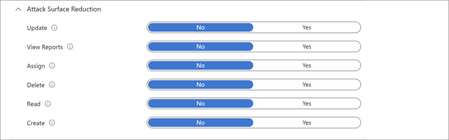
AI-accelerated vulnerability discovery and remediation are changing how organizations manage risk. As discussed in Pavan Davuluri’s recent blog, Microsoft is investing across the vulnerability lifecycle to help organizations identify, validate, and respond faster. For IT and security teams, one challenge lies downstream: deploying fixes quickly across endpoints to reduce exposure. Each update needs to be evaluated, piloted, monitored, and enforced across a mixed fleet of devices and apps. Some parts of the estate can move quickly; others cannot because of compliance requirements, approved change windows, and business-critical dependencies. As organizations adopt AI tools and agents across their environment, maintaining a current and hardened endpoint estate becomes increasingly important. In this context, patching becomes an ongoing operational discipline that combines OS, app, and driver updates with compliance enforcement, access control, and security baseline hardening. To keep pace, organizations need a patch strategy that helps in 3 stages: Mitigate: automate updates that can move quickly Assess: prioritize risk based on exposure and severity Contain: enforce compliance and limit exposure Operationalizing a patch strategy requires coordinated capabilities across endpoint management and security tools. Microsoft Intune brings these capabilities together in a single admin center, alongside the broader Microsoft security ecosystem, and is available with qualifying Microsoft 365 subscriptions 1 . In this post, we show how organizations can use these capabilities to build a patch strategy that helps reduce the time between update release and deployment across their endpoint estate. 1. Mitigate: automate updates that can move quickly A patch strategy is not about pushing every update everywhere at once. It’s about identifying the parts of your estate that can move quickly, then using automation, rings, monitoring, and enforcement to help those updates move with confidence. Regulations, approved change windows, validation needs, and business dependencies will shape what’s possible, but the strategy starts by separating repeatable update work from the exceptions that need deeper review. For OS, app, and driver updates that can move quickly, modern tools can help shorten the time between update release and deployment; without manual rollouts, ticket-driven packaging, or reboot disruption. Operationalize in Intune Windows Autopatch orchestrates ring-based update rollouts to reduce manual effort and keep Windows devices current. To help monitor risk, the Autopatch report visualizes how quickly devices apply updates based on the configured deployment cadence. In this report, devices are categorized as current within three days of update release, at risk between three and seven days, and at critical risk beyond seven days, based on the reporting model used by Windows Autopatch. Learn more about ring-based rollout updates or how to reassess Windows OS updates using this report. Hotpatch (enabled by default for 24H2+ in Intune) applies critical updates without requiring a reboot, helping reduce security gaps while keeping users productive. Figure 1: Watch the latest Microsoft Mechanics episode to see how Windows Autopatch and Hotpatch help organizations accelerate update deployment, reduce operational overhead, and keep devices secure. Intune Enterprise App Management (EAM) supports keeping Windows apps current through auto-updates, including the guided upgrade supersedence reporting, which surfaces outdated versions or version changes. EAM auto-updates are now generally available; details are included in the June Intune What’s new blog. Figure 2: Watch how Intune helps you move from update release to deployment to accelerate responses to vulnerabilities with Windows app management. The enhanced application inventory in the All apps page shows the app version installed on each managed Windows device, refreshed multiple times per day on most active devices, helping teams target app-specific vulnerabilities and confirming when fixes have been applied. The Vulnerability Remediation Agent in Security Copilot uses data from Defender Vulnerability Management to prioritize Common Vulnerabilities and Exposures (CVEs) across Intune-managed Windows devices and apps, and provides recommended remediation actions within Intune. The Vulnerability Remediation Agent is currently in public preview, read the blog to learn more. Figure 3: Watch this video to see how the Vulnerability Remediation Agent in Security Copilot, within Microsoft Intune, helps make agentic security easier to adopt and use. Extend across your endpoint estate Apple devices can be configured for automatic OS updates on managed devices, including enforcing updates to the latest version and deploying Background Security Improvement patches through the settings catalog. App updates can be managed by configuring volume-purchased App Store apps to update automatically and deploy updated app packages to keep apps current across macOS, iPhone, and iPad devices. Android devices can be managed using built-in update policies in Intune, including configuring install windows and freeze periods. For corporate Android fleets, Intune also integrates with OEM firmware management solutions - including Zebra LifeGuard Over-the-Air and Samsung E-FOTA - to enable more granular update control. Managed Google Play also supports configurable app auto-update modes, allowing admins to define whether updates install automatically, on Wi-Fi only, or manually. 2. Assess: prioritize risk based on exposure and severity The first step is reducing exposure across the parts of your estate that can move quickly. But not every system, application, or vulnerability can be addressed through broad update deployment. Teams also need a way to determine which risks require immediate action and which ones can be addressed over time. A calendar-based approach can treat every CVE equally. However, it doesn’t account for severity, exposure, or business impact. As AI accelerates vulnerability discovery, this can lead to effort being spent on lower-risk updates while higher-risk updates remain unaddressed. Risk-based service level objectives (SLOs) help bring prioritization to address this challenge. Instead of patching on a fixed schedule, IT and security teams can align response timeframes by severity, moving quickly on actively exploited or critical vulnerabilities, and applying a more measured approach where risk or impact is lower. This stage creates a clearer prioritization of remediation and helps bridge the view between the security teams that identify threats and the IT teams that act on them. Operationalize in Intune and Microsoft Defender The security update status dashboard in Intune provides an aggregated view of update compliance across Windows clients, Windows servers, and Microsoft 365 Apps. It shows overall counts of devices in different states across Intune-endpoints and helps teams identify where remediation should be focused. These status categories reflect how quickly devices apply updates based on a configured deployment cadence and internal SLOs. Figure 4: Security update dashboard showing patch status for Windows clients, servers, and Microsoft 365 apps. Microsoft Defender Vulnerability Management surfaces CVEs, affected devices, vulnerable software, and recommended remediation actions, offering a shared view of risk and progress across IT and security teams. Translate Defender recommendations into targeted Intune actions described in the mitigate section, such as updating software or moving devices through expedited remediation workflows so teams can focus on vulnerabilities that are actively exploited or most likely to affect an organization. Extend across your endpoint estate For Apple devices, use the Apple software update report in Intune to monitor update status across macOS, iOS, and iPadOS. For Android, compliance reporting surfaces devices that fall behind on OS version or security patch level. 3. Contain: enforce patch compliance and limit exposure Even with automated deployments and prioritized triage, gaps can remain. Some devices are unsupported, fall behind, operate on slower deployment rings, and others can’t be patched quickly. A patch strategy needs to focus on including containment for those surfaces. Compliance controls, conditional access, and device hardening act as an always-on safety net that limits risks that can fall through gaps. Compliance policies and Conditional Access can use a patch state as a signal for resource access, preventing non-compliant devices from accessing corporate resources. Security baselines reduce the attack surface by limiting risky defaults and common attack patterns. Together, these controls shift enforcement from a periodic activity to a continuous condition across a fleet. Operationalize in Intune and Defender Use compliance policies in Intune to define what "current" means, including minimum OS build, required update levels, risk status, and encryption state. Use Conditional Access (managed in Microsoft Entra, accessible from the Intune admin center) to control access to company resources based on user and device health. Combined with threat signals from Microsoft Defender, these policies help prevent non-compliant devices from accessing corporate resources. Use Microsoft Defender Vulnerability Management and Microsoft Security Exposure Management insights to identify exposed assets, prioritize remediation, and apply recommended protections where patching must move more slowly. Apply Intune security baselines to establish Microsoft-recommended configurations on Windows devices, such as disabling risky defaults, blocking common attack techniques, and reducing configuration drift. Watch this demo on security baselines being applied in the Zero Trust workshop. Use attack surface reduction policies in Intune to deploy Microsoft Defender for Endpoint protections, such as ASR rules and network protection, that help block common attack techniques on devices that can't be patched right away. Figure 5: Watch this Demo on how you can manage devices and implement Conditional Access with Intune. Extend across your endpoint estate Compliance policies and Conditional Access controls apply across Windows, macOS, iOS/iPadOS, and Android. Intune app protection policies extend compliance requirements and data protections to managed apps used for work on personal devices and add an additional layer of data protection on corporate devices. Use the settings catalog and configuration profiles to apply the same hardening intent on macOS, iOS/iPadOS, and Android, reducing configuration drift across platforms. Stay ahead with a patch strategy As vulnerability discovery and response continue to accelerate, organizations need an operational strategy that balances speed, risk, and resilience. By automating updates where possible, prioritizing remediation based on exposure, and limiting exposure through compliance and security controls, teams can reduce risk across their endpoint estate. Intune helps simplify this approach by bringing these capabilities together alongside the rest of your Microsoft security tools and ecosystem. Get started with Microsoft Secure Now to assess risk across your digital estate. Explore the new security update status dashboard in Intune. Harden the admin plane and review the best practices for securing Microsoft Intune. 1 Licensing and requirements Feature availability and included capabilities vary by Microsoft 365 subscription plan and feature. Some Microsoft capabilities referenced in this post may require specific licenses or additional enablement. Advanced Microsoft Intune capabilities are now included in Microsoft 365 E5, with select capabilities available in Microsoft 365 E3 as part of updates effective July 1, 2026. Existing customers will receive a 30-day notice in the Microsoft Admin Center prior to availability, with access beginning by August 2026. Microsoft Security Copilot and related AI capabilities may require separate licensing, learn more here. Stay up to date! Bookmark the Microsoft Intune Blog and follow us on LinkedIn or @MSIntune and @IntuneSuppTeam on X to continue the conversation.4.8KViews1like1CommentUnpacking Endpoint Management: Episodes Available On Demand
Over the course of the Unpacking Endpoint Management series, we brought together experts from across Microsoft Intune, Security, and Customer Experience teams to share practical strategies, lessons learned, and honest conversations about modern endpoint management. While the series has now concluded, the insights remain as relevant as ever. We invite you to explore past episodes on demand and continue connecting with the Intune community through Tech Community, Microsoft Learn, and future opportunities to engage with Microsoft experts. A quick update on the hosts Danny Guillory, a familiar face to the community and a Product Manager for Intune and Configuration Manager, hosted the series alongside Rachelle Blanchard. Together, they brought a strong mix of technical expertise, community engagement, and customer perspective to each episode. Rachelle helped surface real customer questions and guide conversations toward practical outcomes, ensuring each discussion reflected how endpoint management works in the real world. Thank you to everyone who participated Thank you to everyone who participated in Unpacking Endpoint Management and helped shape the conversations throughout the series. Catch up on demand You may have missed them, but you don't have to miss out on the learnings. Watch and learn when it's convenient for you. Policy: from hybrid to cloud-native Device security with Microsoft Intune Trends in endpoint management (live from Tech Takeoff 2026) Not sure where to start? Watch our most recent episode, App management at scale with Intune, now on demand! Watch on demand All episodes of Unpacking Endpoint Management are now available on demand via: aka.ms/JoinUEM. The series brought together experts from across Microsoft Intune, Security, and Customer Experience teams to share practical guidance, lessons learned, and real-world experiences from endpoint management. Continue the conversation While Unpacking Endpoint Management has concluded, there are many ways to stay connected with the Intune team and broader community. Join the Microsoft Intune Community here on Tech Community, and follow us on LinkedIn or @MSIntune and @IntuneSuppTeam on X to engage with experts, discover new content, and stay informed about the latest Intune guidance, best practices, and innovations. A Note from the Team Thank you for being part of the series. We're incredibly grateful to our customers, IT professionals, community members, guest speakers, and Microsoft experts who helped make Unpacking Endpoint Management such a valuable experience. Your questions, feedback, and real-world insights shaped every conversation and helped create meaningful discussions for the broader endpoint management community. Although the series has come to a close, our commitment to listening, learning, and engaging with our community remains unchanged. We look forward to continuing those conversations through the Microsoft Intune Community, Tech Community blogs, Microsoft Learn, events, and future opportunities to connect with Intune product, engineering, and customer success teams. Join the Community to get early insight into what's coming for Intune, connect with experts, and share real-world feedback that helps shape the product. 👉 aka.ms/JoinIntuneCommunity3.2KViews1like1Comment