dev
49 TopicsDev 155.0.4268.0 - HEVC cannot be played via hardware
Starting with Dev build 155.0.4268.0, HEVC content fails to playback throwing an error. This is attempting to use any hardware acceleration (NVIDIA, Intel, Qualcomm, etc). On the Stable channel, it still works as intended. I submitted feedback, but this is a rather impactful issue since a lot of websites use HEVC content.Solved488Views0likes15CommentsEdge Dev on Windows - Tab sync not working
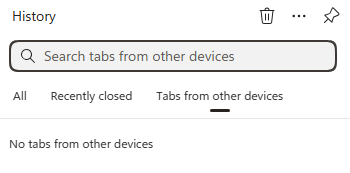
Just wondering if anyone else is seeing a bug where on Windows and Edge Dev (latest version), tab sync just says "No tabs from other devices". But if you go to Edge Stable, it does show open tabs. It also shows my recent tabs with Edge Dev on Android, so I know the sync is working, just the desktop client is not showing them. I've sent feedback for this issue but since sync is still working correctly, I am wondering if this is a UI bug.89Views0likes0Comments
When using touch mode, clicking the "extension" button on the toolbar causes Edge to crash
Version 146.0.3844.0 (Official build) dev (64-bit) When using touch mode, clicking the extensions button on the toolbar causes Edge to freeze for two to three seconds before crashing. Accessing edge://extensions/ displays normal functionality, I can open extension detail pages and configure settings without issue. Reinstalling Edge or uninstalling all extensions resolves the problem. Disabling touch mode restores normal behaviour.142Views0likes1CommentBlock Microsoft from running experiments in the Microsoft Edge browser
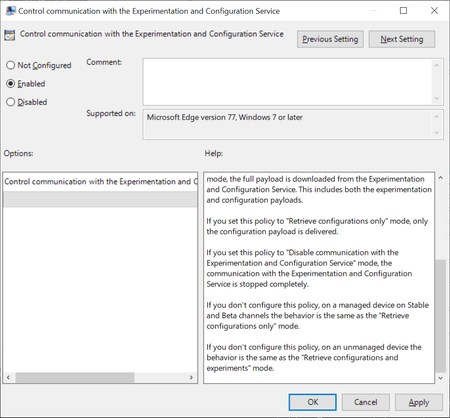
Browsers like Firefox, Chrome or Microsoft Edge come with built-in functionality to run experiments. Browser makers like Mozilla or Google may enable or disable features or changes in select browsers; this is often used to A-B test features or get early feedback on new implementations. While most users may not even notice that experiments are running in their browsers, it happened in the past that experiments caused issues. The latest case was revealed in November when administrators from around the world reported that a Chrome experiment would crash browsers in organizations worldwide. Negative side-effects of experiments are a problem for home users and business users alike, and it is often desirable to disable or block experiments from being downloaded and run. Microsoft distinguishes between controlled feature rollouts and experiments in the company's new Chromium-based Microsoft Edge web browser. Both are made available to part of the user base when they start to roll out but similarities end here. Microsoft notes: Microsoft Edge builds have features and functionality that are still in development or are experimental. Experiments are like CFR, but the size of the user group is much smaller for testing the new concept. These features are hidden by default until the feature's rolled out or the experiment's finished. Experiment flags are used to enable and disable these features. System administrators may use the "Control communication with the Experimentation and Configuration Service" on pro and Enterprise editions of Windows 7, 8.1 or 10 to prevent experiments in the browser. Here is what is needed for that: Get the latest Microsoft Edge policy file from the Microsoft Edge Insider website. It is likely that the policies will become available natively eventually when Edge is released and integrated in Windows. Extract the file (first a cab, then a zip). Open Windows > Admx. Copy the two .admx template files to C:\Windows\PolicyDefinitions\. Open the language folder that matches the system language and copy the .adml files to the corresponding language folder of C:\Windows\PolicyDefinitions\ Open Start, type gpedit.msc and hit the Enter-key to open the Group Policy Editor. Consult this Docs page on the Microsoft website for additional scenarios, e.g. when domain controllers are used. Open Computer Configuration > Administrative Templates > Microsoft Edge. Open the policy "Control communication with the Experimentation and Configuration Service" policy. Set the policy to Enabled. Set it to either "Retrieve configurations only" or "Disable communication with the Experimentation and Configuration Service". Retrieve will download configuration payloads only, disable won't download or enable them. The behavior of not configuring the policy differs depending on whether it is a managed or unmanaged device. Managed devices will download the configuration only while unmanaged devices will retrieve configurations and experiments. Source9.3KViews0likes4Comments
Edge Dev CreateProcess bug
I'm using Edge Dev Version 143.0.3638.1 (Official build) dev (64-bit) downloaded from https://msedge.sf.dl.delivery.mp.microsoft.com/filestreamingservice/files/3b9b41d3-7038-420a-bb07-66fe54926f0f/MicrosoftEdgeDevEnterpriseX64.msi Opening a new Edge instance by using the code: BOOL bRet = ::CreateProcess((LPCTSTR)L"C:\\Program Files (x86)\\Microsoft\\Edge Dev\\Application\\msedge.exe", (LPWSTR)L" --new-window www.bing.com", NULL, NULL, FALSE, CREATE_DEFAULT_ERROR_MODE, NULL, NULL, &si, &pi); is no longer working. I can see the process starting and then terminating quickly. It works though when using Edge Version 141.0.3537.99 (Official build) (64-bit). Is this the correct place to report & track the bug?77Views0likes0CommentsMica issues again (title bar + context menus)
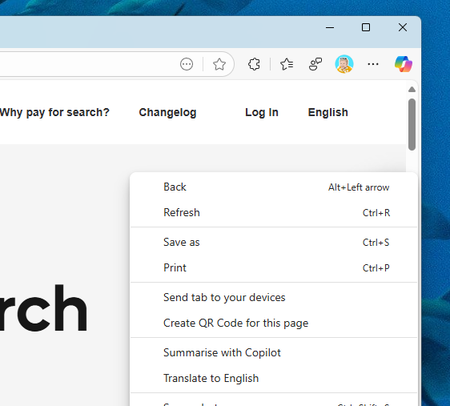
Weird bug again - in both Stable/Dev the title bar mica effects are not working, but the dropdown & context menu (three dot settings) is. In Canary, the title bar mica effect *is* working, but the dropdown/context menu is not (solid white). I reported via feedback as well. Canary: Dev/Stable:772Views2likes6CommentsTheme automatically changes to match Bing NTP image
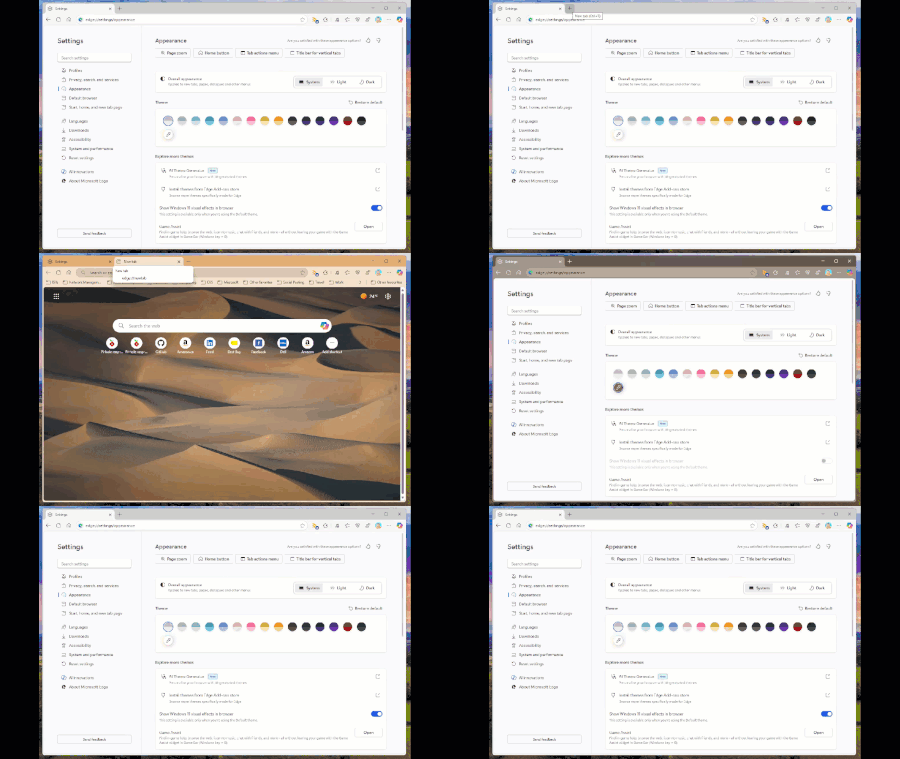
Starting with the latest Edge Dev build today (139.0.3394.0) if you have your new tab page set to display the Bing wallpaper, the theme will automatically change to select a colour based on the picture without your consent. And if you attempt to reset the theme or change to another one, opening a new tab will just force it to change again. See my video below:Solved466Views8likes4CommentsEdge Dev profile flyout orange
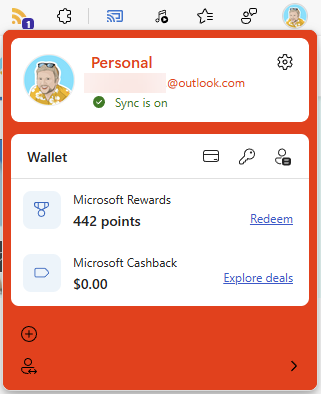
In the latest Dev build (139.0.3365.2) the profile flyout background has turned a rather unsightly shade of orange... I assume this was not intended :) I reported via Feedback but I could not include a screenshot so I thought I would include one here as well.Solved343Views0likes4CommentsExtension toolbar button not working (Edge Dev 132.0.2931.1)
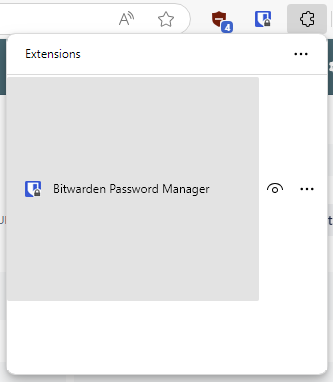
In the latest Dev channel build, clicking on the extension button in the toolbar you see the UI is all strange and only shows one of your extensions taking up the whole window. You are also missing the bottom part of the UI. I've submitted feedback but I'm not sure if it captured a screencap of the issue. Screenshot below:Solved258Views2likes2Comments