dev
49 TopicsDev 155.0.4268.0 - HEVC cannot be played via hardware
Starting with Dev build 155.0.4268.0, HEVC content fails to playback throwing an error. This is attempting to use any hardware acceleration (NVIDIA, Intel, Qualcomm, etc). On the Stable channel, it still works as intended. I submitted feedback, but this is a rather impactful issue since a lot of websites use HEVC content.Solved447Views0likes15CommentsEdge Dev on Windows - Tab sync not working
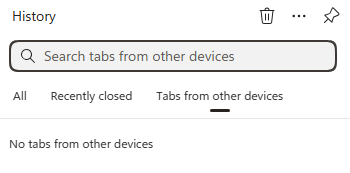
Just wondering if anyone else is seeing a bug where on Windows and Edge Dev (latest version), tab sync just says "No tabs from other devices". But if you go to Edge Stable, it does show open tabs. It also shows my recent tabs with Edge Dev on Android, so I know the sync is working, just the desktop client is not showing them. I've sent feedback for this issue but since sync is still working correctly, I am wondering if this is a UI bug.88Views0likes0Comments
When using touch mode, clicking the "extension" button on the toolbar causes Edge to crash
Version 146.0.3844.0 (Official build) dev (64-bit) When using touch mode, clicking the extensions button on the toolbar causes Edge to freeze for two to three seconds before crashing. Accessing edge://extensions/ displays normal functionality, I can open extension detail pages and configure settings without issue. Reinstalling Edge or uninstalling all extensions resolves the problem. Disabling touch mode restores normal behaviour.141Views0likes1Comment
Edge Dev CreateProcess bug
I'm using Edge Dev Version 143.0.3638.1 (Official build) dev (64-bit) downloaded from https://msedge.sf.dl.delivery.mp.microsoft.com/filestreamingservice/files/3b9b41d3-7038-420a-bb07-66fe54926f0f/MicrosoftEdgeDevEnterpriseX64.msi Opening a new Edge instance by using the code: BOOL bRet = ::CreateProcess((LPCTSTR)L"C:\\Program Files (x86)\\Microsoft\\Edge Dev\\Application\\msedge.exe", (LPWSTR)L" --new-window www.bing.com", NULL, NULL, FALSE, CREATE_DEFAULT_ERROR_MODE, NULL, NULL, &si, &pi); is no longer working. I can see the process starting and then terminating quickly. It works though when using Edge Version 141.0.3537.99 (Official build) (64-bit). Is this the correct place to report & track the bug?77Views0likes0CommentsMica issues again (title bar + context menus)
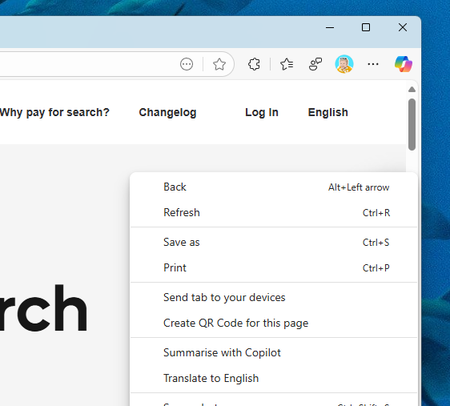
Weird bug again - in both Stable/Dev the title bar mica effects are not working, but the dropdown & context menu (three dot settings) is. In Canary, the title bar mica effect *is* working, but the dropdown/context menu is not (solid white). I reported via feedback as well. Canary: Dev/Stable:768Views2likes6CommentsTheme automatically changes to match Bing NTP image
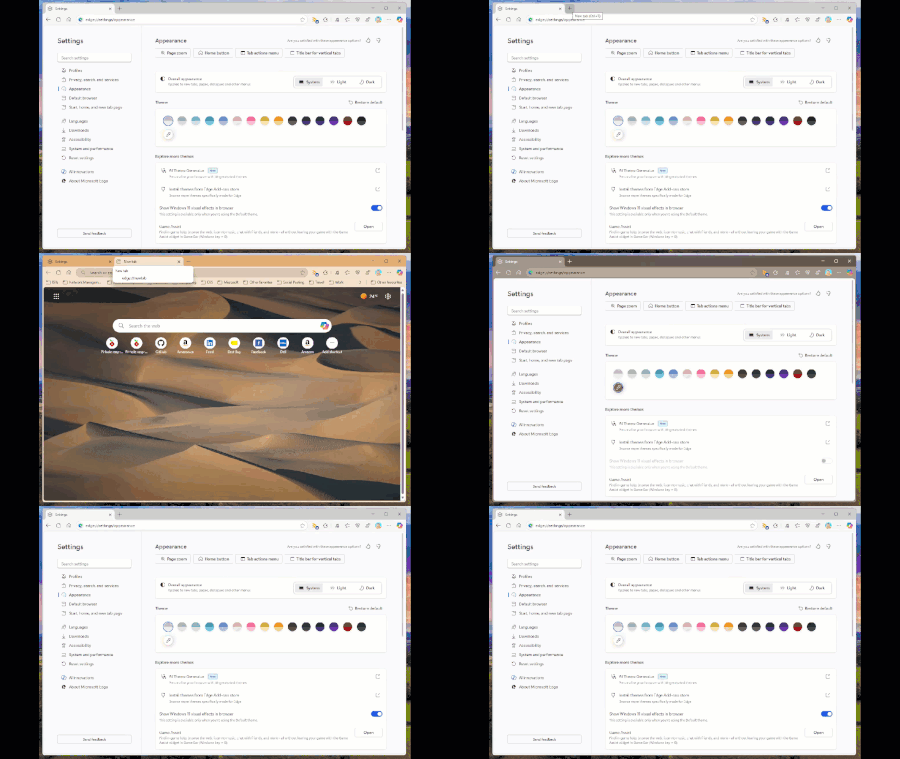
Starting with the latest Edge Dev build today (139.0.3394.0) if you have your new tab page set to display the Bing wallpaper, the theme will automatically change to select a colour based on the picture without your consent. And if you attempt to reset the theme or change to another one, opening a new tab will just force it to change again. See my video below:Solved465Views8likes4CommentsEdge Dev profile flyout orange
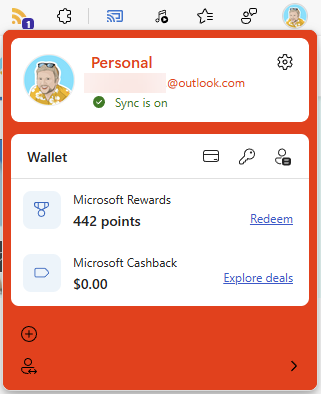
In the latest Dev build (139.0.3365.2) the profile flyout background has turned a rather unsightly shade of orange... I assume this was not intended :) I reported via Feedback but I could not include a screenshot so I thought I would include one here as well.Solved342Views0likes4CommentsExtension toolbar button not working (Edge Dev 132.0.2931.1)
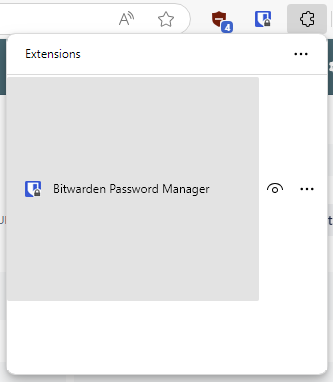
In the latest Dev channel build, clicking on the extension button in the toolbar you see the UI is all strange and only shows one of your extensions taking up the whole window. You are also missing the bottom part of the UI. I've submitted feedback but I'm not sure if it captured a screencap of the issue. Screenshot below:Solved258Views2likes2Comments
The edge dev is not opening
From the previous update of 119.0.2116.0 my microsoft edge dev is not opening. I think the problem come after this update and now I have manually updated to the latest 120.0.2165.1 with the installer and the problem is still there. I have seen the task manager the msedge process starts and run for sometime then automatically get terminated. Please Show any fix.545Views0likes0Commentsproblem on Surface Duo 2 Canary and Dev
Canary version 115.0.1867.0 still has the issue of going to the background whenever launched on Microsoft Surface Duo 2 .We are two weeks into it not working. the problem has migrated to Dev.. the problem started with trying to open a new Tab , Dev has this problem now for a week. Please fix this.Solved1.8KViews1like8Comments