date
15 TopicsShow dates for when a Collection was created and when an item was added to a Collection
It'd be very useful because I need to know which one was added/created when exactly, specially when dealing with very similar data, and even though there is an option to sort Collection items by date created, it doesn't show the exact date/time. sent feedback thru Edge, if you like and find it useful, please do the same.983Views3likes0Comments
Legacy silver benefits end date ?
Hello, We renewed our Silver Benefits, now called Legacy Silver Benefits, in January 2023 and we are (were?) very satisfied with this program. Our company cannot complete the requirements needed by the new Solutions Partner designation and it won't be possible in the future for some reasons. We would like to continue with he Legacy Silver program but, so far, no end date was communicated about it. Would it be possible to renew again in 2024, 2025, 2026, etc? This is very important for us and we would like to have a status about this from Microsoft because I don't find anything so far. RegardsSolved17KViews2likes31Comments
Access selecting specific date on a calendar
I'm pulling my hair out because everything I've found through my research says my VBA code should work, but it doesn't! Here's the story. I have a calendar (form) that shows events going on for each month. What I want is for a person to click on a specific day and have a pop-up form appear showing more details of the events for whatever day they clicked on. I used the below code, which mostly works... When I click on a date, the month and year will be correct, but not the day of the month. The day of the month is always today's day. For example, let's say I click on the day Feb. 2, 2024 and today's date is May 21, 2026. My pop-up form will show the events for Feb. 21, 2024. This is the code I have: Private Sub lblTue3_Click() Dim txtSelectDate As Date (probably don't need this) Dim iDayOfMonth As Integer Dim iMonth As Integer Dim iYear As Integer Dim dSelectDate as Date iDayOfMonth= Format(Me.txtSelectDate.Value, "d") iMonth = Format(Me.txtSelectDate, "mm") iYear = Format(Me.txtSelectDate, "yyyy") dSelectDate = CDate(iMonth & "/" & iDayOfMonth & "/" & iYear) DoCmd.OpenForm "frmThatContainsMyData", acNormal, , "[DateOnFormUsedForFilter]=#" & dSelectDate & "#", , acDialog Update: I think I figured out where the problem is. When the calendar form is loaded, that's where txtSelectDate is defined. However, I don't know how to define txtSelectDate to whatever date I click on in the calendar. It defaults to today's date when I load the form. When I change the month or year, those number change in the txtSelectDate box, but not the day. This is the code I currently have. (DisplayMonthName displays the month and year; don't think it's part of my issue) Private Sub Form_Load() Me.txtSelectDate = Date Call DisplayMonthName End Sub Any help is greatly appreciated!277Views1like11Comments
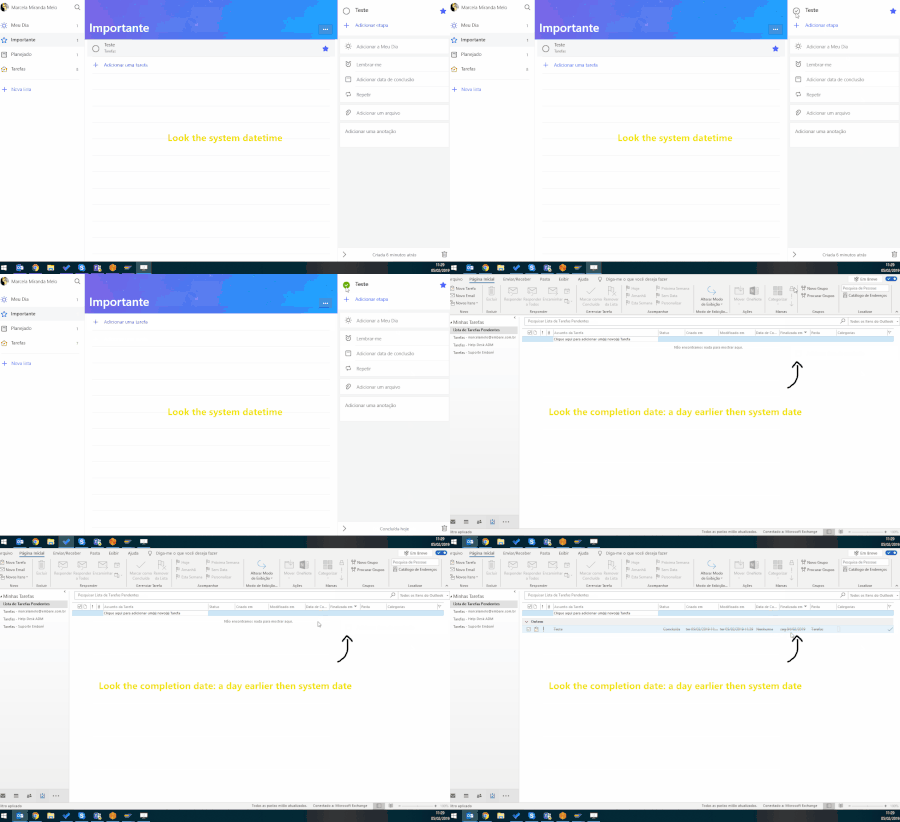
Wrong completion date: after Ctrl+D, the task's completion date turns a day earlier than curr.date
Hi, everybody! I have an annoying issue - well, I thinks is a bug. When I check a task as ended (Ctrl+D on keyboard), the completion date is wrong. Look at it: Can you help to solve that? Best regards, Marcela.4.3KViews1like8Comments