copilot
7 TopicsElevate teaching and learning with AI-powered experiences on Surface Copilot+ PCs
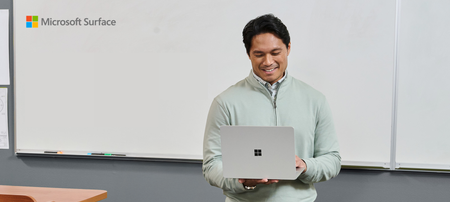
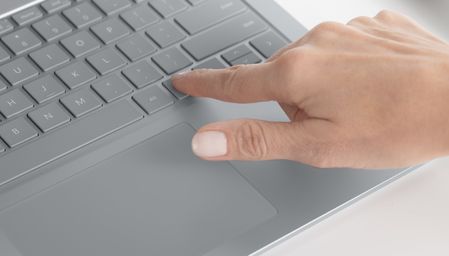
Surface is a premium endpoint, designed and built by Microsoft to run Microsoft technology. When it comes to the classroom, Surface Copilot+ PCs bring the best of Microsoft—hardware, Windows, Microsoft 365 1 , and Microsoft 365 Copilot 1 —into one teaching device, delivering intelligent experiences more securely on‑device and in the cloud. For educators, this means every lesson and interaction is powered by a device purpose-built for teaching and learning in the digital era. Why Surface for Education? Surface Copilot+ PCs, combined with Windows 11, give teachers a powerful platform designed to simplify teaching and elevate learning. With lightning-fast performance, educators can create engaging lessons, generate content, and personalize instruction. Windows 11 features like Snap Layouts, Click to Do 2 , and Copilot Voice streamline multitasking and lesson prep, while intuitive touch, pen 3 , and voice input make teaching feel natural. Together, Surface and Windows 11 help deliver a more secure, AI-supported solution that can save time, support creativity, and help teachers focus on what matters most—students. Engage students with AI-enhanced learning Picture a classroom where every student is actively engaged, their curiosity sparked by lesson plans and quizzes thoughtfully designed by teachers with the help of AI. Microsoft Learning Zone, included with all Microsoft Education licenses at no extra cost 4 , is an AI-powered learning app for Windows 11 designed to help educators create engaging lessons. The app’s AI powered lesson creation feature is designed specifically for Copilot+ PCs. Thanks to the Copilot+ PC’s built-in Neural Processing Unit (NPU), these devices offer fast, reliable performance by running AI models directly on the device and combining them with cloud-based capabilities when needed. This hybrid approach helps Microsoft Learning Zone generate lessons quickly and keeps the experience smooth, secure, and ready for classroom use. It also helps educators streamline lesson planning with interactive activities, instant feedback, and personalized learning pathways. For example, teachers can use Microsoft Learning Zone to develop Kahoot! quizzes for a whole class or to prepare individualized learning experiences like personalized practice questions based on recent student performance, while keeping student data more secure and private. Surface Copilot+ PCs can also help teachers use AI in context to streamline lesson prep and administrative tasks, so they can spend less time on administration and more time inspiring students. For example, teachers can engage with Copilot in a single click using the Copilot key 5 on a Surface keyboard or by saying “Hey Copilot” out loud. And using pen, touch, and voice commands in conjunction with Teach in Microsoft 365 Copilot 6 running on Surface, teachers have a central hub for generating lesson plans, quizzes, rubrics, flashcards, feedback, and more. They can transform ideas and research into engaging lectures in moments, tailor instruction to meet the needs of every learner, and connect with colleagues to share best practices. Recently, we also announced the Microsoft Elevate for Educators skilling program along with more AI-powered experiences purpose-built for education, including the Study and Learn agents in Microsoft 365 Copilot, and Study Guide. Microsoft Elevate helps equip educators with the AI skills they need for the classroom of the future. Delivered through platforms like Microsoft Learn and Minecraft Education, these flexible learning paths ensure that educators can build AI fluency at their own pace, whether they're just beginning their journey or advancing to specialized applications. Read more about Microsoft Elevate and other AI tools for education here. In classrooms where both teachers and students are using Surface Copilot+ PCs, Live Captions 7 with on-device automatic translation can help make spoken content accessible to all students, including students with hearing impairments. The NPU transcribes and translates audio in real time, supporting 40+ languages into English, all processed on-device versus the cloud. Ideally with Surface Copilot+ PCs and Microsoft’s AI-powered tools, technology fades into the background in the classroom, helping teacher creativity and connection take center stage and enabling student learning to be more dynamic, inclusive, and impactful. Empower the classroom of the future, today Surface Copilot+ PCs, purpose-built by Microsoft, are designed to be the foundation for today’s classrooms and the launchpad for tomorrow’s AI innovations. With Windows evolving as the canvas for intelligent AI and agents, Surface devices and Windows together form an essential, AI-assisted platform for educators. Now, every teacher can activate Copilot agents 8 directly on their Surface device to act as a digital teaching partner. These agents can adapt to each teacher’s unique style, streamline daily routines, and unlock new possibilities for student learning. Building agents is simple: teachers or IT can use ready-made templates or create custom agents using natural language, all within the familiar Surface and Windows environment. Surface’s intuitive hardware—touchscreen, pen, voice, and the dedicated Copilot key—makes accessing AI support effortless. Teachers can get immediate answers to classroom questions, troubleshoot tech issues, or navigate school resources using natural input methods. By combining Copilot’s intelligent capabilities with Surface’s secure hardware, educators can gain a more personalized, efficient, and protected teaching experience ready for the future of learning. In addition, Surface Copilot+ PCs help support the full range of learning needs by delivering the performance and experience required for the education tools students and educators depend on every day. Surface devices are designed to work with common education apps like TestNav for assessments, Minecraft Education for STEM, Adobe Express for creativity, and assistive technologies such as JAWS. And, going forward, the built-in NPU on Copilot+ PCs like Surface enables Microsoft and other educational software providers to develop innovative new AI experiences that can run on the device, in the cloud, or both. Boost productivity and collaboration In the classroom, Surface Copilot+ PCs can become the teaching command center: always ready, always responsive. With a simple voice command, Copilot Voice and improved Windows Search 9 instantly pull up lesson plans, student materials, or answers to unexpected questions, freeing instructors from frantic searches and giving back precious prep time. Collaborating on Surface is intuitive and efficient. Teachers can quickly save lesson materials in Teams or OneDrive 1 and share them with students for interactive feedback. Whether teachers are leading a lively discussion in person, connecting with students remotely, or conferencing with colleagues via video, Windows Studio Effects on Copilot+ PCs ensure they’re always seen and heard clearly. Subtle features like background blur, eye contact, and automatic framing help maintain a professional presence, so the focus stays on interacting with students or other teachers—not on the tech. And Surface Copilot+ PCs are designed to empower mobility in and outside the classroom. With extended battery life and lightweight devices, teachers are no longer tethered to a desk or a charger. They can move about freely, interact with students, project and present seamlessly, and focus on teaching. For example, on a Surface Pro with Surface Pen inking, Dual Studio Mics, and natural language prompts in Copilot, teachers can annotate readings, capture ideas by voice, and generate lesson materials on the fly—without breaking the flow of instruction. Throughout the day, Surface Copilot+ PCs can also help teachers anticipate what’s next. Context-aware Windows Search doesn’t just find files—it suggests smart next steps, like opening a document in Word or sharing it with a colleague, streamlining workflows. When inspiration for a lesson strikes, Click to Do lets teachers quickly summarize, explain, or create new content on the fly, helping them build engaging lectures and materials in real time. Surface’s vibrant touchscreen and Snap Layouts can help keep resources organized and visible, supporting a productive work experience. And, most importantly, Surface devices help safeguard faculty, staff, students, and sensitive school data with advanced security and remote management features 1 . As innovations advance in AI, Microsoft and Surface provide built-in protection at every layer—hardware, firmware, operating system, cloud, software applications, and identity. Surface Copilot+ PCs are more than just devices—they’re partners in teaching, learning, and innovation. By combining Microsoft’s advanced hardware, intuitive software, and powerful AI, Surface empowers educators to engage students, boost productivity, and modernize their classrooms, all while keeping data more secure and private. Visit Surface.com/Business to learn more. Students, parents and educators can save up to 10% on select Surface devices and more at the Microsoft Store. 10 Disclaimers: Sold separately. Software license required for some features. Click to Do. Copilot+ PC feature. Image actions now available across devices; other actions vary by device, region, language, and character sets. Subscription required for some actions. Learn more. Surface Pen sold separately. Surface Slim Pen (2nd Edition) experiences and compatibility vary by which Surface device you are using it with. Visit Surface Slim Pen Compatibility to learn more. Microsoft Learning Zone requires a Microsoft 365 Education Essentials, Core (A3), or Advanced (A5) license. Microsoft Education licenses. Copilot key feature availability varies by market, see aka.ms/keysupport. This feature is only available to Faculty/Staff with a Microsoft 365 for Education license. Teach in the Microsoft 365 Copilot App. Copilot+ PC feature. Live Captions translates video and audio subtitles into English from 40+ languages and from 25+ languages into Chinese (Simplified). See Copilot+ PC FAQs. Copilot with commercial data protection is available at no additional cost for users with an Entra ID with an enabled, eligible Microsoft 365 license. Copilot for Microsoft 365 sold separately and requires a qualifying volume license or subscription - Microsoft Copilot for Microsoft 365 | Microsoft 365. Minimum age limits apply to use of Copilot and certain AI features. Details. Copilot+ PC feature. Improved Windows search works with specific text, image, and document formats only; optimized for select languages (English, Chinese (Simplified), French, German, Japanese, and Spanish). See Copilot+ PC FAQs. Microsoft Store Education discount is available to K-12 and higher education students, faculty and parents. Education discount only valid on select products, and may not be combinable with other offers. See terms and conditions at Education & Student Discounts on Laptops, Microsoft 365, Windows, Surface | Microsoft Store912Views0likes0CommentsEndpoints and AI strategy: Lessons of the Microsoft Work Trend Index 2025
AI adoption is accelerating, and PCs are now key to delivering fast, secure, and seamless AI experiences. Surface Copilot+ PCs combine local AI processing, cloud connectivity, and enterprise-grade security—making endpoints central to every AI strategy.1.3KViews1like0CommentsExpert Insights: Incorporating AI PCs into your business strategy
Device selection is often seen as a routine IT decision, but AI-capable hardware changes what’s possible. AI-capable devices enable new levels of efficiency, collaboration, and productivity. Choosing the right hardware shapes how businesses handle data, streamline workflows, and build a foundation for future success. David Stoeckel, Director of Program Management for Surface CXP Engineering at Microsoft, emphasizes a multi-faceted approach to evaluating Copilot+ PCs. "You have to think about it on three levels: the baseline capabilities of the device itself, the core components of Windows like captions and translation, and then the custom functionalities businesses can build on top of that," Stoeckel explained. This strategic framework allows enterprises to make choices that drive long-term, transformational impact. Real-time productivity: Not just faster, but smarter PCs with neural processing units (NPUs) can handle tasks such as transcription, translation, and video enhancement locally, supporting fluid experiences and new AI use cases. Industries with strict data controls, such as healthcare and finance, gain more flexibility in how they deploy AI. Copilot+ PCs from Microsoft Surface integrate these capabilities into thoughtfully engineered, enterprise-ready devices. They offer immediate benefits by handling complex tasks locally, reducing latency and enhancing real-time decision-making. This enables new types of computing that were previously impractical or impossible on local machines. For example, they can perform real-time transcription and translation on-device, opening doors for fields such as healthcare, finance, and government where data privacy concerns restrict the use of cloud-based solutions. As Stoeckel points out, "We see doctors using these devices to transcribe patient conversations locally, supporting data privacy without compromising on functionality. Or think of a financial consultant sitting with a client, capturing and developing strategies on the spot—no waiting for external servers to process requests.” These capabilities complement rather than replace cloud-based AI, supporting use cases in which it is unfeasible to send data to the cloud, or where keeping it local can accelerate time to value. Surface Copilot+ PCs handle such workloads directly, meeting specific compliance requirements while capitalizing on the latest advancements. Solving business challenges: putting the focus on AI-optimized workflows Surface Copilot+ PCs enable businesses to rethink workflows and tasks that require real-time data processing, predictive analytics, or highly customized experiences. The ability to run models on-device presents new opportunities to innovate. The NPU architecture in Surface Copilot+ PCs enables local processing of machine learning and predictive analytics models with low latency. This capability supports use cases like predictive maintenance in manufacturing and on-device fraud detection in financial services, where real-time data analysis can drive faster, more responsive decision-making. Stoeckel underscores the importance of custom development in this space: "The third pillar I mentioned—what software vendors and businesses build on top of the platform—has huge potential value. This is where companies can tailor capabilities to fit their unique workflows." Enterprises can use Copilot+ PCs to develop proprietary applications that offer competitive advantages, whether through faster decision-making, more personalized customer experiences, or highly specific data models built for niche use cases. Driving innovation with hybrid AI Cloud-based platforms remain critical to driving AI business value. Businesses rely on them for running large models and executing complex workflows. But some AI tasks benefit from running on-device, whether to maintain control over sensitive data, meet compliance requirements, or reduce dependency on cloud connectivity. Workloads like real-time transcription, predictive maintenance, and AI-driven personalization may also be more responsive when processed locally, depending on network conditions and infrastructure. A hybrid AI model gives organizations the flexibility to balance these needs. Copilot+ PCs allow businesses to run AI applications locally for real-time insights and personalized recommendations while relying on the cloud for intensive processing and the latest models. This approach lets organizations deploy AI in the way that best aligns with their security, performance, and operational priorities. With Copilot+ PCs, companies can refine AI-powered workflows, deciding where to process data based on business requirements rather than technical limitations. This flexibility supports both immediate productivity and long-term advancement. The future: seamless integration and innovation without limits Stoeckel expects the line between cloud and local AI to fade. "In the future, the interaction between what's done locally on the device and what's done in the cloud will be seamless. You'll have the flexibility to choose where to run workloads based on cost, performance, and privacy requirements," he says. As AI infrastructure evolves, businesses will have more freedom to fine-tune where and how they process data. Some workloads will always benefit from cloud scale, while others will run more efficiently on-device. This flexibility will shape how companies build and deploy AI-driven solutions. Why choose Surface as the foundation of your AI device strategy? Surface devices enhance AI value through thoughtfully designed experiences that enrich every interaction. Depending on the device, this can include precision inking, vibrant touchscreens, and customizable touchpads for natural input. High-quality cameras and microphones work with AI to improve collaboration, while precision-engineered keyboards make typing more comfortable and ergonomic. Security empowers organizations to run AI workloads with confidence, protecting data while driving performance. With Surface Copilot+ PCs, Secured-core PC technology strengthens defenses against firmware attacks, while hardware-based protection using Microsoft Pluton or TPM safeguards sensitive information. Strong and seamless authentication options like biometrics and NFC help ensure only authorized users can access applications and data. Device strategy will separate leaders from followers Choosing the right devices has always shaped business productivity, but with AI workloads running on-device, this decision now carries far greater weight. Copilot+ PCs from Surface provide a foundation for businesses to process data faster, maintain security, and integrate AI into daily workflows without cloud dependence. Whether improving collaboration, automating routine tasks, or enabling real-time decision-making, these devices support a shift toward AI-powered work. Organizations that think strategically about hardware today will be in the strongest position to drive innovation and efficiency in the years ahead. In the end, AI PCs are a catalyst for business transformation. For companies willing to explore their full potential, the opportunities are significant. By starting now, businesses can get ahead of the curve, building the infrastructure and workflows necessary to thrive in an increasingly AI-driven world. To learn more read the eBook: Drive business resilience with AI PCs.669Views0likes0CommentsCheck out Surface at Microsoft Ignite 2024
Explore the latest Microsoft Surface innovations at Ignite 2024 in Chicago and online. Discover AI-driven productivity, advanced security, and enhanced collaboration tools in must-attend sessions, hands-on labs, and interactive demos.1KViews2likes0Comments3 ways modern devices empower employee innovation
The AI age is here. 79% of leaders surveyed in the latest Microsoft Work Trend Index Annual Report agree their company needs to adopt AI to stay competitive. But 68% of employees surveyed said they struggle with the pace and volume of work. Employees don’t have time to innovate with new technologies like AI when they’re bogged down by repetitive tasks run on old devices. And that’s how companies get left behind as competitors charge forward with advances shaped by next-generation technology.2.2KViews0likes0Comments