copilot
1274 TopicsTurn conversations into code with GitHub Copilot in Microsoft Teams
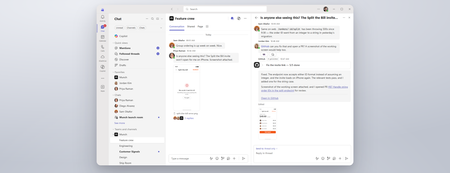
Coding where context lives and collaboration happens The best prompt may be the conversation your team has already had or is currently having. Until now, using a coding agent often meant paying context and coordination taxes. Developers had to leave the discussion, open another tool, and reconstruct the problem in a lengthy prompt: what happened, what the team decided, which constraints matter, and what needs to be built. With GitHub Copilot in Teams, teams can move directly from conversation to action. @mention GitHub Copilot when the team is ready to act, and it can use the conversation alongside repository context to understand the request, implement the change, and create a pull request for review. This makes working with a coding agent more collaborative and visible. Instead of one developer privately reconstructing the request, teammates can contribute context, correct assumptions, refine the approach in real time, and review the resulting work together. Let’s explore the new GitHub Copilot in Teams experience to see how it can streamline development tasks: If the player doesn’t load, open the video in a new window: Open video GitHub Copilot in Teams is available in Teams channels, group chats, meeting chats, and 1:1 chats. Once the GitHub app is installed and added to the conversation, @-mention GitHub Copilot to bring it into the discussion and start a task. During public preview, users can complete the following scenarios with GitHub Copilot in Teams: Build a feature based on requirements discussed in Teams Implement a fix for a bug Expand test coverage or improve documentation Create and update a pull request No copying the discussion into a CLI. No rewriting it in a desktop app. No asking one developer to translate a team decision into the perfect prompt. GitHub Copilot works where the context already lives, and because that context is shared, working with GitHub Copilot becomes a team activity. Built around the controls teams already use GitHub Copilot in Teams works within existing GitHub permissions and repository policies. Branch protections and required reviews continue to apply, and people remain responsible for deciding what gets merged, ensuring that humans stay in the loop at every step. Availability GitHub Copilot in Teams is now available in Public Preview. To try it, install the GitHub app for Microsoft Teams and check out our documentation to get started! Less context reconstruction. More progress from the conversations already happening.814Views0likes0CommentsCopilot, Microsoft 365 & Power Platform Community call
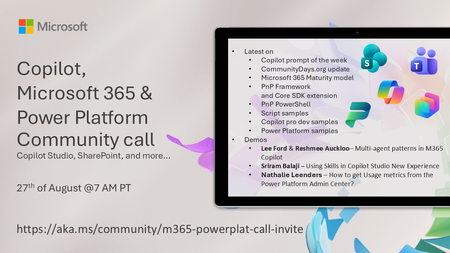
💡 Copilot, Microsoft 365 & Power Platform weekly community call focuses on different use cases and features within the Microsoft 365 and Power Platform - across Microsoft 365 Copilot, Copilot Studio, SharePoint, Power Apps and more. Demos in this call are presented by the community members 🙏 👏 Looking to catch up on the latest news and updates, including cool community demos, this call is for you! 📅 On 27th of August we'll have following agenda: Copilot prompt of the week CommunityDays.org update Microsoft 365 Maturity model PnP Framework and Core SDK extension PnP PowerShell Script samples Copilot pro dev samples Power Platform samples Lee Ford & Reshmee Auckloo– Multi-agent patterns in M365 Copilot Sriram Balaji – Using Skills in Copilot Studio New Experience Nathalie Leenders – How to get Usage metrics from the Power Platform Admin Center? 📅 Download recurrent invite from https://aka.ms/community/m365-powerplat-dev-call-invite 📞 & 📺 Join the Microsoft Teams meeting live at https://aka.ms/community/m365-powerplat-dev-call-join 💡 Building something cool for Copilot, Microsoft 365 or Power Platform (Copilot Studio, SharePoint, Power Apps, etc)? We are always looking for presenters - Volunteer for a community call demo at https://aka.ms/community/request/demo 👋 See you in the call! 📖 Resources: Previous community call recordings and demos from the Microsoft Community Learning YouTube channel at https://aka.ms/community/youtube Microsoft 365 & Power Platform samples from Microsoft and community - https://aka.ms/community/samples Microsoft 365 & Power Platform community details - https://aka.ms/community/home 🧡 Sharing is caring!29Views0likes0CommentsCopilot, Microsoft 365 & Power Platform product updates call
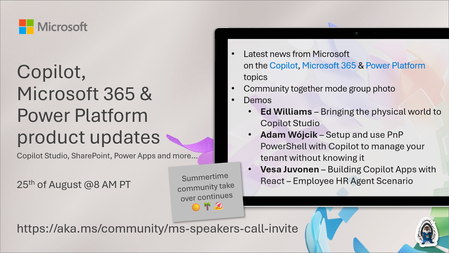
💡Copilot, Microsoft 365 & Power Platform product updates call concentrates on the different use cases and features within the Microsoft 365 and in Power Platform. Call includes topics like Microsoft 365 Copilot, Copilot Studio, Microsoft Teams, Power Platform, Microsoft Graph, Microsoft Viva, Microsoft Search, Microsoft Lists, SharePoint, Power Automate, Power Apps and more. 👏 Weekly Tuesday call is for all community members to see Microsoft PMs, engineering and Cloud Advocates showcasing the art of possible with Microsoft 365 and Power Platform. 📅 On the 18th of August we'll have following agenda: News and updates from Microsoft Together mode group photo Ed Williams – Bringing the physical world to Copilot Studio Adam Wójcik – Setup and use PnP PowerShell with Copilot to manage your tenant without knowing it Vesa Juvonen – Building Copilot Apps with React – Employee HR Agent Scenario 📞 & 📺 Join the Microsoft Teams meeting live at https://aka.ms/community/ms-speakers-call-join 🗓️ Download recurrent invite for this weekly call from https://aka.ms/community/ms-speakers-call-invite 👋 See you in the call! 💡 Building something cool for Microsoft 365 or Power Platform (Copilot, SharePoint, Power Apps, etc)? We are always looking for presenters - Volunteer for a community call demo at https://aka.ms/community/request/demo 📖 Resources: Previous community call recordings and demos from the Microsoft Community Learning YouTube channel at https://aka.ms/community/youtube Microsoft 365 & Power Platform samples from Microsoft and community - https://aka.ms/community/samples Microsoft 365 & Power Platform community details - https://aka.ms/community/home 🧡 Sharing is caring!51Views0likes0Comments
Copilot answers in Sharepoint search results?
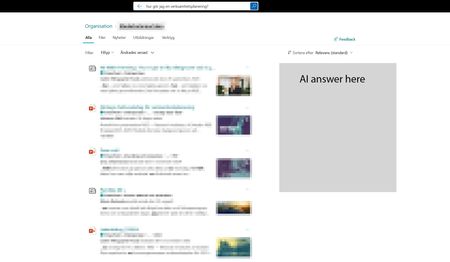
I would really like to add a copilot AI answer in the Sharepoint search result page, mainly for the intranet hub, to help our users better find answers across the intranet and also make the search bar a more complete search experience. Something we could toggle on and maybe we could point out a specific agent we've created for the intranet. I feel people are quickly starting to expect to have an AI summary in their search. Would also make sense when so many use the search bar i Sharepoint to incorporate it there, instead of having to go to a different place to use Copilot. It would make search easier.99Views0likes1CommentWhat's New in Microsoft EDU - Back to School 2026 webinar
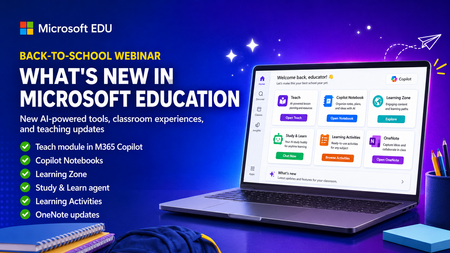
Get ready for back to school (Northern Hemisphere) with the latest product updates from Microsoft Education. In this webinar, we’ll showcase new AI-powered tools, teaching resources, and product updates designed to help educators save time, personalize learning, and support every student. You’ll see what’s new across Microsoft 365 Copilot, Teams for Education, OneNote, and more, including: ✅ Teach module in Microsoft 365 Copilot ✅ Copilot Notebooks ✅ Study and Learn agent ✅ Learning Zone ✅ Teams for EDU updates ✅ The latest OneNote EDU updates And more! Join us for practical demonstrations, helpful tips, and new ideas you can put to work as you prepare for a successful school year. And don't worry if you can't make it live, we will be recorded and posting this on the Microsoft Education YouTube channel afterwards. 📅 When: Wednesday, August 26th @ 8am Pacific Time 🔗 Register here: https://df.events.teams.microsoft.com/event/df.8c4f06fc-399f-4603-8023-f5fd92601bd1@72f988bf-86f1-41af-91ab-2d7cd011db47?source=copyLinkOneEventsShareDialog Mike Tholfsen Group Product Manager Microsoft Education184Views1like1Comment
Word Copilot attachments fail with NoTokenObtained
Word Copilot cannot read local or cloud attachments with my Microsoft account. Cloud file attachment opens OneDrive Picker but fails with NoTokenObtained, timeout, or “Sorry, something went wrong.” Local files are accepted but reported as empty/corrupted. The same files work correctly in Microsoft 365 Copilot Chat with the same account. The issue reproduces on different computers, different networks, new Edge profile, new Windows user, and Word for the web without Office desktop installed. Word Copilot can read the active document, so only the attachment pipeline appears broken. Correlation IDs: 49a92ea2-7068-2001-bf16-3cf7d0c388fd and b39b30a2-b012-f000-cf51-72bd844c5dea. Please escalate to Word Copilot / OneDrive File Picker / Microsoft 365 Copilot engineering.68Views0likes1CommentAGENTIC RAG
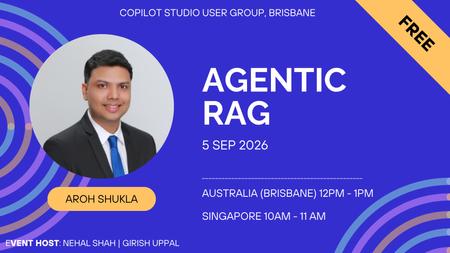
Agentic RAG for the Enterprise: Building Intelligent AI Agents with Microsoft Foundry Enterprise AI is moving beyond simple chatbots and classic RAG patterns. In this session, we will explore how Agentic RAG can help organizations build smarter, more autonomous AI solutions using Microsoft Foundry. We will cover how Agentic RAG combines retrieval, reasoning, tools, orchestration, grounding, and guardrails to solve real enterprise use cases. The session will also share practical architecture patterns, implementation tips, common pitfalls, security considerations, performance tuning techniques, and lessons learned from real-world Microsoft AI projects. By the end of the session, attendees will understand when to use classic RAG versus Agentic RAG, how to design enterprise-ready AI agents, and what best practices to follow when building solutions with Microsoft Foundry. Event Host Girish Uppal | Nehal Shah20Views0likes0CommentsSKILLS IN COPILOT STUDIO
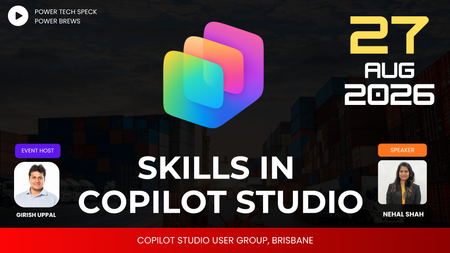
Skills are having a moment in Copilot Studio and agent design — but what actually makes a good one? Join us this session as we cover: What is a skill & how it works Why use a skill When NOT to use a skill Best practices for writing skills What SKILL.md files contain Different ways to view md files Using a skill-creator skill Packaged skills17Views0likes0CommentsUnderstanding GitHub Billing and management: from licenses to fair AI credit controls
Buying GitHub Copilot licenses is only the beginning of the governance story. The licenses are purchased centrally, but administrators still need to decide who receives a seat, how usage is attributed to the right part of the business, and what happens when included AI credits run out. Those decisions happen through several related controls: - Copilot seat assignment determines which people are licensed. - Cost centers group attributable usage around a team or business owner. - AI credit included usage caps create boundaries around included credits associated with a cost center's licenses. - Cost-center budgets govern paid usage after included credits are exhausted. - User-level budgets (ULBs) limit how much an individual can consume. Why does this separation matter? Without it, an administrator can easily mistake one control for another. An included usage cap does not set an overage policy, and a cost-center budget does not guarantee every person an equal share. Each control answers a different question. This article follows the complete flow, starting before a cost center exists and ending with different policies for Business and Developers, where we place them each in separate cost centers with distinct included-usage boundaries, paid-usage budgets, and ULBs. Problem 1: A central purchase does not identify who is licensed Our story starts with a purchase, but purchasing seats does not yet tell us who can use Copilot. This is the first problem to solve because cost centers, budgets, and AI credit controls all depend on GitHub knowing which named users actually hold eligible licenses. Suppose an enterprise purchases 400 Copilot seats for a workforce that includes 600 employees. The purchase creates a centrally managed pool of seats. It does not automatically license 400 unspecified people, nor does every developer receive a fraction of a license. At this point, the enterprise knows how many seats it owns, but it cannot yet connect those seats to people, teams, or cost centers. Solution: Assign seats to named users An administrator assigns those seats to specific users, either directly or through the supported administrative assignment process. At that point, GitHub can distinguish between: - A person who belongs to the enterprise but has no Copilot seat. - A person who has been assigned an eligible Copilot seat. - A licensed person whose usage is attributable to a particular cost center. This distinction matters because cost-center included credits are based on attributable eligible licenses, not raw headcount. For example, imagine a Developers cost center containing 200 people: Developers in the cost center Developers with eligible Copilot seats Licenses that can contribute to the calculation 200 200 200 200 120 120 200 0 0 The cost center does not receive an included-credit boundary based simply on having 200 members. GitHub looks at the eligible licenses attributable to those members and calculates the included amount from those licenses. > NOTE: The exact included-credit amount is calculated by GitHub according to the applicable licenses and product terms. Administrators do not manually divide the enterprise's included credits by cost-center headcount. Now the enterprise knows who is licensed. That solves entitlement, but it creates the next question: when those users consume AI credits, which part of the business owns that usage? Fig 1: A developer cost center Problem 2: Licensed usage has no business owner A list of licensed users is not yet a governance model. Finance and administrators still need to connect usage to the team, program, or financial owner responsible for it. Why does this matter? A single enterprise can contain groups with very different usage patterns. Business Operations may have predictable demand, while Developers may run more intensive AI workflows. Treating both groups as one undifferentiated population makes it difficult to protect included usage or govern overage appropriately. Solution: Use cost centers to establish ownership Cost centers provide that attribution boundary around resources such as users, teams, or organizations. They do not purchase licenses or assign Copilot seats. Instead, they connect licensed activity to the part of the business responsible for it. For this scenario, create two cost centers: - Business, containing the relevant Business users or teams. - Developers, containing the relevant engineering users or teams. GitHub can then determine which eligible Copilot licenses are attributable to each cost center. Conceptually, the relationship is: Cost-center included credits= ∑(included credits from eligible licenses attributed to that cost center) This is accounting attribution, not a second license purchase. The enterprise still owns and manages the seats centrally. The cost center tells GitHub where the associated usage and included-credit entitlement belong for governance purposes. With that ownership structure in place, GitHub can tell which licenses are attributable to Business and which are attributable to Developers. Ownership is now clear, but both groups can still participate in the same included-credit pool. That creates the next risk. Fig 2: Developers and Business cost centers Problem 3: One group can consume another group's included credits By default, included AI credits can function as a shared enterprise resource. That is convenient, but it can produce an uneven outcome: one group may consume included credits funded by licenses associated with another group. Imagine Developers has an unusually intensive month. Without a separate boundary, its members may continue drawing from the shared pool, reducing the included credits available to Business. Attribution tells us who owns the usage, but attribution alone does not protect either group's share. Solution: Enable the included usage cap The AI credit included usage cap changes that behavior for a cost center. When enabled, GitHub calculates an included-credit boundary from the eligible licenses attributable to that cost center. For example, enable the checkbox for both Business and Developers. Each cost center can then use the included credits calculated from its attributable licenses without the other cost center consuming beyond its own boundary. The safest way to describe this is: > The cost center receives a protected included-usage boundary calculated from its attributable eligible licenses. It is tempting to call those credits "guaranteed to me," but that wording can imply more than the control provides. The boundary belongs to the cost center, not to an individual, and it does not guarantee that every member receives an equal allocation. The shared-pool problem is now addressed, but the checkbox also exposes the next question: what happens after a cost center exhausts its protected included credits? The cap separates included usage; it does not define the paid-usage policy. Fig 3: Included usage cap checked on a cost center Problem 4: The included usage cap does not stop overage Once a cost center reaches its included-credit boundary, additional eligible usage may become paid usage when paid AI credit usage is enabled. A cost-center budget determines how that overage is monitored or stopped. Why is a separate budget necessary? The included usage cap says, "Do not continue consuming included credits beyond this cost center's calculated boundary." It does not necessarily say, "Block all subsequent usage." A spending control is required to define that second outcome. Our two cost centers need different outcomes. Business should stop before overage, while Developers should be allowed to continue so the enterprise can observe real demand. Solution for Business: Use a $0 hard budget Business should use its included credits but create no overage. Configure a $0 cost-center budget and enable Stop usage when budget limit is reached. Together, the controls mean: 1. Business uses the included credits associated with its attributable licenses. 2. The included usage cap prevents it from drawing beyond its protected included boundary. 3. The $0 hard budget allows no paid usage after included credits are exhausted. The $0 budget does not prevent Business from using included credits. It establishes a zero-dollar allowance specifically for the paid-usage phase. > NOTE: If paid AI credit usage is disabled for the entire enterprise, a $0 cost-center budget may be redundant. It becomes important in this scenario because Developers must retain access to paid usage under the same enterprise account. Fig 4: Business cost center with a $0 hard budget Solution for Developers: Start with a soft budget Developers need more flexibility. Configure a funded cost-center budget, such as $20,000, but leave Stop usage when budget limit is reached disabled. This is a soft budget. It provides a target and supports alerts, but it is not a hard ceiling. Usage can continue beyond $20,000 unless another applicable control stops it. That behavior is useful while the organization learns the team's real demand. Administrators can monitor spending, review whether the usage produces value, and later decide whether to change the amount or turn on the stop control. At this point, Business and Developers have distinct overage policies: Cost center Included usage Paid-usage budget Stop usage Outcome Business Protected boundary enabled $0 Yes Use included credits, then stop Developers Protected boundary enabled $20 000 No Use included credits, then allow monitored paid usage We have now defined what paid usage means for each cost center. However, the Developers budget controls the group total, not the behavior of each person inside the group. One heavy user could still consume a disproportionate amount, which leads to the next problem. Fig 5: Developers cost center with a $20,000 soft budget and no stop control Problem 5: An aggregate budget does not create individual fairness The $20,000 Developers budget gives administrators visibility into aggregate paid usage, but it does not divide that amount fairly among the people in the cost center. A few heavy users could consume most of the available capacity while everyone else remains far below the group budget. Why add a ULB when Developers already has a $20,000 budget? The two controls operate at different levels: - The $20,000 cost-center budget monitors the Developers group's aggregate paid usage. - A cost-center ULB gives each person in Developers an individual ceiling. Solution: Add a cost-center ULB A user-level budget limits one person's total AI credit consumption during the billing cycle. It follows the user across included and paid usage and acts as a hard stop when the applicable limit is reached. For example, configure a $200-per-user cost-center ULB for Developers. This prevents a small number of heavy users from consuming a disproportionate amount while other users receive little opportunity to work. The $200 value is a maximum, not a reservation. It does not set aside $200 for every person, and unused capacity from one user is not a personal entitlement that another user can claim. It simply says that each covered user stops when their individual consumption reaches $200. This makes the policy more predictable and equitable without requiring administrators to create a separate budget for every member of the cost center. The common baseline solves the fairness problem, but a uniform limit can be too restrictive for specialized roles. Fig 6: Developers cost center with a $200 per-user ULB Problem 6: One baseline does not fit every role A shared baseline will not fit every role. A platform engineer, AI lead, or approved power user may have a legitimate need for more capacity than the Developers baseline permits. Raising the $200 limit for the entire cost center would solve that person's problem by giving everyone more capacity. That is broader than necessary and weakens the fairness policy we just established. Solution: Add an individual override For example, create an individual ULB of $400 for a specific user. That individual policy takes precedence over the $200 Developers cost-center ULB. The precedence is: 1. Individual ULB 2. Cost-center ULB 3. Universal ULB This lets administrators start with a broad enterprise default, apply a more suitable baseline to a cost center, and reserve individual overrides for documented exceptions. An individual override should still be reviewed. More capacity is not automatically better governance; it should correspond to an approved role or business outcome. We have now solved each problem at the narrowest appropriate scope. Fig 7: Individual ULB override for a specific user in the Developers cost center Resolution: See the complete control model Now that each control has been introduced separately, we can connect them into one end-to-end model. 1. Purchase Copilot seats centrally. The enterprise or organization owns the seat pool. 2. Assign seats to named users. This establishes who holds an eligible Copilot license. 3. Attribute users, teams, or organizations to cost centers. This connects licensed activity to Business or Developers. 4. Enable the included usage cap. GitHub calculates a protected included-credit boundary from eligible licenses attributable to each cost center. 5. Set cost-center budgets. Business receives a $0 hard budget; Developers receives a $20,000 soft budget. 6. Set a cost-center ULB. Developers users receive a $200 individual ceiling. 7. Add approved exceptions. A specific user receives a $400 individual ULB. The resulting Budgets and alerts view tells a coherent story: Type Scope Amount Purpose Cost center Business $0, stop enabled Prevent paid overage after included usage Cost center Developers $20,000, stop disabled Observe aggregate paid usage without an immediate hard stop User o Cost Center Developers $200 per user Apply a fair individual baseline across the cost center User A specific developer $400 Preserve an approved individual exception These four rows do not show the included usage caps themselves; those are configured on the cost-center details. The rows show the controls that govern paid usage and individual consumption after the attribution model has been established. Checkpoint: Avoid the most common misunderstandings The controls become easier to operate when their boundaries are explicit. Keep these distinctions in mind: - Purchasing 400 seats does not automatically license an unspecified 400 people. Seats must be assigned to users. - Putting 200 people in a cost center does not mean 200 licenses contribute to its included-credit calculation. Only attributable users with eligible licenses contribute. - An included usage cap does not assign an equal number of credits to every person. - An included usage cap does not, by itself, define the cost center's paid-usage policy. - A soft cost-center budget is an observation and alerting threshold, not a hard ceiling. - A cost-center ULB is a per-user maximum, not a guaranteed allocation for each person. - An individual ULB overrides a broader cost-center or universal ULB for that user. The easiest way to remember the model is: > Assign the license. Attribute the usage. Protect included credits. Govern paid usage. Limit the individual. Outcome: Different teams, appropriate controls Business and Developers now operate under the same enterprise purchase but follow policies suited to their work. Business can consume the included credits associated with its attributable licenses and then stops before creating paid usage. Developers can continue into paid usage while administrators observe demand against a soft budget. A cost-center ULB prevents a few users from dominating consumption, while individual overrides preserve approved exceptions. No single checkbox provides all of that behavior. The result comes from combining license assignment, cost-center attribution, included-credit boundaries, spending budgets, and ULBs in the right order. That order is the practical governance lesson: **protect included usage first, decide how paid usage should behave second, and then add per-user controls where fairness or predictability requires them.**
Distributing Agents to Microsoft Teams and Microsoft 365 Copilot Part 4/5
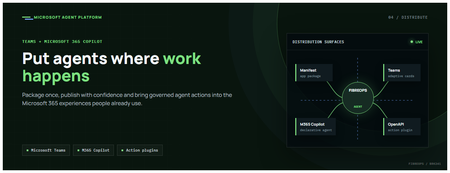
This is the fourth post in our series on the Microsoft agent platform. We cover the Distribute in M365 pillar — publishing your agents to Microsoft Teams and Microsoft 365 Copilot so they reach users where they already work. All examples reference the FibreOps repository, demonstrated at Microsoft Build BRK241. The Distribution Story Building a great agent is only half the challenge. The other half is getting it into the hands of users without asking them to learn a new tool, visit a new URL, or change their workflow. Microsoft 365 Copilot and Microsoft Teams are where enterprise users already spend their day, making them the natural distribution surface for agents. With the GA release, publishing an agent to Teams and M365 Copilot is a single command. No separate app registration portal, no manual manifest assembly, no multi-step approval workflow for development and testing. Publishing to Microsoft 365 Copilot (GA) FibreOps ships as a declarative agent + action plugin ready for sideload. A single CLI command produces the complete package: python -m fibreops.demo publish-m365 --out dist/m365 # Output: # ✓ wrote dist/m365/declarativeAgent.json # ✓ wrote dist/m365/fibreops-action.json # ✓ wrote dist/m365/manifest.json # ✓ wrote dist/m365/color.png (192x192) # ✓ wrote dist/m365/outline.png ( 32x32) # ✓ wrote dist/m365/fibreops-copilot.zip What Gets Generated File Purpose declarativeAgent.json Defines the agent's persona, capabilities, and conversation starters for M365 Copilot fibreops-action.json Action plugin that proxies tool calls to the deployed FastAPI backend via OpenAPI manifest.json Teams app manifest with publisher metadata, permissions, and capabilities color.png / outline.png App icons for Teams and M365 surfaces fibreops-copilot.zip Ready-to-upload package for Teams Admin Center Configuration Set the base URL to your deployed FastAPI app before publishing — the action plugin uses this to resolve the OpenAPI runtime: # Set the public HTTPS hostname of the deployed FastAPI app $env:M365_ACTION_BASE_URL = "https://fibreops-demo.azurewebsites.net" # Optional: customise publisher metadata $env:M365_PUBLISHER_NAME = "Contoso Network Operations" $env:M365_PUBLISHER_WEBSITE = "https://contoso.com/noc" # Generate the package python -m fibreops.demo publish-m365 --out dist/m365 Environment Variable Purpose M365_ACTION_BASE_URL Public HTTPS root for the FastAPI /openapi.json (e.g., Container Apps FQDN) M365_APP_ID Override the generated Teams app GUID (default: deterministic per repo) M365_PUBLISHER_NAME Publisher name shown in M365 Admin Center M365_PUBLISHER_WEBSITE Publisher website link Uploading the Package Upload the generated fibreops-copilot.zip through either path: Teams Admin Center → Manage apps → Upload new app M365 Admin Center → Integrated apps → Upload custom apps Once uploaded, the declarative agent: Inherits the publisher metadata you configured Advertises conversation starters from the FibreOps deck (e.g., "What is the current outage status?", "Dispatch an engineer to FN-LDN-001") Proxies tool calls to the deployed FastAPI app via the action plugin Appears in Microsoft 365 Copilot as a specialised agent users can invoke How Declarative Agents Work A declarative agent in Microsoft 365 Copilot is defined by metadata rather than code running in the M365 surface. The intelligence lives in your backend — Copilot handles the conversational UX, tool orchestration schema, and user authentication. The flow: User invokes the agent in Microsoft 365 Copilot or Teams Copilot renders conversation starters and accepts natural language input When the agent needs to act, Copilot calls the action plugin (your OpenAPI endpoint) Your FastAPI backend processes the request using the full agent pipeline Results return to the user in the Copilot/Teams UX This architecture means your agent logic stays in one place — the backend. The M365 surface is purely a distribution and interaction layer. Action Plugins and OpenAPI The action plugin ( fibreops-action.json ) references your FastAPI app's /openapi.json endpoint. FibreOps exposes a JSON API that the action plugin can call: /api/runs — List and query agent runs /api/optimiser — Get optimizer scores and suggestions /sdk/chat — Natural language interaction with the agent system /healthz — Liveness probe Because FastAPI auto-generates OpenAPI schemas from your typed Python endpoints, the action plugin gets accurate parameter descriptions, response schemas, and error codes without any manual specification work. Publishing as Autopilots (Public Preview) Autopilots take distribution one step further — agents that operate autonomously without requiring a user to initiate each interaction. An Autopilot can: React to events (e.g., a critical telemetry signal) without human initiation Take actions within defined guardrails Notify users only when human intervention is needed Operate continuously across Microsoft 365 surfaces For FibreOps, an Autopilot would monitor the Event Hub stream continuously and only surface to the NOC team when an incident exceeds automated resolution capability — a fully autonomous operations agent. Teams Adaptive Cards FibreOps posts rich Adaptive Card notifications to Microsoft Teams throughout the agent pipeline. This is separate from the declarative agent — it is a push notification channel for real-time operational awareness. # The NetOps agent posts an outage notice via Incoming Webhook def post_outage_notice(incident_id, node_id, severity, summary, engineer=None): card = { "type": "AdaptiveCard", "body": [ {"type": "TextBlock", "text": f"🚨 Outage: {node_id}", "weight": "Bolder", "size": "Large"}, {"type": "FactSet", "facts": [ {"title": "Severity", "value": severity.upper()}, {"title": "Incident", "value": incident_id}, {"title": "Summary", "value": summary}, ]}, ], "actions": [ {"type": "Action.OpenUrl", "title": "View in NOC Console", "url": f"{base_url}/runs/{incident_id}"} ] } # POST to Teams webhook or append to outbox for offline mode ... If TEAMS_WEBHOOK_URL is not configured, cards are appended to state/teams_outbox.jsonl for review in the NOC console's Teams panel. End-to-End: From Code to Copilot Here is the complete flow from development to distribution: Build — Develop agents with Microsoft Agent Framework, test locally with python -m fibreops.demo --backend local Publish agents — python -m fibreops.demo publish creates hosted Prompt Agents in Foundry Deploy infrastructure — azd up provisions App Service, ACR, Event Hub, Key Vault, and Application Insights Deploy hosted agent — azd env set FIBREOPS_DEPLOY_HOSTED true && azd up Generate M365 package — python -m fibreops.demo publish-m365 --out dist/m365 Upload to Teams — Upload fibreops-copilot.zip via Teams Admin Center Users interact — The agent is now available in Microsoft 365 Copilot and Teams Security Considerations Managed Identity — The deployed app uses system-assigned managed identity for all Azure service access. No secrets in code. Least privilege — Each role grant is scoped to the minimum required (Event Hubs Data Owner, Key Vault Secrets User, AcrPull, Azure AI Developer). Authentication — The M365 Copilot surface handles user authentication; your backend receives authenticated requests. Guardrails — Autopilots operate within defined boundaries; human-in-the-loop escalation is built into the Routine and agent decision logic. Key Takeaways Publishing to Teams and M365 Copilot is GA — a single command generates the complete package. Declarative agents separate distribution (M365) from intelligence (your backend). Action plugins leverage your existing FastAPI OpenAPI schema — no manual specification needed. Autopilots (Public Preview) enable fully autonomous operation within guardrails. Adaptive Cards provide real-time push notifications alongside the conversational agent surface. The same backend serves the NOC console, the Copilot SDK, and the M365 declarative agent. Next Steps Explore the FibreOps repository — try python -m fibreops.demo publish-m365 Microsoft 365 Copilot extensibility documentation Next in this series: Voice Live and Observability for Production Agent Systems