copilot
1311 Topics
Tuesday Prompt Day | 6W + E Practical Experiment: Don't Just Accept the First AI Answer
Last week, we used 6W + E to move from: AI-generated information → Actionable recommendations But there is another important question: What if the recommendation itself is based on an assumption? This is where prompt engineering becomes more interesting. 🔹 Step 1 — Start with a Basic Prompt Imagine you're reviewing an application performance report. "Analyze this report and tell me what is causing the performance issues." Copilot may identify a likely cause and provide a recommendation. Sounds useful. But should we immediately accept it? Not necessarily. 🔹 Step 2 — Challenge the Response with 6W + E Instead of asking Copilot for another answer, ask it to validate its own reasoning. WHO — Review the analysis as a cloud solution architect WHAT — Identify the assumptions behind the proposed root cause WHY — Determine whether the evidence actually supports the conclusion WHEN — Consider the performance data across the entire reporting period WHERE — Check whether the issue occurs across all environments or only specific workloads WHICH — Compare the top three possible root causes E — Evidence — Cite the specific data points supporting and contradicting each hypothesis 🔹 Step 3 — Compare the Output Now the conversation changes. Instead of: "This is the problem." We want Copilot to say: "These are the possible causes, this is the evidence supporting each one, and these are the assumptions that still need validation." That's a much more useful enterprise AI interaction. 🔹 Step 4 — EVALUATE Now evaluate the response. Ask: What assumptions did Copilot make? What evidence supports the conclusion? What evidence contradicts it? Are there alternative explanations? What information is still missing? This is an important shift: Don't evaluate only the answer. Evaluate the reasoning behind the answer. 🔹 Step 5 — REFINE Take it one step further: "Based on your analysis, identify the assumptions with the highest risk of being wrong. For each assumption, explain what additional data would validate or invalidate it. Do not make a recommendation until the evidence is sufficient." Now we're asking Copilot to move from: Answer generation → Evidence validation → Decision support 💡 My takeaway The goal of enterprise prompting isn't to make AI sound confident. It's to make AI show its reasoning, expose assumptions and identify evidence gaps. That's where frameworks like 6W + E can become valuable. Prompt → Analyze → Challenge → Validate → Refine And this leads to an important question: When you use Copilot for business or architecture decisions, do you validate the AI's assumptions—or mainly evaluate the final answer? I'd be interested to hear how others are approaching this. #MicrosoftCopilot #GenerativeAI #PromptEngineering #AITransformation #MicrosoftCommunity #EnterpriseAI #CloudArchitecture #AI #Copilot7Views0likes0Comments
The AI Advantage: Copilot, Careers & Practical Innovation
🚀 Our Ananse Tech Community Event for October is on its way! We're excited to bring together an outstanding lineup of speakers to share practical knowledge on AI, Copilot, and career strategy. 🎤 Featured Speakers ✅ Chanel N. Turner - Creative AI Adoption Strategies When Users Ghost Copilot ✅ Joseph Afeso - How Much Can You Really Get Done With Free Copilot? ✅ Tchesco Ayih - Rethinking Your Tech Career in the Age of AI Whether you're a Microsoft 365 administrator, developer, analyst, or student, you'll leave with ideas you can put into practice immediately. 📅 October 2026 🌍 Open to the global community 🎓 Free learning and networking Reserve your spot and join us for an hour of learning, innovation, and community engagement. Three experts. Three powerful technologies. One hour of practical innovation.20Views0likes0Comments
Microsoft 365 Family Copilot Should Follow the Household
In my household, my 76-year-old mother pays for our Microsoft 365 Family subscription. She uses email and basic Office features and is unlikely to ever use Copilot. I, however, actively use Microsoft technologies and would benefit greatly from Copilot in Word, Excel, Outlook, and OneNote. Today, Copilot benefits included with Microsoft 365 Family are tied exclusively to the subscription owner. As a result, the person paying for the subscription receives an AI benefit they may never use, while another licensed family member who would use it every day cannot access it. I believe Microsoft should consider either allowing the Family owner to designate a Copilot beneficiary or allowing all Family members to draw from a shared monthly pool of AI credits. Microsoft 365 Family was designed around the concept of a household. The current Copilot policy does not always reflect how real families actually use Microsoft's products. If other subscribers have encountered the same issue, I would be interested in hearing your thoughts.16Views0likes0CommentsPartner Blog | The new Copilot is here: The opportunity for Microsoft partners
AI at Work is entering a new phase as customers look beyond individual productivity gains to AI that can take on complex work, build solutions, and automate business processes. The next evolution of Frontier Transformation is about matching the right mode of intelligence to the task at hand. Today, Microsoft is advancing that vision with the new Copilot, an evolution of the Copilot app that connects the tools people rely on with the next generation of capabilities they'll need to build, customize, and scale AI across work. The Copilot app now includes three new capabilities: Home, where Chat and Copilot Cowork come together with the full power of Office; Code, powered by the same underlying technology as GitHub Copilot, extending solution-building to more knowledge workers; and Autopilot, a persistent, proactive, and personal agent that keeps working even when you're not. Together, these new capabilities expand what customers can do with Copilot and the platform partners can build on. We are also introducing platform innovations including Microsoft IQ, Microsoft Copilot Managed Runtime, and an evolving commercial model with usage-based billing and FinOps for AI. For Microsoft partners, the opportunity extends well beyond the product experience. Today's announcements advance Copilot across three connected dimensions: how people use AI, how customers adopt it commercially, and how partners build, extend, secure, govern, and manage it. That creates opportunities across AI advisory, security and governance, agent development and deployment, FinOps for AI, adoption and change management, software development, and ongoing managed services. Learn more about today’s product announcement from Jared Spataro, Chief Marketing Officer, AI at Work. (live 9/25) What is new and why it matters for partners One Copilot experience brings AI-powered work together The new Copilot gives people access to the right capability for the work they want to accomplish: Home is the new starting point, bringing Chat—for questions, lookups, and drafts—together with Cowork, where work is delegated and returned as a completed result. Within the Home tab, Office in Copilot brings the full power of Microsoft Word, Excel, and PowerPoint into the app, creating and updating real, editable files that stay live for the whole team. Code turns natural-language ideas into apps, dashboards, automations, and workflows, with Copilot Managed Runtime providing the governed hosting infrastructure to run and share them inside Microsoft 365. Autopilot, previously called Scout, is a cloud-hosted digital teammate with its own identity, memory, and workspace that takes on work and keeps it moving within the permissions and boundaries the organization sets. Together, these capabilities let people match the right tool to the job, while staying in the flow of work. For partners, this creates opportunities to move customers beyond assistive productivity into business process transformation, grounded in the organization’s own data, and governed by the permissions and controls IT already sets. Continue reading here292Views0likes1CommentAI at work: Learn, build, and grow with Microsoft Copilot and agents
Explore new Copilot modes, learn the basics of AI FinOps, and understand what’s next for agents. Microsoft is reimagining Copilot, bringing familiar tools together with new capabilities that help people and organizations build, customize, and scale AI across work. For a full overview of what’s new, read the Official Microsoft Blog. To help you make the most of what’s new, start with the new AI at Work playlist in AI Skills Navigator. This playlist brings together practical learning to help you choose and use the Copilot mode that best fits your role and your work. AI Skills Navigator brings Microsoft learning into one place, helping individuals and teams find curated learning by role or goal, create custom learning plans, and track team progress. One Copilot, new ways of working with AI The AI at Work playlist starts by helping you understand how the Copilot app’s three new capabilities support connected ways of working with AI: Home is your new starting point, where Chat and Cowork come together. Chat answers questions, explores ideas, and completes everyday tasks. Cowork collaborates on complex, multi-step work. Code extends solution-building to every knowledge worker. Autopilot is a persistent, proactive, and personal agent that keeps working even when you’re not. The playlist helps you recognize when and how to use each mode to move from an idea or need to an outcome. Learn by doing with the AI at Work playlist The new AI at Work playlist in AI Skills Navigator shows you how to use the new Copilot in three practical areas. Navigate the new Copilot modes. Learn how the Copilot app supports different kinds of work, from answering questions and collaborating on deliverables to building solutions and delegating ongoing tasks. Balance usage, cost, and value. Explore AI financial operations (AI FinOps) concepts for business professionals, administrators, and builders, including responsible consumption and managing usage and cost. For a deeper look, read the FinOps for AI blog. Understand how agents are evolving. Build familiarity with Copilot Studio and agent harnesses. Explore how agents can support increasingly connected, multi-step work. For the full news, read the Copilot Studio blog. Put one skill into practice How do you make the most of the new Copilot in your role? Choose a task you know well. Define the outcome, give Copilot useful context, choose whether to collaborate, build, or delegate, and review the result with judgment. As Copilot evolves, that cycle can help your skills evolve with it. Explore the AI at Work playlist in AI Skills Navigator and choose one new skill to put into practice today.6.2KViews1like0CommentsCopilot, Microsoft 365 & Power Platform Community call
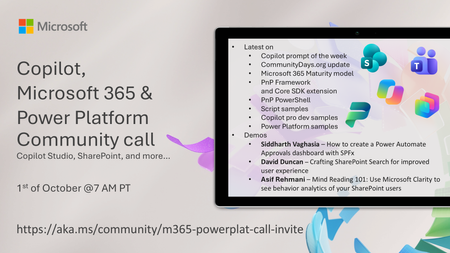
💡 Copilot, Microsoft 365 & Power Platform weekly community call focuses on different use cases and features within the Microsoft 365 and Power Platform - across Microsoft 365 Copilot, Copilot Studio, SharePoint, Power Apps and more. Demos in this call are presented by the community members. 👏 Looking to catch up on the latest news and updates, including cool community demos, this call is for you! 📅 On 1st of October we'll have following agenda: Latest on SharePoint Framework (SPFx) Latest on Copilot prompt of the week PnPjs CLI for Microsoft 365 Dev Proxy Reusable Controls for SPFx SPFx Toolkit VS Code extension PnP Search Solution Demos this time Siddharth Vaghasia – How to create a Power Automate Approvals dashboard with SPFx David Duncan – Crafting SharePoint Search for improved user experience Asif Rehmani – Mind Reading 101: Use Microsoft Clarity to see behavior analytics of your SharePoint users 📅 Download recurrent invite from https://aka.ms/community/m365-powerplat-dev-call-invite 📞 & 📺 Join the Microsoft Teams meeting live at https://aka.ms/community/m365-powerplat-dev-call-join 💡 Building something cool for Microsoft 365 or Power Platform (Copilot, SharePoint, Power Apps, etc)? We are always looking for presenters - Volunteer for a community call demo at https://aka.ms/community/request/demo 👋 See you in the call! 📖 Resources: Previous community call recordings and demos from the Microsoft Community Learning YouTube channel at https://aka.ms/community/youtube Microsoft 365 & Power Platform samples from Microsoft and community - https://aka.ms/community/samples Microsoft 365 & Power Platform community details - https://aka.ms/community/home 🧡 Sharing is caring!87Views0likes0CommentsCopilot, Microsoft 365 & Power Platform product updates call
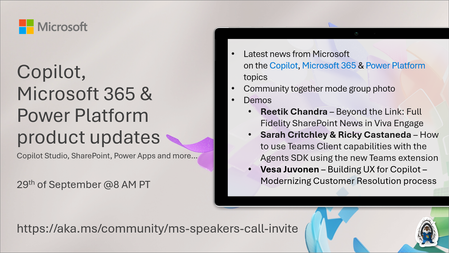
💡Copilot, Microsoft 365 & Power Platform product updates call concentrates on the different use cases and features within the Microsoft 365 and in Power Platform. Call includes topics like Microsoft 365 Copilot, Copilot Studio, Microsoft Teams, Power Platform, Microsoft Graph, Microsoft Viva, Microsoft Search, Microsoft Lists, SharePoint, Power Automate, Power Apps and more. 👏 Weekly Tuesday call is for all community members to see Microsoft PMs, engineering and Cloud Advocates showcasing the art of possible with Microsoft 365 and Power Platform. 📅 On the 29th of September we'll have following agenda: News and updates from Microsoft Together mode group photo Reetik Chandra – Beyond the Link: Full Fidelity SharePoint News in Viva Engage Sarah Critchley & Ricky Castaneda – How to use Teams Client capabilities with the Agents SDK using the new Teams extension Vesa Juvonen – Building UX for Copilot – Modernizing Customer Resolution process 📞 & 📺 Join the Microsoft Teams meeting live at https://aka.ms/community/ms-speakers-call-join 🗓️ Download recurrent invite for this weekly call from https://aka.ms/community/ms-speakers-call-invite 👋 See you in the call! 💡 Building something cool for Microsoft 365 or Power Platform (Copilot, SharePoint, Power Apps, etc)? We are always looking for presenters - Volunteer for a community call demo at https://aka.ms/community/request/demo 📖 Resources: Previous community call recordings and demos from the Microsoft Community Learning YouTube channel at https://aka.ms/community/youtube Microsoft 365 & Power Platform samples from Microsoft and community - https://aka.ms/community/samples Microsoft 365 & Power Platform community details - https://aka.ms/community/home 🧡 Sharing is caring!171Views0likes1Comment
Copilot Agent not consistently Respecting SharePoint Document Permission
Hi everyone, I have created a Copilot agent that answers questions based on documents stored in SharePoint, and I want the agent to respect the user's SharePoint permissions. For example: I have two documents: Document A and Document B. User A has access to Document A but does not have access to Document B. When User A asks a question related to Document A, the agent should provide an answer. When User A asks a question related to Document B, the agent should not provide any information because User A does not have permission to access that document in SharePoint. However, I am experiencing inconsistent behavior. Sometimes the Copilot agent correctly respects the SharePoint permissions, but at other times it provides an answer from a document that the user does not have access to in SharePoint. In some cases, even users who do have access to a document do not receive an answer from it. I am using Microsoft authentication and SharePoint as the knowledge source. Has anyone experienced this issue with Copilot Studio and SharePoint security trimming? Could this be related to indexing, caching, authentication, permissions propagation, or the way the agent retrieves documents? I would appreciate any guidance on how to ensure that the Copilot agent consistently respects the user's SharePoint permissions when retrieving and answering from documents.40Views0likes0CommentsEvent Recap - M365 Twin Cities 2026
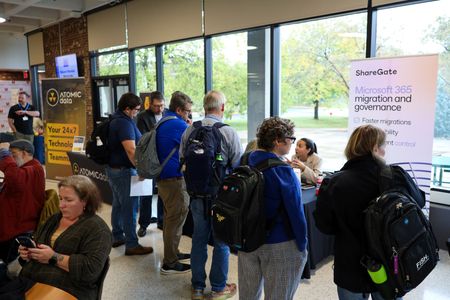
Inside M365 Twin Cities 2026: A Day of Microsoft 365, AI, and Community M365 Twin Cities 2026 connected Microsoft experts, MVPs, partners, and community members for a practical day of learning at Hennepin Technical College. Through keynotes, technical sessions, and direct access to specialists, attendees gained actionable ideas across Microsoft 365, AI, Copilot, Power Platform, and modern work—and strengthened relationships across the regional Microsoft community. Event facts Date: September 18, 2026 Venue: Hennepin Technical College, Brooklyn Park, MN Reach: 530 registrations, 320 attendees, 35 sessions, 38 speakers Event website: Community Days | M365 Twin Cities Event app and social: M365 Twin Cities | LinkedIn Introduction On September 18, 2026, the Microsoft community gathered at Hennepin Technical College, Brooklyn Park, MN for M365 Twin Cities, a community-driven event dedicated to helping professionals navigate the future of work with Microsoft technologies. From AI and Copilot innovation to hands-on technical learning and community engagement, the event delivered a full day of insights, collaboration, and knowledge sharing. Microsoft speakers, industry experts, partners, and community leaders came together to share expertise, answer questions, and inspire attendees with real-world examples of how Microsoft 365 and AI are transforming the way people work. The result was an energizing event that showcased both the innovation happening across the Microsoft ecosystem and the strength of the community that helps bring it to life. In a Nutshell M365 Twin Cities 2026 brought together the Microsoft 365 community for a full day of learning, collaboration, and connection at Hennepin Technical College in Brooklyn Park, Minnesota. The event featured a mix of Microsoft-led technical and business-focused sessions, Ask the Experts opportunities, and community-driven conversations that helped attendees explore the latest innovations across Microsoft 365, Copilot, AI, Power Platform, data, and modern workplace technologies. Why it mattered M365 Twin Cities created a direct connection between Microsoft product teams, field experts, MVPs, partners, and customers. That access helped attendees move beyond product announcements to practical implementation guidance, candid answers, and lessons from peers facing similar business and technical challenges—particularly around emerging AI and Copilot capabilities. Beyond the content itself, M365 Twin Cities continues to demonstrate the strength of the Microsoft community ecosystem, where knowledge sharing, mentorship, and networking help organizations accelerate adoption and innovation. Key Content & Highlights Microsoft thought leaders and product experts delivered technical sessions focused on the future of AI-powered productivity, Microsoft 365, Copilot, and business transformation. Featured content highlighted how organizations can build entirely new systems of work using AI, agents, and Microsoft platforms. Sessions showcased practical applications, product innovation, and roadmaps that attendees can take back to their organizations. Microsoft led sessions at M365 Twin Cities: Power BI Gotchas - Dan's Dirty Dozen by Dan English Designing for the Future: Apps, Agents, Automation, and Governance in Power Platform by Brian Caauwe The Next Generation of Community Storytelling: Powered by AI by Jonathan Jones What is it like to work at Microsoft? By Liz Sundet Microsoft Community and networking The community experience was a defining aspect of the event. Attendees connected with Microsoft representatives, MVPs, speakers, partners, and fellow professionals throughout the day, creating valuable opportunities for collaboration and relationship building. Community-focused activities, sponsor interactions, speaker meetups, and informal networking conversations reinforced the "Community Luv" spirit that has become a hallmark of Microsoft community events. The event highlighted how community-led learning continues to play a critical role in helping professionals share best practices, discover new ideas, and build lasting connections across the Microsoft ecosystem. What the program achieved M365 Twin Cities successfully delivered a forum where attendees could: Learn directly from Microsoft experts and industry leaders. Explore the latest innovations across Microsoft 365, Copilot, AI, Power Platform, and modern work solutions. Engage in meaningful discussions through expert sessions and Ask the Experts opportunities. Build connections with peers, partners, MVPs, and Microsoft employees. Strengthen the regional Microsoft community through shared learning and collaboration. The result was an event that advanced technical knowledge, encouraged adoption of new Microsoft technologies, and reinforced the value of community-driven learning and networking across the Microsoft ecosystem. Explore our upcoming Community Days events at https://aka.ms/CommunityDays. See you at the next one!107Views0likes0CommentsLet's talk about Copilot
The online meetup on October 13th, will be held in Norwegian Language. If there is interest, we would be happy to organize an English speaking one later. Please feel free to contact Merethe Stave if you're interested in participating in an international meetup to talk about Copilot. NMTC Fagnettverkstreff Snakk om Copilot! 📢✨Heya venner Norwegian Microsoft Tech Community, da kjører vi i gang igjen med fagnettverkstreff. Det blir mye spennende kunnskaps- og erfaringsdeling i løpet av høsten! 📅13. oktober 2026 ⌚19:00-20:00 🗨️🧠💡🧠💬La oss møtes via Teams online-møte og ta en prat om Copilot, Copilot Studio og Cowork. ✍️Meld deg på her 💡Dette er et fagnettverk der vi deler tanker, erfaringer og innsikt om tema. 🤗Alle er hjertelig velkomne og erfaring med Copilot er ikke et krav. Her er vi alle på samme reisa, og kan lære av og støtte hverandre. 🥰💡 💡Dette er et fagnettverk der vi deler tanker, erfaringer og innsikt om tema. 🤗Alle er hjertelig velkomne og erfaring med Copilot er ikke et krav. Her er vi alle på samme reisa, og kan lære av og støtte hverandre. 🥰💡 🦸♂️🦸♀️Om du ønsker å bli med og moderere fagnettverkstreffet, så gi meg et ping! Ja, vi er alle superhelter, DU og! 🫵😉 Vennlig hilsen, på vegne av styret i NMTC Lasse Nordvik Wedø, Ståle Hansen & Merethe Stavedg ✍️Meld deg på her27Views0likes0Comments