copilot in powerpoint
57 TopicsCopilot Capabilities
What's one Copilot Capability you use almost every day that you think more people should know about? For me, this will be Copilot in PowerPoint. As someone who creates PowerPoint decks a lot, I find it very helpful. Copilot knows how to align with the brand goals, brand colors, and brand information. I'd love to hear from you, what aspect of Copilot makes life easier for you.21Views1like1Comment
Combining Project, Image, and Notebook Features for a Unified Experience
I'm currently using two different Copilot app experiences to manage my work, projects, and notebooks and each one excels in different areas while missing key capabilities found in the other. One app provides a much richer project management environment, with Tasks, true project folders, plugin connections, and the ability to embed instructions. The other offers a stronger, more fluid notebook experience, but lacks the depth and structure that the project-focused app provides. Switching back and forth between these environments creates friction, especially when I want my projects and notebooks to live together in one unified workspace. The separation makes the workflow feel fragmented. There are also inconsistencies across creative and experimental features. One Copilot app uses Create for image editing, while the other uses Imagen. One includes Team of Advisors, while the other doesn’t. Different experiments appear in different places, and the overall experience feels split rather than cohesive. I’d love to see these capabilities brought together into a single, integrated Copilot environment. I would love to have one place where projects, notebooks, agents, experiments, and creative tools coexist. Additionally, the video creation experience could benefit from deeper AI integration. Clipchamp is functional, but it doesn’t yet feel like an AI‑accelerated workflow. A more advanced, model video tool would dramatically improve speed and creativity for users who rely on Copilot for content production. Finally, many of us want broader access to Cowork and more agentic capabilities. The ability to design or customize our own agents would unlock huge value, especially for users who depend on Copilot for complex workflows. Right now, I often have to go elsewhere to build agentic tools because Copilot doesn’t allow enough personalization or agent creation within its own ecosystem. Bringing these experiences together ... unified projects, enhanced notebooks, consistent creative tools, richer video AI, and expanded Cowork access would create a far more powerful and seamless Copilot environment for everyone.27Views0likes0Comments
After a week of heavy use, Microsoft 365 Copilot is creating more work than it saves
I am posting this publicly because I want to know whether other Microsoft 365 Copilot users are experiencing similar issues. Over the last week, Copilot has repeatedly created more work instead of reducing it. The recurring issues include: Failure to consistently use information that already exists within authorized Microsoft 365 content. Incomplete deliverables that require multiple rounds of prompting and manual assembly. Loss of context during longer conversations. Conversations becoming unresponsive with no practical recovery path. Assumptions presented as if they were verified facts. Deliverables requiring manual validation before they can actually be used. A recent example perfectly summarizes the problem. While helping me prepare Microsoft feedback, Copilot generated content that exceeded the destination character limit multiple times, even after being told the limit had already been exceeded. I repeatedly had to paste the content, discover the failure myself, return to Copilot, and request another correction. The user became the validator because the AI did not validate its own output before presenting it as complete. The larger concern is that this pattern appears across many workflows. The experience often looks like this: Request submitted. Incomplete answer returned. Missing information identified. Additional prompting required. Information is finally found. Consolidation requested. Additional omissions discovered. User assembles the final product manually. That is not productivity improvement. That is transferring research, validation, correction, consolidation, and quality assurance back to the user. I would appreciate input from other enterprise users: Are you experiencing similar issues? Have you found effective workarounds? Has Microsoft discussed planned improvements around context retention, workflow continuity, conversation recovery, enterprise grounding, response completeness, and validation? I have already submitted formal feedback through the Microsoft Feedback Portal and welcome discussion from users and Microsoft representatives.85Views0likes0Comments
Seeking Guidance on Microsoft 365 Copilot Adoption Support for an Enterprise Customer
Hi Everyone, We are a newly enrolled Microsoft partner currently working with a customer to accelerate Microsoft 365 Copilot adoption across their organization. We are exploring how we can best support the customer and would like to understand whether there are any Microsoft programs, resources, partner managers, or engagement channels available to help us collaborate with Microsoft on Copilot adoption opportunities. Could anyone advise on: The recommended Microsoft channel/team to engage for an enterprise Copilot adoption opportunity Any Microsoft programs or resources available to support customer adoption How partners can collaborate with Microsoft for customer-specific Copilot adoption support Any guidance on the appropriate Microsoft team, program, or point of contact would be greatly appreciated. Thank you!73Views0likes0CommentsToken Limit Exceeded ?
Hi All, Please check out my latest blog on “Token Limit Exceeded” would love to hear your thoughts https://techcommunity.microsoft.com/blog/1c769f9e-c0b0-45a7-af52-fecceca10bb2/token-limit-exceeded-whats-actually-going-on-and-what-to-do-about-it-/4536271219Views2likes2CommentsHelp.I have 365 Premium subscription, it hasn't expired, but I lost access to Copilot on phone.
I'm an Office 365 premium subscriber. I used to be able to use Copilot normally on Office on both my computer and iPhone, but now I can only use Copilot on Office on my computer. When I try to use Copilot on Office on my phone, it says: 'It seems you don't have a valid license. To get access, please contact your admin.' Before this problem happened, I sent an invite link to someone else to use Office 365 with me, and then I clicked the invite link myself on my phone using my subscriber account, and it showed that I successfully joined the sharing. After that, I couldn't use Copilot on Office on my phone anymore. Even though my subscription account is still shown as the organizer in the Family group and my subscription hasn't expired, it seems like I lost access to Copilot on my phone.200Views0likes4CommentsTranslate document with M365 Copilot function disappeared
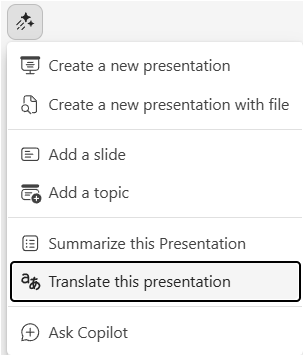
Hi all! As stated in the title, translate document with M365 Copilot function disappeared. It used to work as described in this official guide: https://support.microsoft.com/en-US/PowerPoint/copilot/translate-your-presentation-with-copilot Now it's gone and I am not finding any replacement.122Views0likes1Comment
Feature Proposal: OS-level Intelligent Task Organizer (Windows + Copilot)
A Idea about Intelligent Tasks organizer, I have to remember a lot of things during the team meetings like what is been said (we'll schedule a call or follow up etc.,) and what has been communicated in the emails (I'll get back to you after 2 weeks, or call us after two weeks) , And notes that I took in the notepad, or notepad ++,or sticky notes, or word, or one note. I want to chronologically display tasks on the right hand side of the laptop screen just like sticky note and it shall display all tasks one by one, it shall remove tasks are already complete (email sent with confirmation). and arrange, adjust every few mins according to priority/time or user added priority. App shall display small icon (just like chat) upon clicking it shall display ordered list of tasks. and desktop apps like teams/note/word/notepad++,sticky notes can participate by default or other apps like notepad++ can be onboarded manually in to the app. You can use a local model which infers the meaning of “I’ll call you in two weeks” - who is “I”? you or them? “Let’s follow up later” - task or casual statement? “I sent it” - which task did this complete? You can use a local model such that Corporate Teams/Outlook access may allow by corporate policy. Need to put much emphasis on false positives if the app keeps inventing tasks. Do not need to bring big LLMs in to the picture for inference, because of corporate policies may not allow. Microsoft provides operating system,office 365, tools with copilot, the inference can be possible because of all apps/content can be accessible at os level. Problem: Users capture tasks across multiple tools: Teams meetings and chats Outlook emails Notes (OneNote, Notepad, Sticky Notes, Word) Tasks become fragmented, untracked, and often lost. Proposed Solution: A lightweight system-level task layer integrated with Windows + Copilot that: Core Features Automatic task extraction From Teams, Outlook, notes, and user text Example interpretations: “I’ll call you in 2 weeks” “Let’s follow up later” Context-aware inference (local model) Identify: Task owner (“I” vs “you”) Priority signals Deadlines Minimize false positives Chronological task timeline Tasks auto-organized by: Time Priority Recency Floating task panel (desktop UI) Docked widget (like Sticky Notes or chat bubble) Expand/collapse view Always visible option Automatic task lifecycle tracking Detect completion: “Email sent” “File shared” Remove or mark complete automatically Continuous re-prioritization Adjust every few minutes based on: New inputs Deadlines User behavior Privacy-first architecture Use local models (SLM) instead of large cloud LLMs Enterprise admin control for data access Why this matters: Millions of users manually track tasks across fragmented tools, losing productivity daily. This feature would unify task understanding across the OS and M365 ecosystem.98Views0likes0CommentsProposal for a Unified Copilot Architecture and Tiered AI Assistant Model
Submitted by: Craig D. Evans Detroit, Michigan Executive Summary This proposal outlines a strategic redesign of Microsoft Copilot that transforms it from a collection of isolated chat instances into a unified, persistent, account based artificial intelligence assistant. The proposed architecture positions Copilot as the central intelligence that operates all Microsoft Office applications, maintains long term memory, and follows the user across all devices. This model introduces a tiered pricing structure that creates a scalable revenue engine while strengthening Microsoft’s long term dominance in productivity software. The proposal also introduces the concept of a dual AI verification system, in which Copilot performs tasks and a secondary model provides independent review. This structure increases reliability, reduces errors, and enhances user trust. Problem Statement The current Copilot experience is fragmented. Each application instance behaves as a separate assistant with limited continuity, limited memory, and limited cross application intelligence. Users must repeatedly re explain context, re establish preferences, and manually coordinate tasks across Word, Excel, PowerPoint, Outlook, and other Microsoft 365 applications. This fragmentation reduces efficiency, increases cognitive load, and prevents Copilot from functioning as a true personal assistant. It also limits Microsoft’s ability to monetize Copilot at scale, because the product does not yet offer a unified, persistent experience that users would be willing to subscribe to at higher tiers. Vision The vision is a single, persistent Copilot identity that the user logs into, similar to any modern online service. This identity follows the user across all devices and applications, retaining memory, preferences, formatting rules, workflows, and ongoing projects. In this model, Copilot becomes the central intelligence that operates the Microsoft Office ecosystem. Office applications become the tools, and Copilot becomes the operator. This transformation elevates Copilot from a chatbot to a long term digital assistant that remains with the user for decades. Functional Overview 1. Persistent Copilot Identity A single Copilot account that retains: Long term memory User preferences Formatting rules Writing style Project context Cross application workflows Templates and document structures This identity behaves like any other modern login system, such as Amazon, Walmart, or email services. 2. Copilot as the Central Intelligence of Office Copilot should be capable of: Opening and managing Word documents Applying templates and formatting Building PowerPoint presentations Managing Excel formulas and data structures Organizing files and directories Coordinating tasks across applications Executing workflows on behalf of the user Office becomes the body. Copilot becomes the brain. 3. Cross Device Continuity The user logs into Copilot once, and the assistant follows the user across: Desktop Laptop Mobile Web Cloud environments This creates a seamless, continuous experience. Tiered Pricing Model A tiered structure creates a scalable revenue engine and aligns with Microsoft’s existing subscription model. Tier 1: Free Copilot Basic chat No memory No continuity Limited functionality This tier serves as the entry point that encourages users to upgrade. Tier 2: Copilot with Memory and Formatting Persistent memory Document formatting intelligence Writing style retention Basic cross application awareness This tier provides immediate value and will attract a large user base. Tier 3: Cross Device Copilot Identity Full continuity across devices Unified assistant experience Project level intelligence Long term context retention This tier becomes the premium personal assistant model. Tier 4: Copilot as Full Office Manager Complete control of Word, Excel, PowerPoint, Outlook Workflow automation File management Multi application coordination Enterprise grade productivity This tier becomes the flagship offering for professionals and businesses. Optional Tier: Dual AI Verification (Copilot + Reviewer Model) Copilot performs tasks. A secondary model independently reviews output for: Accuracy Formatting Logic Consistency This reduces errors and increases trust. It becomes a high value premium tier. Competitive Advantage This architecture provides Microsoft with several strategic advantages: A unified assistant that no competitor currently offers A multi tier revenue structure that scales with user needs A long term relationship between user and assistant Increased adoption of Microsoft 365 subscriptions Strong differentiation from competing AI products Reduced user churn due to persistent memory and continuity This model positions Microsoft as the leader in personal and professional AI assistance. Long Term Strategic Value A persistent Copilot identity ensures that users remain within the Microsoft ecosystem for decades. As the assistant accumulates memory, preferences, and workflows, the cost of switching to another platform becomes extremely high. This creates: Long term subscription stability Increased enterprise adoption Stronger user loyalty A durable competitive moat Copilot becomes not only a feature, but a lifelong digital partner. Closing Statement I respectfully submit this proposal as a long time user who believes that Microsoft has the opportunity to define the future of personal and professional artificial intelligence. A unified Copilot identity, combined with a tiered pricing model and a dual AI verification system, will create a powerful, scalable, and enduring platform that strengthens Microsoft’s leadership in productivity software. Submitted by: Craig D. Evans Detroit, Michigan114Views1like0Comments
Best AI tools for Excel workflows?
Hi all, I’ve been exploring Microsoft Copilot for Excel, but I’m curious what others are using alongside it. I’ve seen tools like RowSpeak, Numerous.ai, and Ajelix, but not sure how they compare in real workflows. Has anyone tested different options? What actually works best for day-to-day Excel tasks? Would love to hear your experience.152Views0likes0Comments