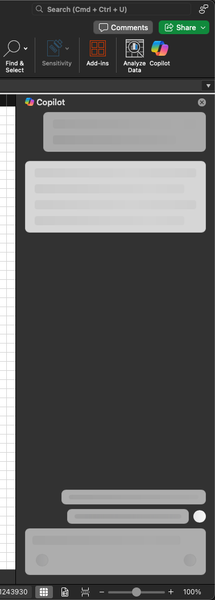
copilot in excel
25 Topics
Please Remove Daily Cap Usage for Free Copilot Text Chat
Dear Microsoft Copilot Team, I am writing to express my disappointment with the new daily usage caps on Microsoft Copilot, particularly for ordinary text-based conversations. In the past, I could use Copilot freely for everyday questions, learning, research, brainstorming, and general conversations without constantly worrying about reaching a daily limit. The newer restrictions have made the experience significantly more frustrating and less useful. I understand that running AI services requires computing resources and that Microsoft must manage operating costs. However, I believe ordinary text chat should remain uncapped, especially when it was previously possible to use Copilot much more freely. Text conversations are a fundamental part of the service, and users should not have to stop in the middle of a useful discussion because they have exhausted a daily allowance. The move toward a unified Copilot experience should make the product simpler, more consistent, and more useful—not make existing users feel that they have lost access to a service they have come to rely on. I am therefore asking Microsoft to: Remove daily usage caps entirely for ordinary text-based Copilot conversations, including for free users. Keep basic text chat freely accessible without arbitrary daily cutoffs or lengthy waiting periods. If stricter limits are necessary for resource-intensive features such as image generation or advanced research, apply those limits separately rather than restricting ordinary text conversations. Clearly communicate any usage policies and reconsider changes that negatively affect the experience of long-time users. Unlimited text chat would help preserve user trust, encourage continued engagement, and distinguish Copilot as an accessible AI assistant for everyone. Restricting basic conversations risks pushing loyal users toward competing services that offer a more suitable experience. I hope Microsoft will take this feedback seriously and reconsider the current daily cap policy. Please restore uncapped text chat so users can rely on Copilot whenever they need assistance, without worrying about running out of messages. People on Reddit and online have been criticizing these changes ever since Copilot was unified under one product between enterprise and personal, If you guys dont do anything now it might reduce user trust and might be bad business decisions so please fix Copilot Thank you for your time and consideration. I look forward to seeing Microsoft make Copilot more accessible and user-friendly again.306Views4likes2Comments
COPILOT DENIES ACCESS IN BETA VERSION
Hello, I am a Microsoft 365 Insider on the Beta Channel. I recently gained access to the multi-model preview features (Grok and Fable) in Word. While Word was open, my VPN accidentally connected to a restricted region (Russia). Shortly afterward, I was blocked from accessing Copilot and received the following error: "Copilot n’est pas disponible dans votre région." I have since permanently disabled the VPN and returned to my regular home network. However, whenever I rejoin the Beta Channel, the regional restriction immediately returns. I have already tried performing a clean installation of Office, verifying my Windows region settings, and resetting my privacy settings. Unfortunately, none of these steps has resolved the issue. Could this restriction be associated with an account-level setting or a server-side regional eligibility check? If so, is there an official troubleshooting procedure or a Microsoft support team that can review my account's eligibility and help restore access to the preview features? I would appreciate any guidance on how to resolve this issue. Thank you!ر81Views0likes1CommentFix all annoying Copilot bugs
I’m experiencing an issue with Microsoft Edge on Android. Starting today (September 22, 2026), whenever I try to visit copilot.microsoft.com, Edge automatically redirects me to the Google Play Store to install the Copilot app. I prefer using Copilot in the browser and do not want to install the app. And even when i try to install the copilot app it does not let me do anything and thinks I need a license or subscription to access it like copilot is litterly supposed to be free and also even when i try to get rid of the app redirection it for some dumb reason it redirects me to from copilot.microsoft.com to copilot.com and they put in restrictions like after a lot of chats you must wait for a specific time period and a couple months ago you guys removed the ability to use copilot without registration like come on that is so dumb I want Microsoft Copilot to be fixed revert how copilot was before how is this consumer friendly348Views1like2Comments
Access to Office App Context and Setting CEA as Default in Microsoft 365 Copilot
Hello everyone, I’m exploring Custom Engine Agents (CEA) in Microsoft 365 Copilot and have two questions regarding their integration with Microsoft 365 applications. Can a Custom Engine Agent access the current Office application context? When a CEA is added to Microsoft 365 Copilot, is there a supported way for the CEA to access the content of the Microsoft 365 application where Copilot is currently being used? For example: Word: Can the CEA read and/or modify the document currently open in Word? Outlook: Can the CEA access the current email/thread and perform write operations such as drafting or modifying content? PowerPoint: Can the CEA access and modify the presentation currently open? Other Microsoft 365 applications: Are similar capabilities available in other applications where Microsoft 365 Copilot is supported? Essentially, I’m trying to understand whether a Custom Engine Agent can leverage the same application context and read/write capabilities that the native Microsoft 365 Copilot has within these applications. If this is supported, what APIs, SDKs, or integration patterns should be used? Can a Custom Engine Agent be configured as the default mode? Is there a supported way to: Disable or bypass the default Microsoft 365 Copilot experience/mode, and Configure a Custom Engine Agent as the default agent/mode that users interact with when they open Copilot? For example, if an organization has a custom agent that should handle the majority of Copilot interactions, can that agent be configured as the default instead of the standard Microsoft 365 Copilot? I’d appreciate any clarification on the current capabilities, limitations, and recommended architecture for these scenarios. Thanks129Views0likes0CommentsAccess to Office App Context and Setting CEA as Default in Microsoft 365 Copilot
<p>Hello everyone,</p> <p> I’m exploring <strong>Custom Engine Agents (CEA) in Microsoft 365 Copilot</strong> and have two questions regarding their integration with Microsoft 365 applications. </p> <p><strong>1. Can a Custom Engine Agent access the current Office application context?</strong></p> <p> When a CEA is added to Microsoft 365 Copilot, is there a supported way for the CEA to access the content of the Office application where Copilot is currently being used? </p> <p>For example:</p> <ul> <li><strong>Word:</strong> Can the CEA read and/or modify the document currently open in Word?</li> <li><strong>Outlook:</strong> Can the CEA access the current email/thread and perform write operations such as drafting or modifying content?</li> <li><strong>PowerPoint:</strong> Can the CEA access and modify the presentation currently open?</li> <li>Similarly, can it access the context of other Microsoft 365 applications where Copilot is available?</li> </ul> <p> Essentially, I’m trying to understand whether a <strong>Custom Engine Agent can leverage the same application context and read/write capabilities that the native Microsoft 365 Copilot has within these applications</strong>. </p> <p> If this is supported, what APIs, SDKs, or integration patterns should be used? </p> <p><strong>2. Can a Custom Engine Agent be configured as the default mode?</strong></p> <p> Is there a supported way to: </p> <ul> <li>Disable or bypass the default Microsoft 365 Copilot experience/mode, and</li> <li>Configure a <strong>Custom Engine Agent as the default agent/mode</strong> that users interact with when they open Copilot?</li> </ul> <p> For example, if an organization has a custom agent that should handle the majority of Copilot interactions, can that agent be configured as the default instead of the standard Microsoft 365 Copilot? </p> <p> I’d appreciate any clarification on the current capabilities, limitations, or recommended architecture for these scenarios. If there is any official documentation covering these capabilities, please share it as well. </p> <p>Thanks!</p>121Views0likes0CommentsAccess to Office App Context and Setting CEA as Default in Microsoft 365 Copilot
Hello everyone, I’m exploring **Custom Engine Agents (CEA) in Microsoft 365 Copilot** and have two questions regarding their integration with Microsoft 365 applications. ### 1. Can a Custom Engine Agent access the current Office application context? When a CEA is added to Microsoft 365 Copilot, is there a supported way for the CEA to access the content of the Office 365 application where Copilot is currently being used? For example: - **Word:** Can the CEA read and/or modify the document currently open in Word? - **Outlook:** Can the CEA access the current email/thread and perform write operations such as drafting or modifying content? - **PowerPoint:** Can the CEA access and modify the presentation currently open? - Similarly, other Microsoft 365 applications where Copilot is available. Essentially, I’m trying to understand whether a **Custom Engine Agent can leverage the same application context and read/write capabilities that the native Microsoft 365 Copilot has within these applications**. If this is supported, what APIs, SDKs, or integration patterns should be used? ### 2. Can a Custom Engine Agent be configured as the default mode? Is there a supported way to: - Disable or bypass the default Microsoft 365 Copilot experience/mode, and - Configure a **Custom Engine Agent as the default agent/mode** that users interact with when they open Copilot? For example, if an organization has a custom agent that should handle the majority of Copilot interactions, can that agent be configured as the default instead of the standard Microsoft 365 Copilot? I’d appreciate any clarification on the current capabilities, limitations, or recommended architecture for these scenarios. Thanks113Views0likes0Comments
Copilot not loading in desktop Mac Excel
When trying to load the Copilot sidebar in the Mac desktop version of Microsoft Excel Version 16.91 (24111020), all I get is a loading animation (see screenshot). I've got a Microsoft 365 Subscription, and Copilot for Microsoft 365 license. Copilot works fine in Word. The document I'm working with is saved in a SharePoint team through my OneDrive app, and is formatted as a table.1.4KViews3likes8Comments
Copilot use in Excel formulas
Hello, does anyone know when Microsoft plans to make it possible to use Copilot in Excel formulas, e.g. with the GPTforExcel tool? =copilot(summarize; A1) Would it be obvious to use it in-house? Or does anyone have a good walkaround e.g. with PowerPlatforms? Or do you have other solutions? Thank you411Views2likes1CommentHow to remove Copilot from showing up on web-based apps?
Hello, I predominantly use Outlook through the website via Chrome. I also use OneDrive, Excel, and Word through Chrome quite often. I had a tech person walk me through removing Copilot from my computer's apps - the actual programs - but it's still showing up on my website uses. I do not support AI, AI is absolute trash, and I want Copilot completely eliminated from everything I use. I am tired of having to close the Copilot 'summary' that automatically pops up at the top of all my emails. Is there an easy way to completely eliminate this, or am I doomed? Thank you!8.3KViews17likes4CommentsCapabilities of Copilot in Web Browser vs. in Excel
Hello, I have noticed differences of Copilot capabilities of M365 Copilot in web browser vs. in Excel itself. For example, I want to count the number of lines in Excel file based on some parameters. When I put the prompt "Count the number of rows that have 'VTT' in column 'Product'." into Excel Copilot, it counts the correct number of rows. When I put the same prompt, just starting with "In file /Sample_data.xlsx" into M365 Copilot in Teams or in the web browser, it returns incorrect count every time. The same happens when I upload the file directly to the Copilot window and not link it to Onedrive. Mostly less (correct is 202 and Copilot returns 64 or so). I suspect it cannot access the entire document. I have tried many similar simple tests with other prompts and it is often the same result - in Excel good, elsewhere bad. Why does this happen? Is it because the file is indexed only partially in some sort of index and web Copilot draws from that and cannot see the data itself? How can I allow the Teams/web Copilot to access the data so the results are correct? I don't want to open Excel everytime to use the data inside. Thank you very much!! PS: When I test the same prompts with ChatGPT 4o mini, it responds correctly every time, so the data is AI-readable.1.4KViews1like3Comments