copilot in excel
183 Topics
What's the simplest way to make a genuinely random name selection system using Microsoft tools?
For example, suppose I have a list of participants in Excel and want to randomly select one winner without manually choosing from the list. Would you use RAND/RANDBETWEEN in Excel, Power Automate, or another Microsoft 365 approach? I'm also interested in preventing the same person from being selected twice when several winners are needed. I'd appreciate an approach that's easy for someone without much Excel or Power Automate experience to understand.145Views0likes5Comments
Access to Office App Context and Setting CEA as Default in Microsoft 365 Copilot
Hello everyone, I’m exploring Custom Engine Agents (CEA) in Microsoft 365 Copilot and have two questions regarding their integration with Microsoft 365 applications. Can a Custom Engine Agent access the current Office application context? When a CEA is added to Microsoft 365 Copilot, is there a supported way for the CEA to access the content of the Microsoft 365 application where Copilot is currently being used? For example: Word: Can the CEA read and/or modify the document currently open in Word? Outlook: Can the CEA access the current email/thread and perform write operations such as drafting or modifying content? PowerPoint: Can the CEA access and modify the presentation currently open? Other Microsoft 365 applications: Are similar capabilities available in other applications where Microsoft 365 Copilot is supported? Essentially, I’m trying to understand whether a Custom Engine Agent can leverage the same application context and read/write capabilities that the native Microsoft 365 Copilot has within these applications. If this is supported, what APIs, SDKs, or integration patterns should be used? Can a Custom Engine Agent be configured as the default mode? Is there a supported way to: Disable or bypass the default Microsoft 365 Copilot experience/mode, and Configure a Custom Engine Agent as the default agent/mode that users interact with when they open Copilot? For example, if an organization has a custom agent that should handle the majority of Copilot interactions, can that agent be configured as the default instead of the standard Microsoft 365 Copilot? I’d appreciate any clarification on the current capabilities, limitations, and recommended architecture for these scenarios. Thanks35Views0likes0CommentsAccess to Office App Context and Setting CEA as Default in Microsoft 365 Copilot
<p>Hello everyone,</p> <p> I’m exploring <strong>Custom Engine Agents (CEA) in Microsoft 365 Copilot</strong> and have two questions regarding their integration with Microsoft 365 applications. </p> <p><strong>1. Can a Custom Engine Agent access the current Office application context?</strong></p> <p> When a CEA is added to Microsoft 365 Copilot, is there a supported way for the CEA to access the content of the Office application where Copilot is currently being used? </p> <p>For example:</p> <ul> <li><strong>Word:</strong> Can the CEA read and/or modify the document currently open in Word?</li> <li><strong>Outlook:</strong> Can the CEA access the current email/thread and perform write operations such as drafting or modifying content?</li> <li><strong>PowerPoint:</strong> Can the CEA access and modify the presentation currently open?</li> <li>Similarly, can it access the context of other Microsoft 365 applications where Copilot is available?</li> </ul> <p> Essentially, I’m trying to understand whether a <strong>Custom Engine Agent can leverage the same application context and read/write capabilities that the native Microsoft 365 Copilot has within these applications</strong>. </p> <p> If this is supported, what APIs, SDKs, or integration patterns should be used? </p> <p><strong>2. Can a Custom Engine Agent be configured as the default mode?</strong></p> <p> Is there a supported way to: </p> <ul> <li>Disable or bypass the default Microsoft 365 Copilot experience/mode, and</li> <li>Configure a <strong>Custom Engine Agent as the default agent/mode</strong> that users interact with when they open Copilot?</li> </ul> <p> For example, if an organization has a custom agent that should handle the majority of Copilot interactions, can that agent be configured as the default instead of the standard Microsoft 365 Copilot? </p> <p> I’d appreciate any clarification on the current capabilities, limitations, or recommended architecture for these scenarios. If there is any official documentation covering these capabilities, please share it as well. </p> <p>Thanks!</p>35Views0likes0CommentsAccess to Office App Context and Setting CEA as Default in Microsoft 365 Copilot
Hello everyone, I’m exploring **Custom Engine Agents (CEA) in Microsoft 365 Copilot** and have two questions regarding their integration with Microsoft 365 applications. ### 1. Can a Custom Engine Agent access the current Office application context? When a CEA is added to Microsoft 365 Copilot, is there a supported way for the CEA to access the content of the Office 365 application where Copilot is currently being used? For example: - **Word:** Can the CEA read and/or modify the document currently open in Word? - **Outlook:** Can the CEA access the current email/thread and perform write operations such as drafting or modifying content? - **PowerPoint:** Can the CEA access and modify the presentation currently open? - Similarly, other Microsoft 365 applications where Copilot is available. Essentially, I’m trying to understand whether a **Custom Engine Agent can leverage the same application context and read/write capabilities that the native Microsoft 365 Copilot has within these applications**. If this is supported, what APIs, SDKs, or integration patterns should be used? ### 2. Can a Custom Engine Agent be configured as the default mode? Is there a supported way to: - Disable or bypass the default Microsoft 365 Copilot experience/mode, and - Configure a **Custom Engine Agent as the default agent/mode** that users interact with when they open Copilot? For example, if an organization has a custom agent that should handle the majority of Copilot interactions, can that agent be configured as the default instead of the standard Microsoft 365 Copilot? I’d appreciate any clarification on the current capabilities, limitations, or recommended architecture for these scenarios. Thanks35Views0likes0Comments
Is it really impossible to break workbook protection?
Hi, I process personal data and need strict protection (GDPR). My raw data from a survey is copied to several worksheets in a workbook and the processed anonymous data (dashboards) is in other worksheets in the same workbook. Before sending the whole workbook with the visible dashboards to my customers I delete some of the raw data worksheets and hide others. After that I protect the structure of the workbook with a code. Now only the worksheets with the dashboards are visible. Will it at all be possible for my customers to break the protection and get access to the sensitive raw personal data or am I completely safe? Thanks in advance to your reply! Best regards PerSolved6.5KViews16likes28CommentsGLSU Excel add-in fails to load after Office update from Version 2607 to 2608
Our Excel add-in, Process Runner GLSU , fails to load after Microsoft Office updates from Version 2607 to Version 2608. This started August 17, 2026 and is actively growing in scope. Error messages: Excel: Cannot run the macro 'onLoad' VBA: System Error &H80004005 (-2147467259). Unspecified error VBA: Compile error in hidden module: ThisWorkbook Has anyone encountered similar issue with their own custom add-on. If yes, any pointers to fix it. We are seeking help on priority. Thanks, Vrushali Pawale, Sr. Manager, Insightsoftware.649Views0likes1Comment
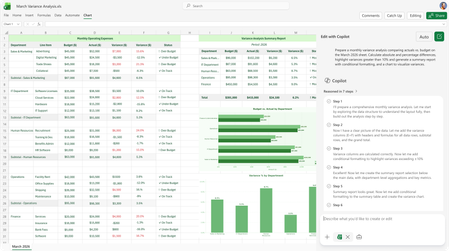
Excel Copilot fails when local workbook filename contains #
Excel Copilot does not work with locally stored workbooks whose filename contains the '#' character. The same workbook works correctly after renaming the file to remove '#'. The same workbook also works when stored on OneDrive with '#' in the filename. The issue appears specific to local files and filename parsing. Specifically, when clicking on Copilot in Excel, Copilot says "This file type is not supported for editing with Copilot. Please save this file as a modern file format, such as ".xlsx", to be able to edit it with Copilot." Interestingly, Copilot works fine if the Excel file name contains, for example, % or &, the problem only occurs if the name contains #. We suspect this is a bug. In our workflows, we work a lot with files that have # in their names and we would be very happy if this was indeed a bug and if it was fixed. Tnx.396Views0likes8Comments