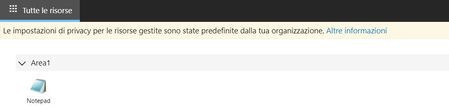
connection error
2 Topics
Connection failure - Microsoft Teams on Poly X50 which seems to be after the lastest update.
Our Client has been using PolyX50's on Microsoft Teams successfully for the last year. Since updating to Poly 3.9 they are experiencing problems. If the system is logged into a Teams Room, the equipment works fine but once logged out they are unable to log-In again. The system looks to be signing in OK - The Company Portal in the Top Left changes to the Clients Name & it goes through to Adding Your Device to the Company Portal then it goes back to the Log-In Screen. IT have checked The New Microsoft Firewall Rules & they appear to be fine. We initially contacted Poly but they say they haven't come across the issue & to check with Microsoft.6KViews0likes5Comments[SOLVED] Unable to connect to RemoteApp
Hello, I successfully distributed WVD connected to a VM DC in the same Azure subnet, DC and Azure AD are syncing throw AD Connect After created a RemotApp and assigned an user for access I am able to access the workspace. But if I try to open the app i get this error: could not connect to the gateway due to an error what can it depend on? Solution: Active Directory user was not properly synchronized in AD2.3KViews0likes0Comments