cluster shared volumes
26 TopicsDirect Mode didn’t work on ReFS formated Cluster Shared Volumes
Hi, why is direct access not possible with a ReFS format CSV volume? Instead of direct access, all reFS formatted CSVs that are provided by a SAN runs with "FileSystemRedirected". This behavior is critical because the "FileSystem Redirected" mode, compared to direct access, has up to 90% or more performance losses depending on the environment. Neither the fact that ReFS formatted CSV only run in "FileSystem Redirected" mode nor the associated performance penalties are mentioned in any official Microsoft statement. On the contrary, Microsoft actively recommends using ReFS for VHDX files. That is why, like many others, I have formatted the CSV with ReFS since the server in 2016, because I hoped that this would be an advantage for the customer systems. Unfortunately, this procedure led to the opposite and it was not easy to find the reason for it. Mainly because Microsoft has absolutely nothing documented about this behavior. I personally had to postpone more than 100 TB of data on various customer systems over the past few months in order to eliminate this problem and to bring the CSV formatted with ReFS back to NTFS. This action cost my company a considerable amount and also led to massive annoyance of the customer. However, if you know what to look for, you can now find a lot of posts on the Internet that confirm this behavior. Here are a few examples. https://github.com/MicrosoftDocs/windowsserverdocs/issues/2051 https://www.hyper-v-server.de/hypervisor/performance-probleme-hyper-v-cluster-mit-san-storage-und-csvs-mit-refs-formatiert/ https://techcommunity.microsoft.com/t5/failover-clustering/understanding-the-state-of-your-cluster-shared-volumes/ba-p/371889 https://www.windowspro.de/marcel-kueppers/refs-ntfs-vor-nachteile-dateisysteme-server-2016 https://www.wowrack.com/blog/microsofts-latest-system-refs-compared-to-ntfs/ https://4sysops.com/archives/windows-server-2019-cluster-shared-volumes-best-practices/ https://social.technet.microsoft.com/Forums/ie/en-US/6b2dcc4f-e735-4700-81f3-df45d94e7e01/refs-for-a-hyperv-csv-volume?forum=winserverhyperv https://forums.veeam.com/veeam-backup-replication-f2/latest-veeam-community-forums-digest-oct-2-oct-8-t46019.html Therefore, I now spare myself any further details and come directly to my demand. If ReFS does not fundamentally support direct mode, then I also expect Microsoft to publicly clarify it accordingly and also clearly indicate which disadvantages could arise if the CSVs are formatted with ReFS. If it should work and there is only a bug in between, please finally fix it. This problem has existed since Server 2016, so enough time should have passed to fix the problem. Best Regards from Germany Alex2.3KViews1like0CommentsCluster Shared Volume - A Systematic Approach to Finding Bottlenecks
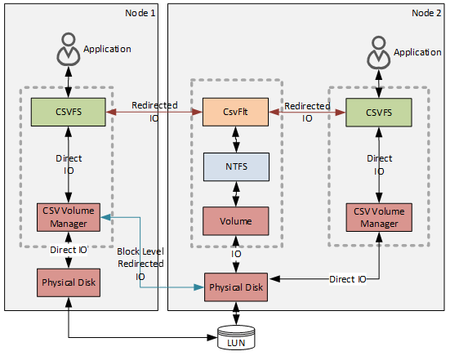
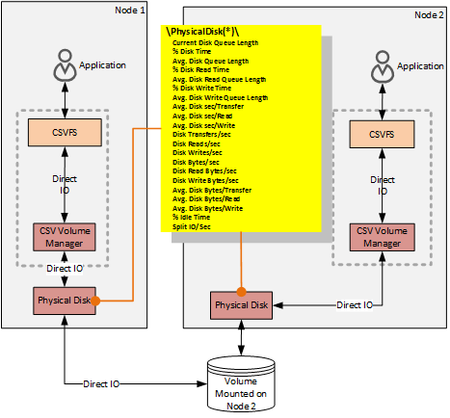
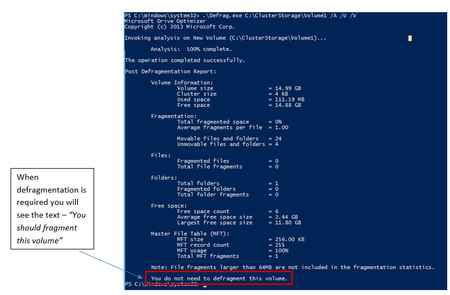
First published on MSDN on Jul 29, 2015 In this post we will discuss how to find if performance that you observe on a Cluster Shared Volume (CSV) is what you expect and how to find which layer in your solution may be the bottleneck.15KViews1like1CommentEvent ID 5120 in System Event Log
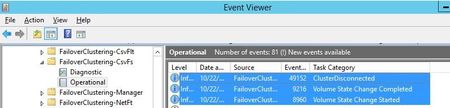
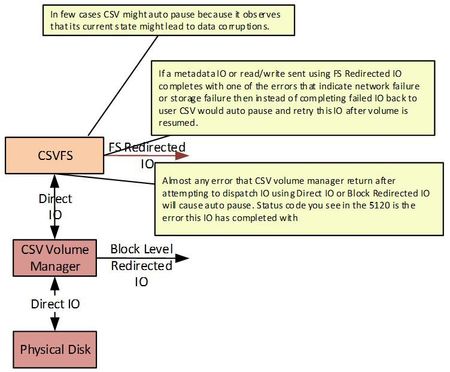
First published on MSDN on Feb 26, 2014 When conducting backups of a Windows Server 2012 or later Failover Cluster using Cluster Shared Volumes (CSV), you may encounter the following event in the System event log:Log Name: SystemSource: Microsoft-Windows-FailoverClusteringEvent ID: 5120Task Category: Cluster Shared VolumeLevel: ErrorDescription: Cluster Shared Volume 'VolumeName' ('ResourceName') is no longer available on this node because of 'STATUS_CLUSTER_CSV_AUTO_PAUSE_ERROR(c0130021)'.16KViews0likes0Comments