cloud security
116 Topics
New Blog Post | Microsoft Defender PoC Series – Defender CSPM
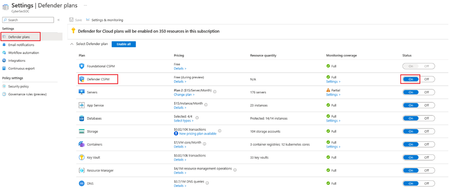
Microsoft Defender PoC Series – Defender CSPM - Microsoft Community Hub This Microsoft Defender for Cloud PoC Series provides guidelines on how to perform a proof of concept for specific Microsoft Defender plans. For a more holistic approach where you need to validate Microsoft Defender for Cloud and Microsoft Defender plans, please read How to Effectively Perform an Microsoft Defender for Cloud PoC article. Cloud Security Posture Management provides organizations with a centralized view of their cloud security posture, allowing them to quickly identify and respond to security risks, ensures compliance, and allows for continuous monitoring and improvement of cloud security posture. Defender for Cloud CSPM provides organizations with a unified view of their cloud environment across multiple cloud providers, including Azure, AWS, GCP and On-premises. Defender for Cloud offers CSPM in two plans: a free Foundational CSPM plan and a Premium Defender CSPM plan. To understand the capabilities of CSPM plans, please refer: Overview of Cloud Security Posture Management (CSPM) | Microsoft Learn. Defender CSPM plan, provides advanced posture management capabilities such as Attack path analysis, Cloud security explorer, Agentless Scanning, security governance capabilities, and also tools to assess your security compliance.48KViews0likes0CommentsNew Blog Post | Proacting Hunting with Cloud Security Explorer in Defender for Cloud
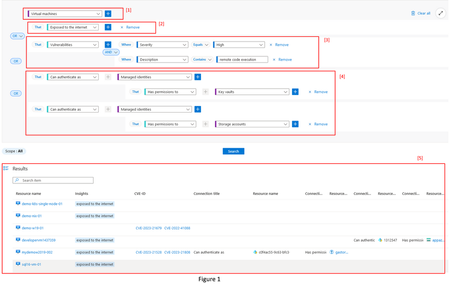
Full blog post: Proacting Hunting with Cloud Security Explorer in Defender for Cloud - Microsoft Community Hub In our previous blog “A Proactive Approach to Cloud Security Posture Management with Microsoft Defender for Cloud,” Yuri Diogenes emphasized the importance of proactive security posture management and outlined a successful organizational structure for security teams. He delved into the core elements of posture management, including monitoring secure score improvement, enforcing governance rules, and engaging in proactive hunting. Building on that discussion, we now turn our attention to the vital aspect of proactive hunting in this follow-up article. Our goal is to provide technical insights and practical tips for reducing the attack surface and minimizing the risk of compromise through proactive hunting in cloud environments. This article will demonstrate how you can utilize Microsoft Defender for Cloud's Security Explorer to conduct proactive hunting in cloud environments with maximum efficiency. Original post: New Blog Post | Proacting Hunting with Cloud Security Explorer in Defender for Cloud - Microsoft Community Hub47KViews0likes0CommentsWEF forwarding to Azure Security Centre / Log Analytics
Hello - I am hoping this is possible and a viable option. I currently use Windows Event Forwarding (WEF) with Winlogbeat sending events off to Elasticsearch. Epic, this works great, why would i change this right? Well i want to use Azure Log Analytics for my search platform, because i enjoy KutsoQL I want to use the Azure security centre and Sentinel. I already have Office365 Signin, Audit and Mailbox logs in Azure Log Analytics. Is it possible to simply stick the OMS agent on my WEC/WEF server and send events into my Logs Analytics workspace? If not, what is the best practice (and MS Solution) for Windows Event Management and Analysis?Solved16KViews0likes18CommentsMS Purview Compliance Manager and Defender for Cloud
How is MS Purview Compliance Manager and Defender for Cloud (regulatory compliance), which appear to do very similar if not identical functions, related? I know Compliance Manager uses MCCA/CAMP to evaluate environments, does Defender for Cloud use MCCA/CAMP as well to determine compliance? Just looking to understand the relationship, if any, between the two products.7.5KViews1like1Comment
Secure score power BI dashboard
We are following https://github.com/Azure/Microsoft-Defender-for-Cloud/tree/main/Secure%20Score to deploy secure score over the time dashboard for MDC. however steps for the deployment are very old when we had azure security center instead of MDC and prerequisites are not properly documented. As per the article we need to: Export the secure score data to Log analytics workspace by using continuous report option in MDC portal. Deploy Secure Score over the time workbook which can export the secure score data to Log Analytics workspace (not clear if this will pull reports every 24 hours and what permissions are required on Log Analytics workspace and to deploy the workbook) Do we need to export the secure score data to same Log Analytics workspace on which MDC is deployed or a separate workspace is needed ? If MDC already uses Log analytics workspace in the backend to store the logs then why can't we pull the secure score log data directly? why we need to export the secure score data to Log Analytics workspace first then to connect it to dashboard ?4.7KViews0likes2CommentsSecurityEvent table gets populated with events altough data collection not configured?
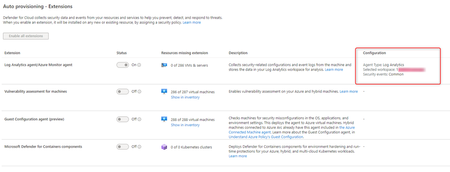
Hi, I’ve inherited in my new workplace an Azure environment with multiple subscriptions. I’m trying to create an inventory of what is logged and where. What I’m doing now is to get for each subscription is the auto provisioning status. The script is simple: Connect-AzAccount $azSubs = Get-AzSubscription # Set array $Results = @() foreach($azSub in $azSubs){ $azSub | Set-AzContext Write-Host "Processing subscription: " $azSub.Name $autoProvisioningSettings = Get-AzSecurityAutoProvisioningSetting $SecurityWorkspaceSetting = Get-AzSecurityWorkspaceSetting $foo = [PSCustomObject]@{ Subscription = $azSub.Name AutoProvision = $autoProvisioningSettings.AutoProvision SecurityWorkspaceSetting = $SecurityWorkspaceSetting.WorkspaceId } $Results += $foo } $Results AzSecurityAutoProvisioningSetting - https://docs.microsoft.com/en-us/powershell/module/az.security/get-azsecurityautoprovisioningsetting?view=azps-8.2.0 Automatic Provisioning Settings let you decide whether you want Azure Security Center to automatically provision a security agent that will be installed on your VMs. The security agent will monitor your VM to create security alerts and monitor the security compliance of the VM. Get-AzSecurityWorkspaceSetting - https://docs.microsoft.com/en-us/powershell/module/az.security/get-azsecurityworkspacesetting?view=azps-8.2.0 This cmdlet lets you discover the configured workspace that will hold the security data that was collected by the security agent that is installed in VMs inside this subscription. So basically, I’m aiming to get the following details but programmatically rather than clicking 10000 times: Now, here comes the weird part. Take the two below: The first, has auto provisioning set to on, a selected workspace, and security events set to common (basically a 1 to 1 with what I can see in the portal): The second, has also auto provisioning set to on, but no workspace or security events configured: What I don’t understand why for the second if I browse the Log Analytics in that given subscription I can see the SecurityEvent table ?! The table description states “security events collected from windows machines by Azure Security Center or Azure Sentinel”. We don’t have Sentinel in use…. What am I missing ??4.2KViews0likes4Comments
New Blog | Microsoft Defender for Cloud - Monthly News - August 2024
By Yura Lee Microsoft Defender for Cloud Monthly news August 2024 Edition This is our monthly "What's new" blog post, summarizing product updates and various new assets we released over the past month. In this edition, we are looking at all the goodness from July 2024. Read the full post here: Microsoft Defender for Cloud - Monthly News - August 20242.6KViews0likes0CommentsAzure Defender for SQL Server is now Generally Available
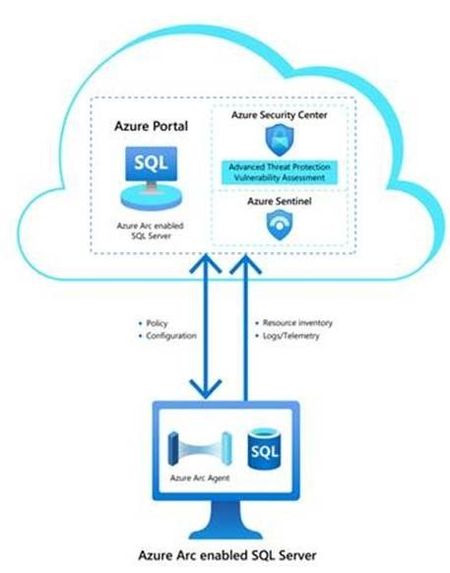
We are delighted to announce that Azure Defender for SQL Server is now Generally Available for protecting SQL databases on premises, in Azure VMs and in multi-cloud deployments, allowing customers to constantly monitors their SQL servers outside Azure for known vulnerabilities and threats. Watch Azure Defender for SQL Server in action We invite you to watch the following short video to see how Azure Defender for SQL can help organizations avoid, detect, and respond to popular attacks on their SQL servers which are commonly observed in the wild. Learn more on the Introduction to Azure Defender for SQL page.2.5KViews0likes1Comment
New Blog | High severity curl vulnerability: prepare with Microsoft Defender for Cloud
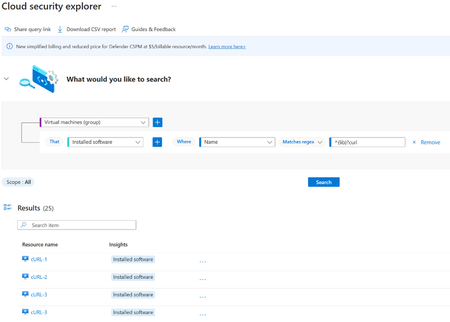
On October 2nd, high severity vulnerabilities in curl were preannounced. The curl project has announced that curl8.4.0 will be released on October 11th, earlier than expected. While the vulnerabilities have yet to be disclosed, it is expected that two vulnerabilities will be released: high-severity CVE-2023-38545 and low-severity CVE-2023-38546. curl is a popular command-line tool and library (libcurl) used to transfer data across network protocols using URL syntax. The library is one of the most widely used open-source projects across most operating systems, including Windows and Linux, and is one of the most popular OSS packages present in clients, embedded systems, and cloud-native applications/containers. Explicit details on the vulnerabilities, such as vectors and impacted versions, have not been disclosed at this time. We will update this blog post once the details are available after October 11th with further guidance. However, we encourage customers to prepare ahead of time by understanding where and how in their environments they are using curl. Read the full blog here: High severity curl vulnerability: prepare with Microsoft Defender for Cloud - Microsoft Community Hub2.4KViews0likes0Comments